A Claude Code command is one of three different things depending on where you type it, and no single source lists all three. This reference covers the shell subcommands, the CLI flags, and the in-session slash commands — and reconciles them against what the binary on this machine actually accepts, which turns out not to match its own help output. For what the features behind these commands actually do, the complete Claude Code guide is the place to start. Every figure below was measured against Claude Code v2.1.224 on 2026-08-07 with an internal check script, and the slash-command census against 2.1.259 on 2026-09-03.
Key takeaways
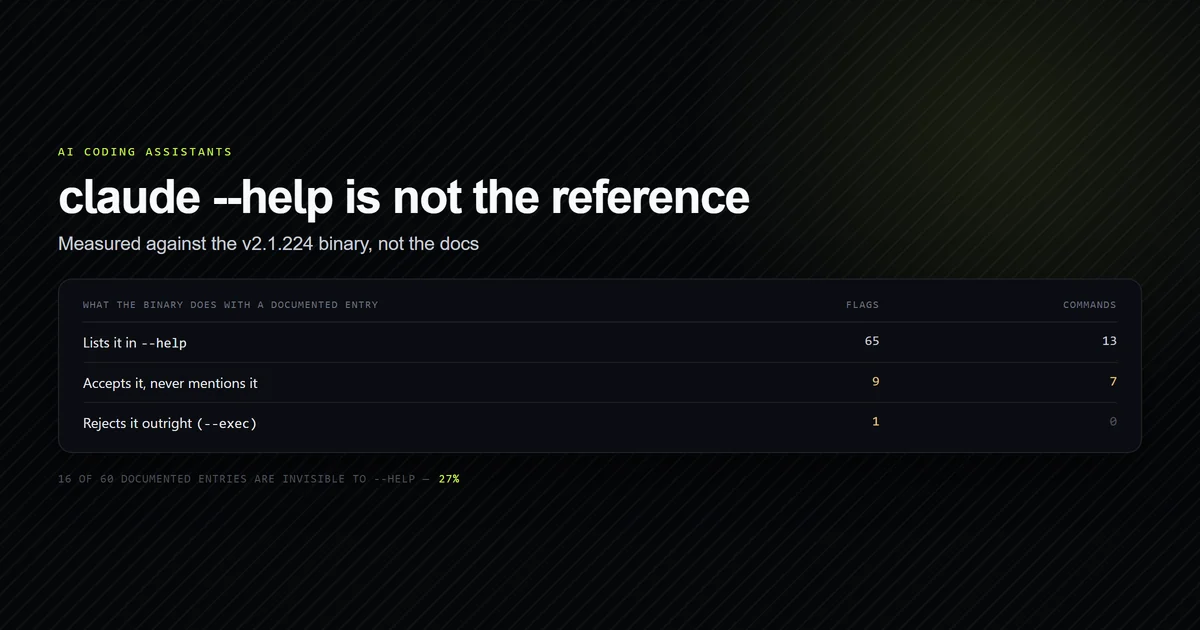
claude --helpis not a complete reference. On v2.1.224 it advertises 65 flags and 13 subcommands; we found 16 documented entries it never mentions but the binary accepts.- Seven working subcommands are invisible to
--help:attach,daemon,logs,respawn,rm,stop, andremote-control. - One documented flag does not exist in this build.
--execreturnsunknown option '--exec'. - The three surfaces are distinct: subcommands manage installation and sessions, flags configure a session at launch, slash commands act inside one.
/helpis the only authority for your machine, because the slash command set varies by plan, platform, and installed plugins. A probe of every name is the next best thing — see which slash commands work without a terminal.
What counts as a claude code command
Three surfaces, three different lifetimes.
| Surface | Where it runs | Example |
|---|---|---|
| Subcommand | Your shell, before a session | claude mcp list |
| Flag | Your shell, configures the session | claude --permission-mode plan |
| Slash command | Inside a running session | /context |
The distinction matters because the three are documented in different places and behave differently. A flag applies for the life of one session. A subcommand usually does not start a session at all. A slash command only exists once you are inside one.
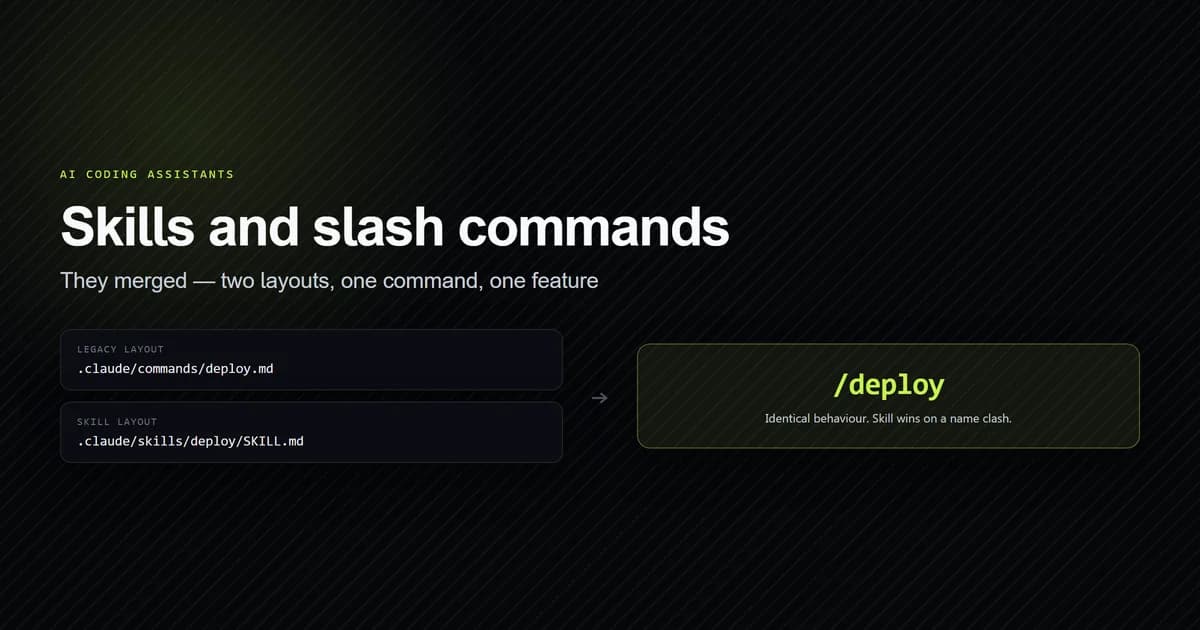
For authoring your own slash commands, skills and slash commands covers the merge that made them the same feature.
Shell subcommands
These run from your shell. Most do not start a session.
| Subcommand | What it does |
|---|---|
claude | Start an interactive session |
claude -p "query" | Print a response and exit |
claude -c | Continue the most recent conversation here |
claude -r "<id>" | Resume a session by ID or name |
claude agents | Manage and monitor background agents |
claude auth | login, logout, status |
claude auto-mode | Inspect or reset the auto mode classifier |
claude doctor | Installation and settings diagnostics |
claude gateway | Run the enterprise auth/telemetry gateway |
claude import | Import config from codex or gemini |
claude install [target] | Install the native build |
claude mcp | Configure MCP servers |
claude plugin | Manage plugins and marketplaces |
claude project purge | Delete all local state for a project |
claude setup-token | Create a long-lived token for CI |
claude ultrareview | Cloud multi-agent review of a branch or PR |
claude update | Check for updates and install |
Three are worth calling out. claude doctor reads settings files in the current directory without a
trust prompt, which makes it the right first move on a machine you have just set up. claude project purge deletes transcripts, tasks, file history, and the config entry for a project; it
takes --dry-run, and you should use it.
claude mcp has its own subcommands — list, get, add, add-json, login, remove — and
get is the one to reach for first, because it prints the scope a server was defined in as well as
its status. When a server is configured and not working, that status line is usually the whole
diagnosis: troubleshooting an MCP server that will not connect
walks the states it can report and what each one actually means.
Seven commands the help output omits
Anthropic's CLI reference states plainly that
claude --help does not list every flag and that absence from help does not mean a flag is
unavailable. That is easy to read past. It is also measurable, so we measured it.
The probe exploits how the argument parser reports errors. Invoking a value-taking flag with no
value produces option '--x <v>' argument missing when the binary knows the flag, and unknown option '--x' when it does not. Neither starts a session, so the probe costs nothing and touches
no API:
claude --max-turns
# → error: option '--max-turns <turns>' argument missing
claude --exec
# → error: unknown option '--exec'
Running that across 40 documented flags and 20 documented subcommands with our internal check script produced this:
npm run check:cli
# → claude 2.1.224 (Claude Code)
# → --help advertises 65 flags and 13 commands.
# →
# → Documented and accepted, but absent from --help (16)
# →   --advisor
# →   --append-subagent-system-prompt
# →   --append-system-prompt-file
# →   --channels
# →   --max-turns
# →   --permission-prompt-tool
# →   --ref
# →   --system-prompt-file
# →   --teammate-mode
# →   attach
# →   daemon
# →   logs
# →   remote-control
# →   respawn
# →   rm
# →   stop
# →
# → Documented but rejected by this build (1)
# →   --exec
# →
# → 16/60 documented entries are invisible to --help (27%).
The seven hidden subcommands are a coherent set — they are the background-session controls:
| Hidden subcommand | What it does |
|---|---|
claude attach <id> | Attach to a background session in this terminal |
claude logs <id> | Print recent output from a background session |
claude stop <id> | Stop a background session |
claude respawn <id> | Restart one with its conversation intact |
claude rm <id> | Remove one from the list |
claude daemon | Inspect or stop the background-session supervisor |
claude remote-control | Start the Remote Control server |
All seven print real usage when asked. claude respawn --help returns
Usage: claude respawn <id>|--all, which is a flag combination the docs do not show either.
--exec is the one that goes the other way. The CLI reference documents it as running a shell
command as a PTY-backed background job, paired with --bg. On v2.1.224 it is rejected outright.
Either it landed after this build or it was withdrawn; the docs give no version gate, so treat
documented-but-unlisted and documented-but-absent as two different risks.
Flags grouped by what they change
The full set is 65 in --help alone. These are the ones that change behaviour you will notice.
Starting and resuming. -c continues the most recent conversation in this directory; -r
resumes a specific one by ID or name. --fork-session gives a resumed session a new ID instead of
writing back to the original. -n names a session so /resume shows something readable.
Permissions and tools.
| Flag | Effect |
|---|---|
--permission-mode | Start in plan, auto, acceptEdits, dontAsk, bypassPermissions, or manual |
--allowedTools | Tools that run without prompting |
--disallowedTools | Deny rules, including Agent(Explore) |
--tools | Restrict the built-in tool set entirely |
--add-dir | Grant access to directories outside the working tree |
Model and effort. --model takes an alias (sonnet, opus, haiku, fable) or a full ID.
--effort takes low through max. --fallback-model accepts a comma-separated list tried in
order when the primary is overloaded, and only works with --print.
System prompt. --system-prompt replaces the default entirely; --append-system-prompt adds
to it. Both have -file variants that are absent from --help. This is the escape hatch when a
rule must reach the model at system-prompt level rather than through a
Claude Code instructions file, which is
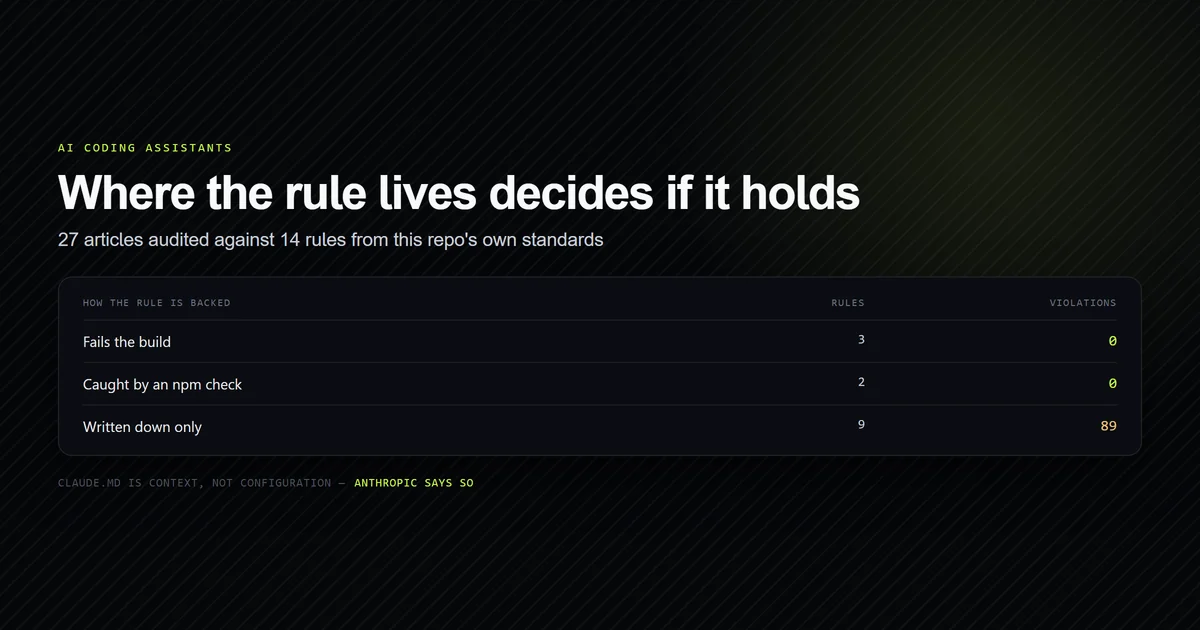
delivered as context and carries no compliance guarantee.
Print mode. -p prints and exits. A cluster of flags only works with it: --output-format
(text, json, stream-json), --input-format, --json-schema for validated structured
output, --max-turns, --max-budget-usd, and --forward-subagent-text.
Troubleshooting. Two flags disable configuration, and the difference matters.
| Flag | What it disables |
|---|---|
--safe-mode | All customisations: CLAUDE.md, skills, plugins, hooks, MCP, agents, themes |
--bare | The same discovery, plus keychain reads and OAuth; auth becomes API-key only |
Reach for --safe-mode when a session behaves oddly and you suspect your own configuration.
--bare is for scripted runs where you want to supply every input explicitly.
Slash commands inside a session
There are well over a hundred, and the set depends on your plan, platform, and plugins. /help
lists what your session actually has. Everything below is from Anthropic's commands
reference.
Correction, 2026-09-03. This section previously said /which <command> names the handler for a
command. On Claude Code 2.1.259 /which answers Unknown command, as do /todos and
/pr-comments — three names retired in the four weeks since this article was measured against
v2.1.224. The evidence, and the three different replies the CLI gives, are in
which slash commands work without a terminal.
Two of those slash commands are big enough to have their own measurement: /code-review and its effort levels, and /security-review and the empty report it can return.
Context and session state.
| Command | Purpose |
|---|---|
/context | Visualise context usage, including loaded memory files |
/compact | Summarise the conversation to free context |
/clear | Start fresh with empty context |
/rewind | Roll code and conversation back to a checkpoint |
/resume | Return to a previous conversation |
/usage | Token usage and cost for this session |
/status | Current model, effort, and session info |
The first three are a catalogue entry here and a workflow elsewhere: what each one actually reclaims is in Claude Code context window management, with a full benchmark of token reduction and prompt cache mechanics in our Claude Code /compact command guide. /clear is the bluntest of them and the most misread — what clearing context actually removes measures the floor it leaves you on and the bytes it does not touch. /rewind reads from a store you can audit directly; what rewind can and cannot restore counts it, including the 7,081 shell calls it never covered. For resuming, continuing, and forking sessions from the command line, see Claude Code session management.
Configuration.
| Command | Purpose |
|---|---|
/init | Generate a starting CLAUDE.md |
/memory | Edit memory files, toggle auto memory |
/config | Open the settings interface |
/permissions | Set approval rules — see our guide to Claude Code permissions |
/model | Switch model and save as default |
/effort | Set the effort level |
/hooks | View hook configuration |
/doctor | Setup checkup, and it proposes CLAUDE.md trims |
Delegation and parallel work.
| Command | Purpose |
|---|---|
/agents | Manage subagent configurations |
/subtask | Hand a side task to a subagent, result returns here |
/fork | Copy the conversation into a new background session |
/tasks | List background tasks and subagents |
/btw | Ask a side question with no tool access, discarded after |
Bundled skills. These are skills rather than built-ins, which is why they accept arguments and
can be chained. /code-review, /security-review, /simplify, /test, /search,
/debug, /doctor, and /web-search all run this way, and up to six can be chained in one
message: /skill-a /skill-b do XYZ passes do XYZ to both.
Which slash commands work without a terminal
/help knows your plan, platform and plugins, but not which commands survive outside the
terminal. So on Claude Code 2.1.259, on 2026-09-03, we ran 84 command names through the CLI one
process per name, stdout not a TTY, and sorted the replies by the CLI's own wording:
claude -p "/context" --model haiku
# → ## Context Usage
# → **Model:** claude-opus-5[1m]
# → **Tokens:** 22k / 1m (2%)

claude -p "/status" --model haiku
# → /status isn't available in this environment.

claude -p "/which" --model haiku
# → Unknown command: /which
Three replies, three meanings: it ran, it exists but needs the terminal UI, there is no such command. The count: 23 returned real output, 52 need the TUI, and 9 are not registered at all.
| Scriptable command | What it returned |
|---|---|
/context | Full context table — model, tokens, category breakdown, per-MCP-tool cost |
/usage, /cost | Plan usage and session spend |
/model | Current model: Haiku 4.5 |
/mcp | 5 MCP server(s): 2 connected, 3 not connected, 0 disabled |
/config | Usage: /config key=value — sets a setting non-interactively |
/effort | Usage: /effort <low|medium|high|xhigh|max|auto> |
/autocompact | Auto-compact window: auto |
/skill-doctor | A table of loaded skills, their source and context cost |
/list-agents | The sessions this one can message |
/recap, /goal, /rename, /color | Session state, set or read |
/clear, /compact | Ran and returned empty output |
/doctor, /insights | Ran, slowly |
/fast | Fast mode unavailable: Fast mode is not available in the Agent SDK |
/reload-skills, /usage-credits, /extra-usage, /agents | Ran with a status or a redirect |
/context is the standout: the same table the interactive command prints, no terminal needed,
and the cheapest way to see from a script which MCP servers are eating your prompt. /doctor took
69 seconds and /insights 78, because both hand the turn to the model; everything else returned
in under five. Two replies are neither a run nor an error — /agents answers "The /agents wizard
has been removed" and /extra-usage answers "/extra-usage is now /usage-credits" — so a script
that checks only the exit code will not notice its command was retired.
The 52 terminal-only names include most of what you reach for interactively: /help, /status,
/skills, /hooks, /permissions, /memory, /plan, /diff, /rewind, /resume, /export,
/tasks, /theme, /vim, /output-style, /statusline, /keybindings, /add-dir,
/release-notes, /terminal-setup, /ide, /chrome and /plugin. Assume a command is TUI-only
until a probe says otherwise.
/version   /todos   /alias   /which   /pr-comments
/daemon    /migrate-installer   /todo   /agent
/agent gets a suggestion — Unknown command: /agent. Did you mean /agents? — and /version is
defined in the binary only as a terminal variant, so a command that plainly exists interactively
reads as unknown here. That is the limit of the method: the result means this build answers to
it in this environment, not this command exists.
The names come from two sources. A conservative parse of the 2.1.259 binary found 71 command definitions covering at least 64 distinct names — a floor, because that parse drops anything it cannot resolve cleanly. The session also loaded 45 skills, which are invoked with a slash exactly like built-ins: 11 from user settings, 21 from one installed plugin and 13 bundled with the build.
Verify the reference against your own build
Any command reference is a snapshot. Claude Code shipped 30 versions between v2.1.195 and v2.1.224, and at least three slash command names stopped resolving in the four weeks between v2.1.224 and 2.1.259. We re-derive the tables in this article with internal check scripts rather than maintaining them by hand, and the slash-command half of that probe is short enough to run yourself:
for name in context usage cost model mcp config effort autocompact; do
  printf '%-14s ' "/$name"
  claude -p "/$name" --model haiku 2>&1 | head -1
done
Grep the output for isn't available in this environment (terminal-only) and Unknown command
(not registered). Leave out anything that signs you out, updates the binary, spends cloud credit,
writes into the repository or opens $EDITOR — our census excluded 32 such names, including
/logout, /update, /install, /ultrareview, /fork and /init, rather than counting them
as failures.
The flag-and-subcommand script parses claude --help, probes every documented flag and
subcommand, and reports two categories: accepted but undocumented in help, and documented but
rejected. It exits non-zero on the second, because that is genuine drift between the docs and the
binary.
Two bugs in it are worth repeating, because both produced confident wrong answers first. The flag
parser used a lowercase-only pattern, so --allowedTools and --disallowedTools were reported as
hidden when they are in --help in camelCase. The command parser required two spaces after the
command name, so every row written as agents [options] was missed and the count came out at 8
instead of 13. A reference built on either would have been wrong in a way no reader could catch.
The script also runs three control probes before trusting any result: a known flag must be recognised, an invented flag must be rejected, and an invented subcommand must fall through to root help. If any control fails, it aborts rather than reporting numbers.
Common mistakes
- Treating
claude --helpas the reference. It omits 16 of the 60 documented entries we probed, including every background-session control. - Assuming the docs match your binary.
--execis documented and absent on v2.1.224. Check before you script against a flag. - Using print-mode flags interactively.
--output-format,--max-turns, and--max-budget-usdare silently irrelevant without-p. - Reaching for
--dangerously-skip-permissionswhen--permission-modewould do. The mode flag has six values, anddontAskoracceptEditscovers most of what people want bypass for. - Confusing
--safe-modewith--bare. Both disable customisation, but--barealso drops OAuth and keychain auth, so an interactive session started with it may not authenticate. - Treating "Unknown command" and "isn't available" as the same failure. The first means the name is not registered; the second means it exists and needs a terminal.
- Looking for a
claudecodebinary. The command isclaude. Neitherclaudecodenor the transposedcluadecoderesolves to anything.
Conclusion
Use /help for slash commands, because only your session knows what your plan and plugins
provide, and probe the names you intend to script against — the
census above shows how, and which nine names have
already stopped resolving. For the chords that drive the same surface, see
Claude Code keyboard shortcuts. Use the CLI reference rather
than claude --help for flags, since help omits more than a quarter of them — and verify anything
you are about to script against, because at least one documented flag is missing from the current
build. If you only remember three: /context when a session slows down or misbehaves, --safe-mode when your
configuration does, and claude doctor before either. /context reports the session in front of you; for
whether a release actually changed anything, the version-by-version join over your own transcripts
is the measurement /context cannot give you. For the features these commands drive
rather than their spelling, our full walkthrough of the
tool is the better next read.
Frequently asked questions
How many Claude Code commands are there?
Why does claude --help not show every flag?
What is the difference between a slash command and a skill?
Is it claude code, claudecode, or cluadecode?
How do I run Claude Code non-interactively?
Which Claude Code slash commands work in a script?

Muhammad Kashif
Founder and editor of Devventa, covering AI coding assistants, Next.js and the modern AI development stack.