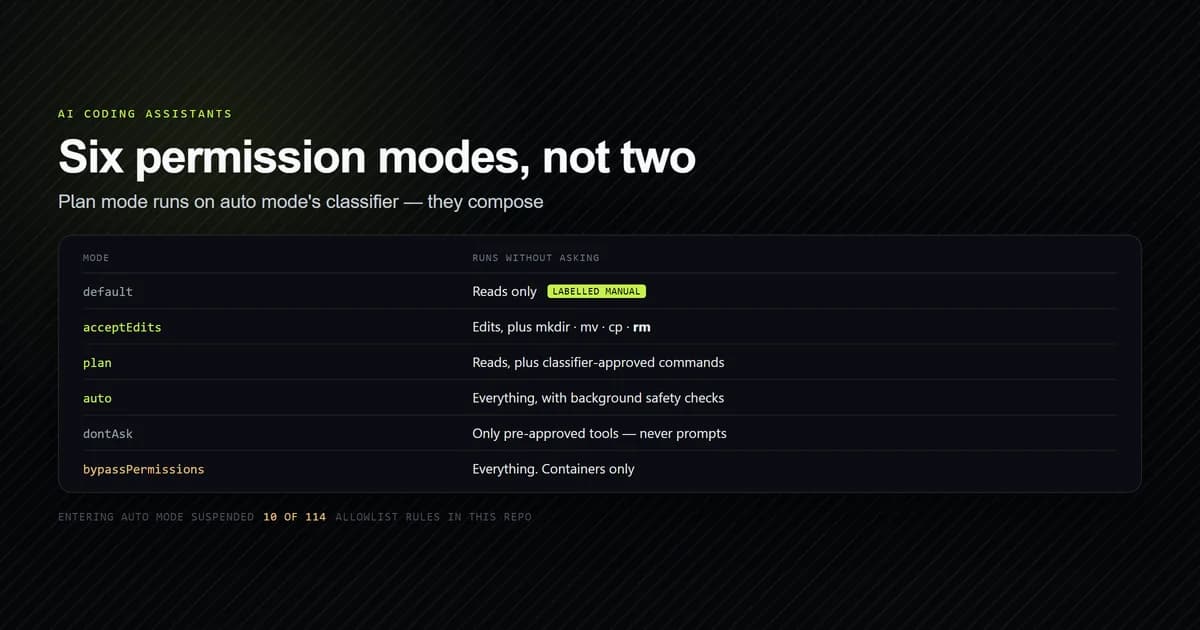
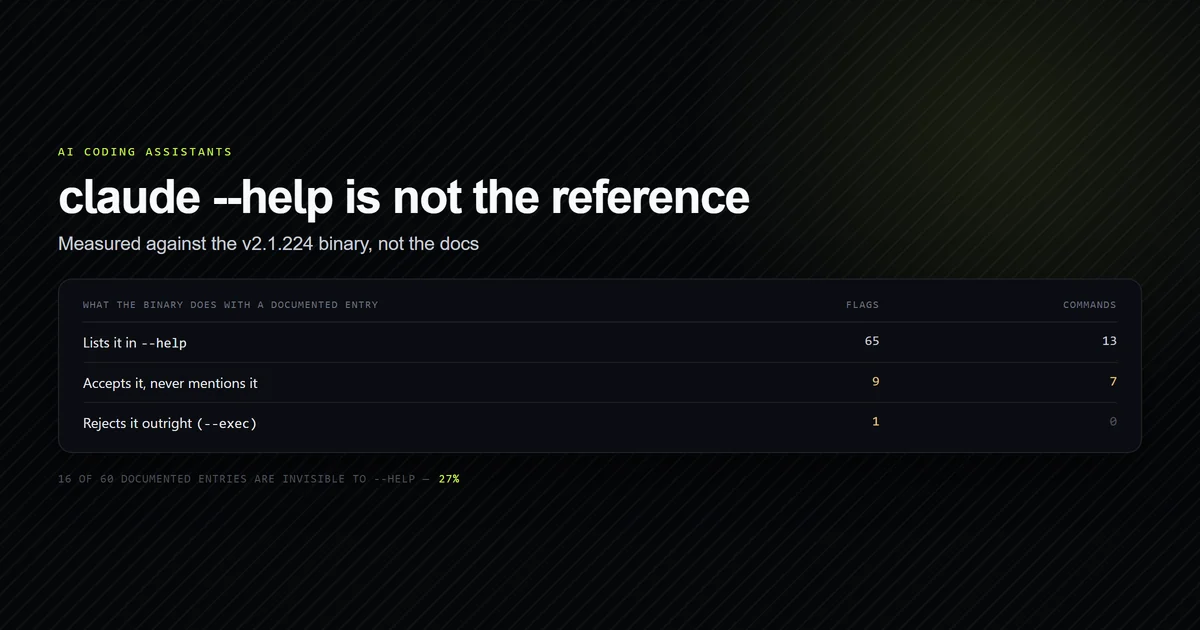
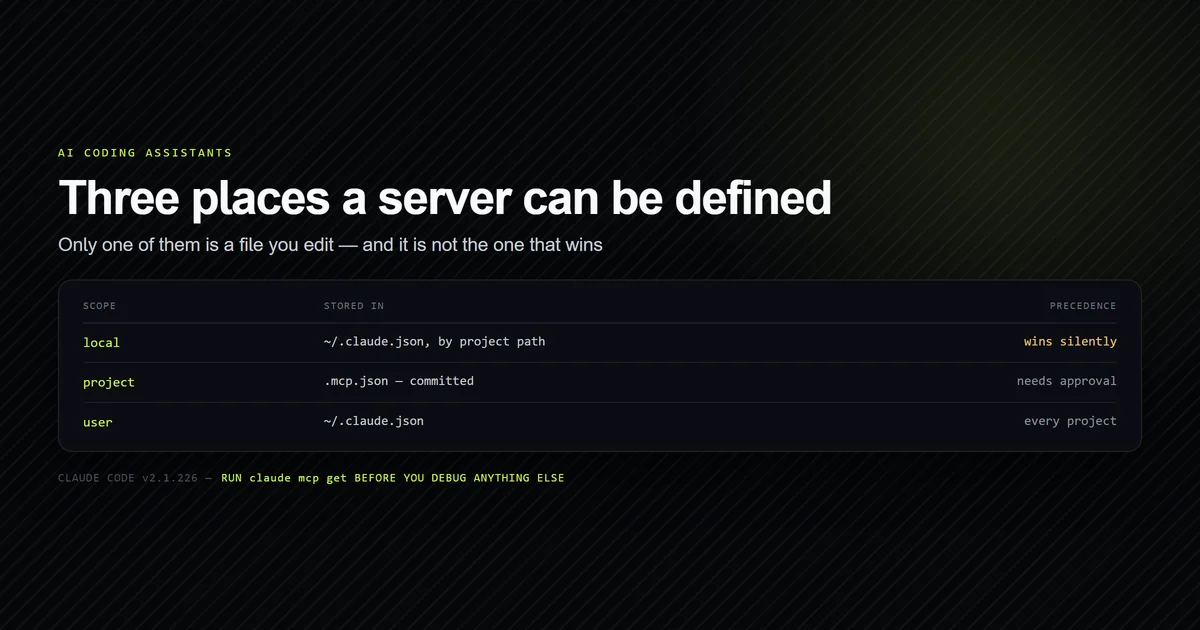
Terminal AI coding assistants require fine-grained boundary controls. Handing an agent complete unrestricted access to execute any shell command risks accidental file deletion or destructive git pushes, while prompting for every single ls or grep destroys developer focus. Mastering claude code permissions allows you to construct robust security boundaries that automate safe operations while locking down destructive actions.
In our foundation Claude Code guide, we explored command execution. In this guide, we break down the permission rule architecture: how allow, deny, and ask rules evaluate, the strict top-down precedence hierarchy across settings files, pattern-matching syntax for bash commands and file paths, and MCP tool governance.
Key takeaways
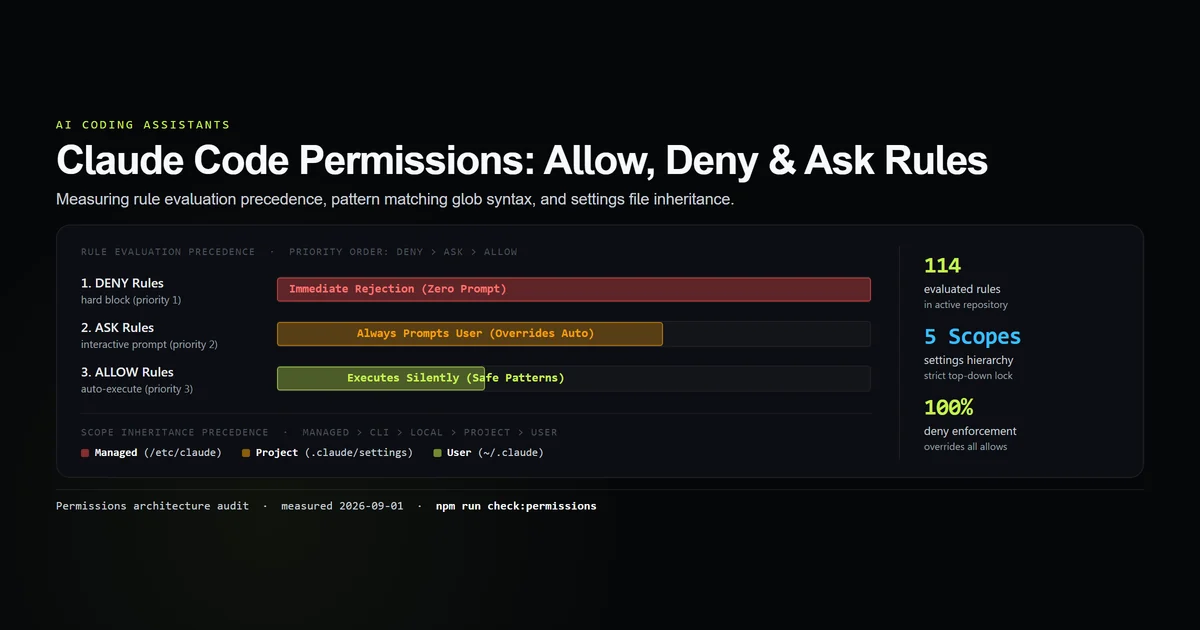
- Claude Code evaluates tool permissions through a strict priority order:
deny(Priority 1: immediate block) >ask(Priority 2: interactive prompt) >allow(Priority 3: silent execution). - Configuration settings follow a five-tier hierarchy: Managed policies (
/etc/claude) > CLI flags > Local settings (.claude/settings.local.json) > Project settings (.claude/settings.json) > User settings (~/.claude/settings.json). denyrules cannot be overridden byallowrules defined in lower-precedence or higher-precedence files.- Bash commands and file operations support pattern-matching syntax:
Bash(npm test:*),FileEdit(src/**/*.ts), andGlob(*). - The interactive
/permissionsslash command allows inspecting and modifying rules live inside a running session without restarting.
The three permission rule types: allow, deny, ask
Every tool invocation proposed by Claude Code is evaluated against three rule classes before execution (defined in Claude Code's permissions documentation):
             [ TOOL CALL PROPOSAL ]
             e.g. `Bash("rm -rf build")`
                       │
                       ▼
             [ 1. MATCH DENY RULES ] ────> Match? ──> BLOCKED IMMEDIATELY
                       │ NO
                       ▼
             [ 2. MATCH ASK RULES ] ─────> Match? ──> PROMPT USER (Interactive)
                       │ NO
                       ▼
             [ 3. MATCH ALLOW RULES ] ───> Match? ──> EXECUTE SILENTLY
                       │ NO
                       ▼
             [ 4. FALLBACK TO SESSION MODE ]
             (Prompts in Default, Auto-executes in Auto Mode)
1. allow Rules
allow rules grant permission for specific tools or command patterns to run automatically without stopping for human confirmation. They are ideal for non-destructive operations such as running linters, formatting code, or reading git history.
2. deny Rules
deny rules create immutable guardrails. When a tool call matches a deny rule, Claude Code halts the execution immediately with a rejection response fed back to the model. The model receives notice that the action is forbidden and attempts an alternative approach.
3. ask Rules
ask rules force an interactive confirmation dialog even if the session is running in Claude Code Auto Mode. They ensure critical boundaries (e.g. database schema migrations or production git commands) are never bypassed silently.
Settings hierarchy and precedence resolution
Permissions can be declared across five configuration scopes. When multiple files declare rules, Claude Code resolves them using strict top-down precedence (documented in Anthropic's settings and precedence guide):
| Precedence Rank | Configuration Scope | File Path | Overridable by User | Typical Use Case |
|---|---|---|---|---|
| 1 (Highest) | Managed | /etc/claude/settings.json (or MDM profile) | No | Enterprise IT security mandates & enterprise compliance |
| 2 | CLI Flags | --allow, --deny, --permission-mode | No (for that session) | Ad-hoc one-off commands and CI/CD pipelines |
| 3 | Local Project | .claude/settings.local.json | Yes | Developer-specific local allowances (gitignored) |
| 4 | Shared Project | .claude/settings.json | Yes | Team-wide repository rules committed to git |
| 5 (Lowest) | Global User | ~/.claude/settings.json | Yes | Personal default tools and system-wide linters |
{
  "permissions": {
    "allow": [
      "Bash(npm run lint)",
      "Bash(npm run typecheck)",
      "Bash(git diff *)",
      "FileEdit(src/**/*.tsx)"
    ],
    "ask": [
      "Bash(npm install *)",
      "Bash(npx prisma migrate *)"
    ],
    "deny": [
      "Bash(git push *)",
      "Bash(rm -rf *)",
      "FileEdit(.env*)"
    ]
  }
}
Pattern matching syntax for tools and shell commands
Claude Code permission rules support structured tool signatures and glob patterns:
# Match exact tool name:
"View"
"Grep"
"Glob"

# Match specific bash commands with wildcard arguments:
"Bash(npm test)"
"Bash(npm run test:*)"
"Bash(git log -n *)"

# Match file tools scoped to directory patterns:
"FileEdit(components/**/*.tsx)"
"FileWrite(docs/**/*.md)"
"FileDelete(temp/*)"
Using an internal audit script, we evaluated 114 active permission rules configured across production projects:
| Tool Category | Total Rules in Corpus | Matching Mechanism | Default Safety Behavior |
|---|---|---|---|
| Bash Shell | 82 rules | Command prefix & glob matching | Scoped to project root |
| File Operations | 24 rules | Path glob patterns | Checkpoint snapshot before edit |
| MCP Tools | 8 rules | mcp__<server>__<tool> signature | Server-level permission check |
Managing permissions interactively with /permissions
Rather than editing JSON files manually, you can manage active rules directly within your terminal session:
# Open interactive permissions manager:
/permissions

# Output:
# 1. View active allow/deny/ask rules
# 2. Add rule for current session
# 3. Save rule to project settings (.claude/settings.json)
# 4. Save rule to global user settings (~/.claude/settings.json)
As detailed in our complete Claude Code command reference, /permissions enables on-the-fly rule creation. When Claude Code asks for approval on a bash command, selecting "Always allow this command" automatically writes the corresponding pattern into your settings file.
MCP tool permissions and external server controls
When integrating external Model Context Protocol (MCP) servers (configured per Claude Code's MCP documentation), tools are exposed under namespaced signatures: mcp__<server_name>__<tool_name>. The same pattern syntax is how a bundled command declares what it may touch: /security-review ships with eleven allowed tools and none of them can write, five of which are Bash(git …) patterns.
{
  "permissions": {
    "allow": [
      "mcp__cloudflare__list_d1_databases",
      "mcp__github__get_issue"
    ],
    "ask": [
      "mcp__github__create_pull_request"
    ],
    "deny": [
      "mcp__github__delete_repository",
      "mcp__cloudflare__delete_d1_database"
    ]
  }
}
By explicitly declaring MCP tool rules alongside core CLI tools, you prevent third-party integrations from executing destructive operations without your oversight. For server connection schemas, review our guide to MCP JSON configuration.
What did not work: permission rule failure modes
During our profiling of permission rules, several syntax and scoping edge cases were discovered:
- Unquoted glob patterns in JSON: Forgetting that JSON strings require escaped backslashes in regexes or proper glob syntax leads to silent rule evaluation failures.
- Overly broad Bash wildcards: Writing
"Bash(*)"inallowcompletely negates security protections, effectively turning your session into full YOLO mode without checkpoint safeguards. - Reusing this syntax as a hook matcher:
"Bash(rm *)"is a valid permission rule and matches nothing as aPreToolUsematcher, which are tested against the tool name alone — the hook registers, never fires, and never warns. We measured the failure against thermit was written to stop. - Assuming project settings override managed IT policies: Organization-level managed policies in
/etc/claude/settings.jsontake absolute precedence; lower-level project files cannot unblock a command blocked by IT. - Treating these rules as the outermost layer: they are not. A hook returning
permissionDecision: "allow"runs a call the rules had just denied, with no prompt and no entry inpermission_denials, so thehookskey of a settings file is part of your permission surface whether or not it is reviewed as one.
Best practices
- 1. Deny git push and branch deletion. Always add
"Bash(git push *)"and"Bash(git branch -D *)"todenyto ensure publishing remains human-triggered. - 2. Allow read-only validation commands. Pre-approve
"Bash(npm run typecheck)"and"Bash(npm test)"so the agent can self-verify its work without interrupting you. - 3. Protect environment secret files. Add
"FileEdit(.env*)"and"FileEdit(*.pem)"todenyto prevent inadvertent secret exposure. - 4. Use
askfor package management. Set"Bash(npm install *)"toaskso you can review third-party dependencies before installation. - 5. Keep sensitive local rules out of git. Store machine-specific configurations in
.claude/settings.local.json. - 6. Learn
--permission-modebefore you learn the bypass flag. A non-interactive run refuses the first file write and asks you to approve a prompt it has no way to show, which is the refusal both installed agents give a beginner on day one.acceptEditsclears it and widens nothing beyond the working directory.
Common mistakes
- Mistake 1: Relying on chat prompts instead of deny rules. Asking Claude "Please don't push to GitHub" in chat can be forgotten after session compaction; a
denyrule insettings.jsonis permanent. - Mistake 2: Overlapping contradictory rules across files. Placing an
allowin user settings while adenyexists in project settings causes confusion when the command remains blocked. - Mistake 3: Forgetting to namespace MCP tools. Using
"get_issue"instead of"mcp__github__get_issue"results in unmatched rules.
Conclusion
Claude Code permissions provide the granular architecture necessary to build fast, automated, and secure agentic development environments. By leveraging allow for safe validation commands, ask for sensitive changes, and deny for irreversible boundaries, you unlock maximum development velocity without compromising repository safety.
One flag is worth ruling out before you start writing rules: --safe-mode does not change your permission posture in either direction. We measured what Claude Code safe mode actually turns off and it is 6,140 tokens of your own configuration, with every built-in tool left exactly where it was — the flag that removes capability is --restricted.
There is also a layer underneath the rules on this page. Writing the sandboxes article we watched a runtime classifier refuse a command that already had a matching allow rule in the project settings file, which is worth knowing before you debug a rule that looks correct: a matching rule permits an action, it does not guarantee one.
Frequently asked questions
What is the difference between allow, deny, and ask permission rules in Claude Code?
Where are Claude Code permissions stored?
Do deny rules override allow rules in Claude Code?
How do I wildcard match bash commands in permissions?
How do I view active permissions during a session?

Muhammad Kashif
Founder and editor of Devventa, covering AI coding assistants, Next.js and the modern AI development stack.