Claude Code skills are folders containing a SKILL.md file that teach Claude a procedure, and
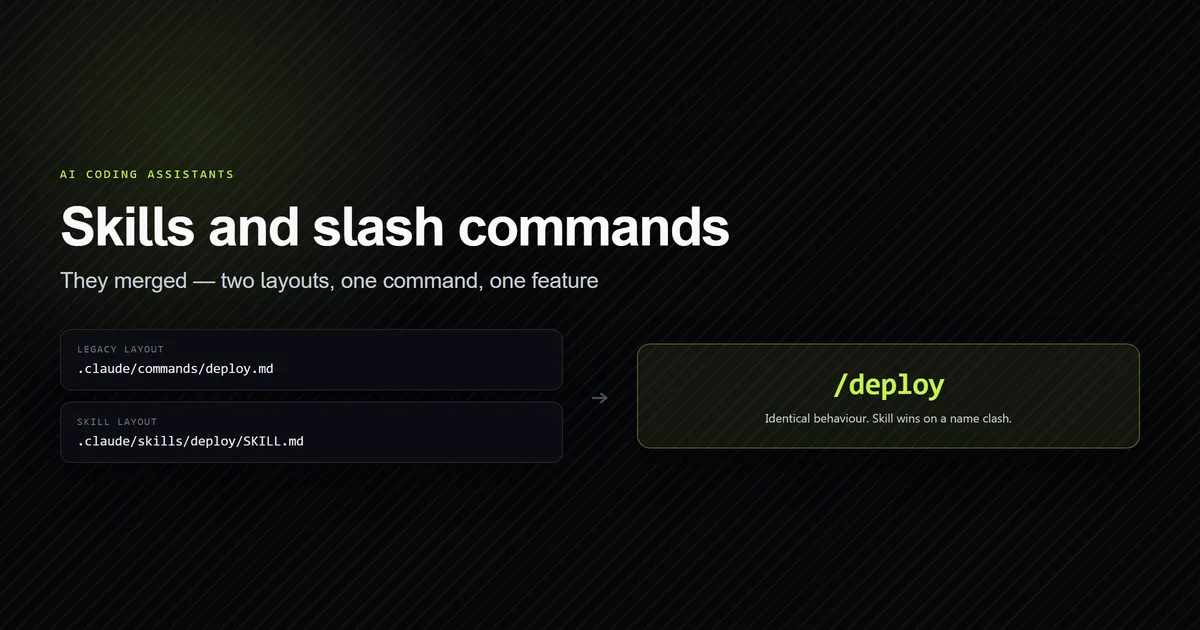
as of the current documentation they are the same feature as custom slash commands — the two
merged. A file at .claude/commands/deploy.md and a skill at .claude/skills/deploy/SKILL.md
both create /deploy and behave identically. This walks through the file format, where skills
live, how invocation is controlled, and the token cost that nobody puts in a tutorial, using a
real skill built for this site's own editorial pipeline. It assumes you already run the tool;
if not, start with the complete Claude Code guide.
Verified against Claude Code 2.1.220 on August 1, 2026.
Key takeaways
- Custom slash commands and skills are one feature; existing
.claude/commands/files keep working, and when a skill and a command share a name the skill takes precedence. - The directory name sets the command name —
.claude/skills/deploy-staging/SKILL.mdis invoked as/deploy-staging, regardless of the frontmatternamefield. - Skill names are in context every turn; the descriptions compete for an 8,000-character budget and most of them lose — corrected 2026-09-07, see what the model is actually shown. The body loads only on invocation, then stays in the conversation for the rest of the session and is never re-read.
- The
!`command`syntax runs shell commands before Claude sees the skill, so a skill can carry live repository state rather than a description of it. - Set
disable-model-invocation: trueon anything with side effects, or Claude may decide on its own that it is time to deploy.
What Claude Code skills actually are
A skill is a directory with a SKILL.md file: YAML frontmatter that tells Claude when the
skill applies, followed by markdown instructions Claude follows when it runs. Anthropic's
documentation frames the trigger for writing one precisely: create a skill "when you keep
pasting the same instructions, checklist, or multi-step procedure into chat, or when a section
of CLAUDE.md has grown into a procedure rather than a fact."
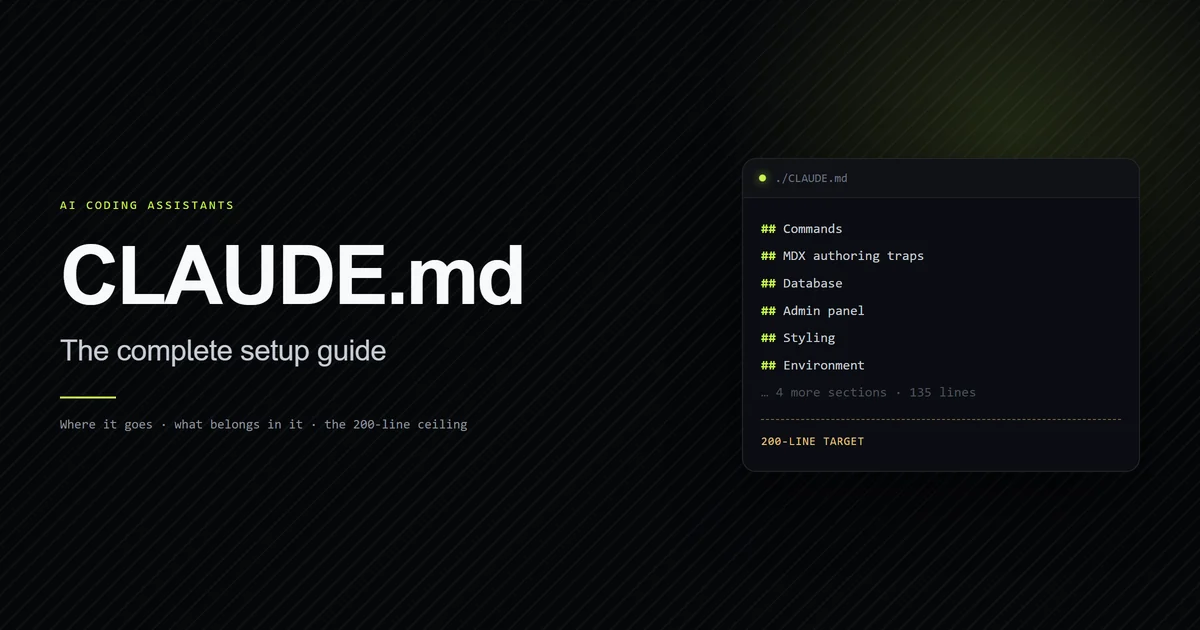
That last clause is the one worth internalising, because it draws the line against your CLAUDE.md configuration. CLAUDE.md holds facts that are always true and therefore always loaded. A skill holds a procedure, and "a skill's body loads only when it's used, so long reference material costs almost nothing until you need it." Facts go in CLAUDE.md; procedures go in skills.
Claude Code also ships bundled skills — /doctor, /code-review, /batch, /debug, /loop
and /claude-api among them — which are prompt-based rather than fixed logic, and which a
skill of the same name in your project will override.
Skills and slash commands are the same feature now
They merged, and this is the single most misleading thing in older tutorials. The
documentation states it directly: "Custom commands have been merged into skills. A file at
.claude/commands/deploy.md and a skill at .claude/skills/deploy/SKILL.md both create
/deploy and work the same way. Your existing .claude/commands/ files keep working."
That merge is also why a skill count and a command count are two different numbers: on one machine we measured 45 skills loaded beside the commands compiled into the binary, and only 23 of 84 command names answered without a terminal.
What skills add on top is a directory for supporting files, frontmatter to control who can
invoke them, and automatic loading when Claude judges them relevant. If a skill and a command
share a name, the skill wins. Files in .claude/commands/ support the same frontmatter, so
migrating is a move and a rename rather than a rewrite.
| Layout | Command you type |
|---|---|
.claude/skills/deploy-staging/SKILL.md | /deploy-staging |
.claude/commands/deploy.md | /deploy |
apps/web/.claude/skills/deploy/SKILL.md | /apps/web:deploy |
my-plugin/skills/review/SKILL.md | /my-plugin:review |
Note the third row: in a personal or project skill the frontmatter name field sets only the
display label in listings. The command name comes from the directory.
Where skills live and which one wins
Four locations, with a defined precedence order. Personal skills at
~/.claude/skills/<skill-name>/SKILL.md apply across all your projects. Project skills at
.claude/skills/<skill-name>/SKILL.md apply to one repository and are committed with it.
Enterprise skills come from managed settings, and plugin skills live at
<plugin>/skills/<skill-name>/SKILL.md.
When names collide, enterprise overrides personal and personal overrides project. A skill at
any of those levels also overrides a bundled skill of the same name — so a code-review skill
in your project replaces the bundled /code-review. Plugin skills are namespaced
plugin-name:skill-name and therefore cannot collide at all.
Build a skill from a procedure you keep pasting
Prerequisites: Claude Code v2.1.145 or later for the bundled run-and-verify skills; the
core skill mechanics used here work on current versions. Check with claude --version.
This site's editorial pipeline was the honest test case. The repository carries a 34 KB
document, docs/editorial/article-generation-engine.md, whose final section is a master prompt
meant to be copy-pasted at the start of every article. It had been pasted by hand for ten
articles. There was no .claude/skills/ directory in the repository at all — which is the
exact condition the documentation describes as the reason to write a skill.
Step 1 — create the directory. The name becomes the command.
mkdir -p .claude/skills/write-article
Step 2 — write the frontmatter. Only description is genuinely recommended; every field
is optional. This skill has side effects, so it is restricted to manual invocation.
---
name: write-article
description: Produce one production-ready Devventa MDX article end to end, following roadmap.md order and the content standards. Use when asked to write, draft, or publish the next article.
argument-hint: "[roadmap-number | \"current\"]"
disable-model-invocation: true
allowed-tools: Read Grep Glob Bash(npm run check:anchors*) Bash(npm run typecheck)
---
Step 3 — write the body as standing instructions, not one-time steps. The content stays in context for the rest of the session, so anything phrased as "first, do X" reads as stale history three turns later.
Step 4 — confirm it parses. The frontmatter is YAML; a tab or an unquoted colon breaks it silently.
node -e "const m=require('gray-matter');console.log(m(require('fs').readFileSync('.claude/skills/write-article/SKILL.md','utf8')).data)"
# → { name: 'write-article', description: '...', 'argument-hint': '[roadmap-number | "current"]', ... }
What success looks like: typing / shows write-article in the autocomplete list with the
argument hint beside it, and /write-article 12 starts the procedure with 12 available as
$ARGUMENTS.
Inject live state instead of describing it
This is the feature that changes what a skill can be, and it is barely covered anywhere. The
!`<command>` syntax runs a shell command before Claude sees the skill content, and
substitutes the output in place. Claude never executes it — the rendering happens first, and
Claude receives a prompt with real data already inlined.
The editorial skill uses three, because every one of them is a fact that goes stale:
Current article, from roadmap.md:

!`grep -m1 -A 9 '^### ▶ Article' roadmap.md`

Routes that actually exist:

!`ls content/*/*.mdx`

Unresolved forward links already in the corpus:

!`grep -rho 'TODO(link): #[0-9]*' content/ | sort -u | tr '\n' ' '`
The third one matters more than it looks. This site's linking rule forbids publishing a link
to an unwritten article, because unwritten routes hard-404. Injecting the real file list means
the answer to "does this route exist" arrives as data rather than as a guess. Running those
commands against the repository today returns twelve content files and four distinct open
forward links — #12, #13, #16, #20.
Three constraints on the syntax are worth knowing before you debug one for an hour.
Substitution runs once over the original file, so command output is not re-scanned and a
command cannot emit a placeholder for a later pass. The inline form is only recognised when
! starts a line or directly follows whitespace, so KEY=!`cmd` stays literal text. And
for multi-line commands you need a fenced block whose opening line is three backticks followed
by an exclamation mark, rather than the inline form.
Control who can invoke a skill
By default both you and Claude can invoke any skill. Two frontmatter fields change that, and picking the wrong default is how a skill with side effects fires on its own.
| Frontmatter | You invoke | Claude invokes | Description in context |
|---|---|---|---|
| (default) | Yes | Yes | Always |
disable-model-invocation: true | Yes | No | No |
user-invocable: false | No | Yes | Always |
Use disable-model-invocation: true for /commit, /deploy, /send-slack-message — the
documentation's own framing is that "you don't want Claude deciding to deploy because your code
looks ready." Use user-invocable: false for background knowledge that is not a meaningful
action, like a skill explaining how a legacy system behaves.
There is a useful second-order effect in that table: disable-model-invocation: true also
keeps the description out of context entirely, so a manual-only skill costs nothing until you
run it.
The allowed-tools field pre-approves tools for the turn that invokes the skill, and the grant
clears when you send your next message. That is a genuinely different mechanism from a
permission allowlist, and worth understanding, because permission allowlists rot. This
repository's .claude/settings.local.json currently carries 93 allow rules, three of which are
still pinned to an absolute path under a project directory the repository no longer occupies.
They match nothing and nothing warns you. A skill-scoped allowed-tools line has no equivalent
failure mode because it is re-evaluated on every invocation.
What a skill costs in context
Skills are cheap to have and not free to use, and the mechanics are specific enough to plan
around. The combined description and when_to_use text is truncated at 1,536 characters in
the listing, and the body loads only on invocation.
Once loaded, "the rendered SKILL.md content enters the conversation as a single message and
stays there for the rest of the session." Claude Code does not re-read the file on later
turns — which is why the body should read as standing instructions. Re-invoking a skill whose
rendered content is unchanged adds a short note rather than a second copy; if the content
changed, because arguments differ or an injected command returned new output, the full content
is appended again.
Compaction is where it gets specific. When the conversation is summarised, Claude Code
re-attaches the most recent invocation of each skill after the summary, keeping the first 5,000
tokens of each, with a combined budget of 25,000 tokens filled from the most recently invoked
skill backwards. Invoke many skills in one session and the oldest are dropped entirely. The
documented guidance is to keep SKILL.md under 500 lines and move detail into supporting files
that load only when referenced.
When to use hooks instead
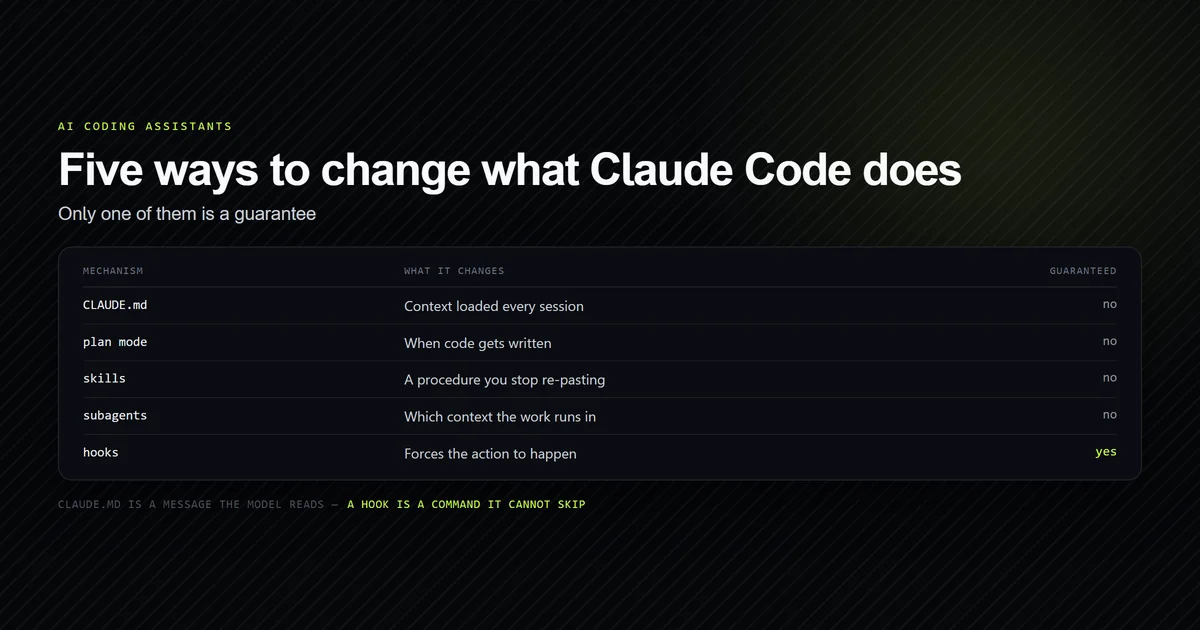
Reach for Claude Code hooks when you need a rule enforced rather than followed. A skill is
instructions the model can decline; a hook is a program that runs at a lifecycle event. Running
one policy both ways over fifteen runs put a number on that difference —
the hook recorded 5 of 5 edits and the skill 0 of 5,
which is what the no-policy control recorded too. Hooks
are configured in settings.json — user, project, or local — and a skill can also carry a
hooks field scoped to its own lifecycle.
The events cover the agent loop: PreToolUse and PostToolUse, UserPromptSubmit, Stop,
SessionStart and SessionEnd, PreCompact and PostCompact, plus subagent and permission
events. Configuration is a matcher plus handlers:
{
  "hooks": {
    "PreToolUse": [
      {
        "matcher": "Bash",
        "hooks": [
          {
            "type": "command",
            "if": "Bash(rm *)",
            "command": "${CLAUDE_PROJECT_DIR}/.claude/hooks/block-rm.sh"
          }
        ]
      }
    ]
  }
}
The exit-code rule is the part that catches people, and it is genuinely counter-intuitive: only exit code 2 blocks. Claude Code "treats exit code 1 as a non-blocking error and proceeds with the action, even though 1 is the conventional Unix failure code." A guard script that exits 1 on failure looks like it is protecting you and is not. On exit 2, stdout is ignored and stderr is read as the blocking reason.
Blocking behaviour is per event: PreToolUse blocks the call, UserPromptSubmit blocks the
prompt, Stop prevents Claude from stopping, and PostToolUse cannot block anything because
the tool already ran.
Common mistakes with skills and slash commands
- Treating slash commands and skills as separate features. They merged. Documentation written before the merge describes a split that no longer exists.
- Expecting the frontmatter
nameto set the command. The directory name does, andnamesets nothing — a file declaringname: totally-different-nameindv-b/registers and is listed asdv-b, one of ten one-fault SKILL.md files we ran through a session. - Writing the body as one-time steps. The content persists all session and is never re-read, so sequential phrasing goes stale after the first turn.
- Leaving
disable-model-invocationoff a skill with side effects. Anything that deploys, commits, or messages a channel should be manual-only. - Exiting 1 from a blocking hook. Only exit code 2 blocks; 1 is treated as a non-blocking error and the action proceeds.
- Creating
.claude/skills/mid-session and expecting autocomplete to notice. Live change detection watches directories that existed at startup; a brand-new top-level directory needs a restart.
Conclusion
Write a skill the third time you paste the same procedure into chat, put it in
.claude/skills/<name>/SKILL.md so it is committed with the repository, and set
disable-model-invocation: true on anything with side effects. Use !`command` injection
wherever the skill needs facts that change, so it carries current state rather than a stale
description of it. When a rule must hold rather than merely be followed, move it to a hook and
remember that only exit 2 blocks. Next, read
CLAUDE.md best practices to decide what
belongs in a skill and what belongs in your always-loaded context file. When the answer is
neither — because the work needs its own context window rather than yours —
a practical guide to subagents covers the
alternative, and every slash command a session exposes is catalogued in the
Claude Code command reference.
Frequently asked questions
What is the difference between a Claude Code skill and a slash command?
Where do I put a Claude Code skill?
Do Claude Code skills load automatically?
How do I pass arguments to a Claude Code slash command?
Should I use a skill or a hook?
Muhammad Kashif
Founder and editor of Devventa, covering AI coding assistants, Next.js and the modern AI development stack.