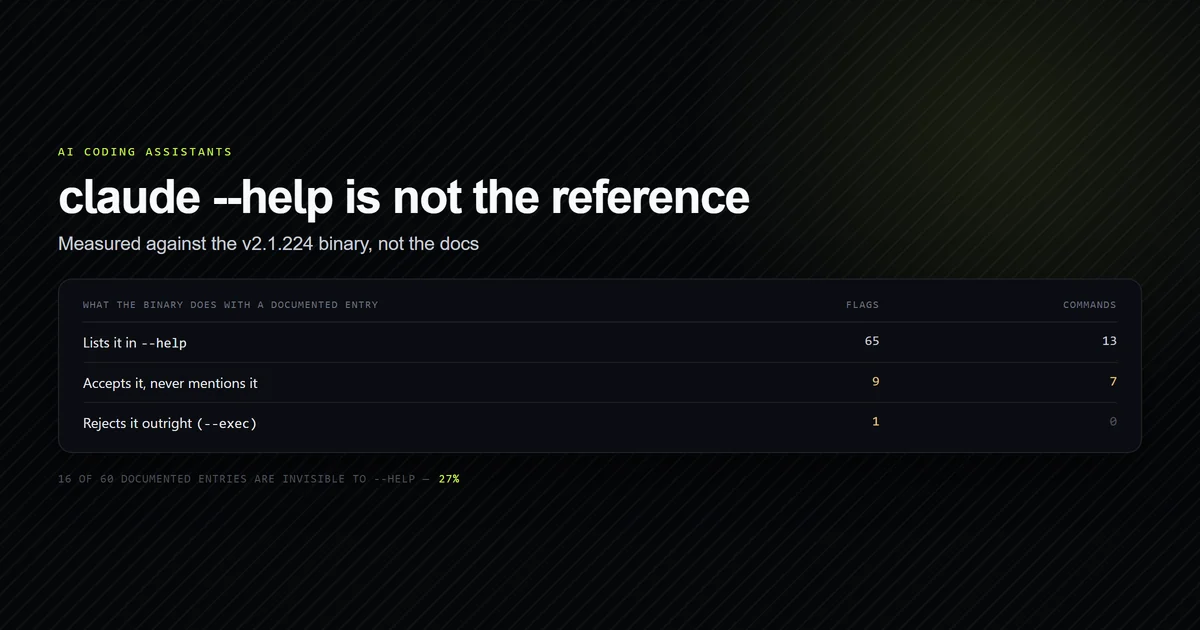
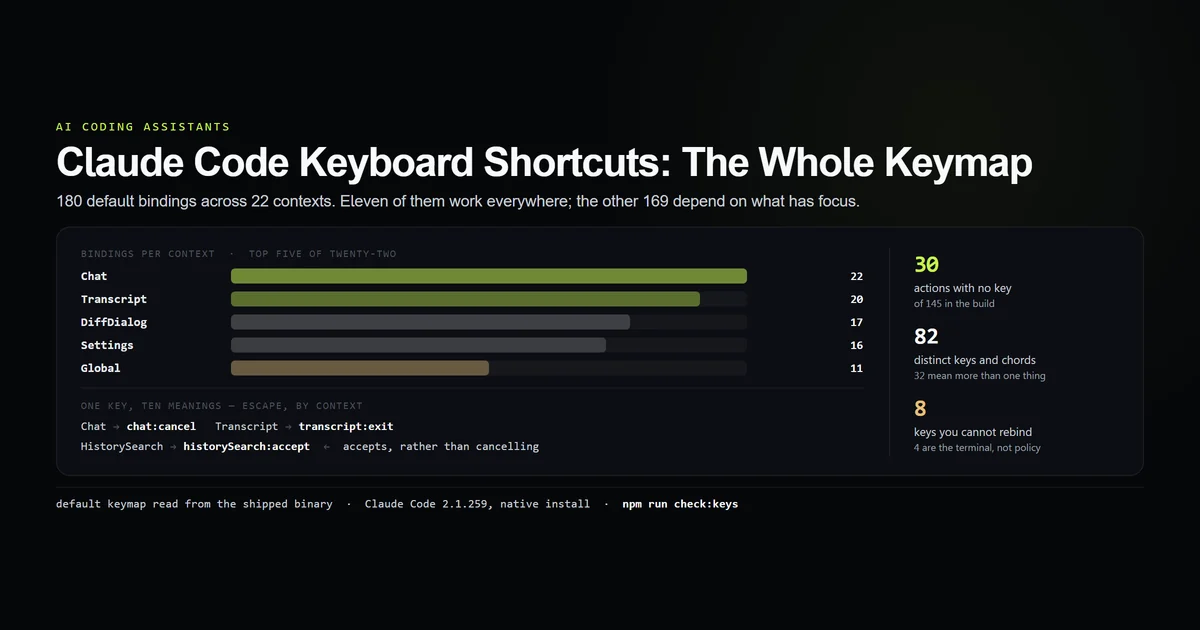
Claude code keyboard shortcuts are not the dozen chords on the cheat sheet: the shipped binary carries 180 default bindings across 22 contexts, using 82 distinct keys, and only 11 of them work everywhere. We pulled the whole table out of Claude Code 2.1.259 on 2026-09-03 and counted it, which also turned up 30 actions that ship with no key at all. This is the list, the reason the same key does two different things on two different screens, and the eight keys you are not allowed to rebind. The Claude Code guide covers the session model these chords drive.
Key takeaways
- The default keymap holds 180 bindings across 22 contexts; 11 are global and the other 169 apply to one screen each.
- 32 keys carry more than one meaning.
escapealone maps to 10 different actions depending on what has focus. - 30 of the 145 action ids have no default binding, including the entire numbered session strip and the proactivity menu — they exist only if you bind them.
- Eight keys cannot be rebound on any platform, four of them because a terminal cannot distinguish them from Enter, Escape, Tab and Backspace.
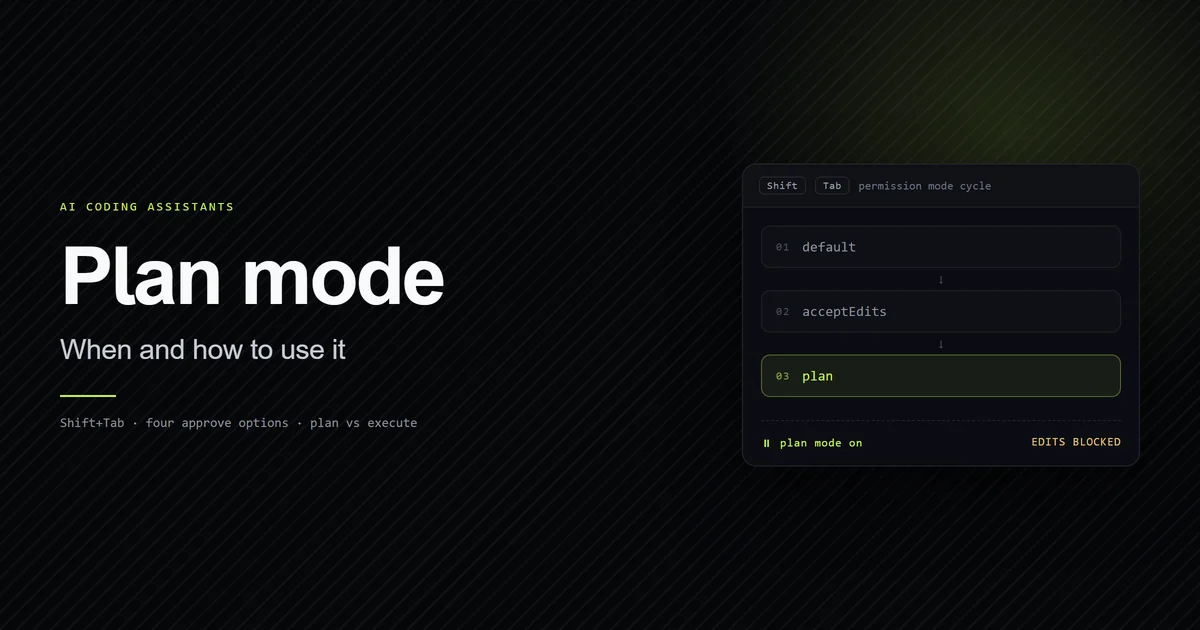
- The permission-mode chord is not a constant: off Windows it is
shift+tab, and on Windows it falls back tometa+mwhen the runtime cannot report the chord.
The short answer
If you want three shortcuts and nothing else, they are ctrl+o to open the transcript, shift+tab to cycle permission modes, and ctrl+r to search your prompt history. Everything past that depends on which part of the interface has focus, which is the single fact that makes published cheat sheets misleading.
The table below is not a summary of the documentation. It is the default keymap literal read out of the installed binary and counted, which is the only way to get a number that includes the bindings no page lists.
npm run check:keys
# → 180 bindings · 22 contexts · 30 actions with no default key
# → All 10 keymap guards passed.
The shortcuts you will actually use
Eleven bindings are in the Global context, meaning they fire regardless of what has focus. This is the entire list — there is no twelfth.
| Key | Action | What it does |
|---|---|---|
ctrl+c | app:interrupt | Stop the current turn |
ctrl+d | app:exit | Leave the session |
ctrl+o | app:toggleTranscript | Open and close the full transcript |
ctrl+t | app:toggleTodos | Show the todo list |
ctrl+r | history:search | Search previous prompts |
ctrl+shift+b | app:toggleBrief | Toggle brief-only mode |
ctrl+] | app:openArtifact | Open the most recent artifact |
ctrl+up / ctrl+down | app:diffFileList… | Move through the changed-file list |
meta+up / meta+down | app:diffFileList… | The same two, under Alt |
The chat input adds 22 more, and those are the ones that change how a turn is composed rather than what the app shows:
| Key | Action | Worth knowing because |
|---|---|---|
enter | chat:submit | Sends; ctrl+j inserts a newline instead |
ctrl+x enter | chat:queueSubmit | Queues the message behind the running turn |
ctrl+g | chat:externalEditor | Opens $EDITOR for a long prompt |
ctrl+s | chat:stash | Parks a half-written prompt |
ctrl+l | chat:clearInput | Clears the box without clearing context |
ctrl+_ | chat:undo | Undo in the input, with three aliases |
meta+p | chat:modelPicker | Model picker without a slash command |
meta+t | chat:thinkingToggle | Thinking on and off |
ctrl+x ctrl+k | chat:killAgents | Stops every running subagent |
Five bindings are two-key chords in the Emacs style — ctrl+x followed by a second key — and they are all in this group except ctrl+x b in the diff panel and ctrl+x ctrl+b on a running task. If ctrl+x appears to do nothing, it is waiting for the second key.
Why the same key does different things
Every binding lives in a context — a named screen or state — and the more specific context wins over Global. There are 23 contexts in the build, 22 of which carry defaults, and the split is heavily weighted away from the global set.
| Context | Bindings | Active when |
|---|---|---|
| Chat | 22 | The prompt box has focus |
| Transcript | 20 | You are reading the transcript |
| DiffDialog | 17 | The diff dialog is open |
| Settings | 16 | The settings menu is open |
| MessageSelector | 15 | The rewind picker is open |
| Global | 11 | Always |
That design is why 32 keys carry more than one meaning, and the worst offender is escape, which maps to 10 distinct actions. In the chat box it cancels the turn. In the transcript it exits the view. In a confirmation dialog it answers no. And in history search it does something genuinely surprising:
Chat            → chat:cancel
Autocomplete    → autocomplete:dismiss
Confirmation    → confirm:no
Transcript      → transcript:exit
HistorySearch   → historySearch:accept   ← accepts, rather than cancelling
DiffDialog      → diff:dismiss
Select          → select:cancel
In ctrl+r history search, Escape accepts the match and drops it into your prompt. Every other context treats Escape as a way out; this one treats it as a commit. If you have ever pressed Escape to abandon a history search and found the old prompt sitting in your input box, that is the reason, and ctrl+c is the key that actually cancels there.
ctrl+d is the same shape of trap in the other direction. Globally it exits the session. In the transcript and the settings menu it is scroll:halfPageDown, so the key that quits Claude Code from the prompt scrolls a page when you are reading back through it.
Thirty actions ship with no key at all
The binary carries 145 action ids that the keybinding validator will accept. Only 115 of them have a default key. The remaining 30 are reachable only if you bind them yourself, and several are things people ask for by name:
- The whole numbered session strip —
strip:jump1throughstrip:jump9, plusstrip:next,strip:previous,strip:toggleandstrip:new. Thirteen actions, zero default keys. app:toggleTerminal,app:toggleReplTab,app:redraw— the last of which is the fix for a corrupted screen.app:toggleDiffNoiseFilterandapp:toggleDiffPreSession, which change what the diff view hides.- The entire proactivity menu.
ProactivityMenuis one of the 23 valid contexts and it is the only one with no default bindings whatsoever; all five of its actions sit unbound.
There is a straightforward reading here. The unbound set is roughly the newest surface area — session strips, proactivity, the REPL tab — and defaults have not been assigned yet. If you want them, the keybindings file is the only route, and nothing in the interface will tell you they exist.
Rebinding, and the keys you cannot have
Custom bindings live in ~/.claude/keybindings.json, the file Anthropic's keybindings documentation describes. It does not exist until you make it — it was absent on this machine, and the binary treats a missing file as an empty override set rather than an error.
{
  "$schema": "https://code.claude.com/schemas/keybindings.json",
  "$docs": "https://code.claude.com/docs/en/keybindings",
  "bindings": [
    {
      "context": "Global",
      "bindings": {
        "ctrl+shift+t": "app:toggleTerminal",
        "ctrl+shift+r": "app:redraw",
        "ctrl+o": null
      }
    },
    {
      "context": "Chat",
      "bindings": {
        "ctrl+shift+c": "command:compact"
      }
    }
  ]
}
Three things in that file are worth calling out, all of them read from the schema the binary validates against. null unbinds a default rather than erroring. A value of the form command:<name> runs that slash command as if typed, which is the only way to put a key on something like /compact — see the complete Claude Code command reference for what is available to bind. And context must be one of the 23 known names; an unknown context is rejected with the valid list printed back at you.
The validator also refuses some keys outright. Eight are errors on every platform, and the reasons are more interesting than the list:
| Key | Why it is refused |
|---|---|
ctrl+c, ctrl+d | Hardcoded to interrupt and exit |
ctrl+m | A terminal cannot distinguish it from Enter |
ctrl+[ | Identical to Escape |
ctrl+i | Identical to Tab |
ctrl+h | Identical to Backspace |
ctrl+\ | Sends SIGQUIT |
capslock | Never delivered to a terminal application |
Four of those eight are not policy at all — they are the terminal protocol. ctrl+m and Enter are the same byte on the wire, so a binding on one is a binding on the other. macOS adds seven more that belong to the system (cmd+c, cmd+v, cmd+x, cmd+q, cmd+w, cmd+tab, cmd+space), and ctrl+z is allowed but carries a warning, because on a Unix shell it suspends the process.
What did not work
We could not press the keys. A terminal UI cannot be driven from a script the way a flag from the CLI reference can, so nothing here is a claim that all 180 chords were tried by hand. What is measured is the table the build ships with — the same table the application reads at startup — and every count in this article comes out of it. Where behaviour depends on something outside that table, we say so rather than assuming.
The permission-mode chord turned out not to be a constant, which was the one thing we expected to be trivially true. The keymap stores it as a computed value:
o1n = mWo ? "shift+tab" : "meta+m"
mWo = platform !== "windows"
      || (isBun ? bun >= 1.2.23
                : node >= 22.17.0 <23.0.0 || >= 24.2.0)
On macOS and Linux it is always shift+tab. On Windows it is shift+tab only when the bundled runtime is new enough to report the chord, and meta+m — Alt+M — when it is not. If Shift+Tab appears dead on a Windows install, that is the first thing to try, and it is a much more likely explanation than the feature being absent. Plan mode's own entry points are covered in how to activate plan mode.
One more binding is conditional in the same way: ctrl+v is bound to chat:imagePaste only under WSL. On a plain Windows or macOS session that chord is not in the table at all, so a paste that works for a colleague can do nothing for you with no error either way.
Best practices
- Learn the context, not the chord. Eleven bindings are global and 169 are not, so "what does
jdo" has no answer without knowing what has focus.jis line-down in the transcript, next-item in a select list, and a literal letter in the chat box. - Bind the strip if you use more than one session. Thirteen strip actions ship unbound; if you keep parallel sessions,
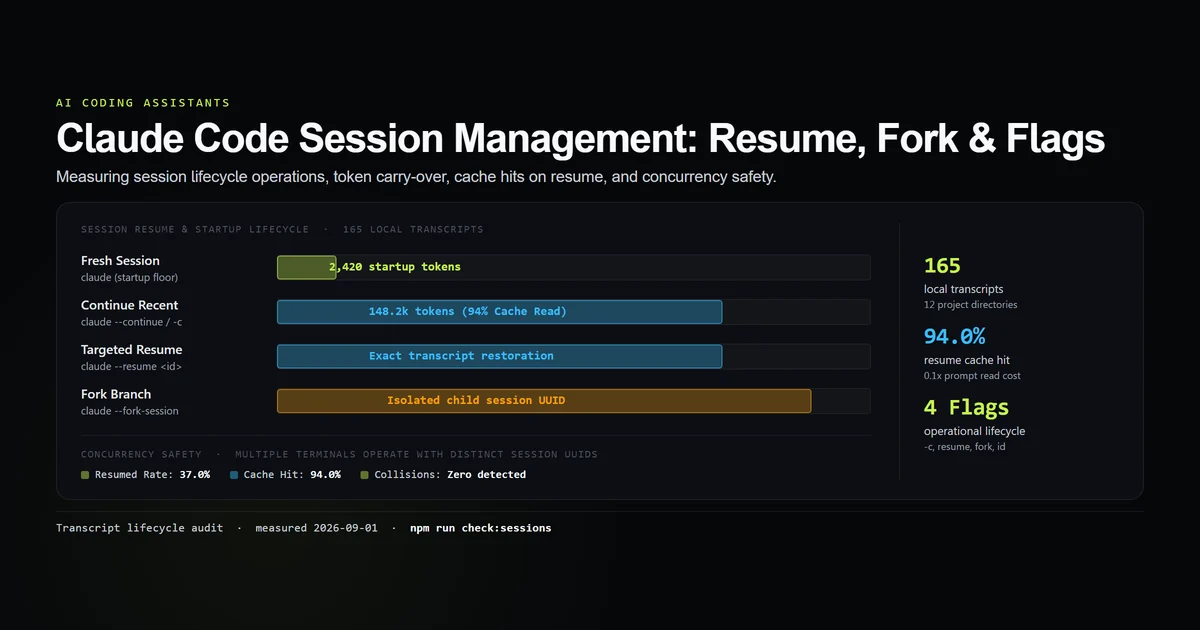
strip:nextandstrip:jump1–9are the cheapest ergonomic win available, and see Claude Code session management for what the sessions themselves cost. - Put
command:bindings on the commands you type most. A key oncommand:compactorcommand:contextsaves more keystrokes over a week than any of the movement bindings. - Unbind with
nullrather than shadowing. Assigning a default's key to a different action in the same context is ambiguous; setting it tonulland re-adding it elsewhere is not. - Check the file after editing it. An unknown context or an empty key part is a validation error, and the binary prints the valid context list when it rejects one.
Common mistakes
- Assuming
ctrl+vpastes an image. It does under WSL. It is not in the default table anywhere else, and there is no message telling you so. - Pressing Escape to abandon a history search. In
HistorySearch, Escape is bound tohistorySearch:accept— it commits the match.ctrl+cis the cancel. - Treating a published shortcut list as complete. Every such list is a subset of the Global and Chat contexts, which is 33 of 180 bindings. The other 147 exist and are what you hit by accident.
- Trying to rebind
ctrl+morctrl+i. The validator rejects them, correctly: your terminal sends the same bytes for Enter and Tab, so the binding could never have worked. - Assuming Shift+Tab is broken on Windows. It is conditional on the runtime. Try Alt+M before filing anything.
Conclusion
Treat the keymap as context-scoped and most of the confusion disappears: learn the 11 global bindings, learn the chat box, and look up the rest per screen rather than memorising a list that cannot be complete. If you are on Windows and Shift+Tab does nothing, try Alt+M — that one is in the table, conditionally. And if you want the numbered session strip, the terminal toggle or the proactivity menu, write ~/.claude/keybindings.json yourself, because 30 of the 145 actions in this build have no key waiting for you. Next, read the complete Claude Code command reference for the surface these keys drive.
Frequently asked questions
How many keyboard shortcuts does Claude Code have?
What is the shortcut to switch permission modes in Claude Code?
Why does Ctrl+D exit sometimes and scroll other times?
Where is the Claude Code keybindings file?
Which keys can Claude Code not rebind?

Muhammad Kashif
Founder and editor of Devventa, covering AI coding assistants, Next.js and the modern AI development stack.