Claude Code plan mode is a permission mode that lets Claude read your codebase and propose
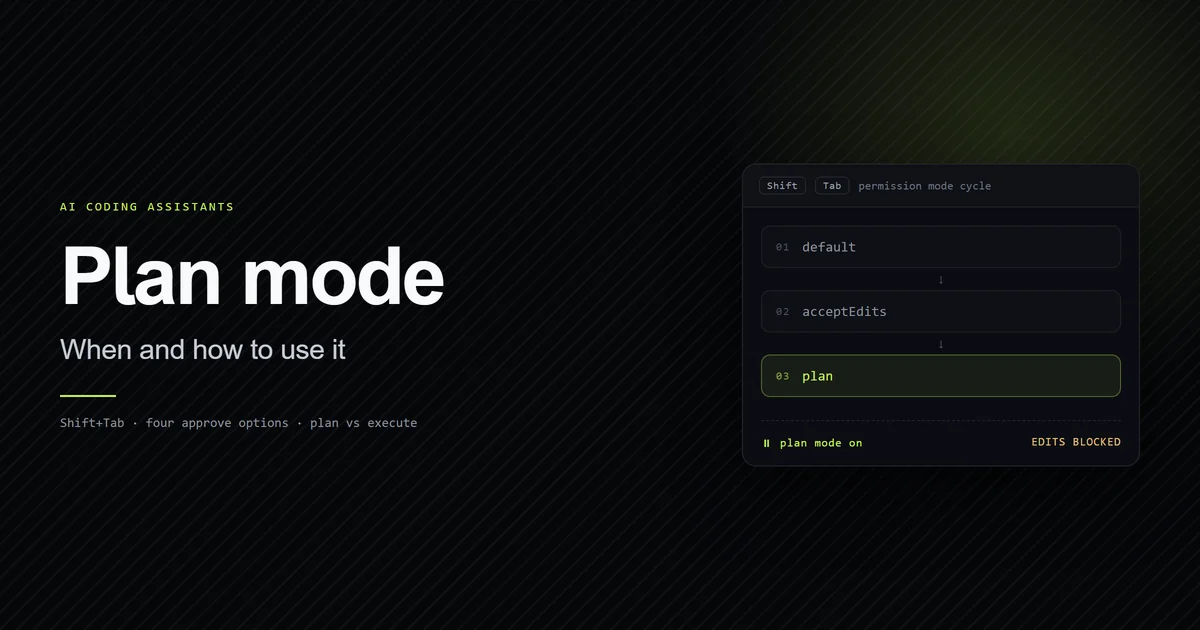
changes without touching a single file. Press Shift+Tab until the status bar reads
⏸ plan mode on, describe the task, and you get a written plan and four ways to respond to it.
This guide covers what it blocks, the decision rule for when planning is worth the extra turn,
and the permission-allowlist failure it protects you from — measured against the 70-entry
allowlist this repository accumulated by not using it.
Key takeaways
- Plan mode blocks edits, not exploration. Claude still reads files and runs read-only commands to research.
Shift+Tabcyclesdefault→acceptEdits→plan. Pressing it again from plan mode leaves without approving, discarding the plan.- Approving a plan exits plan mode into whichever permission mode the approve option describes — planning is a phase, not a persistent setting.
- Plan mode pays when the cost of the wrong approach exceeds the cost of an extra turn. For a one-file change you already understand, it is pure overhead.
- A permission allowlist is not a substitute. This repository's grew to 70 entries, three of which point at a directory the project no longer lives in.
What plan mode actually blocks
Plan mode blocks writes and permits reads. Claude reads files, runs shell commands to explore, and produces a plan, but cannot edit your source until you approve one.
The exception is worth knowing before you rely on it. In sessions where bypass permissions are available, Claude Code does not enforce plan mode's blocks at all — Claude is still instructed to plan without editing, but an edit it attempts during planning will run. Plan mode is a permission boundary in normal sessions and a strong suggestion in bypass sessions.
Shell commands during planning depend on your version and configuration. As of Claude Code
v2.1.218, when auto mode is available and the useAutoModeDuringPlan setting is on — it is on by
default — a classifier reviews shell commands during planning rather than prompting you.
Otherwise, anything outside the built-in read-only set asks for approval.
How to enter and leave Claude Code plan mode
Three ways in from the terminal, one way out without committing to anything. The desktop app, the VS Code extension and claude.ai each expose their own control instead — those are covered in every way to activate plan mode.
Shift+Tabcyclesdefault→acceptEdits→plan. The status bar shows the active mode; plan mode reads⏸ plan mode on. Two presses from a fresh session, and the count does not change when optional modes are enabled — why, and the terminals that eat the key./planprefixed to a prompt plans that single turn. Using/planin Claude Code is the right choice when you want one considered answer without changing the session's mode.claude --permission-mode planstarts the whole session in it.
Press Shift+Tab again to leave plan mode without approving. The plan is discarded and the
session returns to cycling from default.
One naming detail trips people up in the docs. The mode that reviews every action is labelled
Manual in the CLI, but its config value is default — that is what you write in settings
files and what hooks and SDK integrations receive. The manual alias is accepted wherever you
type the value and requires v2.1.200 or later.
The four approve options
When the plan is ready Claude presents it and asks how to proceed. The options are not interchangeable, and the difference between the first two is the one that matters:
| Option | What it does |
|---|---|
| Yes, and use auto mode | Approves and runs with classifier review instead of prompts |
| Yes, manually approve edits | Approves and reviews every edit individually |
| No, refine with Ultraplan | Sends the draft to a browser session for review |
| No, keep planning | Stays in plan mode with your feedback |
The first option reads Yes, auto-accept edits when auto mode is unavailable to your account, and Yes, and bypass permissions in sessions started with bypass permissions enabled. Same key, materially different consequences — read the label rather than the position. If that first option has changed on you unexpectedly, the cause is usually your model rather than your plan.
Two smaller controls save real time. Ctrl+G opens the proposed plan in your text editor so you
can edit it directly before Claude proceeds, which beats a round trip of "change step 4 to…".
And enabling showClearContextOnPlanAccept adds a first option that approves the plan and
clears the planning context, which matters because research turns are exactly the tokens you
don't want carried into execution — one of
three ways planning spends tokens.
Approving also names the session from the plan content automatically, unless you already set a
name with --name or /rename.
Claude Code plan vs execute: when planning pays
The decision rule: plan when the cost of the wrong approach exceeds the cost of an extra turn. That is it. Everything else is a proxy for that.
In practice the split is clean:
| Plan first | Go straight to editing |
|---|---|
| You don't know which files are involved | You know the file and the change |
| The change touches a boundary or a shared type | The change is local and reversible |
| Several approaches exist and they diverge | One obvious approach |
| The repo has rules you keep re-explaining | You've done this exact edit before |
The failure mode nobody warns about is planning trivia. A plan for a one-line copy fix costs a
full research pass, a written proposal, and an approval turn, to arrive at the edit you would
have made immediately. On this site's content work, plan mode earns its keep for anything that
touches lib/mdx.ts or the MDX component map, and is pure overhead for prose edits inside an
existing article.
Plan mode also pairs with, rather than replaces, a good context file. A plan built on wrong assumptions is still wrong — the repository conventions Claude needs come from a CLAUDE.md that is accurate, and planning happens on top of that.
Making plan mode the default
Set it in .claude/settings.json and commit it, so the whole team starts in plan mode:
{
  "permissions": {
    "defaultMode": "plan"
  }
}
One behaviour to know if your team uses the desktop app: a mode picked in the mode selector is
remembered per folder and takes precedence over defaultMode. Plan is the exception — selecting
it there applies to the current session only, so a committed defaultMode: "plan" is not
silently overridden for good by one person's UI click.
Do not reach for defaultMode: "auto" in project settings as a shortcut. Claude Code v2.1.142 and
later deliberately ignore auto from .claude/settings.json and .claude/settings.local.json,
so that a repository cannot grant itself auto mode. It belongs in ~/.claude/settings.json or it
does nothing, silently.
Why a permission allowlist is not a substitute
The alternative to planning is approving — and the honest artifact for this article is what happens when a project leans on approval for months instead.
This repository has no defaultMode set. Every session starts in Manual, and every unfamiliar
command produces a prompt, and the natural response to a prompt is "allow and don't ask again."
Here is where that ended up:
node -e "const a=require('./.claude/settings.local.json').permissions.allow; console.log(a.length)"
# → 70
Seventy entries in .claude/settings.local.json, fifty-six of them Bash(...) patterns. That
file was never designed; it accreted, one interruption at a time. Three of the entries are pinned
to absolute paths under a scratchpad directory belonging to a project location this repository no
longer occupies — dead rules that can never match again and that nobody will ever notice, because
a permission rule that fails to match simply produces a prompt.
That is the same decay pattern as a CLAUDE.md rule that outlives the code it described, and it has the same root cause: config written under time pressure, never re-read. Plan mode attacks it from the other side. Instead of widening what runs without asking, it front-loads the decision into one reviewable artifact — you approve an approach once rather than approving fourteen commands as they arrive.
Neither replaces the other. Broad read-only allowlist entries plus plan mode for anything structural is the combination that actually reduces interruptions without growing a seventy-line list of things you once said yes to.
Ultraplan: planning in the cloud
Ultraplan runs plan mode in a Claude Code on the web session instead of your terminal. It is in research preview as of July 2026, and it exists for one specific limitation: the terminal is a bad review surface for a long plan.
Launch it with /ultraplan <prompt>, by including the word "ultraplan" in a normal prompt, or by
choosing No, refine with Ultraplan at a local plan's approval dialog. Your CLI shows a status
indicator — ◇ ultraplan while drafting, ◆ ultraplan ready when done — and your terminal stays
free meanwhile.
The payoff is in review. You highlight a passage and comment on it, rather than replying to the whole plan in prose and hoping the right paragraph changes. When it looks right you choose where it runs: in the cloud session, opening a pull request from the browser, or teleported back to your terminal with three options — implement in the current conversation, start a fresh session with only the plan as context, or save the plan to a file and walk away.
The constraints are real. It requires a Claude Code on the web account and a GitHub repository, and it is unavailable on Amazon Bedrock, Google Cloud's Agent Platform, and Microsoft Foundry, because it runs on Anthropic's own infrastructure.
Common mistakes
- Planning things you already understand. A plan for a known one-file edit costs three turns to reach the change you'd have made in one. Planning is insurance; do not insure a $2 item.
- Reading the approve dialog by position. The first option is auto mode, auto-accept edits, or bypass permissions depending on your account and how the session started. Read the label.
- Expecting plan mode to persist. Approving a plan exits plan mode into an editing mode that
depends on the approve option — every exit path and where it leaves
you. If you want the next task planned too,
cycle back with
Shift+Tabor prefix with/plan. Cycling out instead discards the plan unless you saved it — there is no plan file anywhere on disk. - Trusting plan mode in a bypass session. With bypass permissions available, the blocks are not enforced. The instruction remains; the boundary does not.
- Treating an allowlist as the fix for interruptions. It works right up until it is seventy entries long and three of them point at a directory that no longer exists.
Conclusion
Turn plan mode on by default for any repository where a wrong approach costs more than a wasted
turn — set defaultMode: "plan" in .claude/settings.json and commit it. Skip it for local,
reversible edits you have made before. If you find yourself approving the same commands session
after session, that is not a signal to widen your allowlist; it is a signal that the work needed a
plan. Plan mode is also one of the concrete workflow differences worth weighing in
Claude Code vs Cursor, since an editor built around
inline suggestions doesn't need an equivalent gate in the same way. For how it sits against the
other five permission modes — and why it runs on the same classifier auto mode uses — see
auto mode vs plan mode. More on working with agents
in AI Coding Assistants. For where plan mode fits alongside CLAUDE.md,
hooks, and subagents, see the complete Claude Code guide.
Frequently asked questions
How do I enter plan mode in Claude Code?
What is the difference between plan mode and accept edits?
Can Claude still run commands in plan mode?
How do I make plan mode the default for a project?
What is ultraplan and how is it different from plan mode?
Muhammad Kashif
Founder and editor of Devventa, covering AI coding assistants, Next.js and the modern AI development stack.