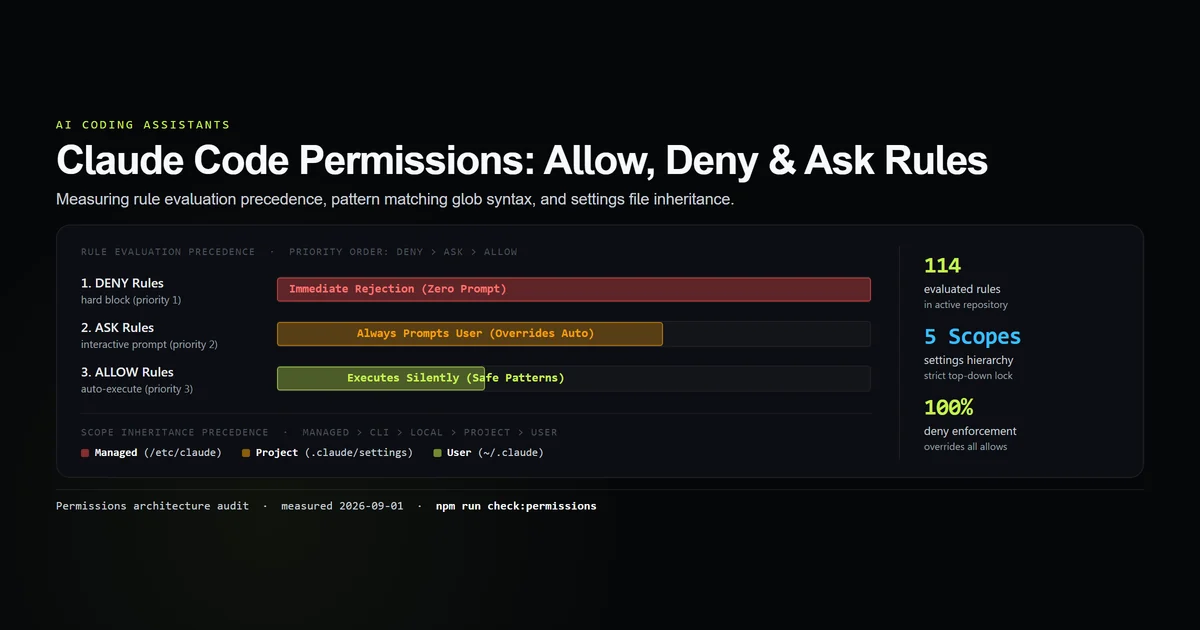
Claude code settings.json is not one file, it is five scopes that get merged into one effective configuration, and the question that actually costs people time is which one wins when two disagree. We measured that on Claude Code 2.1.259 on 2026-09-03 by putting different models in different scopes and reading back which model the session used. The ladder is unambiguous, the scopes merge rather than replace, and two things will make a settings file do nothing at all without telling you. The Claude Code guide covers the session these files configure.
Key takeaways
- Precedence, strongest first:
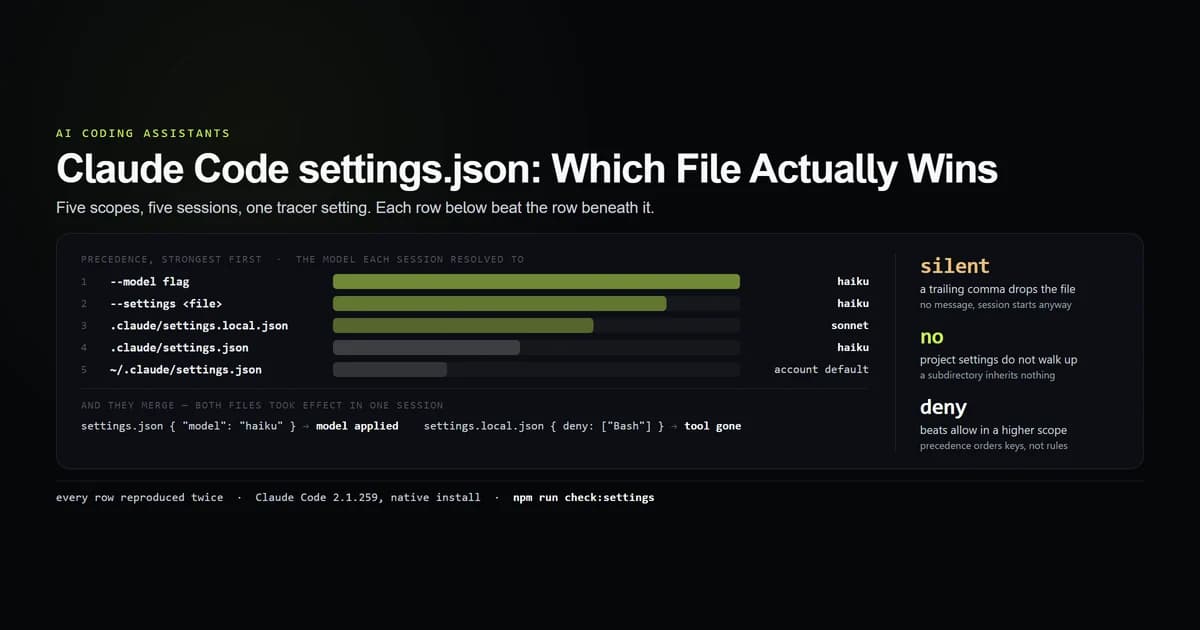
--modelflag →--settings <file>→.claude/settings.local.json→.claude/settings.json→~/.claude/settings.json, with admin policy above all of them. - Scopes merge key by key. A model in the project file and a deny rule in the local file both applied in the same session.
- A deny rule in the weaker scope beat an allow in the stronger one — precedence resolves scopes, not the deny-over-allow rule.
- Project settings do not walk up the directory tree. A session started in a subdirectory ignored the settings file one level above it.
- Malformed JSON is dropped silently in print mode: no warning, session starts anyway.
claude doctoris the only place it surfaces.
The short answer
Put things you want everywhere in ~/.claude/settings.json. Put things the team should share in the repository's .claude/settings.json and commit it. Put machine-specific overrides in .claude/settings.local.json, which is gitignored and which beats the committed file. If two of them set the same key, the more specific one wins; if they set different keys, both apply.
Everything below is that claim, measured. The probe is one non-interactive turn per configuration, reading the resolved model out of --output-format json — the model key is the only setting whose resolution comes back in machine-readable form, which makes it the tracer for all the others.
claude -p "Reply with the single word: ok" --output-format json
# → "modelUsage": { "claude-sonnet-5": { ... } }
#   the winning scope named sonnet; every other scope named something else
Where claude code settings.json lives
Five places, and only three of them are files you write by hand. Anthropic's settings reference is the authority on which keys each file accepts; what follows is the authority on which file wins.
| Scope | Path | Committed |
|---|---|---|
| Managed policy | admin-installed, machine-wide | n/a |
| Flag | --settings <file-or-json> | n/a |
| Local | .claude/settings.local.json | no — gitignored |
| Project | .claude/settings.json | yes |
| User | ~/.claude/settings.json | no |
On the machine this article was written on, the user file is 171 bytes and holds four keys — autoUpdatesChannel, theme, agentPushNotifEnabled and enabledPlugins. That is a realistic user file: it is where preferences go, not where policy goes. The repository's .claude/settings.local.json is 4,263 bytes and holds two keys, permissions and enabledMcpjsonServers, with 21 allow rules and no deny rules — which is what a settings file looks like after a few weeks of answering permission prompts.
The managed tier could not be measured here. claude doctor reports it plainly:
claude doctor
# → Managed settings (remote): not fetched — requires an Enterprise or Team subscription
So the position of admin policy at the top of the ladder is Anthropic's documented behaviour, not our measurement, and this article marks it as such. Everything below that line was measured.
The five scopes, in the order they win
Each row below was a session in which the named scope and every scope beneath it disagreed about the model. The model that came back names the winner.
| Rank | Scope | Set to | Session used |
|---|---|---|---|
| 1 | --model flag | haiku | haiku |
| 2 | --settings extra.json | haiku | haiku |
| 3 | .claude/settings.local.json | sonnet | sonnet |
| 4 | .claude/settings.json | haiku | haiku |
| 5 | ~/.claude/settings.json | no model key | account default |
The two rows that matter in daily use are 3 and 4. settings.local.json beats settings.json, which is the right way round — the file you did not commit is the one that reflects this machine — but it also means a teammate debugging why your session behaves differently from the committed config is looking at the wrong file.
--setting-sources is the flag that proves the layering rather than the ordering, because it removes scopes rather than outranking them:
| Flag | Files read | Session used |
|---|---|---|
| none | project + local | sonnet (local wins) |
--setting-sources project | project only | haiku (local dropped) |
--setting-sources user | user only | account default (both dropped) |
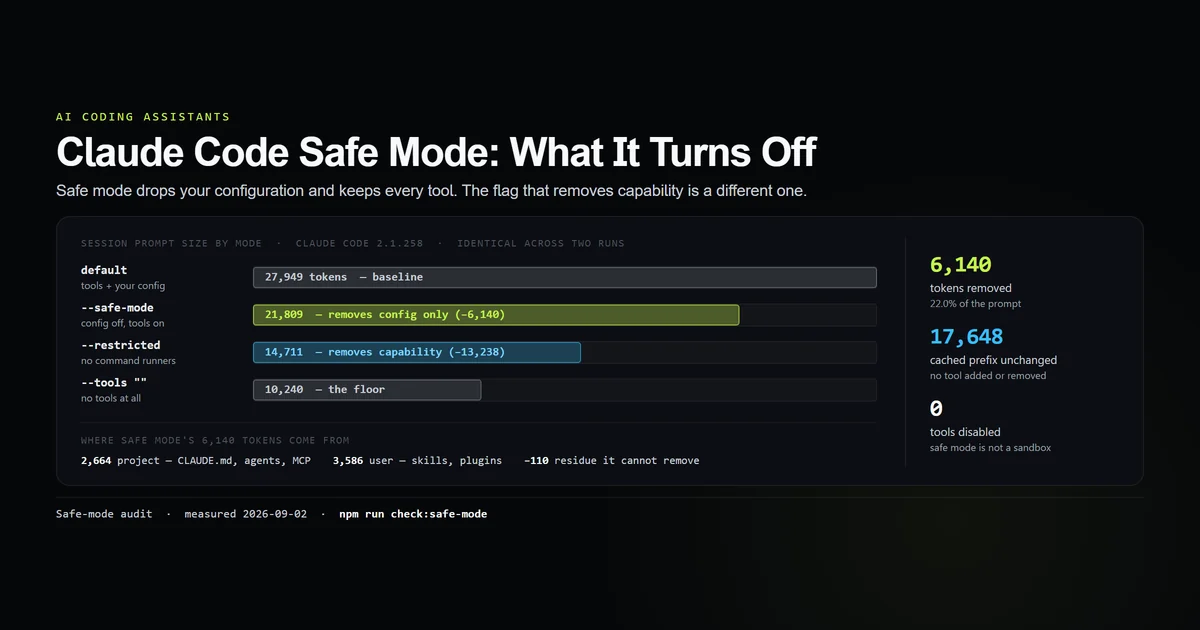
That last row is the useful one for debugging. If a session behaves oddly and you want to know whether the repository is responsible, --setting-sources user answers it in one run without moving any files. The bigger hammer is --safe-mode, which drops every customization at once and is measured in full here.
The scopes merge, they do not replace
This is the question the precedence table does not answer, and it is the one that decides how you organise your files. If the winning scope replaced the losing one, a single key in settings.local.json would silently disable everything in the committed settings.json.
It does not. We put the model in the project file and a deny rule in the local file, then asked for a shell command:
{
  "model": "haiku"
}
{
  "permissions": {
    "deny": ["Bash"]
  }
}
claude -p "Run the shell command `echo merged` and tell me what it printed." --output-format json
# → model:  claude-haiku-4-5-20251001      ← from settings.json
# → result: "I don't have shell execution tools available in this session."
Both applied. The model came from the project file and the deny rule came from the local file, in one session. The control run — same project file, no local file — printed merged, so the deny rule is what removed the tool rather than the model declining.
Two details in that result are worth more than the merge finding itself. First, permission_denials in the JSON output stayed empty: a denied tool is subtracted from the tool list rather than intercepted when it is called, so the model does not experience a refusal, it experiences an absence. Second, when we inverted the files — deny: ["Bash"] in the committed project file, allow: ["Bash"] in the higher-ranked local file — the deny still held. Scope precedence decides which value of a key wins; it does not promote an allow over a deny. That evaluation order is covered in full in Claude Code permissions.
Project settings do not walk up the tree
We put a settings file in a directory, then started a session in a child folder that had no .claude of its own.
tmp/
  .claude/
    settings.json      ← { "model": "sonnet" }
  child/               ← session started here, no .claude
The session came back on the account default, not sonnet. Repeated, same result. Project settings are read from the session's working directory; they are not inherited downward from a repository root.
That is a specific, expensive failure in two common layouts. In a monorepo where .claude/settings.json sits at the root and you work in packages/api, none of it applies. And on this machine there are literally two settings files one directory apart — 65 allow rules in the parent of the repository, 21 inside it — and which one governs a session is decided entirely by where the session was started. Neither file knows the other exists.
The fix is --add-dir for the paths you need access to, or a .claude directory in each working root you actually start sessions from. There is no upward search to configure.
The two ways a settings file does nothing
An unknown key is ignored, and the rest of the file still applies. We wrote a file with one good key and two bad ones:
{
  "model": "sonnet",
  "modell": "haiku",
  "nonsenseKey": 42
}
The session used sonnet. Unrecognised keys do not invalidate their neighbours, which is forgiving of a typo in a key you did not need — and unforgiving of a typo in the key you did, because modell produced no message at all. If a setting appears to have no effect, the first thing to check is the spelling of the key, and the second is whether the loader reads it at all.
Malformed JSON drops the entire file, silently. A trailing comma is enough:
{
  "model": "sonnet",
}
claude -p "Reply with the single word: ok" --output-format json
# → account default, not sonnet
# → exit 0, nothing on stdout or stderr about the settings file
The session started normally and the file did nothing. This is documented behaviour rather than a defect — the CLI reference and claude --help both say settings files that fail validation are silently ignored in print mode, because there is no dialog to show — but it is a very quiet failure to have on the other end of a CI pipeline. claude doctor is where it surfaces:
claude doctor
# → Invalid settings
# → - <path>/.claude/settings.json: Invalid or malformed JSON
If you take one operational habit from this article, make it that: run claude doctor after editing a settings file. It is the only thing on this list that reads the file and tells you what it thinks. Read the doctor command's diagnostic sections, though: on 2.1.270 it reported malformed settings and still exited 0.
What did not work
Two results went sideways, and both are worth recording.
The first probe design was wrong and produced a confidently false answer. Reading the resolved model as the first key of modelUsage returned claude-haiku-4-5 for every configuration, including one with no settings files at all — which would have supported a tidy, completely incorrect conclusion that none of the scopes did anything. The cause is that a session can report more than one model: a background classifier turned up alongside the main one with 899 tokens against the main model's 25,000. Sorting by token count instead of taking the first key produced the ladder above, and every row of it was then reproduced in a second round. If you are reading modelUsage in your own scripts, sort it.
Prompt size turned out to depend on the model, which nothing in this experiment was meant to test. The same empty directory and the same one-line prompt produced:
| Resolved model | Prompt tokens |
|---|---|
| haiku | 25,397 |
| opus | 26,733 |
| sonnet | 37,863 |
Sonnet's session prompt was 12,466 tokens larger than haiku's for identical input, reproduced twice at each model. We did not investigate the mechanism and are not going to guess at one. The operational note is narrow: a model line in a settings file changes what every request costs by more than the per-token price difference implies, and if you are budgeting context, context window management is where that gets handled properly.
Best practices
- Commit
.claude/settings.json, gitignore.claude/settings.local.json. The first is the team's contract, the second is your machine. The precedence order was designed for exactly that split. - Put deny rules in the committed file. They cannot be overridden from a local file, which is what makes them worth committing.
- Run
claude doctorafter every edit. It is the only surface that reports a malformed file, and print-mode sessions will not. - Use
--setting-sources userto bisect. One run tells you whether the repository's configuration is involved, without moving or renaming anything. - Keep a
.claudedirectory in each root you start sessions from. Nothing searches upward, so a monorepo root config does not reach a package directory. - Use
--settingsfor one-off experiments. It outranks both project files and leaves nothing behind on disk.
Common mistakes
- Expecting a monorepo root config to apply everywhere. It applies to sessions started at the root. Started anywhere below, it is not read.
- Editing
settings.jsonwhilesettings.local.jsonsets the same key. The local file wins and there is no indication that your edit was outranked. - Assuming a local allow re-enables a denied tool. It does not. Deny survives every scope above it.
- Trusting a silent start. A session that starts cleanly is not evidence that your settings file parsed. A trailing comma produces exactly that outcome.
- Adding keys the loader does not read. They are ignored without comment, so a plausible-looking key can sit in your config for months doing nothing — the same failure mode as writing frontmatter fields nothing consumes.
Conclusion
Write three files and know their order: ~/.claude/settings.json for preferences, a committed .claude/settings.json for what the team shares including every deny rule, and .claude/settings.local.json for this machine, which outranks the committed file. Remember that they merge rather than replace, so a key set once always applies, and that nothing searches upward — the directory you start the session in decides which project config exists at all. Then run claude doctor, because it is the only thing that will tell you the file you just edited is invalid. The next two preferences to place are a tested output style and a dependency-free statusline; read Claude Code permissions for the rule evaluation that sits on top of every scope. One scope is missing from the list above because no flag exposes it: autoMode.environment in the user file holds a 25-line trust-boundary description that the sandboxes article found governing refusals no settings key explains.
Frequently asked questions
Where is the Claude Code settings.json file?
Which Claude Code settings file takes priority?
Do Claude Code settings files override or merge?
Does .claude/settings.json apply to subdirectories?
Why is my settings.json being ignored?

Muhammad Kashif
Founder and editor of Devventa, covering AI coding assistants, Next.js and the modern AI development stack.