Using Claude Code with Next.js works well once you stop treating CLAUDE.md as documentation
and start treating it as the list of failures a generic model can't see coming. Claude Code
reads your package.json, tsconfig.json, and next.config file on startup and already
understands App Router conventions — the gap isn't framework knowledge, it's your project's
specific silent failure modes. This walkthrough is built from a real Next.js 15 + MDX project,
including a real build error hit and fixed while writing it.
Key takeaways
- Claude Code indexes
package.json,tsconfig.json, and your Next.js config on startup, so framework-level conventions rarely need explaining — project-specific silent failures do. - The highest-value CLAUDE.md content is the failure that doesn't throw an error: a dropped JSX attribute, a build that corrupts a running dev server, a markdown pattern mapped to a build-time error.
- A type check and a full
next buildcatch problems a visual diff review does not, because MDX and templating pipelines can fail silently rather than with a stack trace. - Every claim in this article about what breaks is from a real build run against a real
.mdxfile, not a hypothetical.
This article is the day-to-day loop; for the full architecture story it sits inside, see building a modern Next.js site with AI assistance.
Prerequisites
You need three things before Claude Code adds any real value on a Next.js project: the
Claude Code CLI installed and authenticated, a
Next.js 15+ App Router project already initialized with git, and — this is the part most
setups skip — a CLAUDE.md file written before the first real prompt rather than after the
first mistake. None of these are exotic requirements; the workflow below assumes only that you
can run npm run build locally.
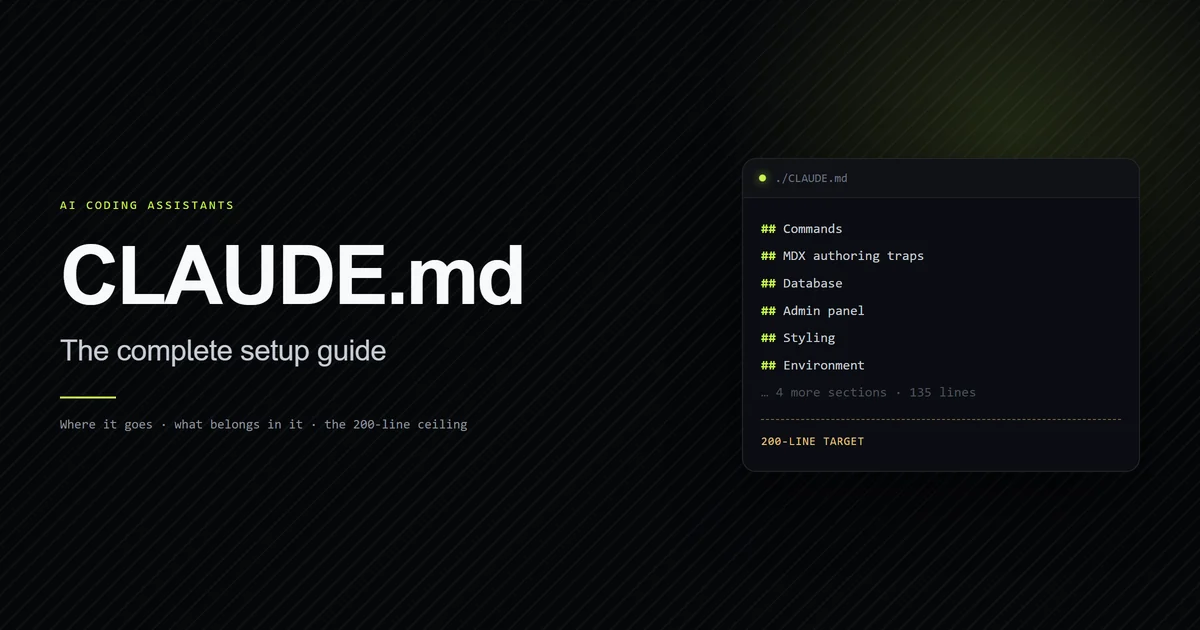
Step 1: write CLAUDE.md before the first prompt
A CLAUDE.md written after Claude Code has already made a stack-specific mistake is a postmortem,
not a spec. Anthropic's own memory documentation recommends structuring it with headers and
keeping instructions concrete enough to check — see
how to set up CLAUDE.md for the exact structure. For a
Next.js project specifically, the highest-value early entries are build commands, the
distinction between Server and Client Components your project actually enforces, and any
non-obvious data-access pattern (an ORM choke point, an API wrapper) that a generic model would
otherwise reach for the wrong way on the first try.
Step 2: let Claude Code scaffold inside the App Router
Claude Code already understands App Router file conventions — page.tsx, layout.tsx, route
groups in parentheses, and the difference between a Pages Router API route and an App Router
route handler — without being told. Point it at a real task ("add a /pricing route that reads
plans from lib/plans.ts") rather than a vague one, and it will follow the routing convention
your other files already use. This step rarely fails on its own; the failures below happen
after the scaffold, once the change touches something CLAUDE.md didn't cover.
Claude Code also builds what its documentation calls auto memory as it works — saving things like the exact build command or a debugging insight across sessions without you writing them down. That's useful, but it's a supplement to a written CLAUDE.md, not a replacement: auto memory captures what Claude Code personally ran into, while a written rule captures what you already know will trip it up before it happens once. On a Next.js project specifically, that means the framework-level conventions can stay implicit, but your project's build quirks — a database binding that only exists in one runtime, a script that has to run before another — are worth writing down even if Claude Code hasn't hit them yet.
Step 3: document the traps Claude Code cannot infer
Some failures are invisible from the code alone, because the code that would explain them lives in a library's internals, not your repo. Three real examples from one production project:
- A component library version drops expression attributes silently. One MDX renderer
(
next-mdx-remotev6, in every mode — this said "in RSC mode" until measurement on 2026-08-11 disproved it) discards any{expression}prop with no warning. The component is called without the prop rather than receivingundefined, which is why looking for a typo in the prop name wastes the first hour. The fix isn't a code change, it's a written rule: string attributes only, on every prop. - Building against a running dev server corrupts it.
next devandnext buildshare the.nextdirectory; running a build while dev is live rewrites its chunk manifest and every route starts returning 500, which looks exactly like an application bug. Running separate dev processes also isolates Claude Code memory usage from the agent harness. The rule that prevents it — confirm no dev server is running before a build — has to live in CLAUDE.md, because nothing in the error message points back to the real cause. - A markdown convenience is deliberately banned. Some projects map
to a build-time error on purpose, to force image handling through a specific component. Nothing about that convention exists in the framework — it only exists in the project's own build config, so it only exists for Claude Code if someone wrote it down.
Step 4: verify with commands, not by reading the diff
A diff that looks correct and a change that works are not the same claim, especially for MDX or templating pipelines where a broken attribute produces no error at all. Run the same checks a human reviewer would run:
npm run typecheck
npm run build
For a project with a custom validation script — an anchor checker, a schema linter — run that
too. Trusting a visual read of the diff for anything MDX-adjacent is exactly how the
{expression}-attribute trap above ships to production undetected. Writing that anchor
checker, and the three other SEO-relevant failures that a green build never reports, is
covered in the technical SEO guide. The same three commands
are what a CI pipeline should gate a merge on — see connecting AI tools to your deployment
pipeline for a worked GitHub Actions setup that runs
them automatically instead of relying on a human to remember to. Know what those two commands
do not cover before you lean on them: injecting two misspelled utility classes into a component
here left typecheck, lint and build all exiting 0, which is the gap
a web project's unchecked bytes measures.
A real failure and what fixed it
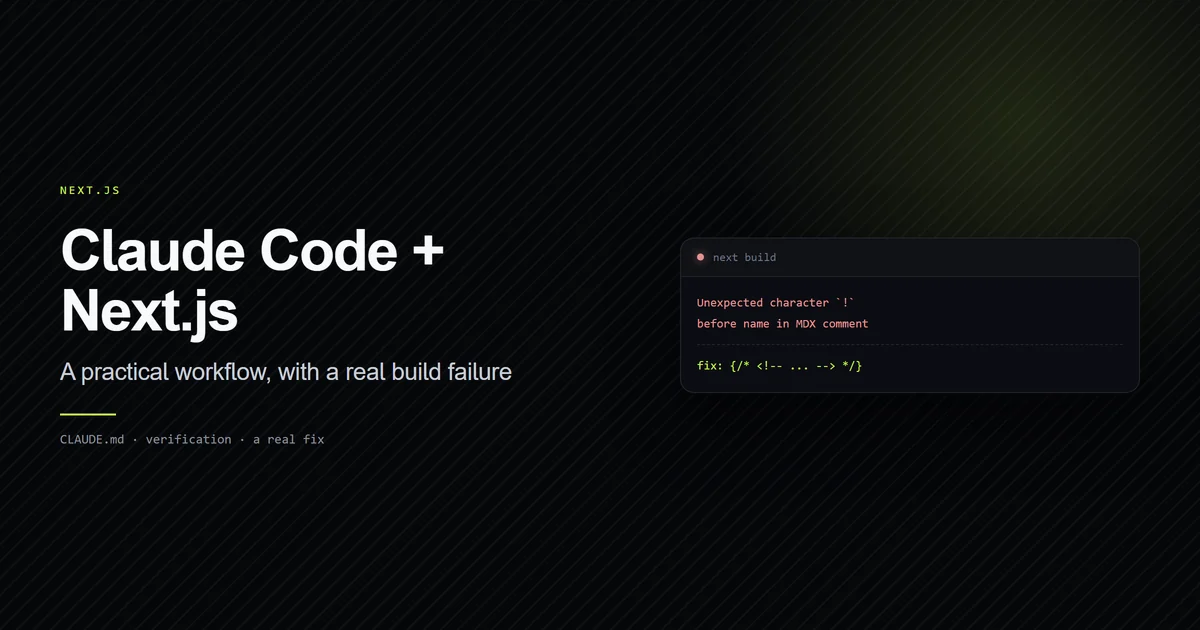
This is the artifact, not a hypothetical: while drafting an MDX file in a real Next.js 15
project, a <!-- TODO(link): ... --> HTML comment was placed directly in the article body. The
build failed with:
Error occurred prerendering page "/comparisons/claude-code-vs-cursor".
[Error: [next-mdx-remote] error compiling MDX:
Unexpected character `!` (U+0021) before name, expected a character that can start a name,
such as a letter, `$`, or `_` (note: to create a comment in MDX, use `{/* text */}`)
MDX does not parse HTML comments — the fix was wrapping the same text in an MDX comment instead:
{/* <!-- TODO(link): ... --> */}. The error message itself named the fix, but only because the
build was actually run; a diff review would have shown a harmless-looking HTML comment and
missed it entirely.
What success looks like
A Next.js change made with Claude Code is done when three things are true: npm run typecheck
exits clean, npm run build completes and the specific route you changed appears in the route
list it prints, and any project-specific validator (anchors, schema, lint) passes. "It looks
right in the preview" is not on that list — the build step above is the one that catches what
a preview can't.
It's worth being specific about why the route list matters and not just the exit code. A build can succeed overall while a single dynamic route silently fails to prerender if a data source it depends on is unreachable at build time — the process still exits 0 for everything else. Reading the printed route table and confirming the page you actually changed is in it closes that gap in a way that "the command didn't error" does not.
Common mistakes
- Writing CLAUDE.md after the first bug instead of before the first prompt. By the time a mistake happens, it's already shipped once.
- Trusting a rendered preview over a production build. Dev mode and
next buildcan behave differently for exactly the kind of silent failure this article documents. - Assuming a generic AI-coding guide covers your stack's specific traps. Framework conventions are shared; a project's build config, banned patterns, and internal APIs are not.
- Not re-running the build after touching MDX or templating content, on the assumption that
"it's just content" — the real failure above was in an
.mdxfile, not application code. - Relying on auto memory instead of a written rule. Auto memory records what Claude Code has already hit; it does nothing for a trap the current session hasn't encountered yet, which is exactly the category of failure a CLAUDE.md rule is supposed to prevent in advance.
- Skipping the project's own validation scripts because the framework's are green.
npm run buildsucceeding says nothing about a project-specific check — a heading-anchor validator, a schema linter — that catches a different class of mistake entirely.
Conclusion
Claude Code already knows Next.js; what it doesn't know is your project's specific failure
modes until you write them down. Start with a CLAUDE.md before the first prompt, add a rule
every time something fails silently instead of erroring, and verify with a real build rather
than a diff read. Once the app builds cleanly, deploying it to
Vercel is the natural next step — see more
Next.js guides for the deployment and configuration details this piece doesn't
cover.
Frequently asked questions
Does Claude Code work well with Next.js App Router projects?
What should a CLAUDE.md file for a Next.js project include?
How do I know if Claude Code's Next.js changes are actually correct?
Muhammad Kashif
Founder and editor of Devventa, covering AI coding assistants, Next.js and the modern AI development stack.