To deploy Next.js to Vercel, push the project to Git, import the repository from the Vercel
dashboard, and deploy — the framework is detected and the build settings need no configuration.
The first deploy is genuinely that short. What follows it is not: custom domains need the right
record type, NEXT_PUBLIC_ variables ignore dashboard changes until you rebuild, and the runtime
quietly removes APIs your local machine has. This guide covers all four, using the configuration
running this site in production.
Key takeaways
- Vercel auto-detects Next.js. A standard app needs no build configuration and no
vercel.json. - An apex domain takes an A record; a subdomain takes a CNAME. This is a DNS restriction, not a Vercel preference.
- Vercel now issues project-specific CNAME targets. Copying
cname.vercel-dns.comfrom an older guide will not resolve. NEXT_PUBLIC_variables are inlined at build time. Editing one in the dashboard changes nothing until you redeploy.- Middleware runs on the Edge runtime, where
node:cryptodoes not exist — and there is no Cloudflare Workersenv.DBbinding on Vercel at all.
What Vercel does for you
Vercel detects Next.js from package.json and configures the build itself: build command,
output directory, install command. For a standard App Router project you write no deployment
config at all, and vercel.json is something you add only when you need to override behaviour.
Three things come switched on that are worth knowing you have:
- Preview deployments. Every pull request gets its own URL on a unique subdomain. This is the single most useful default — review a rendered page instead of a diff.
- Automatic HTTPS. Certificates are issued and renewed for every domain you attach.
- Production on push. Merging to the production branch deploys. There is no separate release step unless you add one.
The same pattern — a real free tier with fine print that only shows up once you hit it — holds for the AI coding tools you're probably using to build the site in the first place; see what each vendor's free plan actually caps before you assume "free" means the same thing everywhere.
Deploy a Next.js site to Vercel in four steps
The whole flow, assuming the project already builds locally:
- Push to Git. GitHub, GitLab, or Bitbucket. Vercel reads the repository directly; there is no archive upload step.
- Import the project. From the dashboard, choose Add New → Project and pick the repository. Framework detection fills in the build settings.
- Add environment variables before the first build. Anything the build itself reads must exist now — see the next section for why adding it later is not enough.
- Deploy. The build log streams live. A failure here is almost always a build that was never run cleanly locally.
That last point deserves emphasis, because it is the most common way a first deploy fails for a reason that has nothing to do with Vercel. Run the production build locally first:
npm run build
Local dev is forgiving in ways the production build is not: unused imports, type errors behind
next dev's incremental compilation, and route handlers that only fail when prerendered. If
npm run build is green locally and red on Vercel, the difference is environment variables or
Node version — not your code.
Environment variables and the redeploy trap
Set environment variables in Settings → Environment Variables, scoped to Production, Preview, and Development independently. The trap is what happens after you change one.
Variables prefixed NEXT_PUBLIC_ are inlined into the JavaScript bundle at build time. They
are not read at runtime and they are not secret — anyone can read them in the shipped bundle.
Changing one in the dashboard has no effect on an existing deployment, because the old value is
already compiled into the files being served. You must redeploy.
This site hits that behaviour directly. The R2 bucket hostname feeds both the image helper and the Next.js config, and the config reads it while the build is being evaluated:
const r2Hostname = normalizeR2Hostname(process.env.NEXT_PUBLIC_R2_HOSTNAME);

const nextConfig = {
  images: {
    formats: ["image/avif", "image/webp"],
    remotePatterns: [{ protocol: "https", hostname: r2Hostname, pathname: "/**" }],
  },
};
Both consumers derive the hostname from one normaliser, so they cannot drift apart — but both are fixed at build time. Change that variable in the dashboard and nothing happens until the next deploy rebuilds the allowlist.
Server-only variables are read at runtime rather than compiled in, so they are not baked into your
JavaScript — but a dashboard change still does not reach a deployment that already exists. Vercel
applies variable changes "to new deployments" only, so the redeploy is required either way.
(Corrected 2026-08-11: this paragraph previously said a server-only change took effect on the next
invocation without a rebuild. It does not.) Keep secrets out of NEXT_PUBLIC_ regardless — that
prefix publishes the value in the bundle. Which of your variables are frozen, which are read per
request, and which cross into the Edge runtime's 5 KB cap is worked through in
Vercel environment variables.
Vercel custom domain setup
Add the domain under Settings → Domains. Vercel will prompt you to add the www prefix
alongside an apex domain, and the dashboard then shows the exact records to create at your
registrar.
The order that avoids downtime is: add the domain in Vercel first, create the DNS records second, and wait for propagation third. Vercel verifies continuously and flips the domain to configured on its own — there is no button to press.
Two situations change the procedure:
- The domain is already on another Vercel account. You will be asked to add a TXT record to prove access. This does not transfer the domain, it only permits your project to use it. Only one TXT verification can be in flight at a time.
- You want a wildcard domain such as
*.example.com. Wildcards require the nameserver method — the record-level approach will not work.
Next.js Vercel DNS records that actually matter
Two records cover almost every setup, and the reason they differ is a DNS rule rather than a Vercel decision.
| Domain | Record | Value |
|---|---|---|
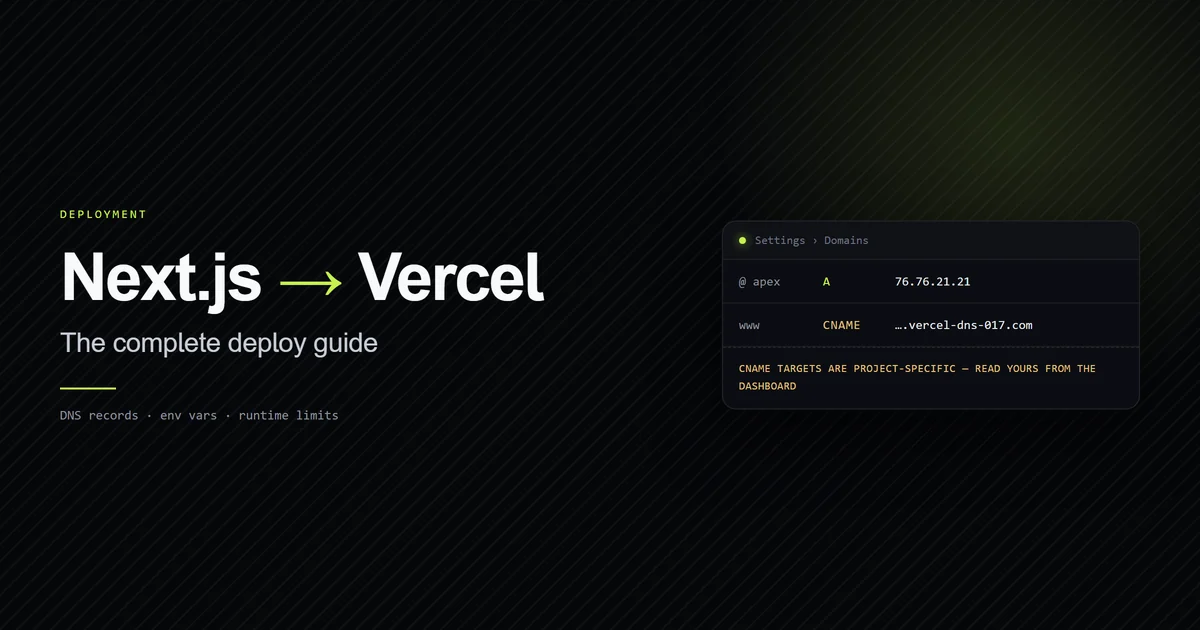
example.com (apex) | A | 76.76.21.21 |
www.example.com | CNAME | Project-specific target from your dashboard |
An apex domain cannot use a CNAME. RFC 1034 §3.6.2 says that if a CNAME record exists at a node, no other data may exist there — and an apex necessarily carries NS records, usually MX records too. That is why every host on the internet hands you an A record for the root and a CNAME for subdomains.
The detail that breaks copied tutorials: Vercel now issues project-specific CNAME targets,
shaped like d1d4fc829fe7bc7c.vercel-dns-017.com, rather than one shared cname.vercel-dns.com
for everyone. The value in a two-year-old blog post will not be your value. Read it from
Settings → Domains in your own project, every time.
Treat 76.76.21.21 the same way. It is Vercel's documented general-purpose A record as of July
2026, and your project may be shown something different. The dashboard is authoritative; this
table is orientation.
What Vercel's runtime takes away
This is the section beginner guides skip, and it is where a working local app breaks in production. Vercel does not run a plain Node server; it runs your code across Node and Edge runtimes, and each removes things your laptop has.
No Cloudflare Workers bindings. This site stores newsletter data in Cloudflare D1. Inside
Cloudflare Workers you would reach it through the env.DB binding. That binding does not exist on
Vercel, so every query goes through D1's HTTP query API instead, funnelled through a single module:
// All D1 access goes through d1Query. The site runs on Vercel, where the Workers
// env.DB binding does not exist, so this uses the HTTP query API. Keeping one
// choke point makes a future move to Workers a one-file change.
The architectural point generalises past D1. When your platform lacks a binding, wrap the workaround in exactly one module. The cost of the workaround then stays proportional to the platform decision instead of spreading through the codebase — and it is a real cost, measured at roughly a thousand times the query itself in running Cloudflare D1 on Vercel.
No node:crypto in middleware. Middleware runs on the Edge runtime. Node built-ins are not
available there, so anything that signs or verifies a token in middleware has to use Web Crypto.
On this site the session module is written against Web Crypto for exactly that reason, while the
Node-only auth module beside it is free to use node:crypto. Two modules, one boundary, because
the runtime is different on each side of it.
Middleware is not a security boundary. Next.js has had a middleware-bypass bug class, and route handlers do not run layouts at all. Guard each protected page, action, and route handler in the file itself. Middleware is for redirects and headers.
Remote images fail differently
next/image will not optimise a host you have not allowlisted. It does not fall back to the
original URL — it returns a 400, and your images simply do not render.
That is the intended behaviour, since the optimiser would otherwise be an open proxy. What makes
it a deployment problem rather than a coding problem is that the hostname usually arrives from an
environment variable. It is set on your machine, it is missing in the Vercel project, and the
allowlist is built at build time from a value that is now undefined.
The symptom is distinctive and worth memorising: local images fine, production images broken,
build green, no error in the runtime logs. Check remotePatterns against the deployed
environment variables before you look anywhere else.
Common mistakes
- Deploying without running the production build locally.
next devtolerates errors thatnext buildrejects. Run it once before you import the repository and you skip an entire category of first-deploy failure. - Editing a
NEXT_PUBLIC_variable and expecting it to apply. It is compiled into the bundle. Redeploy or nothing changes. - Copying DNS values from a tutorial. CNAME targets are project-specific now. Read yours from the dashboard.
- Switching to Vercel nameservers without exporting the zone. Email stops. MX records are the usual casualty and the failure is silent until someone tells you they got a bounce.
- Treating a green build as a working deploy. Remote images, database access, and middleware crypto all compile fine and fail at request time.
Every one of these is worth writing down where your tooling will read it. On this repository, the build-order and image traps live in the project's CLAUDE.md so an agent hits the rule before it hits the failure — the same reasoning applies to a README for a human team. For the fuller version of that workflow, including a real build failure this exact pattern caught, see using Claude Code with Next.js. Once the build itself is reliable, connecting these same checks to a CI pipeline is what catches a broken build before it ever reaches Vercel's deploy step.
Conclusion
Deploy early and deploy on day one, before the app is finished — the import takes minutes and
every subsequent push gets you a preview URL to review against. Spend your remaining setup time
on the two things that actually bite: verify DNS values in your own dashboard rather than copying
them, and audit every NEXT_PUBLIC_ variable for whether the value it was built with is the value
you now want. For how deployment fits the wider picture of
building the site itself with AI assistance, read the cluster
guide next. More deployment guides are in Deployment.
Frequently asked questions
How do I deploy a Next.js site to Vercel?
What DNS records do I need for a custom domain on Vercel?
Why don't my environment variable changes take effect on Vercel?
Can I use Cloudflare D1 with a Next.js app on Vercel?
Why are my remote images returning 400 on Vercel?
Muhammad Kashif
Founder and editor of Devventa, covering AI coding assistants, Next.js and the modern AI development stack.