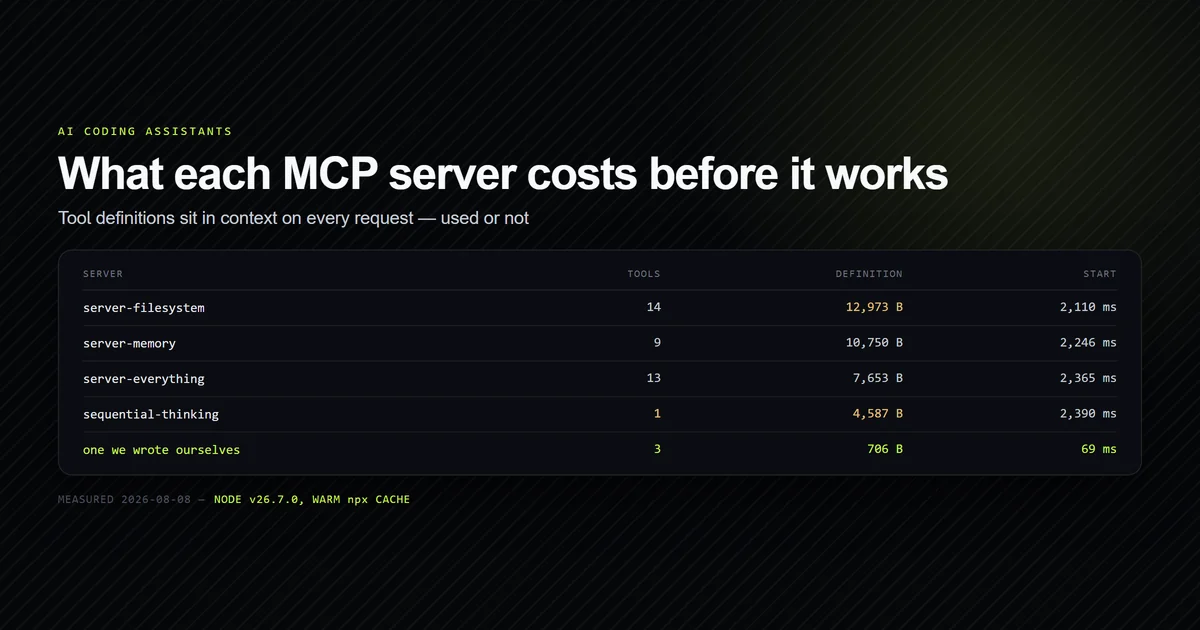
The best MCP servers for developers are the ones whose tools you use often enough to justify what they cost you before they run — because every server's tool definitions sit in your context on every request, used or not. We ran four official servers, counted their tools, serialised their definitions, and timed them from launch to tool list. One spends 4,587 bytes on a single tool, and two servers that appear on nearly every recommendation list return a 404 from npm. Measured on Claude Code v2.1.226 and Node v26.7.0 on 2026-08-08.
Key takeaways
- A server's tool definitions are a permanent context cost. The official filesystem server serialises to 12,973 bytes across 14 tools, spent on every message.
npxcosts roughly two seconds of startup per server, every session — 2,110–2,390 ms warm, and 22,752 ms cold for the first install.@modelcontextprotocol/server-gitandserver-fetchare not on npm. Both 404, and both are routinely recommended with annpxcommand that cannot work.server-everythingis a protocol test fixture, not a productivity tool, despite the name reading like a bundle.- A purpose-built server beat every general one on the job it was built for — 3 tools, 706 bytes, 69 ms.
Best means cheapest per tool you use
Most lists of the best MCP servers for developers are inventories: here is a server for GitHub, here is one for Postgres, here is one for Slack. That framing skips the only question that matters once you have more than two installed, and it assumes you have already done the MCP server setup Claude Code needs to run any of them.
Every connected server's tool definitions — names, descriptions, and full JSON Schema for each parameter — are placed in the model's context. They are there on the first message and on the fortieth, whether the turn touches that server or not. Five mid-sized servers is a five-figure byte tax on every request, and it competes with the thing you actually want in context, which is your code.
So the useful ranking is not "what can this do" but what fraction of these tools will I call, and what does the rest cost me to carry. A server with one tool you use daily is a better buy than a server with fourteen tools you use twice a month. The same logic that governs keeping CLAUDE.md small applies here, and the numbers are larger.
What we measured
For each server we opened a
stdio connection,
completed the initialize handshake, requested tools/list, and recorded three things: the
number of tools, the serialised byte length of the full tool array, and the elapsed time from
process spawn to tool list in hand.
Byte length is a proxy for context cost, not a token count — schemas tokenise unevenly and the ratio varies. It is a fair comparison between servers, which is what the decision needs.
Everything was run twice: once before the packages existed in the npm cache, and once after.
The best MCP servers for developers we measured
| Server | Tools | Definition bytes | Warm start |
|---|---|---|---|
server-filesystem | 14 | 12,973 | 2,110 ms |
server-memory | 9 | 10,750 | 2,246 ms |
server-everything | 13 | 7,653 | 2,365 ms |
server-sequential-thinking | 1 | 4,587 | 2,390 ms |
Our own roadmap server | 3 | 706 | 69 ms |
@modelcontextprotocol/server-filesystem (2026.7.10, reports itself as
secure-filesystem-server@0.2.0) is the one we would keep. It exposes 14 tools —
read_file, write_file, edit_file, directory_tree, search_files,
list_allowed_directories and others — and takes the directories it is allowed to touch as
launch arguments, which is a real boundary rather than a suggestion.
The honest caveat is that Claude Code already reads and writes files in your project. This server earns its 12,973 bytes only when you need scoped access outside the project root — a sibling repository, a data directory, a design export folder. Inside the project it is duplicate machinery. It is also the largest single line item in a fleet: five servers measured together came to 30,218 bytes, and this one is 43% of that.
@modelcontextprotocol/server-memory (2026.7.4) is a knowledge graph: create_entities,
create_relations, add_observations, search_nodes and five more. It is the only server
here that changes what the model knows between sessions, which is either exactly what you want
or an expensive way to maintain a second copy of facts your repository already holds. We would
install it deliberately or not at all — it is not a default.
@modelcontextprotocol/server-sequential-thinking (2026.7.4) exposes exactly one tool,
sequentialthinking, and spends 4,587 bytes describing it. That is a large schema for one
entry point, and the capability it adds — structured multi-step reasoning — substantially
overlaps with what plan mode and extended thinking already do in Claude Code. If you use
plan mode at all, measure before adding this
one.
Our own server is in the table as a control, not a recommendation. It answers three questions about this site's 194 KB editorial planning document, and it does so in 706 bytes and 69 milliseconds because it does nothing else.
server-everything is a test fixture
@modelcontextprotocol/server-everything (2026.7.4) reads like a bundle and appears on
recommendation lists as if it were one. It is not.
Its 13 tools are echo, get-sum, get-tiny-image, toggle-simulated-logging,
trigger-long-running-operation, simulate-research-query and similar. It exists to exercise
every part of the MCP specification so client implementers can test against something —
annotations, resource links, structured content, progress notifications, sampling.
It is genuinely useful for that, and installing it as a productivity server spends 7,653 bytes
of context on an echo tool. We flag it because the name is the trap, not because the package
is bad.
The servers these lists get wrong
Two of the most frequently recommended official servers cannot be installed the way they are recommended:
npm view @modelcontextprotocol/server-git version
# → npm error code E404
# → npm error 404 Not Found - GET https://registry.npmjs.org/@modelcontextprotocol%2fserver-git

npm view @modelcontextprotocol/server-fetch version
# → npm error code E404
Both are real projects in the reference implementations, and both are distributed for a Python
toolchain rather than as npm packages. Any instruction of the form
npx -y @modelcontextprotocol/server-git fails, and it fails as
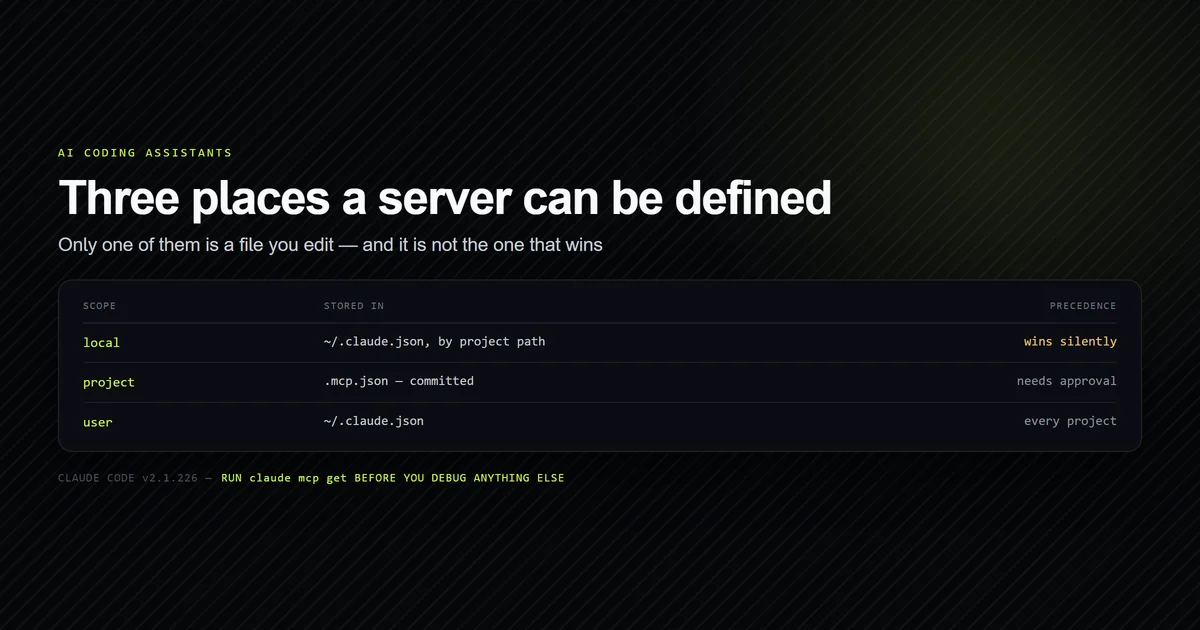
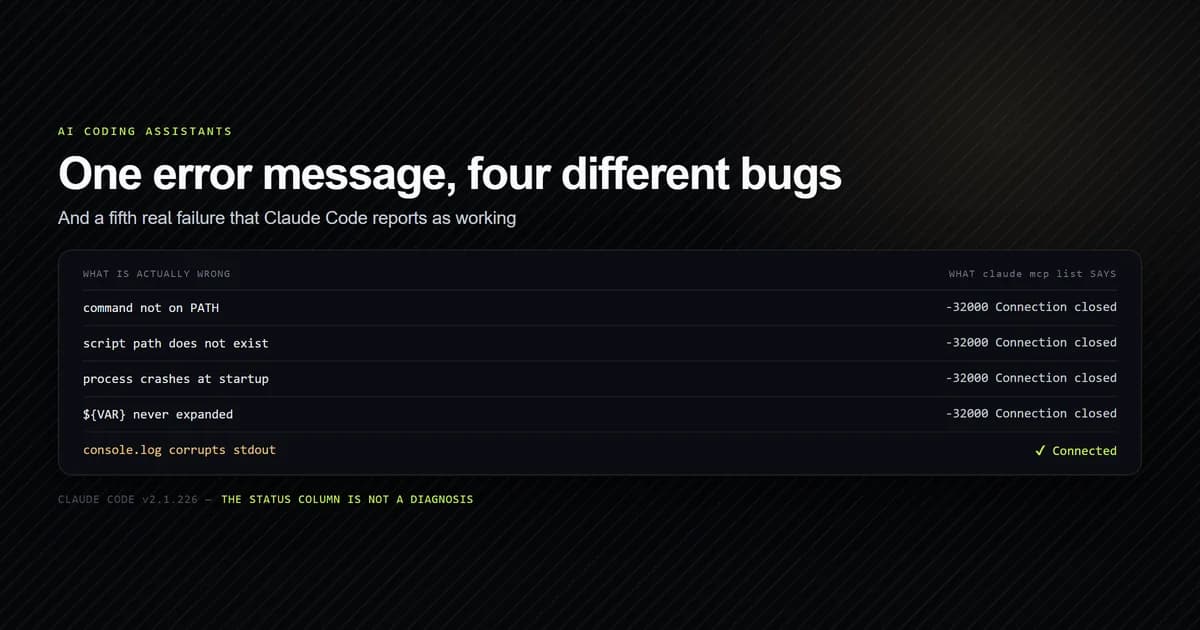
-32000: Connection closed, which names nothing — the exact ambiguity covered in
troubleshooting an MCP server that will not connect.
Anthropic's MCP documentation is the place to check what a
server actually needs before you add it.
The npm-published official servers we could resolve on 2026-08-08 were server-filesystem,
server-memory, server-sequential-thinking and server-everything. If a list recommends a
fifth with an npx command, check the registry before you debug your config.
Write one before you install a fifth
The strongest result in the table is not a package. Our roadmap server answers three questions
about a 194 KB planning document — what is next, which articles lack a cover image, how many
are published — for 706 bytes and 69 milliseconds. A second one has since joined it by importing
the site's own data layer instead of reimplementing it, which
a Next.js project makes unusually cheap.
No general-purpose server can compete on that job, because the value is in the domain logic, not the transport. A tools-only stdio server needs three JSON-RPC methods and no SDK:
if (method === "initialize") {
  send({ jsonrpc: "2.0", id, result: {
    protocolVersion: params?.protocolVersion ?? "2025-06-18",
    capabilities: { tools: {} },
    serverInfo: { name: "devventa-roadmap", version: "1.0.0" },
  }});
}
if (method === "tools/list") send({ jsonrpc: "2.0", id, result: { tools: TOOLS } });
if (method === "tools/call") send({ jsonrpc: "2.0", id, result: {
  content: [{ type: "text", text: callTool(params?.name) }],
}});
Messages are newline-delimited JSON on stdin and stdout. The one rule is that stdout carries
frames and nothing else — a single console.log corrupts the channel while still reporting as
connected.
Run it with node and a relative path rather than through npx, and the two-second startup
tax disappears along with the download.
Common mistakes
- Installing servers by capability instead of by use. Fourteen tools you might need cost the same on every request as fourteen you do.
- Treating
server-everythingas a bundle. It is a specification test fixture with anechotool. - Copying an
npxcommand from a list without checking the registry. Two of the most recommended official servers 404. - Adding
server-filesystemfor files Claude Code already reads. It pays off for scoped access outside the project, not inside it. - Ignoring cold start. The first run of a server downloads the package — 22,752 ms in our measurement — and it happens at the least convenient moment.
- Never removing anything. Servers accumulate.
claude mcp listis worth reading once a month with the context cost in mind.
Conclusion
The shortest honest answer to which are the best MCP servers for developers is: start with none,
add the one your work actually blocks on, and measure before adding a second. For most people
that is server-filesystem, and only when the files sit outside the project. Treat server-everything as the test fixture it is, verify any npx recommendation
against the registry before debugging your config, and when the job is specific to your
repository, write the server: ours cost an afternoon and beats every package here on the one
thing it does. The fields and scopes behind any of these configs are covered in
mcp.json configuration explained.
Frequently asked questions
What are the best MCP servers for developers?
How much context does an MCP server use?
Do MCP servers slow down Claude Code?
Is there an official MCP server for git?
Should I write my own MCP server?

Muhammad Kashif
Founder and editor of Devventa, covering AI coding assistants, Next.js and the modern AI development stack.