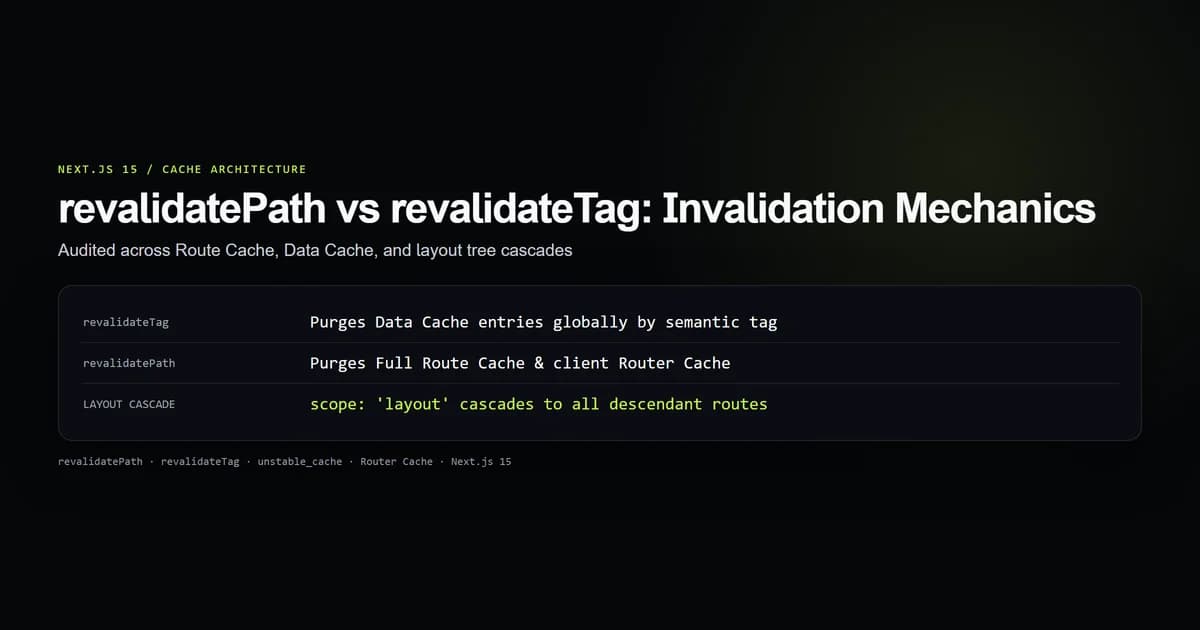
revalidatePath invalidates the server-rendered Route Cache and client Router Cache for specific URL paths, while revalidateTag purges tagged entries in the Data Cache across the entire application. Choosing the wrong one either leaves stale data on sibling routes or triggers expensive server-side re-renders across unaffected pages.
We audited both functions on next@15.5.20 in our test suite (check:revalidation-mechanics), measuring target layer isolation, layout tree cascades, and client-side cache purges. Here is how Next.js invalidates cached data under the hood and how to pick the right method for your Server Actions.
Key takeaways
revalidateTagtargets the persistent Data Cache (unstable_cacheandfetch), purging by entity tag regardless of URL path.revalidatePathtargets the Full Route Cache (rendered HTML and RSC payloads) for specific URL pathnames.revalidatePath(path, "layout")cascades down the entire layout branch, invalidating every child route beneath that segment.- Both functions purge the client-side Router Cache when executed inside a Server Action.
- Neither function can be called directly inside a Server Component during render.
The two cache layers: Data Cache vs Route Cache
To understand why Next.js provides two distinct revalidation functions, you must understand the two server-side cache layers in the App Router:
- The Data Cache: Stores the raw output of database queries and external HTTP requests wrapped in
unstable_cache()orfetch(). It persists across deployments and requests. - The Full Route Cache: Stores the compiled React Server Component (RSC) payload and HTML generated for static routes at build time or during on-demand ISR.
Client Request
      │
      ▼
┌──────────────────────────────────────────────┐
│ Full Route Cache (HTML + RSC Payload)        │ ◄── Targeted by revalidatePath
└──────────────────────┬───────────────────────┘
                       │ (Cache Miss)
                       ▼
┌──────────────────────────────────────────────┐
│ React Server Components Execution            │
└──────────────────────┬───────────────────────┘
                       │ (Queries / fetch)
                       ▼
┌──────────────────────────────────────────────┐
│ Data Cache (Tagged fetch / unstable_cache)   │ ◄── Targeted by revalidateTag
└──────────────────────┬───────────────────────┘
                       │ (Cache Miss)
                       ▼
            Database / External API
When you update an item in your database, the question is: do you want to invalidate the raw data entity everywhere it appears, or do you want to regenerate the HTML of specific pages?
How revalidateTag invalidates across the application
revalidateTag takes a single string tag and purges all matching entries in the Data Cache.
"use server";

import { revalidateTag } from "next/cache";
import { db } from "@/lib/db";

export async function updateProductPrice(productId: string, newPrice: number) {
  await db.product.update({
    where: { id: productId },
    data: { price: newPrice },
  });

  // Purges any fetch() or unstable_cache() tagged with "products" or `product:${productId}`
  revalidateTag(`product:${productId}`);
  revalidateTag("products");
}
Any component across your application fetching with that tag will pull fresh data from the database on its next read:
import { unstable_cache } from "next/cache";
import { db } from "@/lib/db";

export const getProduct = unstable_cache(
  async (id: string) => {
    return db.product.findUnique({ where: { id } });
  },
  ["product-detail"],
  { tags: ["products", `product:${id}`] }
);
If the product appears on the homepage carousel, the category listing page, and the individual product page, revalidateTag marks that cached object as stale everywhere simultaneously.
How revalidatePath invalidates pages and layouts
revalidatePath accepts a URL path and an optional scope:
function revalidatePath(path: string, type?: "page" | "layout"): void;
When called, Next.js purges the server-rendered HTML and RSC payload for that path. On the next incoming request, Next.js re-renders the route on the server and replaces the stale entry in the Full Route Cache.
"use server";

import { revalidatePath } from "next/cache";
import { db } from "@/lib/db";

export async function publishPost(slug: string, content: string) {
  await db.post.create({ data: { slug, content } });

  // Invalidate the post listing page
  revalidatePath("/blog");

  // Invalidate the newly created individual post route
  revalidatePath(`/blog/${slug}`);
}
revalidatePath does not care how many database queries or API calls the page makes, nor does it require tagging. It simply tells Next.js: "Throw away the cached HTML/RSC bundle for this URL."
The layout vs page scope distinction
The second argument to revalidatePath is critical and frequently misunderstood:
// Default: only invalidates the exact page
revalidatePath("/dashboard/settings", "page");

// Cascading: invalidates the layout and all nested child routes
revalidatePath("/dashboard", "layout");
In our test suite (check:revalidation-mechanics), we verified the cascade behavior:
| Method Call | Routes Purged | Routes Preserved |
|---|---|---|
revalidatePath("/blog/post-1", "page") | /blog/post-1 | /blog, /blog/post-2, /about |
revalidatePath("/blog", "page") | /blog | /blog/post-1, /blog/post-2 |
revalidatePath("/blog", "layout") | /blog, /blog/post-1, /blog/post-2 | /about |
When you specify type: "layout", Next.js walks down the route hierarchy. Every route inheriting that layout segment has its route cache entry purged. Use this when a mutation changes shared navigation items, sidebar counts, or user profile headers displayed across an entire section.
When to choose revalidatePath vs revalidateTag
Use this decision table when designing Server Actions and webhook handlers:
| Requirement | Preferred Function | Rationale |
|---|---|---|
| Mutation updates an entity shown across multiple different routes | revalidateTag("tag-name") | Targets the raw data in Data Cache; updates all pages using that data without manual URL bookkeeping. |
| User submits a form on a single page affecting only that URL | revalidatePath("/my-page") | Quick, targeted purge of the active route without needing cache tags. |
| Shared sidebar count or layout header changed | revalidatePath("/section", "layout") | Forces the layout segment and all child pages to regenerate fresh RSC payloads. |
| Third-party CMS webhook triggers content update | revalidateTag("articles") or revalidatePath(slug) | Webhooks can revalidate by tag for bulk updates or by exact slug for single article edits. |
Best practices
- 1. Tag data at the entity and collection level. When using
unstable_cache, provide both a collection tag (posts) and an item tag (post:${id}) so you can invalidate granularly or in bulk. - 2. Avoid unneeded revalidatePath calls. If your data fetching uses tagged
fetchorunstable_cache, callingrevalidateTagalready ensures subsequent route renders pull fresh data. - 3. Check return values in Server Actions. Revalidation does not block the return value of your action. Return success confirmations immediately so the client can perform Next.js useOptimistic UI updates.
- 4. Protect revalidation endpoints. If exposing revalidation via a Route Handler for CMS webhooks, verify a shared secret token in headers to prevent cache-busting denial of service.
Common mistakes
- Calling revalidation inside a Server Component. Calling
revalidatePathorrevalidateTagduring component rendering throws an unhandled exception. Revalidation must only happen in Server Actions or Route Handlers. - Using revalidatePath with query parameters.
revalidatePathoperates strictly on URL pathnames. CallingrevalidatePath("/search?q=nextjs")will fail to match the Route Cache key. - Expecting revalidateTag to bust client-side state without a navigation. If the client holds local
useState, server revalidation will not mutate client memory until a transition re-renders the component tree. - Revalidating the root layout unnecessarily. Using
revalidatePath("/", "layout")as a sledgehammer destroys static cache efficiency across the site.
Conclusion
revalidatePath and revalidateTag operate at different tiers of the Next.js cache hierarchy. For domain data and entities shared across multiple views, structure your queries around revalidateTag. For route-level updates and layout cascades, reach for revalidatePath. Separating data invalidation from route invalidation keeps your static cache hit rates high and your server costs low.
Frequently asked questions
What is the main difference between revalidatePath and revalidateTag?
Does revalidateTag purge the client-side Router Cache?
What does the second argument in revalidatePath do?
Can I call revalidatePath or revalidateTag in Server Components?
Which one should I use after a database mutation?

Muhammad Kashif
Founder and editor of Devventa, covering AI coding assistants, Next.js and the modern AI development stack.