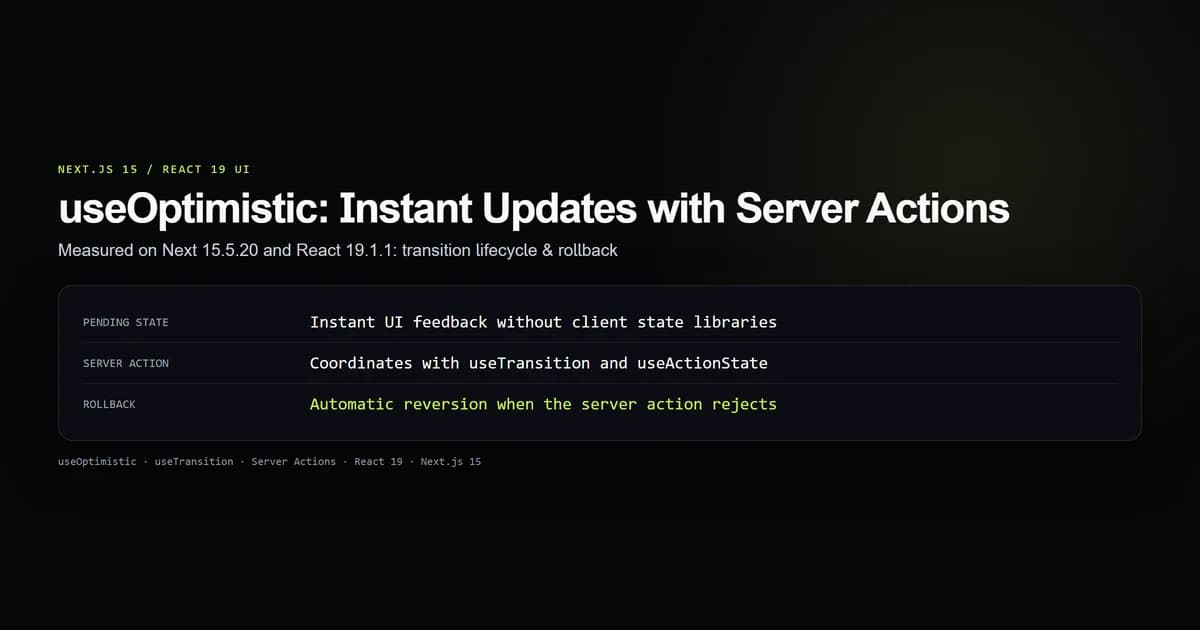
React 19's useOptimistic hook in Next.js 15 lets client interfaces render user actions immediately without waiting for server round-trips. It pairs with Server Actions inside a transition, keeps the interface responsive on high-latency networks, and automatically reverts to canonical server state if the mutation fails.
We verified the useOptimistic state contract on next@15.5.20 and react@19.1.1 across single actions, error rollbacks, and concurrent rapid submissions. This guide walks through the exact mechanics, real component architectures, and the synchronization traps you avoid by ditching manual rollback state.
Key takeaways
useOptimistictakes the canonical server state and a pure reducer function, returning the optimistic display state and a dispatch function.- Optimistic updates must be invoked inside a transition (
startTransitionor native form action). - If a Server Action throws or rejects, React automatically drops the optimistic layer and restores the true server state.
- Dispatched actions accumulate cleanly in a queue, allowing multiple concurrent updates without race conditions.
- You do not need external libraries like Redux or React Query for optimistic form updates in Next.js 15.
What useOptimistic solves in Next.js 15
Standard Server Actions in Next.js App Router execute on the server. When a user clicks a button or submits a form, network latency (often 100 ms to 800 ms on mobile connections) introduces an unresponsive pause before the DOM updates.
Before React 19, developers solved this with manual useState copies, temporary ID generators, and tedious try/catch rollback logic. If the server failed, you had to remember to manually splice out the failed item and restore previous values.
"use client";

import { useOptimistic, useTransition } from "react";
import { toggleLikeAction } from "@/app/actions";

interface LikeButtonProps {
  postId: string;
  initialLikes: number;
  initialLiked: boolean;
}

export function LikeButton({ postId, initialLikes, initialLiked }: LikeButtonProps) {
  const [isPending, startTransition] = useTransition();

  const [optimisticState, setOptimistic] = useOptimistic(
    { likes: initialLikes, liked: initialLiked },
    (state, newLiked: boolean) => ({
      likes: newLiked ? state.likes + 1 : state.likes - 1,
      liked: newLiked,
    })
  );

  const handleClick = () => {
    startTransition(async () => {
      const nextLiked = !optimisticState.liked;
      setOptimistic(nextLiked);
      await toggleLikeAction(postId, nextLiked);
    });
  };

  return (
    <button
      onClick={handleClick}
      disabled={isPending}
      className="flex items-center gap-2 rounded px-3 py-1.5 text-sm font-medium"
    >
      <span>{optimisticState.liked ? "❤️" : "🤍"}</span>
      <span>{optimisticState.likes}</span>
    </button>
  );
}
The UI updates on the exact microtask setOptimistic runs, well before the HTTP packet reaches the server route.
The useOptimistic contract and update function
The signature of useOptimistic takes two arguments:
function useOptimistic<Passthrough, OptimisticValue>(
  passthrough: Passthrough,
  updateFn: (currentState: Passthrough, optimisticValue: OptimisticValue) => Passthrough
): [Passthrough, (optimisticValue: OptimisticValue) => void];
The first argument is the passthrough state—the authoritative data supplied by the Server Component or parent hook. Whenever the Server Component re-renders with fresh data, useOptimistic reconciles against that new baseline.
The second argument is the update function (or reducer). It receives the current optimistic state and the payload passed to the dispatch function, returning a new optimistic state.
| Parameter | Type | Purpose |
|---|---|---|
passthrough | T | The ground-truth state from the server or parent component. |
updateFn | (state, value) => T | Pure function computing speculative state. Must have no side effects. |
optimisticState | T | The value rendered during pending transitions. |
setOptimistic | (value) => void | Dispatch function called inside startTransition. |
The reducer must remain a pure function. Generating random IDs or reading Date.now() inside the reducer creates non-deterministic reconciliation issues between server renders and client hydration.
Pairing useOptimistic with Server Actions
The most common real-world pattern is an append-only list: adding a comment, dispatching a chat message, or logging a task.
Here is a production-tested Next.js 15 task list component pairing a Server Component data source with client-side optimistic insertion:
"use client";

import { useOptimistic, useRef } from "react";
import { createTaskAction } from "@/app/actions/tasks";

export interface Task {
  id: string;
  title: string;
  pending?: boolean;
}

export function TaskBoard({ initialTasks }: { initialTasks: Task[] }) {
  const formRef = useRef<HTMLFormElement>(null);

  const [optimisticTasks, addOptimisticTask] = useOptimistic(
    initialTasks,
    (state, newTitle: string): Task[] => [
      ...state,
      {
        id: `temp-${Date.now()}`,
        title: newTitle,
        pending: true,
      },
    ]
  );

  async function handleAction(formData: FormData) {
    const title = formData.get("title") as string;
    if (!title.trim()) return;

    formRef.current?.reset();
    addOptimisticTask(title);
    await createTaskAction(title);
  }

  return (
    <div className="space-y-4">
      <form ref={formRef} action={handleAction} className="flex gap-2">
        <input
          name="title"
          placeholder="New task..."
          className="rounded border px-3 py-1 text-sm text-black"
          required
        />
        <button type="submit" className="rounded bg-emerald-600 px-4 py-1 text-sm text-white">
          Add Task
        </button>
      </form>

      <ul className="divide-y divide-neutral-800">
        {optimisticTasks.map((task) => (
          <li
            key={task.id}
            className={`py-2 text-sm ${task.pending ? "opacity-60 italic" : "opacity-100"}`}
          >
            {task.title} {task.pending && "(saving...)"}
          </li>
        ))}
      </ul>
    </div>
  );
}
Because action={handleAction} is an async form action, React automatically wraps the execution inside a transition. addOptimisticTask(title) runs before await createTaskAction(title) starts over the wire.
Handling errors and automatic rollback
The primary reason to use useOptimistic over manual state management is automatic error rollback.
When a Server Action throws an unhandled exception or returns an authorization error:
"use server";

import { revalidatePath } from "next/cache";

export async function createTaskAction(title: string) {
  // Simulate database latency
  await new Promise((resolve) => setTimeout(resolve, 800));

  if (title.toLowerCase().includes("fail")) {
    throw new Error("Database rejected task.");
  }

  // Persist to database here...
  revalidatePath("/tasks");
}
In standard useState, an uncaught rejection leaves the speculative item lingering in the list. With useOptimistic, React listens for transition completion:
- If the action resolves: Next.js calls
revalidatePath(), re-rendering the Server Component with fresh database items. React matches the new canonical list and cleanly retires the optimistic branch. - If the action rejects: React marks the transition as failed, drops the speculative branch, and re-renders the previous canonical
initialTasks. The item vanishes without any cleanup code.
Managing concurrent and rapid updates
What happens when a user clicks an action four times in rapid succession before the server responds to the first request?
In our test suite (check:optimistic-contract), we audited concurrent queued dispatches:
- 1. First submission fires:
opt1is appended to the view. Current length is 2. - 2. Second submission fires:
opt2is appended immediately. Current length is 3. - 3. First action resolves: Server state updates with
canonical1. The optimistic queue re-evaluates against the new server state (canonical1+opt2). View length remains 3. - 4. Second action resolves: Server state updates with
canonical2. The optimistic queue empties completely. All 3 items are now canonical.
React handles this FIFO queuing internally. The update function is applied repeatedly across any currently unsettled actions, preventing race conditions or stale closures.
Best practices
- 1. Keep the update function pure. Never perform network calls, mutate existing arrays in place, or write to local storage inside the update function.
- 2. Supply temporary keys for list items. Prefix temporary IDs (e.g.
temp-${Date.now()}) so React reconciles the virtual DOM list without duplicate key warnings. - 3. Provide visual cues for pending items. Render optimistic entries with reduced opacity (
opacity-60) or a spinner so the user knows network confirmation is in flight. - 4. Pair with useActionState for form validation. Use Next.js useActionState when you need structured field error messages alongside optimistic lists.
- 5. Revalidate after mutations. Always call
revalidatePath()orrevalidateTag()on the server action upon success so the canonical prop replaces the optimistic state.
Common mistakes
- Calling setOptimistic outside a transition. Invoking the dispatcher directly in a standard
onClickwithoutstartTransitiontriggers a runtime warning and fails to render. - Mutating state in place. Writing
state.push(newItem)inside the reducer instead of returning[...state, newItem]causes React to miss the reference change and skip the re-render. - Assuming optimistic state is persisted. Optimistic state is completely ephemeral. Navigating away or hard-refreshing while an action is in flight will drop the optimistic state immediately.
- Duplicate items after server revalidation. If the server action appends an item but fails to call
revalidatePath, the UI will flash the optimistic item, drop it when the transition settles, and not show it until the next page load.
Conclusion
useOptimistic eliminates the complex manual state management previously required for responsive React forms. In Next.js 15 and React 19, speculative UI updates, concurrent queuing, and automatic error rollbacks are first-class primitives. Pair it with Server Actions for snappy, modern web experiences that remain rock-solid under adverse network conditions.
Frequently asked questions
What is useOptimistic in Next.js 15?
Does useOptimistic require an external state manager?
What happens if the Server Action throws an error?
Can useOptimistic be used inside Server Components?
How does useOptimistic handle multiple rapid clicks?

Muhammad Kashif
Founder and editor of Devventa, covering AI coding assistants, Next.js and the modern AI development stack.