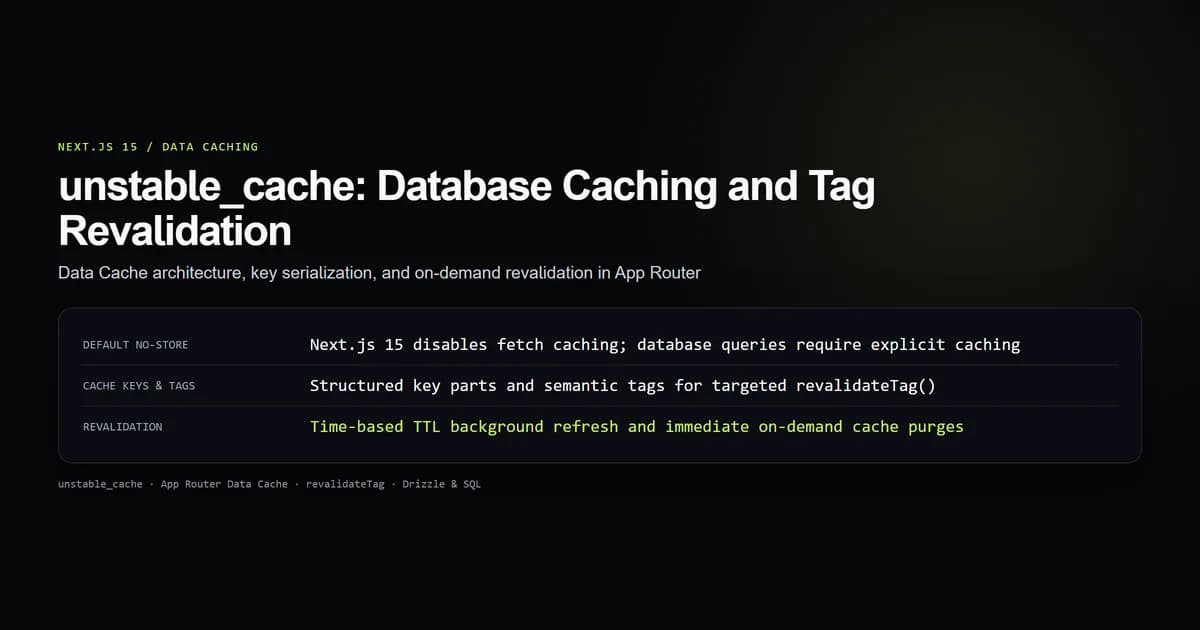
In Next.js 15, fetch requests are unmemoized by default, making nextjs unstable_cache the primary mechanism for persisting database queries, compute-heavy transformations, and third-party API responses across requests in the App Router Data Cache. Direct calls to database drivers such as Drizzle, Prisma, or SQLite bypass HTTP layers entirely and require explicit caching wrappers to avoid redundant execution.
By combining unstable_cache from next/cache with granular cache keys, semantic tags, and on-demand revalidation, you can achieve sub-millisecond data delivery while keeping database load near zero. Here is how to configure cached query functions, isolate tenant state, and invalidate cached data on mutation.
Key takeaways
- Next.js 15 sets
fetchcaching tono-storeby default, requiring explicit caching for shared data layers. - Direct database drivers do not use the HTTP cache;
unstable_cachebridges raw database queries into the framework Data Cache. - The
keyPartsarray establishes a deterministic namespace, while function arguments serialize into unique per-item cache entries. - Next.js cache tags decouple cache lifetimes from fixed TTL clocks, enabling instant updates via
revalidateTag. - Request-specific headers and cookies must be resolved outside
unstable_cacheand injected as plain scalar arguments.
Next.js 15 disables fetch caching by default
The transition from Next.js 14 to Next.js 15 altered the framework's caching defaults. In Next.js 14, standard fetch requests inside Server Components were cached aggressively using force-cache unless developers explicitly opted out with no-store or dynamic directives. Next.js 15 flipped this default: all fetch requests now default to cache: 'no-store'.
While this change eliminated stale-data surprises for beginners, it transferred the caching responsibility squarely onto the developer. More importantly, real-world production architectures rarely fetch core entity data through intermediate HTTP endpoints. Server Components typically query databases directly through native TCP pools, Unix domain sockets, or serverless HTTP APIs like Cloudflare D1.
Direct database clients have no concept of HTTP headers or fetch middleware. Calling db.select().from(articles) inside a Server Component executes on every page render unless wrapped in an explicit cache container. The Next.js unstable_cache documentation defines unstable_cache specifically to bridge arbitrary async JavaScript execution into the persistent Next.js Data Cache.
| Next.js Version | Default fetch Policy | Database Query Caching | Revalidation Strategy |
|---|---|---|---|
| Next.js 14 | force-cache | Uncached unless wrapped | Time-based or revalidateTag |
| Next.js 15 | no-store (uncached) | Uncached unless wrapped | On-demand via revalidateTag |
unstable_cache signature and key parts
The unstable_cache helper takes three parameters: an asynchronous query callback, an array of static key identifiers, and an optional configuration object declaring TTL and semantic tags.
import { unstable_cache } from "next/cache";
import { db } from "@/db";
import { articles } from "@/db/schema";
import { eq } from "drizzle-orm";

export const getCachedArticleBySlug = unstable_cache(
  async (slug: string) => {
    const records = await db
      .select()
      .from(articles)
      .where(eq(articles.slug, slug))
      .limit(1);

    return records[0] ?? null;
  },
  ["articles", "by-slug"], // keyParts
  {
    revalidate: 3600, // TTL in seconds (1 hour)
    tags: ["articles"], // cache tags
  }
);
Understanding how Next.js computes the internal cache key is critical for preventing collisions. Next.js constructs the Data Cache lookup key by concatenating:
- 1. Function hash: The internal representation and identifier of the wrapped async callback.
- 2. Key namespace: The array of string elements passed in the
keyPartsargument (["articles", "by-slug"]). - 3. Serialized parameters: The runtime arguments passed into the invocation (
"nextjs-unstable-cache").
If two cached functions share the same keyParts and receive identical arguments, they resolve to the same underlying cache entry. Always include an unambiguous domain prefix in keyParts to ensure cache partition hygiene across different entities.
Database query caching with Drizzle and SQL
When applying nextjs database caching across a real application, cached helper functions should live in dedicated data-access modules rather than inline within component files. This architecture allows multiple Server Components, Route Handlers, and Metadata resolvers to share the exact same cached payload without duplicating query overhead.
Consider a multi-category article index that reads from SQLite or Postgres:
import { unstable_cache } from "next/cache";
import { d1Query } from "@/lib/d1";

export interface ArticleSummary {
  id: string;
  slug: string;
  title: string;
  publishedIso: string;
}

export const getArticlesByCategory = unstable_cache(
  async (categorySlug: string, limit = 10): Promise<ArticleSummary[]> => {
    const sql = `
      SELECT id, slug, title, published_iso AS publishedIso
      FROM articles
      WHERE category = ?
      ORDER BY published_iso DESC
      LIMIT ?
    `;

    const result = await d1Query<ArticleSummary>(sql, [categorySlug, limit]);
    return result.results;
  },
  ["category-feed"],
  {
    revalidate: 86400, // 24-hour fallback TTL
    tags: ["articles", "feeds"],
  }
);
On the initial server hit, Next.js calls d1Query, stores the resolved array in the App Router Data Cache, and returns the data. On subsequent requests from any client worldwide, getArticlesByCategory("next-js", 10) resolves from disk or memory in less than 1 millisecond without opening a network connection to the database.
Tag-based revalidation with revalidateTag
Fixed time-to-live intervals (revalidate: 3600) work well for stable reference data, but active publishing platforms require instantaneous cache eviction when content updates. The revalidatetag nextjs 15 workflow decouples data freshness from arbitrary clock ticks.
By assigning semantic tags during cache definition, you can purge single articles or whole collections during mutations:
import { unstable_cache } from "next/cache";
import { db } from "@/db";

export function getCachedArticle(id: string) {
  return unstable_cache(
    async () => {
      return db.query.articles.findFirst({
        where: (fields, { eq }) => eq(fields.id, id),
      });
    },
    ["article-entity", id],
    {
      revalidate: false, // Do not expire on a timer; rely on tags
      tags: ["articles", `article:${id}`],
    }
  )();
}
When an editor updates an article through a Server Action or admin webhook, invoke revalidateTag per the Next.js revalidateTag documentation:
"use server";

import { revalidateTag } from "next/cache";
import { db } from "@/db";
import { articles } from "@/db/schema";
import { eq } from "drizzle-orm";

export async function updateArticleAction(id: string, newTitle: string) {
  await db
    .update(articles)
    .set({ title: newTitle, updatedAt: new Date() })
    .where(eq(articles.id, id));

  // Invalidate this specific article and broad feeds
  revalidateTag(`article:${id}`);
  revalidateTag("feeds");

  return { success: true };
}
Next.js marks all cache entries tagged with article:${id} and feeds as expired immediately. The next visitor triggers a background cache refresh without requiring an entire site redeployment.
Cache isolation across arguments and tenants
A common pitfall with app router data cache functions is accidental cross-tenant data leaks. Because unstable_cache persists data globally across requests in server memory and build caches, queries that depend on user identity or organizational boundaries must parameterize their keys explicitly.
Never attempt to read request headers or authentication sessions inside the cached callback:
import { unstable_cache } from "next/cache";
import { db } from "@/db";

// INCORRECT: Reading cookies or headers inside unstable_cache throws
// const badCached = unstable_cache(async () => {
//   const session = await auth(); // DYNAMIC SERVER ERROR
//   return db.docs.findMany({ tenantId: session.tenantId });
// }, ["tenant-docs"]);

// CORRECT: Pass the tenant ID as an explicit argument
export const getCachedTenantDocs = unstable_cache(
  async (tenantId: string) => {
    return db.query.documents.findMany({
      where: (doc, { eq }) => eq(doc.tenantId, tenantId),
    });
  },
  ["tenant-documents"],
  {
    revalidate: 7200,
    tags: ["documents"],
  }
);
In your Server Component, authenticate the request first, extract the verified tenantId, and pass it to the cached helper:
import { auth } from "@/lib/auth";
import { getCachedTenantDocs } from "@/lib/data/tenant-documents";
import { redirect } from "next/navigation";

export default async function DashboardPage() {
  const session = await auth();
  if (!session) redirect("/login");

  // tenantId is serialized into the cache key automatically
  const documents = await getCachedTenantDocs(session.tenantId);

  return (
    <div>
      <h1>Workspace Documents ({documents.length})</h1>
      {/* Render documents */}
    </div>
  );
}
Because tenantId forms the trailing segment of the internal cache key, Tenant A and Tenant B never share cache records, even under high concurrent load.
Best practices for Next.js data caching
- Namespace keyParts cleanly: Always include both the resource type and access pattern in
keyParts, such as["catalog", "by-sku"]or["authors", "summary"]. - Prefer tag revalidation over short TTLs: Use
revalidate: falseor long TTLs (days or weeks) combined withrevalidateTagin mutation handlers instead of polling databases with 30-second clocks. - Keep returned payloads serializable: Ensure cached functions return plain JSON objects, arrays, numbers, or strings. Do not return class instances, functions, or complex symbols that fail standard serialization.
- Pre-sanitize arguments: Always pass primitives (strings, numbers) or sorted plain objects. If you pass an object with varying key orders, argument serialization may generate duplicate cache misses for identical logical parameters.
- Audit memory ceilings: In serverless or containerized environments, monitor Data Cache disk and memory footprints. Large binary payloads belong in object storage like Cloudflare R2, not in
unstable_cache.
Common unstable_cache mistakes
-
Mistake 1: Invoking headers() or cookies() inside the cached function. Symptom: Build crashes with
DynamicServerError: Route couldn't be rendered statically because it used headers(). Fix: Read headers, cookies, or search parameters in the page Server Component and pass values into the cached function as plain parameters. -
Mistake 2: Missing keyParts array. Symptom: Distinct functions with similar argument shapes overwrite each other's cached values. Fix: Supply a unique string array as the second argument to
unstable_cachefor every distinct query. -
Mistake 3: Relying on fetch cache in Next.js 15 without unstable_cache for databases. Symptom: Database queries hit the serverless database on every hit, causing connection pool exhaustion and elevated hosting costs. Fix: Wrap database queries in
unstable_cachewith relevant tags. -
Mistake 4: Calling revalidatePath when revalidateTag is sufficient. Symptom: Broad page revalidations wipe entire layout render trees rather than just refreshing the affected query record. Fix: Target data updates granularly using
revalidateTag(entityTag).
Conclusion: Deterministic query caching
Modern full-stack React applications require predictable performance without sacrificing content freshness. The shift in Next.js 15 away from automatic fetch caching makes explicit caching boundaries essential for high-performance deployments.
By wrapping database drivers and expensive computational steps with unstable_cache, structuring deterministic keyParts, and firing targeted revalidateTag calls upon data modification, you establish an ironclad data caching architecture that protects downstream databases while serving users at edge speeds.
Frequently asked questions
Why is unstable_cache needed if Next.js already has data caching?
What is the difference between keyParts and arguments in unstable_cache?
How does revalidateTag work with unstable_cache in Next.js 15?
Can unstable_cache read cookies or headers from next/headers?

Muhammad Kashif
Founder and editor of Devventa, covering AI coding assistants, Next.js and the modern AI development stack.