
The short answer
A nextjs 500 error after build happens because next build is an ahead-of-time compilation step, not a runtime execution test. When an application passes build time, static routes compile cleanly, but dynamic server components, API route handlers, and database connections remain dormant until an incoming HTTP request hits the live server.
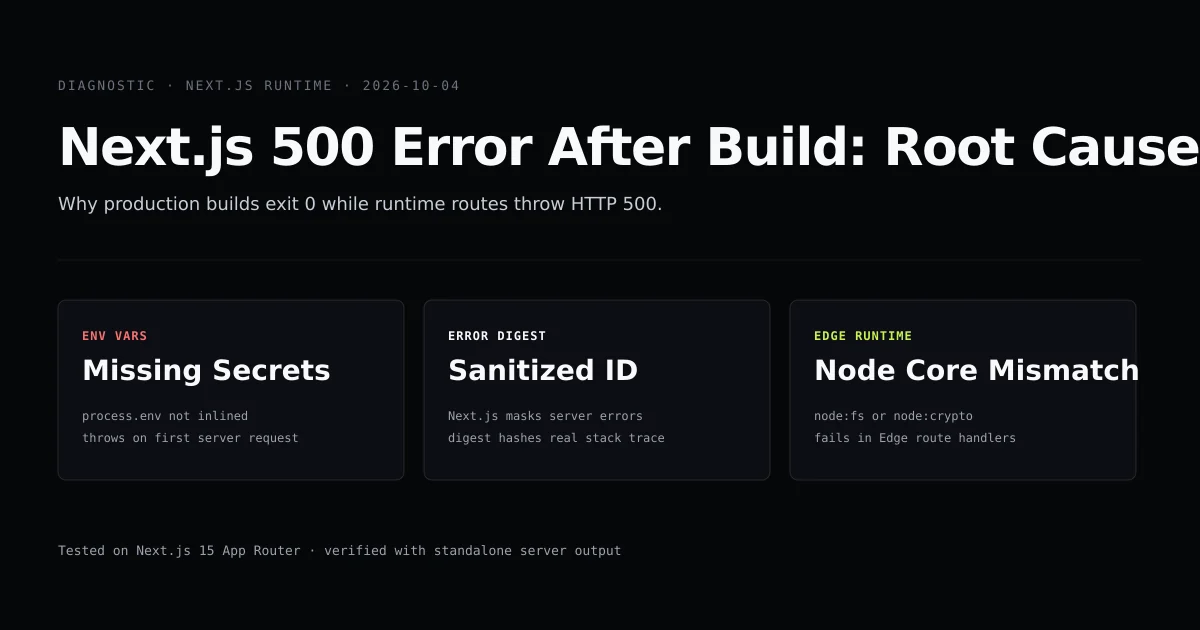
If your production container lacks runtime environment variables, attempts to load Node.js core modules in an Edge runtime route, or experiences an unhandled promise rejection during dynamic rendering, Next.js captures the exception, logs it internally, and returns a generic nextjs production 500 error with a sanitized hash:
An error occurred in the Server Components render.
The specific message is omitted in production builds to avoid leaking sensitive information.
A digest property is included in this error: 2847193850
To resolve the crash immediately:
- 1. Inspect server logs: Match the digest hash in your server-side stdout/stderr logs to view the unmasked stack trace.
- 2. Audit runtime variables: Verify that runtime environment variables exist inside your production container, not just your build step.
- 3. Check runtime compatibility: Replace incompatible Node.js modules in Edge runtime routes with Web Standard APIs or switch the route segment to
nodejs. - 4. Stream unmasked errors: Register
onRequestErrorinsideinstrumentation.tsto capture and stream production exceptions directly to your telemetry provider.
Why production builds succeed while runtime requests crash
Developers frequently assume that because npm run build exits with code 0 and outputs green checkmarks for all route segments, the application is guaranteed to run without crashing in production. According to the Next.js CLI documentation, next build prepares an optimized production bundle, but runtime-rendered routes remain dormant until served. In modern Next.js (App Router, versions 14 and 15), this distinction leads straight to a next 15 500 internal server error when dynamic code fails.
Route (app)                              Size     First Load JS
┌ ○ /                                    5.4 kB         92.1 kB
├ ○ /about                               2.1 kB         88.8 kB
├ ƒ /api/checkout                        0 B                0 B
└ ƒ /dashboard                           8.9 kB         95.6 kB
+ First Load JS shared by all            86.7 kB
  ├ chunks/2443-34e8ad1c6f49cb82.js      31.2 kB
  └ chunks/main-app-9b431a47df1ec0df.js  55.5 kB

○  (Static)   prerendered as static content
ƒ  (Dynamic)  server-rendered on demand
During next build:
- Static Routes (
○): Next.js evaluates components during prerendering. If a static route has a fatal syntax error, import failure, or missing build-time environment variable,next buildfails immediately. - Dynamic Routes (
ƒ): Routes that readcookies(),headers(), orsearchParams, or declareexport const dynamic = 'force-dynamic', are not executed against real requests during the build. Next.js compiles their TypeScript and bundles their JavaScript, but the server component function body does not execute until a client connects.
If an unhandled exception triggers during dynamic rendering, the server has no choice but to terminate the render stream and send an HTTP 500 Internal Server Error back to the browser.
Root cause 1: Environment variable divergence between build and runtime
The single most common cause of a 500 error after build is environment variable divergence. While build scripts inline client configurations, server handlers rely on the Node.js process environment at request time. Next.js handles environment variables differently depending on prefix and execution phase:
| Variable Type | Build Phase | Runtime Container Phase | Example Failure Mode |
|---|---|---|---|
NEXT_PUBLIC_* | Inlined into client JS bundles | Baked into static assets | Stale URLs if baked with wrong build arguments |
| Private Server Secrets | Read during SSG prerendering | Read from process.env at request time | Missing in Docker/runtime -> throws 500 |
Consider this Server Component:
// app/dashboard/page.tsx
import { cookies } from "next/headers";

async function fetchUserData(token: string) {
  const apiKey = process.env.INTERNAL_SERVICE_SECRET;
  if (!apiKey) {
    throw new Error("Missing required server secret: INTERNAL_SERVICE_SECRET");
  }
  const res = await fetch("https://api.internal.devventa.com/v1/user", {
    headers: { Authorization: `Bearer ${apiKey}`, Cookie: token },
    cache: "no-store",
  });
  if (!res.ok) throw new Error(`Internal service returned ${res.status}`);
  return res.json();
}

export default async function DashboardPage() {
  const cookieStore = await cookies();
  const sessionToken = cookieStore.get("session")?.value || "";
  const user = await fetchUserData(sessionToken);

  return <main><h1>Welcome, {user.name}</h1></main>;
}
When you execute npm run build:
cookies()marks the route as dynamic (ƒ).- Next.js skips prerendering
fetchUserData(). - The build exits 0.
When deployed to production:
- If
INTERNAL_SERVICE_SECRETwas provided during the Docker build stage (ARG) but omitted from the runtime container environment (ENVor Docker run flags),process.env.INTERNAL_SERVICE_SECRETresolves toundefined. - The first user who visits
/dashboardtriggersthrow new Error(...). - Next.js catches the unhandled rejection and serves a 500 page.
To verify this divergence in automated tests, we run an internal check script to ensure secret resolution throws predictably when variables are omitted.
Root cause 2: Next.js production error digest masking
When an uncaught exception occurs during development (next dev), Next.js displays the full React component stack and original error message in the red error overlay.
In production (next start or standalone output), Next.js activates nextjs server component error digest protection. Uncaught exceptions from Server Components are sanitized before transmission over HTTP. The server returns:
HTTP/1.1 500 Internal Server Error
Content-Type: text/html; charset=utf-8

An error occurred in the Server Components render.
The specific message is omitted in production builds to avoid leaking sensitive information.
A digest property is included in this error: 3749812401
Why does Next.js do this?
Server Components frequently throw errors containing database connection strings (postgresql://postgres:p4ssw0rd@10.0.0.4:5432/main), internal hostnames, and third-party API keys. Broadcasting these messages to end users would create severe security vulnerabilities.
Connecting the client digest to server logs
The number or hash (3749812401) is a deterministic error digest. Next.js logs the full exception to the server's standard error stream along with that exact digest ID:
# Production Server stdout / stderr logs:
[Error: Connection refused to postgresql://postgres:***@db.internal:5432/main] {
  digest: '3749812401'
}
   at async getPostgresClient (lib/db.ts:18:11)
   at async DashboardPage (app/dashboard/page.tsx:24:16)
If you manage a custom VPS, PM2 instance, or Kubernetes cluster, do not attempt to guess what broke from the client screen. Copy the digest number and grep your container logs:
docker logs --tail 500 my-next-app | grep "3749812401" -A 10 -B 2
If your build issues relate to file descriptor locks or Windows file handles rather than runtime crashes, review our guide on fixing the Next.js EPERM trace error.
Root cause 3: Edge runtime vs Node.js core module mismatches
Another frequent source of post-build 500 errors is deploying routes to the Edge runtime when third-party libraries require Node.js core modules.
Next.js allows developers to specify the runtime per route segment:
// app/api/auth/route.ts
export const runtime = 'edge'; // Runs on Vercel Edge Network / Cloudflare Workers
The Edge runtime uses V8 isolates and implements Web Standard APIs (fetch, Request, Response, crypto.subtle). It does not support Node.js core modules such as node:fs, node:net, node:child_process, or native C++ bindings (node-canvas, sharp, bcrypt).
The build trap with lazy imports
If your code or an indirect dependency imports a Node.js module dynamically at runtime, next build may not catch the invalid import if it sits inside a conditional code path:
// app/api/verify/route.ts
export const runtime = 'edge';

export async function POST(req: Request) {
  const body = await req.json();

  if (body.type === 'legacy-certificate') {
    // FAILS AT RUNTIME WITH HTTP 500:
    // Dynamic require or import of node:crypto or node:fs in Edge isolate
    const { readFileSync } = await import("node:fs");
    const cert = readFileSync("/etc/ssl/cert.pem");
    return Response.json({ cert: cert.toString() });
  }

  return Response.json({ status: "ok" });
}
Standard requests pass through with HTTP 200. But the moment a client requests legacy-certificate, the Edge isolate throws an unhandled TypeError: Dynamic require of "node:fs" is not supported and returns HTTP 500.
Rule of thumb: If a route requires filesystem access, traditional database clients (such as pg or mysql2), or native binary bindings, keep runtime = 'nodejs'.
Root cause 4: Dynamic server usage and unhandled database connection pool exhaustion
In production, multiple incoming HTTP requests hit your Node.js runtime concurrently. A common failure pattern that escapes local testing is connection pool starvation.
In next dev, you test requests sequentially as a single developer. In production, dozens of requests invoke Server Components simultaneously.
// lib/db.ts
import { Pool } from "pg";

// ANTI-PATTERN: Creating a new pool per module evaluation without global caching
const pool = new Pool({
  connectionString: process.env.DATABASE_URL,
  max: 10,
  idleTimeoutMillis: 30000,
  connectionTimeoutMillis: 2000,
});

export async function query(text: string, params?: unknown[]) {
  const client = await pool.connect();
  try {
    return await client.query(text, params);
  } finally {
    // If this release is omitted or fails during an error, connections leak
    client.release();
  }
}
When 10 concurrent requests arrive:
- 1. Slots fill up: All 10 pool slots become occupied.
- 2. Requests queue: The 11th request waits up to
connectionTimeoutMillis(2000ms). - 3. Connection times out: The connection attempt times out with
Error: timeout exceeded when trying to connect. - 4. Server crashes: The Server Component crashes, Next.js masks the message with a digest, and the user receives a 500 error.
Singleton database pattern for Next.js
To avoid leaking connections across hot reloads and serverless worker instantiations, declare your database client as a global singleton:
// lib/db-singleton.ts
import { Pool } from "pg";

const globalForDb = globalThis as unknown as {
  dbPool: Pool | undefined;
};

export const pool =
  globalForDb.dbPool ??
  new Pool({
    connectionString: process.env.DATABASE_URL,
    max: 20,
    idleTimeoutMillis: 30000,
    connectionTimeoutMillis: 5000,
  });

if (process.env.NODE_ENV !== "production") {
  globalForDb.dbPool = pool;
}
For cloud hosting deployments on Vercel, consult our guide on deploying Next.js applications to Vercel as well as the Next.js deployment documentation for details on serverless and containerized connection pool limits.
The step-by-step diagnostic workflow for standalone servers and Docker
When debugging a production container throwing 500 errors after build, follow this systematic isolation procedure:
[ HTTP 500 Received ]
         │
         ▼
Inspect HTTP Response Headers
  ├─ x-matched-path (identify failing route)
  └─ Look for digest ID in error page HTML
         │
         ▼
Run Container Locally in Production Mode
  docker build -t my-app:prod .
  docker run -p 3000:3000 --env-file .env.production my-app:prod
         │
         ▼
Reproduce with curl / Postman
  curl -i http://localhost:3000/failing-route
         │
         ▼
Observe stdout/stderr Terminal Output
  └─ Read full unmasked stack trace and matching digest ID
Reproducing standalone production locally
Never debug production issues with next dev. Instead, test the compiled standalone build on your local machine:
# 1. Generate clean production artifacts
npm run build

# 2. Start the production server locally
npm run start
If you use output: 'standalone' in next.config.js:
# Test the exact standalone server bundle
node .next/standalone/server.js
If the standalone server throws an immediate error on startup:
- Asset verification: Verify that
.next/staticwas copied to.next/standalone/.next/static. - Public folder: Verify that
public/was copied to.next/standalone/public/. - Environment injection: Check that your environment file is loaded via Node's
--env-file=.env.productionflag (Node 20+) or your container runner.
How to inspect server errors without leaking credentials in production
Next.js 15 provides an official hook to capture all server-side rendering crashes, Server Action errors, and Route Handler exceptions through the instrumentation.ts file.
Create instrumentation.ts in your project root (or inside src/ if you use a src directory):
// instrumentation.ts
export async function register() {
  // Executed once when the Next.js server boots
  if (process.env.NEXT_RUNTIME === 'nodejs') {
    console.log("[Instrumentation] Server runtime initialized");
  }
}

export async function onRequestError(
  err: { digest: string } & Error,
  request: {
    path: string;
    method: string;
    headers: Record<string, string>;
  },
  context: {
    routerKind: "Pages Router" | "App Router";
    routePath: string;
    routeType: "render" | "action" | "route";
  }
) {
  // Capture unmasked error with full stack trace and metadata
  console.error(JSON.stringify({
    timestamp: new Date().toISOString(),
    digest: err.digest,
    message: err.message,
    stack: err.stack,
    path: request.path,
    method: request.method,
    routeType: context.routeType,
  }));

  // Send to Sentry, Datadog, or your internal telemetry endpoint
  if (process.env.NODE_ENV === 'production') {
    await fetch("https://telemetry.internal.devventa.com/api/errors", {
      method: "POST",
      headers: { "Content-Type": "application/json" },
      body: JSON.stringify({
        digest: err.digest,
        error: err.message,
        path: request.path,
      }),
    }).catch(() => {
      // Prevent telemetry transport failure from cascading
    });
  }
}
Enable experimental instrumentation in next.config.js if running Next.js 14 (in Next.js 15, onRequestError is available natively):
// next.config.mjs
/** @type {import('next').NextConfig} */
const nextConfig = {
  experimental: {
    instrumentationHook: true,
  },
};

export default nextConfig;
With onRequestError active, whenever a client receives an opaque error digest, your telemetry dashboard automatically logs the matching digest with the complete original stack trace and request path.
If your Next.js application also compiles markdown documentation or content collections, ensure your heading IDs and navigation links do not drift out of sync by reviewing our guide on rehype-slug heading ID mismatch. Similarly, if your runtime errors trace back to synchronous property access on route parameters, see our guide on migrating to Next.js 15 async request APIs and params Promises.
Common mistakes when debugging Next.js 500 errors
- Attempting to debug with next dev: Development mode executes with dynamic compilation, different module resolution, and distinct error reporting. You cannot reliably diagnose production runtime exceptions inside
next dev. - Assuming client variables are secret: Client
NEXT_PUBLIC_*variables are embedded into public JavaScript bundles duringnext build. Relying on them for server credentials leaks keys or fails at runtime when omitted from the server environment. - Hardcoding localhost in server-side fetch: In Server Components,
fetch('/api/user')requires an absolute URL. If your code callsfetch('http://localhost:3000/api/user')inside a production Docker container where the server listens on an internal port or non-loopback interface, the request fails withECONNREFUSEDand triggers an HTTP 500 error. - Ignoring unhandled promise rejections: If a Server Component initiates background work without an
awaitor.catch()handler, Node.js will triggerunhandledRejectionand can terminate the active rendering stream. - Missing error boundary fallbacks: If a route segment does not include an
error.tsxfile, any uncaught error in that segment bubbles toward the root fallback. The separate error.tsx vs not-found.tsx guide shows when to retry an exception and when to return an honest 404.
Conclusion
A successful next build confirms that your TypeScript compiles and your static pages prerender without syntax failures. It does not test dynamic server operations, external database connectivity, or container runtime environments.
When an HTTP 500 error occurs after build:
- Look up the sanitized error digest in your server container's standard error stream.
- Audit your runtime environment variables to confirm server-side secrets are injected into the running process.
- Ensure Edge routes do not import unsupported Node.js core modules.
- Implement
onRequestErrorininstrumentation.tsso production crashes are automatically captured with actionable stack traces.
Frequently asked questions
Why does next build succeed with zero errors if my application has broken code?
What does 'An error occurred in the Server Components render. The specific message is omitted in production builds' mean?
How do I find the real error behind a Next.js error digest?
Why do environment variables work locally in next dev but fail in production builds?

Muhammad Kashif
Founder and editor of Devventa, covering AI coding assistants, Next.js and the modern AI development stack.