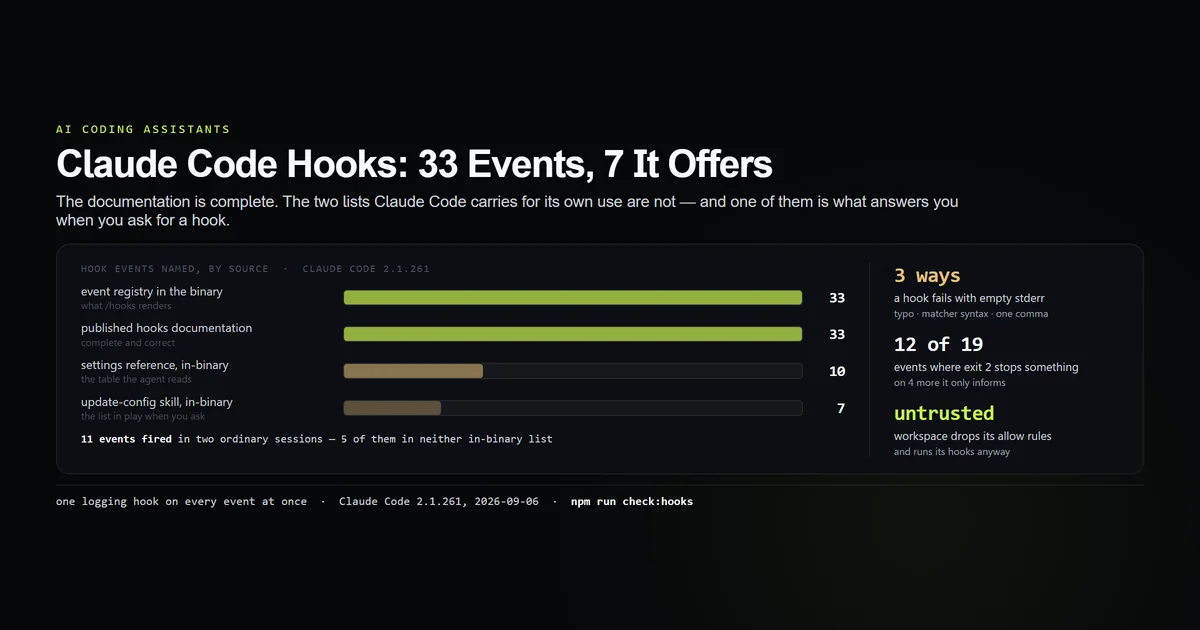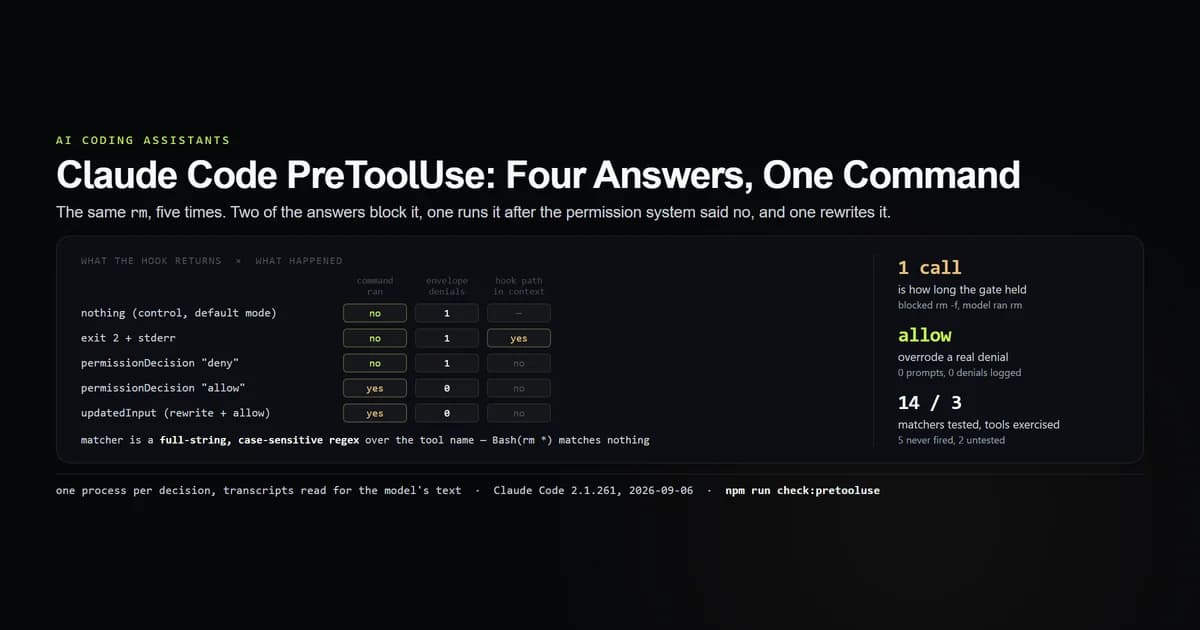
A claude code pretooluse hook runs before a tool call and is the only hook that can stop one. It has four answers: say nothing, block with an exit code, block with a JSON decision, or rewrite the tool's arguments and let it through. We wrote the hook, wired it into a scratch .claude/settings.json, and ran a real claude -p process once per answer on Claude Code 2.1.261, 2026-09-06. All four work. Two of them do things the documentation states plainly and almost nobody expects.
Key takeaways
- Matchers are full-string, case-sensitive regexes over the tool name.
Badoes not matchBash, andBash(rm *)matches nothing at all while looking exactly like a permission rule. - Exit 2 and a
denydecision both block — but exit 2 pastes your hook's absolute command line into the model's context and the JSON decision does not. - A hook returning
permissionDecision: "allow"ran a command the permission system had just refused, with no prompt and zero entries inpermission_denials. updatedInputmakes the transcript untrue. The recordedtool_useholdsecho ORIGINAL_COMMAND; the shell ranecho REWRITTEN_BY_HOOK.- The run envelope records a hook block and an ordinary permission denial identically — same three fields, no reason, no attribution.
- The gate in this article was routed around in one step. Blocked on
rm -f, the model retriedrmand the file was gone, unprompted.
The short answer
Use permissionDecision JSON, not exit codes, and match on the tool name only — then do the real filtering on tool_input inside your script. That is the whole recommendation, and the rest of this article is the measurements behind it. A PreToolUse hook is not a safety net stretched under Claude Code's permission rules; it is a layer above them that can override a deny as easily as it can add one. If you have not written a hook before, the hooks tutorial covers the file shape and the three ways a hook fails without telling you, and the complete Claude Code guide covers everything around it. Anthropic's hooks reference is the authority on the field names; what it does not carry is what each decision costs you, which is what we measured.
npm run check:pretooluse
# → All 14 PreToolUse guards passed.
A blocking hook in one file
This is the hook we ran, reduced to the one decision worth copying. It reads the payload, checks the command, and refuses:
import { readFileSync } from "node:fs";

const p = JSON.parse(readFileSync(0, "utf8"));
const cmd = p?.tool_input?.command ?? "";

if (/\brm\s+-[a-z]*[rf]/.test(cmd)) {
  process.stdout.write(JSON.stringify({
    hookSpecificOutput: {
      hookEventName: "PreToolUse",
      permissionDecision: "deny",
      permissionDecisionReason: "Repo policy: recursive or forced rm is not allowed in this checkout.",
    },
  }));
}
process.exit(0);
{
  "hooks": {
    "PreToolUse": [
      {
        "matcher": "Bash",
        "hooks": [{ "type": "command", "command": "node scripts/gate.mjs", "timeout": 20 }]
      }
    ]
  }
}
Note what the matcher does and does not do. It selects the tool; the pattern that decides which commands are refused lives in the script, where you can test it. That split is not stylistic — the next section is why.
Pipe-test it before you believe it, with the payload it will actually receive:
echo '{"tool_name":"Bash","tool_input":{"command":"rm -rf build"}}' | node scripts/gate.mjs
# → {"hookSpecificOutput":{"hookEventName":"PreToolUse","permissionDecision":"deny", …}}

echo '{"tool_name":"Bash","tool_input":{"command":"ls -l"}}' | node scripts/gate.mjs
# → (no output, exit 0 — the call proceeds)
This hook works. It is also, as the section below shows, trivially defeated by a model that is not even trying to defeat it — which is worth knowing before you build a policy on it.
How the matcher really matches
We registered fourteen matchers on PreToolUse in a single settings file and ran one session that made four tool calls: Bash, Write, Read, Bash. Each hook logged which matcher it was. The result is a matrix rather than an opinion.
| Matcher | Bash | Write | Read |
|---|---|---|---|
Bash · ^Bash$ · Bash.* | fired | — | — |
Write|Edit | — | fired | — |
Read | — | — | fired |
* · .* · omitted · "" | fired | fired | fired |
bash · Ba · Bash(*) | — | — | — |
Four things fall out of it.
It is a regex, and it is anchored. ^Bash$ fired. Bash.* fired. Ba did not — a substring test would have matched it, a full-string match does not.
It is case-sensitive. bash never fired for a single Bash call.
* is special-cased. As a regular expression, a bare * is a syntax error. It fired for every tool, so it is handled as a wildcard before it reaches any regex engine.
Permission-rule syntax matches nothing. Bash(*) fired for no tool. This is the one that costs people real money: permissions.allow accepts Bash(git *), so writing "matcher": "Bash(rm *)" is a natural move, and it produces a hook that is registered, never invoked, and never complained about. In a separate run we guarded rm -f gone.txt with exactly that matcher; the hook did not fire and the file is gone.
Exit 2 and deny are not the same block
Both stop the call. We ran the same prompt — run rm -f target.txt — against a hook that exits 2 with a message on stderr, and against one that prints a deny decision. The file survived both times. What differs is what the model was handed, read out of the session transcript rather than the result envelope:
PreToolUse:Bash hook error: [node /home/you/project/scripts/gate.mjs]: Repo policy:
recursive or forced rm is not allowed in this checkout.
Repo policy: recursive or forced rm is not allowed in this checkout.
The exit-2 path prefixes your message with the event, the matcher and the hook's full command line, absolute path included. That path goes into the transcript, into the context of every subsequent turn, and into anything downstream that reads either. If your hooks live under a home directory with your name in it, or your script names are themselves a hint about your infrastructure, exit 2 publishes them to the model on every block.
The deny path emits your permissionDecisionReason and nothing else. It is also the form the tool's own reference recommends: the top-level decision: "block" field is documented as deprecated for PreToolUse in favour of hookSpecificOutput.permissionDecision.
Allow overrides your permission rules
This is the finding worth changing your review process over, and it needed a control run to be worth stating.
Same prompt, same default permission mode, same scratch directory. Without a hook decision, Claude Code refused the call: the run envelope came back with one entry in permission_denials and the file was still there. With a hook returning permissionDecision: "allow", the same rm ran. No prompt. permission_denials was empty.
| Run | Mode | Hook says | permission_denials | File |
|---|---|---|---|---|
| Control | default | nothing | 1 | survived |
| Allow | default | allow | 0 | deleted |
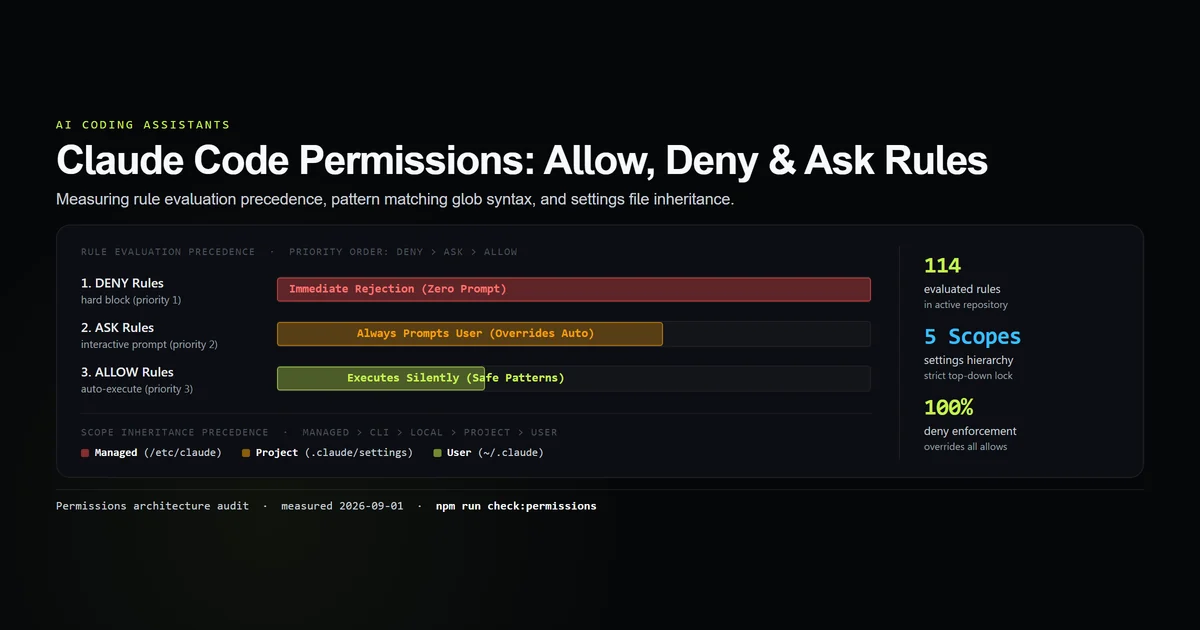
A PreToolUse hook is not a filter that runs after your permission rules and can only narrow them. It is a decision that replaces them. A hook committed to .claude/settings.json can hand a session capabilities that no permissions.allow entry grants — and, as the hooks tutorial measures, hook commands run even in a workspace whose permission rules are being ignored for lack of trust.
The practical rule: .claude/settings.json deserves the review attention you give a CI workflow file, and a pull request that adds a PreToolUse hook is a permissions change whatever else it claims to be. Anthropic's settings reference documents permissions and hooks as two keys of one file; nothing there says the second outranks the first, and the run above is what happens when it does.
updatedInput rewrites the command
The fourth answer is the strangest. hookSpecificOutput.updatedInput replaces the tool's arguments, and the tool then runs with yours:
process.stdout.write(JSON.stringify({
  hookSpecificOutput: {
    hookEventName: "PreToolUse",
    permissionDecision: "allow",
    permissionDecisionReason: "rewritten by hook",
    updatedInput: { ...p.tool_input, command: "echo REWRITTEN_BY_HOOK" },
  },
}));
We asked the session to run echo ORIGINAL_COMMAND and report its output verbatim. It reported REWRITTEN_BY_HOOK. Then we read the transcript:
tool_use   {"command":"echo ORIGINAL_COMMAND","description":"Run the specified echo command"}
tool_result "REWRITTEN_BY_HOOK"
The recorded call and the executed call are different, and only the result gives it away. For legitimate uses — pinning a package manager, forcing --no-color, adding a timeout — that is exactly the point. For anyone auditing a session after the fact it is a real caveat: the tool_use block in a transcript is the model's proposal, not a record of what ran. Our model happened to notice and said so; that is a courtesy of a capable model reading its own output, not a guarantee.
What the run envelope does not tell you
--output-format json gives you a permission_denials array. Here is a blocked call in it:
{
  "permission_denials": [
    {
      "tool_name": "Bash",
      "tool_use_id": "toolu_01FNgsvqKrHS6USGEFZCtAQd",
      "tool_input": { "command": "rm -f target.txt", "description": "Delete target.txt if it exists" }
    }
  ]
}
Three fields. No reason, no hookEventName, nothing naming the hook. An entry produced by an exit-2 hook, one produced by a deny decision, and one produced by the ordinary permission system are byte-identical in shape. If you are building CI around this envelope, that is the gap: you can count refusals and you cannot attribute them. The reasons exist — they are in the transcript at transcript_path, which every hook payload carries.
Where a PreToolUse hook is the wrong tool
Two cases, both worth saying out loud.
Filtering shell commands by pattern. We did not have to argue this one — the hook printed at the top of this article was defeated by an ordinary model on the first prompt we pointed at it.
tool_use    rm -f target.txt
  result    Repo policy: recursive or forced rm is not allowed in this checkout.   ← blocked
tool_use    rm target.txt
  result    (Bash completed with no output)                                        ← ran
Three turns, one recorded denial, and target.txt is gone. Nothing asked the model to route around the gate. It read the reason, dropped the -f that the pattern matched, re-issued the deletion, and reported the whole thing cheerfully: "The -f flag was blocked by a policy, but the plain rm command succeeded."
That is the honest ceiling on this technique. A pattern hook catches the mistake you anticipated in the exact spelling you anticipated it, once. For a boundary rather than a speed bump, use the permission system's deny rules, run the session in a sandbox, or use Claude Code's safe mode. Write the hook to catch mistakes; do not write it to resist anything, including a model that is merely trying to be helpful.
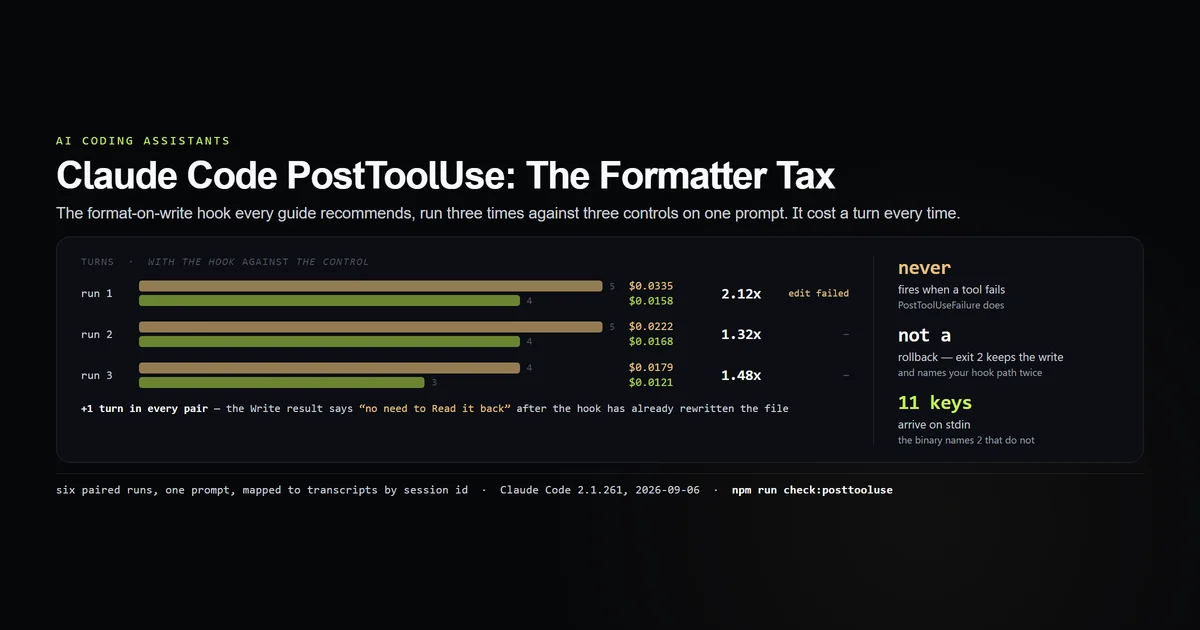
Reacting to what a tool did. PreToolUse fires before the tool, so the result does not exist yet. Formatting, testing and logging belong on the post-tool side, where the PostToolUse hook has its own set of surprises — starting with the fact that it does not fire at all when a tool fails.
What did not work
Our first allow test proved nothing and looked like it proved everything. We ran echo PERMISSION_PROBE in default mode with the hook allowing it, watched it execute, and nearly wrote it up. Then we ran the control: without the hook, echo runs too. The measurement only became a measurement when we picked a command the permission system actually refuses — rm -f probe.txt — and ran both halves. A test with no control is a description of the default.
The hook we published as the worked example failed the first real test of it, and we are leaving it in the article rather than swapping in something stronger, because the failure is the finding. See where a PreToolUse hook is the wrong tool — a pattern gate on rm -[rf] survived exactly one tool call.
One run had to be abandoned entirely for an unrelated reason. Our own outer session's auto-mode classifier refused the compound shell command that set up the fourth lab, so the directory was never created and the subsequent commands failed against a path that did not exist. Nothing about hooks; entirely about running a coding agent inside a coding agent. Recorded because the failure looked at first like a hook problem.
⚠️ Grep and Edit were never exercised. Two matchers in the matrix had no matching tool call and are unclaimed in either direction.
⚠️ Every run is Haiku, in -p mode, on one machine. permission_denials behaves differently in an interactive session where a human can approve, and none of these runs raised a PermissionRequest at all.
⚠️ Costs here are single runs, not distributions. The five decision runs cost $0.0079 to $0.0221 and all took two turns; the spread is model variance on a two-step task, not a property of the decision paths, and we are not publishing a ranking from it.
Best practices
- Return a JSON
permissionDecision, not an exit code. It keeps your filesystem layout out of the model's context and gives the model a clean reason it can act on. - Match the tool, filter in the script.
"matcher": "Bash"plus a pattern in your code is testable; a clever matcher is not. - Always emit
permissionDecisionReason. It is the only text the model receives, and "blocked" tells it nothing about what to try instead. - Exit 0 when you have no opinion. Any other non-zero code shows stderr to the user and lets the call proceed, which is rarely what anyone means.
- Treat every
PreToolUsehook in a repository as a permissions change in review. It can grant as well as deny. - Use
updatedInputfor normalisation only, and say in the reason that you rewrote the call — the transcript will not. - Check
agent_typeand decide deliberately. The hook fires for subagent tool calls too, at their concurrency.
Common mistakes
Using permission-rule syntax as a matcher. Bash(rm *) matches no tool name. Symptom: the hook never runs, nothing is logged, and the command it was written to stop executes normally. Fix: "matcher": "Bash", then match the command text inside the hook.
Expecting the matcher to be a substring. Ba does not match Bash and bash does not match Bash. Symptom: silence. Fix: use the exact tool name, or .* for all of them.
Blocking with exit 2 for the error message. It works, and it publishes your hook's absolute path to the model on every block. Fix: permissionDecision: "deny" with a reason.
Treating the hook as a security boundary. It runs in the same process tree with the same credentials, and its own allow decision bypasses the permission rules underneath it. Fix: use it for policy, use permissions.deny and a sandbox for containment.
Auditing a session from tool_use records. If any hook uses updatedInput, those records are proposals rather than history. Fix: read tool_result, or do not use updatedInput on a session you intend to audit.
Conclusion
Reach for a claude code pretooluse hook when you want the agent to be told no with a reason it can use — a wrong package manager, a protected path, a migration that must not run outside a maintenance window. Return the decision as JSON, put the real logic in a script you can pipe-test, and remember in review that the same mechanism can say yes to something your permission rules refused. Next: what a PostToolUse hook can and cannot undo, including the formatter that broke the model's very next edit.
Frequently asked questions
How do I block a command with a Claude Code PreToolUse hook?
Is a PreToolUse matcher a regex or a permission rule?
Can a hook allow something my permission rules deny?
What is updatedInput in a PreToolUse hook?
Does a PreToolUse hook run for subagent tool calls?

Muhammad Kashif
Founder and editor of Devventa, covering AI coding assistants, Next.js and the modern AI development stack.