An mdx build error nextjs compilation crash halts static site generation during next build, emitting cryptic syntax errors from Acorn or remark AST tokenizers. Following the Next.js MDX guide, configuring Markdown and JSX support enables rich content pipelines, but unlike standard Markdown parsers that silently ignore invalid formatting, MDX compiles raw text into JavaScript Abstract Syntax Trees (AST). If you are following our guide on how to build a website with AI in Next.js, mastering MDX parsing mechanics is essential for preventing production pipeline failures.
In Next.js 15 App Router applications using next-mdx-remote v6, the compiler does not fail gracefully on malformed tokens; it terminates the worker process. In this diagnostic guide, we examine the four primary MDX failure modes observed in this codebase, show the exact AST mechanisms that break builds, and detail the automated guards required for zero-defect deployments.
Key takeaways
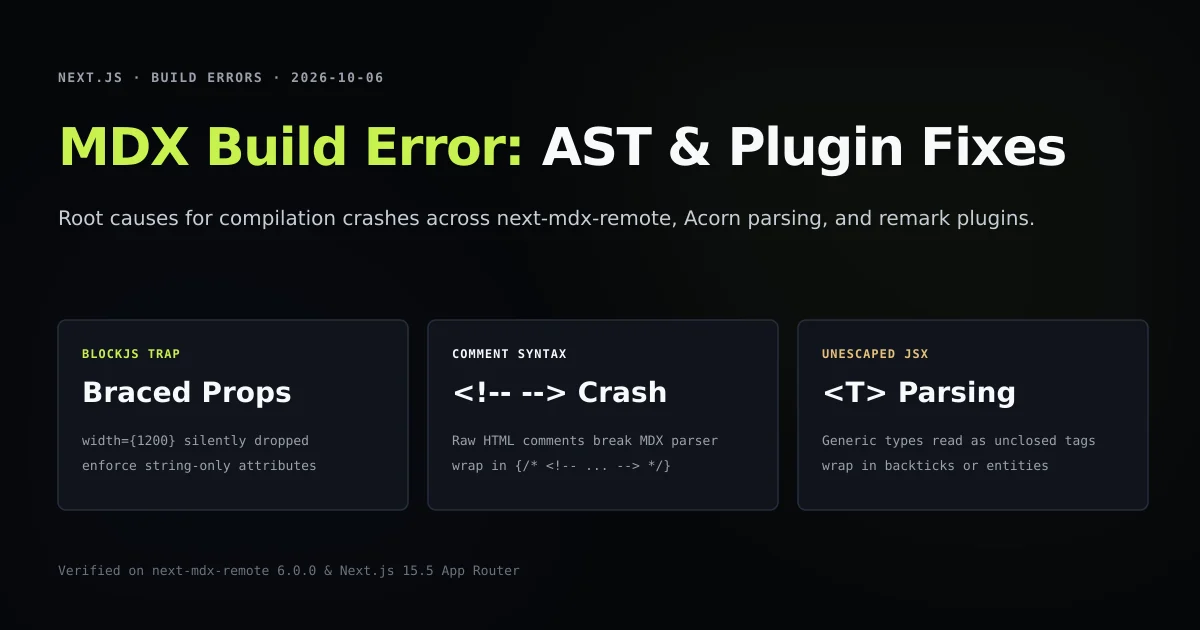
- Bare HTML comments (
<!-- -->) crash MDX 2/3 compilers; all markdown comments must be wrapped in JSX brackets ({/* <!-- --> */}). next-mdx-remotev6 defaults toblockJS: true, which silently strips every expression-valued attribute (width={1200}) from your components.- Unescaped generic type brackets (
Array<T>) outside code fences cause Acorn to throw unclosed JSX tag exceptions. - Remark and rehype plugins must execute in strict dependency order: markdown AST transformers must finish before HTML AST mutators run.
Anatomy of MDX compilation in Next.js
When compileMDX runs inside a React Server Component or static generation loop, it executes a three-stage transformation pipeline:
[Raw .mdx Content]
       │
       ▼
[remark-parse] ──► mdast (Markdown AST)
       │           ├─ remark-gfm (tables, strikethrough)
       │           └─ remark-mdx (JSX & expression parsing)
       ▼
[remark-rehype] ──► hast (HTML AST)
       │           ├─ rehype-slug (anchor generation)
       │           └─ rehype-autolink-headings
       ▼
[recma / acorn] ──► esast (JavaScript AST) ──► Executable JSX
Because MDX bridges standard markdown with ECMAScript expressions, a single stray character can shift parsing from markdown text into JavaScript expression evaluation. When this happens, syntax that was valid in CommonMark breaks the build during next build execution.
Error 1: Unexpected character from bare HTML comments
The most common failure encountered when migrating markdown files into Next.js is the bare HTML comment:
[next-mdx-remote] error compiling MDX:
Unexpected character `!` (U+0021) in markdown, expected expression or JSX tag
  at line 42, column 3:
  <!-- TODO(link): Add internal link here -->
CommonMark treats <!-- ... --> as an HTML raw block. MDX, however, passes all HTML-like delimiters to the Acorn JSX tokenizer. Acorn sees the opening < and attempts to parse a JSX component name; finding an exclamation mark (!), it crashes immediately.
The fix: Wrap in JSX comment tokens
In MDX, comments must be valid JSX expression containers:
{/* <!-- TODO(link): Add internal link here --> */}
By wrapping the comment in {/* ... */}, the parser treats the block as an ignored JavaScript comment within the JSX AST.
Error 2: The silent attribute drop of blockJS
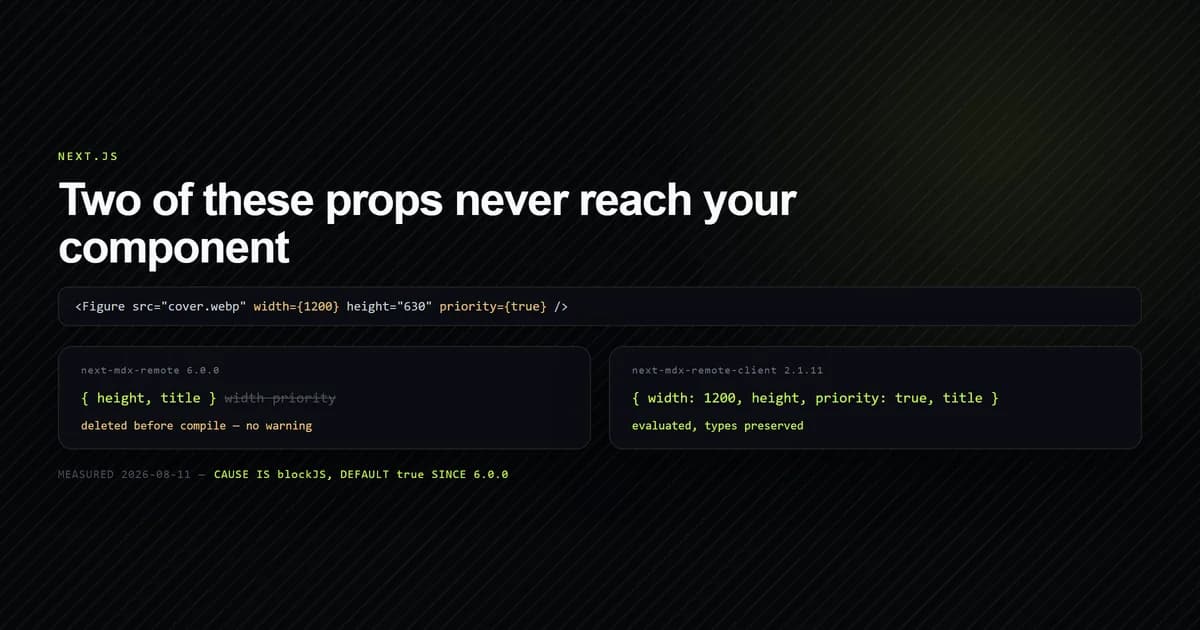
The second failure class is particularly dangerous because it emits no compile error at all. In next-mdx-remote v6.0.0, the package introduced the blockJS security option, defaulting to true:
// Typical component call in MDX
<Figure src="cover.webp" alt="Cover" width={1200} height={630} />
Under blockJS: true, the internal recma-build-jsx plugin identifies braced expression attributes ({1200}) as executable JavaScript and silently deletes them from the AST node before compiling the JSX function call. The resulting React component receives:
// Compiled output received by your component
Figure({ src: "cover.webp", alt: "Cover" }) // width and height are UNDEFINED!
This behavior caused layout shifts across image components until we identified that blockJS operates in both Server Components and Pages router modes.
The fix: Enforce string-only attributes
To ensure attributes survive blockJS, every prop passed to custom MDX components must be formatted as a string literal:
<Figure src="articles/slug/cover.webp" alt="Cover" width="1200" height="630" />
Your React component can then convert strings to numbers internally (Number(width)), preserving type safety without risking compiler stripping.
Error 3: Acorn JSX parser crashes on unescaped generics
When writing technical tutorials, engineers frequently write TypeScript types or shell redirects directly in body copy:
When calling parseConfig, the function returns Promise<ConfigResponse> containing tokens.
The MDX compiler interprets <ConfigResponse> as a JSX element tag. Finding no closing tag </ConfigResponse> before the end of the paragraph, Acorn throws:
SyntaxError: Expected corresponding JSX closing tag for <ConfigResponse>
  at parseError (recma-parse/index.js:142)
The fix: Code fences and HTML entities
Any text resembling an HTML tag or XML generic must be handled with one of two patterns:
- Inside inline backticks: Code spans are protected from JSX parsing:
`Promise<ConfigResponse>`compiles cleanly. - Using HTML entities: In running prose where backticks are undesirable, write
Promise<ConfigResponse>.
What did not work: Catching compile errors at runtime in RSC
During our pipeline development, we attempted to wrap compileMDX in a broad try/catch block inside app/[category]/[slug]/page.tsx to display a user-friendly error card during builds:
// Failed attempt: masking compile errors with fallback UI
try {
  const { content } = await compileMDX({ source, components });
  return <article>{content}</article>;
} catch (error) {
  return <ErrorNotice message="Article failed to compile" />;
}
This pattern failed for two critical reasons:
- Build mask: Next.js static prerendering (
output: exportor static generation) succeeds because the page renders the fallback UI. The production site deploys with broken error cards visible to readers. - Search console poisoning: Search engines index the error card, diluting keyword authority with generic placeholder text.
We removed runtime suppression entirely. All MDX compilation must fail loudly at build time, backed by our own local validation scripts.
Remark and rehype plugin execution order
A frequent cause of subtle build defects is improper plugin ordering. Remark plugins manipulate Markdown AST (mdast); Rehype plugins manipulate HTML AST (hast).
If you register a rehype plugin that expects heading IDs before rehype-slug has assigned them, heading links break silently. The verified sequence in lib/mdx.ts is:
const options = {
  mdxOptions: {
    remarkPlugins: [
      remarkGfm, // 1. Tables, tasklists, autolinks
    ],
    rehypePlugins: [
      rehypeSlug, // 2. Assign id attributes to h1-h6
      // 3. Syntax highlighting or link formatting
    ],
  },
};
Never mix the two arrays. Passing a rehype plugin to remarkPlugins throws TypeError: plugin is not a function or cannot read mdast property.
Best practices for error-free MDX builds
- 1. Automate attribute verification: Run an AST scanner like our internal attribute check in pre-commit hooks to catch braced props before running
next build. - 2. Format comments exclusively in JSX: Standardize on
{/* <!-- comment --> */}for all editorial notes and pending link reminders. - 3. Never rely on runtime fallback cards: Allow MDX syntax errors to break the build immediately so defects are caught on developer machines.
- 4. Wrap all type parameters in backticks: Treat
<T>and shell redirects (> output.log) as reserved syntax in body copy. - 5. Keep frontmatter separate from body AST: Parse YAML frontmatter using
gray-matterbefore passing raw markdown strings tocompileMDX.
Common mistakes with Next.js MDX pipelines
- Pasting raw Markdown tables with unbalanced pipes. Missing pipes in table headers cause
remark-gfmto produce malformed table rows that fail AST serialization. - Using raw markdown image syntax. In our pipeline,
is deliberately mapped to a build error to enforce optimized<Figure>components. - Hand-crafting anchor links in TOC frontmatter.
rehype-slugstrips periods and symbols. Verify all anchor targets with automated checks rather than guessing. - Running
next buildconcurrently withnext dev. Concurrent builds corrupt.next/traceand manifest files, mimicking compiler syntax errors.
Conclusion
MDX errors in Next.js 15 are almost never bugs in the Next.js framework itself; they are strict AST validation boundaries being violated by CommonMark habits.
By treating MDX as compiled code rather than plain text, enforcing string-only attributes for blockJS compatibility, and wrapping comments in JSX containers, you ensure deterministic, zero-defect static builds across your entire content catalog. For a complete end-to-end implementation from scratch, see our architectural walkthrough on MDX blog Next.js 15 setup.
Frequently asked questions
Why does next build fail with 'Unexpected character in MDX'?
Why are my numeric props disappearing from custom MDX components?
How do I escape TypeScript generic syntax like Array<T> in MDX?
In what order should remark and rehype plugins be loaded?
Can I use dynamicParams = false with MDX content?

Muhammad Kashif
Founder and editor of Devventa, covering AI coding assistants, Next.js and the modern AI development stack.