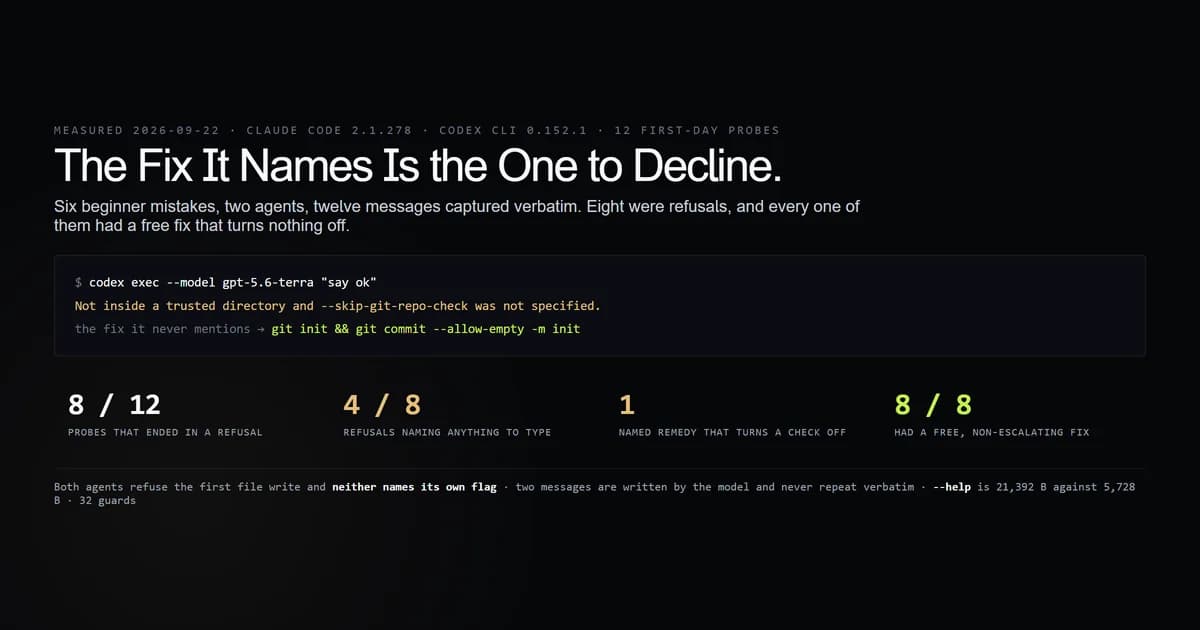
The best ai coding assistant for beginners is the one whose refusals you can act on, because a refusal is what day one is made of. We made six first-day mistakes against both agents installed on this machine on 2026-09-22 — twelve probes, every message captured verbatim — and eight of the twelve were refusals. Seven named what was wrong. Four named something to do about it. One of those four named turning a safety check off. Everything here re-runs with an internal check script, which re-issues the eight probes that cost nothing.
Key takeaways
- Both agents refuse the first thing a beginner asks for — writing a file — and neither refusal names the one flag that fixes it.
- The clearest fix on offer is the one to decline. Codex CLI's git-repository refusal names
--skip-git-repo-checkand never mentionsgit init. - Two of the messages are written by the model, not the tool, and are never the same text twice. We caught three different wordings of one of them.
- A mistyped subcommand is billed. Neither tool rejects an unknown word; both send it to the model as a prompt.
--helpis 21,392 bytes on one agent and 5,728 on the other, a 3.73x difference in the first document a beginner opens.
The short answer
The best ai coding assistant for beginners is the one that tells you what to type next. Pick on error messages, not on features: every comparison of a beginner ai tool ranks context windows and integrations; none of them is what stops you at 9pm on the first evening. What stops you is a refusal, and the useful question is whether the refusal tells you something you can type.
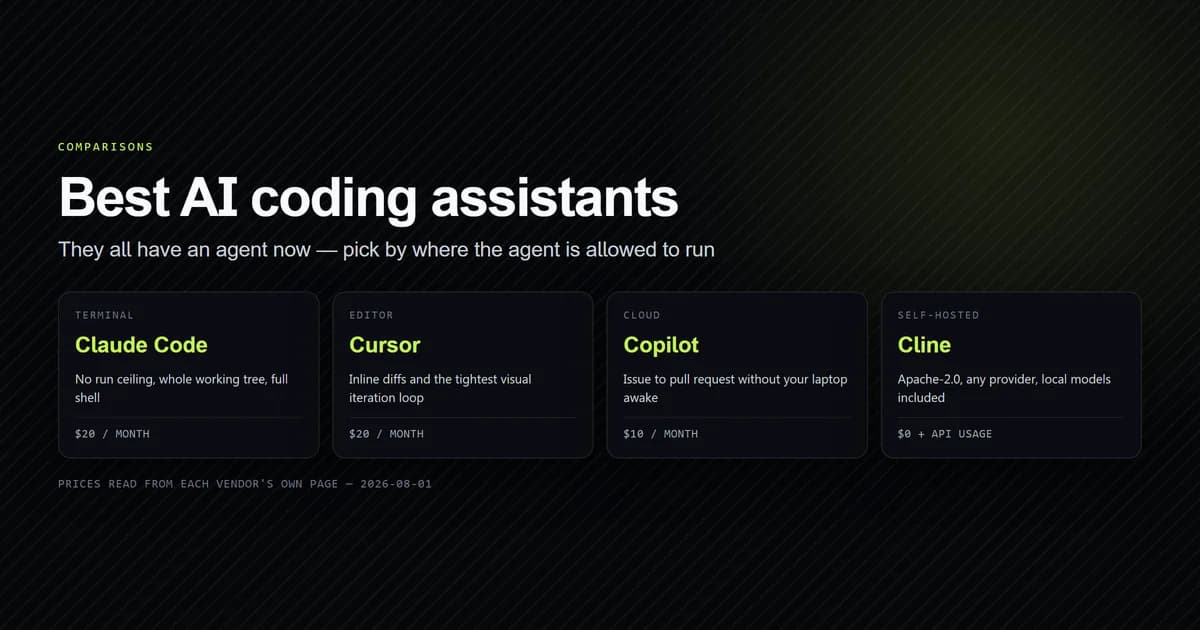
The full best AI coding assistant comparison is the pillar this sits under, and what installing each tool by its own name actually gets you covers the step before this one — the shelf, the package, the binary. This article starts the moment the binary runs and you get something wrong.
Six ways to get it wrong on day one
Each scenario was run against both agents from a fresh temporary directory: one an ordinary empty folder, one a git repository holding four small source files. Nothing from this project is reachable above either of them, so no CLAUDE.md and no prior session is in play.
| Mistake | Claude Code | Codex CLI |
|---|---|---|
| A flag with a typo | 36 B, exit 1 | 222 B, exit 2 |
| A model name that does not exist | 731 B, exit 1 | 776 B, exit 1 |
| Not a git repository | answered, exit 0 | refused, exit 1 |
| A subcommand that does not exist | answered as a prompt | 30 B, exit 1 |
| Asking it to write a file | refused | refused |
| Asking for help | 21,392 B | 5,728 B |
The typo row is the clean win and it goes to Codex. Claude Code says error: unknown option '--frobnicate' and stops. Codex says the same thing and then does three more useful things:
codex --frobnicate
# → error: unexpected argument '--frobnicate' found
# →   tip: to pass '--frobnicate' as a value, use '-- --frobnicate'
# → Usage: codex [OPTIONS] [PROMPT]
# → For more information, try '--help'.
The unknown-model row looks like a tie at 731 bytes against 776 and is not one. Claude Code's message is three lines, and the single sentence that tells you what to do — "Run --model to pick a different model" — begins 592 bytes in, after a paragraph naming two environment variables, two configuration keys and the auto-compaction behaviour. Everything in it is true. None of it is for somebody on day one.
Both agents refuse the first thing you ask
Ask either agent to create a file, non-interactively, at its defaults, and it will not.
claude -p "Create a file called hello.txt containing the word hello. Then stop."
# → I need your permission to create the file.
#   Please approve the file write action in Claude Code to proceed.

codex exec --model gpt-5.6-terra "Create a file called hello.txt containing the word hello. Then stop."
# → I can't create files in this workspace because it is currently read-only.
No file was created in either directory. Both agents are behaving correctly — a read-only default is the right default — but look at what a beginner is given to work with. Claude Code asks for an approval that a -p run has no way to display; there is no prompt to answer. Codex names the condition accurately and stops there.
Both flags are documented — Claude Code's permission modes and Codex's sandbox settings — which is the point: both have a one-flag fix and neither message contains its flag.
| Agent | What works | Escalation? |
|---|---|---|
| Claude Code | --permission-mode acceptEdits | no |
| Codex CLI | --sandbox workspace-write | no |
We ran both afterwards and both produced hello.txt. Neither widens anything beyond the directory you are already in — which is exactly why it is strange that neither refusal names it. The flags that are famous for these tools are the dangerous ones, and a beginner searching this error message will find those first. How Claude Code's permission system is actually scoped is the read before you reach for anything broader, and what its sandbox does and does not contain is the read after.
The only fix one of them names is the one to avoid
The sharpest result in the twelve is a message that is helpful, specific, and pointing the wrong way.
codex exec --model gpt-5.6-terra "say ok"
# → Not inside a trusted directory and --skip-git-repo-check was not specified.
That is the only remedy named in any of the eight refusals that turns a check off. It is 114 bytes, it identifies the condition exactly, and the thing it tells a beginner to type is a flag whose entire job is to skip the safety check they just tripped. The alternative — git init and one commit — is not mentioned, costs nothing, turns nothing off, and is what a real project already has.
Claude Code answered in the same non-repository directory without comment. Two bytes: ok.
The message that is never the same twice
Ten of the twelve messages are emitted by the CLI itself and were byte-identical on every run. The two write refusals are not — they are written by the model, and we recorded three different wordings of the Codex one:
- "I can't create the file because this workspace is read-only."
- "I couldn't create
hello.txtbecause this workspace is read-only." - "I can't create files in this workspace because it is currently read-only."
Claude Code's varied too, from "Please approve the Write tool request" to "Please approve the file write action in Claude Code". Same command, same directory, same minute.
This matters more for a beginner than for anyone else. The message you will search for is the one you cannot search for, because your wording is not the wording in anyone else's forum post. Our own fixture had to match these two on a pattern rather than a quote, and a guard asserts that the reason is recorded as a finding rather than filed as a convenience.
A mistyped command is a billed turn
Neither agent has a list of subcommands it will reject. Type a word that is not one and it becomes your prompt.
claude -p "wizard"
# → I'd be happy to help! I'm not sure what you're looking for with "wizard" —
#   a few possibilities: ... (476 bytes, and a billed turn)
Codex fails differently and worse. codex wizard returns Error: stdin is not a terminal — thirty bytes naming a condition that has nothing to do with the mistake. The word wizard is never mentioned. It is the only message in the twelve that diagnoses something the reader did not do, and the fixture records it as a misdiagnosis with the quote attached.
The billed-turn behaviour is the one with a cost attached, and how large that cost is turns out to be its own question: on a fixed task, the same work billed between $0.019026 and $0.245787 depending on nothing but how it was invoked.
The best ai coding assistant for beginners, scored on refusals
| What a beginner needs | Claude Code | Codex CLI |
|---|---|---|
| Runs at its defaults | yes | needs a repo and a model flag |
| Refusals met, of six mistakes | 3 | 5 |
| Names the cause | 3 of 3 refusals | 4 of 5 refusals |
| Names a workable remedy | 2 of 3 | 2 of 5 |
| Ever names an escalation | no | once |
| Help you can finish reading | 21,392 B | 5,728 B |
There is no single best ai coding assistant for beginners in this data, and pretending otherwise would be the easy version of this article. The honest split:
- Your first hour will be smoother on Claude Code, because it starts in any directory at its defaults and never suggests turning anything off. Its cost is verbosity — the longest help output, and the model message buried under the configuration one.
- Your first typo will be handled better by Codex CLI, which signposts, offers a tip and points at its own help. Its cost is that two of its defaults — a git repository, a model the CLI can actually use — have to be satisfied before anything runs at all.
- The easiest coding ai to start with is the one already configured on the machine you are on. The refusals measured here are all one flag or one
git initdeep, and the flag is the same every time for each tool.
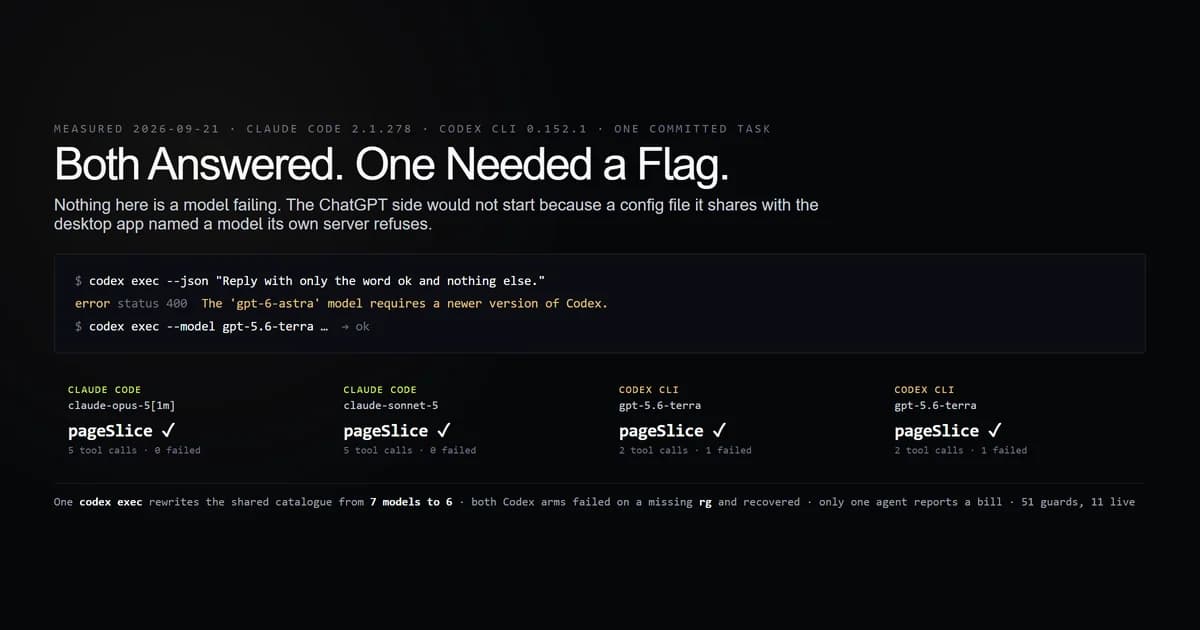
For the surface-by-surface version of the choice — terminal, editor, cloud or self-hosted — the framework in the pillar is the better entry point, and the two agents on the same committed task is what happens after both are working.
What we did not measure
Which agent writes better code. Nothing here scores output, and a clearer error message is not evidence that a tool is better at programming. The fixture refuses to license the inference.
Interactive mode. Every probe was non-interactive. A terminal session shows approval prompts that a -p run cannot, which is precisely why Claude Code's "please approve" reads as impossible here and would not there.
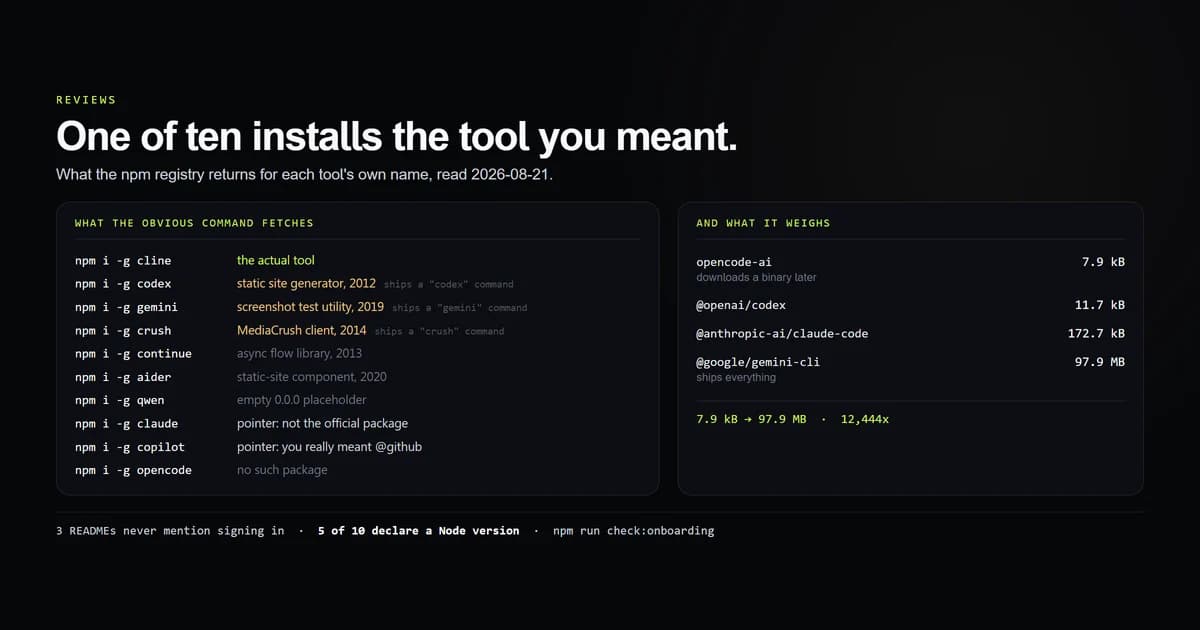
Onboarding before the first command. Installing, signing in and choosing a plan are covered by the day-zero measurement, which found six of ten tools install somebody else's software when you type their name.
Every agent. Two are installed on this machine. A third was at various points and was not re-tried for this.
Whether these messages improve. Both CLIs are updated weekly. That is what the check is for.
Common mistakes in week one
- Taking the flag the error message names. Once in the twelve, that flag was the escalation and the free alternative was unmentioned.
- Searching the exact text of a refusal. If the model wrote it, your wording is unique to your run.
- Reading a long error as a serious one. The 731-byte message was the recoverable one; the 30-byte message was the misdiagnosis.
- Assuming a typo is free. An unknown subcommand is a prompt, and a prompt is a billed turn.
- Judging an agent on its first refusal. All eight refusals here had a working, non-escalating fix. None of them said so.
Conclusion
Start with whichever agent is already set up, and spend the first hour learning its two flags rather than comparing feature tables: --permission-mode for one, --sandbox for the other, and git init before you reach for anything with skip in the name. If you are choosing from scratch and you value a quiet first run, Claude Code asks less of the directory; if you value being told what to try next, Codex signposts better. We re-run the probes with that script to see which of these twelve messages has changed — the eight that cost nothing re-issue on every run.
Frequently asked questions
What is the best AI coding assistant for beginners?
Why does my AI coding tool refuse to create a file?
Do I need a git repository to use an AI coding assistant?
Which coding AI has the easiest error messages to follow?
Does a typo cost money with an AI coding assistant?

Muhammad Kashif
Founder and editor of Devventa, covering AI coding assistants, Next.js and the modern AI development stack.