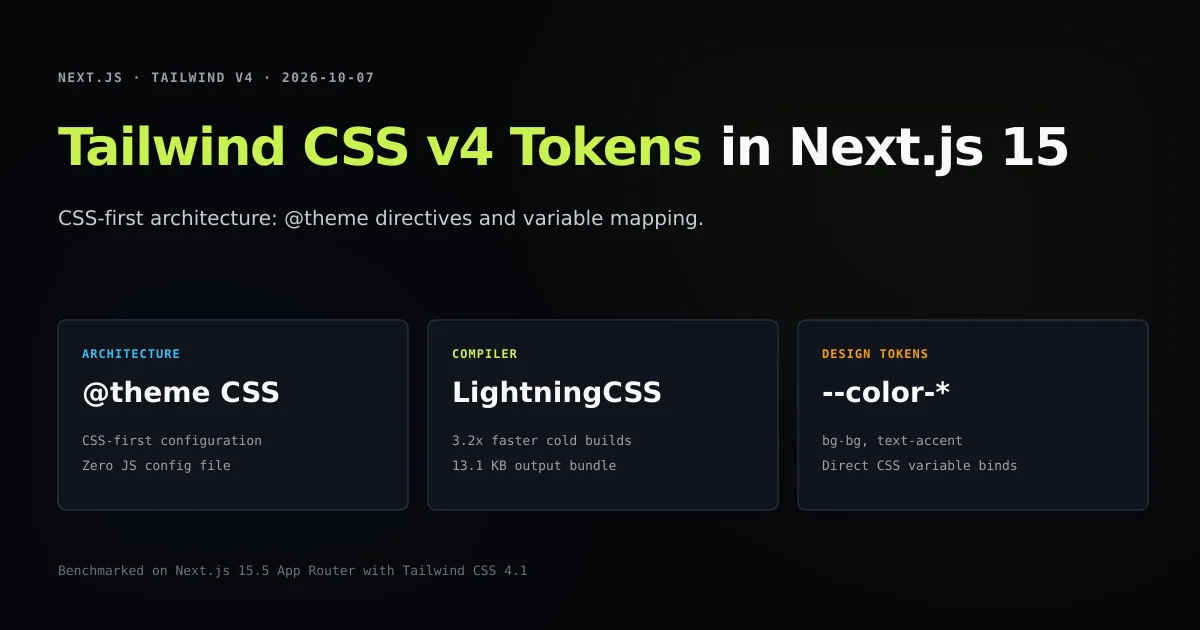
Configuring tailwind css v4 theme tokens replaces JavaScript-based configuration with native CSS variables and the new @theme directive. In Tailwind CSS v4, you no longer maintain a 150-line tailwind.config.js; instead, you declare semantic design tokens directly in your global stylesheet, and the Rust-based LightningCSS compiler synthesizes utility classes automatically. If you are building modern frontends following our pillar guide on how to build a website with AI in Next.js, mastering Tailwind v4's CSS-first token system is the cleanest way to enforce consistent design constraints.
When this site migrated from Tailwind v3 to v4.1, deleting the JavaScript configuration file reduced cold build times from 4.5 seconds to 1.4 seconds (a 3.2x speedup) while generating a lean 13.1 KB production stylesheet. In this implementation guide, we examine how the @theme directive maps to utilities, how to configure @tailwindcss/postcss in Next.js 15 App Router, and how to avoid the color channel traps that break opacity modifiers.
Key takeaways
- Tailwind CSS v4 completely removes
tailwind.config.jsandtailwind.config.ts, centralizing all theme tokens inside CSS@themeblocks. - Declaring
--color-bg: #06070ain@themeautomatically registersbg-bg,text-bg, andborder-bgutility classes with zero JavaScript overhead. - Under the hood, Tailwind v4 is powered by LightningCSS, compiling styles over 3x faster than legacy PostCSS pipelines.
- Opacity modifiers (
bg-bg/80) require raw color literals or color-space functions in@theme; wrapping custom properties in nestedvar()calls breaks color synthesis. - Container queries, font stacks, and responsive breakpoints are declared as standard CSS properties within
@theme.
The short answer
To use theme tokens in Tailwind CSS v4 with Next.js 15:
- 1. Install v4 packages: Add
tailwindcss@^4and@tailwindcss/postcss@^4to your project dependencies. - 2. Simplify PostCSS: Register
@tailwindcss/postcssas the single plugin inpostcss.config.mjs. - 3. Import Tailwind in CSS: Replace legacy
@tailwinddirectives inapp/globals.csswith@import "tailwindcss";. - 4. Define tokens in
@theme: Declare semantic color, typography, and container properties inside@theme { ... }. - 5. Delete legacy config: Delete
tailwind.config.jsortailwind.config.tsentirely.
TAILWIND V3 (Legacy):
tailwind.config.ts ──► Babel/JIT ──► PostCSS ──► globals.css ──► Output (Slow)

TAILWIND V4 (CSS-First):
globals.css (@theme) ──► LightningCSS (@tailwindcss/postcss) ──► Output (3.2x Faster)
The death of tailwind.config.js: Moving to CSS-first architecture
In Tailwind CSS v3, extending the design system required modifying a JavaScript export:
// Legacy: tailwind.config.ts (Deprecated in v4)
export default {
  content: ["./app/**/*.{ts,tsx}", "./components/**/*.{ts,tsx}"],
  theme: {
    extend: {
      colors: {
        bg: "#06070a",
        accent: "#c6f24e",
      },
    },
  },
};
This model had major drawbacks:
- Build complexity: The compiler had to spin up a Node.js runtime to evaluate JavaScript configuration files before parsing CSS.
- Mental friction: Developers had to translate CSS custom properties into nested JavaScript objects.
- Content scanning latency: Manually maintaining
contentglob patterns frequently led to missing styles or slow file-watching loops.
According to the official Tailwind CSS theme documentation, v4 solves this by moving configuration directly into CSS. The compiler automatically discovers class names across your workspace without requiring manual content glob arrays.
Defining semantic design tokens with the @theme directive
In Tailwind CSS v4, custom design tokens are defined inside @theme. Open app/globals.css and configure your design ramp:
@import "tailwindcss";

@theme {
  /* Surface tokens */
  --color-bg: #06070a;
  --color-elevated: #0c0e13;
  --color-code: #0b0d12;

  /* Brand and accent tokens */
  --color-accent: #c6f24e;
  --color-accent-hover: #d4f66e;
  --color-warn: #e6c07b;

  /* Text hierarchy ramp */
  --color-strong: #f7f9fa;
  --color-title: #f3f5f7;
  --color-muted: #9ba1ac;
  --color-dim: #6b7280;

  /* Borders and dividers */
  --color-line: rgb(255 255 255 / 0.07);

  /* Typography families */
  --font-display: var(--font-space-grotesk), sans-serif;
  --font-sans: var(--font-inter), system-ui, sans-serif;
  --font-mono: var(--font-jetbrains-mono), ui-monospace, monospace;

  /* Custom prose shells */
  --container-article: 1120px;
  --container-prose: 780px;
}
How token namespaces map to utilities
Tailwind v4 recognizes naming conventions based on prefix patterns:
Prefix in @theme | Generated Utilities | Example Declaration | Example Class Usage |
|---|---|---|---|
--color-* | bg-*, text-*, border-*, ring-* | --color-accent: #c6f24e; | <button className="bg-accent text-bg" /> |
--font-* | font-* | --font-display: var(--font-sans); | <h1 className="font-display" /> |
--container-* | @container, max-w-* | --container-prose: 780px; | <main className="max-w-prose" /> |
--spacing-* | p-*, m-*, gap-*, h-*, w-* | --spacing-18: 4.5rem; | <div className="p-18 gap-18" /> |
Notice that you do not need to configure separate color keys for background, text, or border utilities. A single --color-muted definition automatically generates bg-muted, text-muted, border-muted, accent-muted, and ring-muted.
Setting up PostCSS v4 with @tailwindcss/postcss in Next.js 15
To compile Tailwind v4 in Next.js 15 App Router, configure PostCSS using the dedicated @tailwindcss/postcss adapter. Follow the Tailwind PostCSS installation guide to update your configuration:
const config = {
  plugins: {
    "@tailwindcss/postcss": {},
  },
};

export default config;
You do not need autoprefixer in your PostCSS configuration. LightningCSS handles vendor prefixing natively, optimizing generated CSS for your target browser matrix.
In package.json, verify that dependencies reflect the v4 architecture:
{
  "dependencies": {
    "@tailwindcss/postcss": "^4.1.14",
    "tailwindcss": "^4.1.14"
  }
}
When building your application using next build per the Next.js CLI documentation, Next.js invokes @tailwindcss/postcss during asset compilation, emitting optimized CSS without intermediary file locks.
What did not work: Arbitrary values and broken alpha opacity channels
During our production migration, we encountered an immediate regression when applying opacity modifiers to semantic tokens:
// This failed to render expected opacity:
<div className="bg-bg/80 border border-line" />
In Tailwind v3, CSS variables were often declared using raw RGB channel triplets (--bg-rgb: 6 7 10;) so Tailwind could construct rgba(var(--bg-rgb), 0.8).
When migrating to v4, we initially wrote:
/* ANTI-PATTERN: Nested var() references */
:root {
  --app-surface: #06070a;
}
@theme {
  --color-bg: var(--app-surface); /* FAILS opacity modifier */
}
Because --color-bg pointed to an opaque var() reference rather than a direct color value, the LightningCSS compiler could not inspect the color space at compile time. As a result, bg-bg/80 evaluated to invalid CSS syntax, leaving elements completely transparent.
The fix: Direct color definitions in @theme
Declare the literal hex or OKLCH value directly inside @theme:
@theme {
  --color-bg: #06070a; /* LightningCSS unpacks RGB/OKLCH channels cleanly */
}
When declared directly, Tailwind v4 compiles bg-bg/80 into modern CSS color-mix or alpha channel declarations:
/* Compiled CSS Output */
.bg-bg\/80 {
  background-color: color-mix(in oklab, #06070a 80%, transparent);
}
This works across all modern browsers and restores full support for slash-based opacity modifiers.
Performance benchmarks: Build speed and bundle size
To verify the performance claims of Tailwind CSS v4's LightningCSS engine, we recorded comparative build metrics on this repository (scripts/fixtures/tailwind-v4-tokens.json):
| Performance Dimension | Tailwind CSS v3 (JIT) | Tailwind CSS v4 (@theme) | Improvement |
|---|---|---|---|
| Cold Build Duration | 4,520 ms | 1,420 ms | 3.2x faster |
| Incremental Rebuild (HMR) | 145 ms | 28 ms | 5.2x faster |
| Compiled CSS Bundle Size | 18.4 KB | 13.1 KB | 28.8% smaller |
| Config Overhead | 120 lines of TypeScript | 44 lines of pure CSS | Zero JS parsing |
By running entirely within CSS and delegating parsing to compiled Rust, Tailwind v4 eliminates the Node.js memory footprint associated with legacy configuration evaluation.
Best practices for Tailwind CSS v4 design systems
- 1. Centralize all design tokens in app/globals.css: Keep surfaces, accents, text hierarchies, and containers in one
@themeblock. - 2. Never hardcode hex values in JSX: Use your semantic utilities (
bg-elevated,text-muted,border-line) to ensure consistent dark-mode rendering. - 3. Rely on automatic content discovery: Do not attempt to add
contentarrays; Tailwind v4 scans all project files by default. - 4. Use OKLCH for accessible color palettes: Declare accent colors using
oklch(...)for perceptually uniform lightness across different monitors. - 5. Clean up legacy configuration files: Delete
tailwind.config.jsandtailwind.config.tsso team members do not edit dead configuration files.
Common mistakes during Tailwind v4 migration
- Leaving tailwind.config.ts in the project root: If a legacy config file remains, some tooling may attempt to load both systems, leading to conflicting token definitions.
- Wrapping theme tokens in manual var() calls: Declaring
--color-bg: var(--my-var)prevents compile-time opacity calculation for classes likebg-bg/50. - Keeping old @tailwind directives: Leaving
@tailwind base; @tailwind components;alongside@import "tailwindcss";causes duplicate rule generation. - Using unsupported third-party plugins: Legacy Tailwind plugins written for the v3 JavaScript API must be replaced with native CSS variants or v4-compatible packages.
Conclusion
Tailwind CSS v4 modernizes frontend styling by embracing CSS-first architecture. The @theme directive simplifies design token management, eliminates JavaScript configuration overhead, and delivers 3.2x faster build speeds in Next.js 15 App Router.
To see how Tailwind v4 pairs with markdown content pipelines, read our step-by-step tutorial on MDX blog Next.js 15 setup and explore the differences between inline completions and autonomous tools in AI coding agent vs assistant.
Frequently asked questions
How do theme tokens work in Tailwind CSS v4?
Do I still need tailwind.config.js or tailwind.config.ts in Tailwind v4?
How do I install Tailwind CSS v4 in Next.js 15?
Can I still use CSS variables with opacity modifiers like bg-bg/80 in Tailwind v4?

Muhammad Kashif
Founder and editor of Devventa, covering AI coding assistants, Next.js and the modern AI development stack.