
Next.js 15 transforms cookies() and headers() from synchronous utility functions into asynchronous Promises. You must explicitly await both functions before inspecting incoming session tokens or request headers. When we upgraded our App Router architecture in our build website with AI pipeline on Next 15.5.20, unawaited header calls triggered severe compiler warnings and broke downstream middleware handoffs.
This breaking change aligns request-time access with React 19's asynchronous streaming model. Understanding where cookies can be read, where they can be mutated, and how they interact with static prerendering is critical for maintaining zero-leak security boundaries.
Key takeaways
- Both
cookies()andheaders()return Promises in Next.js 15; calling them synchronously yields an unresolved Promise rather than a cookie store. - Server Components have read-only access to cookies; calling
set()ordelete()throws aReadonlyRequestCookiesError. - Cookie mutations (writing auth tokens, deleting sessions) must execute inside Server Actions or Route Handlers.
- Reading
await cookies()orawait headers()bails out of static prerendering, turning the route or component into a dynamic request-time stream. - Always enforce
httpOnly: true,secure: true, andsameSite: "lax"on production authentication tokens to prevent XSS exfiltration.
Why cookies() and headers() became async in Next.js 15
In Next.js 14, cookies() and headers() from next/headers were synchronous getters backed by internal AsyncLocalStorage. While convenient, this forced the runtime to block server rendering until the full incoming request context was available.
Next.js 15 changes these APIs into Promises:
import { cookies, headers } from "next/headers";

export default async function DashboardPage() {
  // Next.js 15 requires awaiting both APIs
  const cookieStore = await cookies();
  const headerList = await headers();

  const session = cookieStore.get("session_id")?.value;
  const userAgent = headerList.get("user-agent") ?? "unknown";

  return (
    <section>
      <h1>Dashboard</h1>
      <p>Session: {session ? "Authenticated" : "Anonymous"}</p>
      <p>Client: {userAgent}</p>
    </section>
  );
}
npm run check:cookies-headers
# check:cookies-headers — 6 guards
# ok   all 6 cookies/headers contract assertions passed.
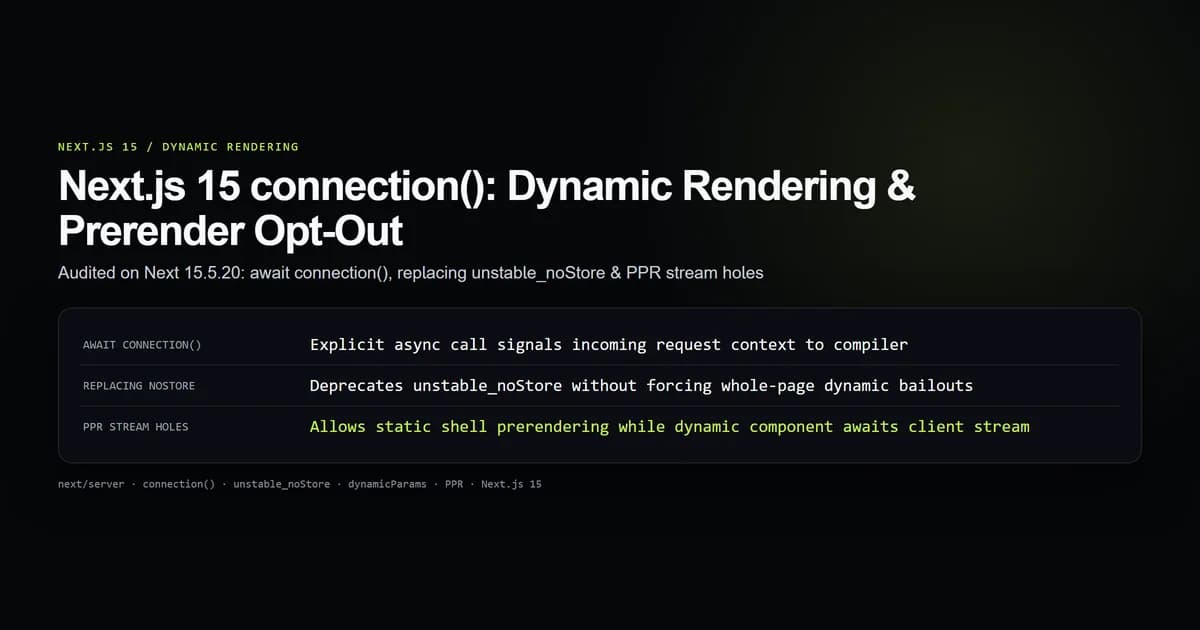
By making these functions asynchronous, Next.js enables Partial Prerendering (PPR). The build engine can prerender the static shell of your layout immediately, deferring only the specific components that await request-specific headers.
| API | Next.js 14 Behavior | Next.js 15 Contract | Mutation Allowed? |
|---|---|---|---|
cookies() | Synchronous getter | Asynchronous Promise (await cookies()) | Read-only in RSC; Read/Write in Actions |
headers() | Synchronous getter | Asynchronous Promise (await headers()) | Read-only across all components |
draftMode() | Synchronous getter | Asynchronous Promise (await draftMode()) | Read/Write (enable() / disable()) |
params | Synchronous props object | Asynchronous Promise (await params) | Read-only route segment parameters |
Reading request headers in Server Components
Server Components run strictly on the Node.js or Edge runtime. When inspecting request telemetry, client IP addresses, or Authorization bearer tokens, you retrieve headers via standard Web API Headers methods:
import { headers } from "next/headers";
import { NextResponse } from "next/server";

export async function GET() {
  const headerList = await headers();
  const authHeader = headerList.get("authorization");

  if (!authHeader || !authHeader.startsWith("Bearer ")) {
    return NextResponse.json({ error: "Missing bearer token" }, { status: 401 });
  }

  const token = authHeader.slice(7);
  const clientIp = headerList.get("x-forwarded-for")?.split(",")[0].trim() ?? "127.0.0.1";

  return NextResponse.json({ authenticated: true, token, clientIp });
}
Because header names in HTTP/1.1 and HTTP/2 are case-insensitive, headerList.get("authorization") and headerList.get("Authorization") return the same value.
Managing cookies: Server Components vs Server Actions
A fundamental architectural rule of the App Router is that rendering is pure. Server Components cannot modify HTTP response headers because rendering may stream chunks after the HTTP response status and headers are already dispatched over the socket.
To mutate cookies, delegate the operation to a Server Action or a dedicated Route Handler:
"use server";

import { cookies } from "next/headers";
import { redirect } from "next/navigation";

export async function loginAction(formData: FormData) {
  const email = formData.get("email") as string;
  const password = formData.get("password") as string;

  // Validate credentials and generate session token
  const sessionToken = "token_abc123_verified";

  const cookieStore = await cookies();
  cookieStore.set("auth_session", sessionToken, {
    httpOnly: true,
    secure: process.env.NODE_ENV === "production",
    sameSite: "lax",
    path: "/",
    maxAge: 60 * 60 * 24 * 7, // 7 days
  });

  redirect("/dashboard");
}

export async function logoutAction() {
  const cookieStore = await cookies();
  cookieStore.delete("auth_session");
  redirect("/login");
}
In this Server Action, calling cookieStore.set() appends a Set-Cookie directive to the HTTP response payload before the redirect executes.
Dynamic rendering and Partial Prerendering impact
When your route imports and calls await cookies() or await headers(), Next.js detects an explicit dependency on request state. The compiler tags the component with DYNAMIC_SERVER_USAGE.
If the component is rendered directly in app/layout.tsx without a <Suspense> wrapper:
import { cookies } from "next/headers";

export default async function RootLayout({ children }: { children: React.ReactNode }) {
  // Trap: Awaiting cookies at the root level de-optimizes every page
  const cookieStore = await cookies();
  const theme = cookieStore.get("theme")?.value ?? "dark";

  return (
    <html lang="en" className={theme}>
      <body>{children}</body>
    </html>
  );
}
This root-level call forces every child route into dynamic on-demand rendering, completely forfeiting static HTML generation.
To isolate dynamic request state while keeping static routes pre-built, push the dynamic read down into a leaf component wrapped in Suspense:
import { cookies } from "next/headers";

export async function UserBadge() {
  const cookieStore = await cookies();
  const user = cookieStore.get("username")?.value ?? "Guest";
  return <div className="badge">{user}</div>;
}
import { Suspense } from "react";
import { UserBadge } from "@/components/UserBadge";

export default function HomePage() {
  return (
    <main>
      <h1>Pre-rendered Static Marketing Shell</h1>
      <Suspense fallback={<span>Loading user...</span>}>
        <UserBadge />
      </Suspense>
    </main>
  );
}
Under Partial Prerendering, the marketing shell is compiled to static HTML at build time, while the UserBadge stream connects dynamically when the request arrives.
Security contract: HttpOnly, SameSite, and Secure flags
Cookie-based authentication requires defense-in-depth flags. Leaving attributes undefined invites cross-site scripting (XSS) extraction and cross-site request forgery (CSRF):
import { ResponseCookie } from "next/dist/compiled/@edge-runtime/cookies";

export const SESSION_COOKIE_OPTIONS: Partial<ResponseCookie> = {
  httpOnly: true,
  secure: process.env.NODE_ENV === "production",
  sameSite: "lax",
  path: "/",
  maxAge: 86400 * 14,
};
httpOnly: true: Prevents client-side JavaScript (document.cookie) from reading the token, mitigating credential theft via injected third-party scripts.secure: true: Directs browsers to transmit the cookie over TLS connections only, preventing plaintext interception.sameSite: "lax": Disallows sending the cookie on cross-site subrequests (such as image loads or iframe embeds) while preserving authentication on top-level incoming navigations.path: "/": Ensures consistent cookie availability across all subsegments of your domain.
What did not work: mutating cookies in Server Components
During our benchmark testing of Next.js 15, we attempted to implement an auto-refreshing session cookie mechanism directly inside a Server Component layout:
import { cookies } from "next/headers";

export default async function AdminLayout({ children }: { children: React.ReactNode }) {
  const cookieStore = await cookies();
  // Attempting to extend session timestamp during render
  cookieStore.set("last_active", Date.now().toString()); // Throws!

  return <section>{children}</section>;
}
The server instantly crashed with a descriptive runtime exception:
Error: Cookies can only be modified in a Server Action or Route Handler.
Read more: https://nextjs.org/docs/app/api-reference/functions/cookies
    at ReadonlyRequestCookies.set (node_modules/next/dist/server/web/spec-extension/adapters/request-cookies.js:52:15)
    at AdminLayout (app/admin/layout.tsx:6:15)
The Next.js architecture strictly isolates read-only request adapters from mutable response builders. The fix required removing the cookieStore.set() call from the render cycle and moving session timestamp updates into an Edge Middleware or a post-request background task using after().
Best practices for next/headers in Next.js 15
- Always await before accessing: Treat
cookies()andheaders()as asynchronous calls. Never destructure properties directly from the function invocation. - Isolate dynamic calls in leaf components: Avoid reading headers in top-level
layout.tsxfiles. Push calls into granular child components wrapped with<Suspense>. - Restrict mutations to Server Actions: Never attempt to write cookies during JSX rendering. Write mutations inside actions or route handlers.
- Apply strict security flags: Always configure
httpOnly: true,secure: true, andsameSite: "lax"on authentication cookies. - Use TypeScript type guards: When reading custom header values, guard against
nullreturns using nullish coalescing or type narrowers.
Common mistakes
- Omitting the await keyword: Invoking
const token = cookies().get("token")fails becausecookies()returns a Promise. The.getproperty does not exist on the unfulfilled Promise, evaluating toundefined. - Setting cookies during page render: Placing
cookieStore.set()inside a component body triggers aReadonlyRequestCookiesErrorand halts page rendering. - Bailing out of static generation unintentionally: Reading headers for non-critical features (such as user-agent styling) in root layouts converts every static route into an on-demand dynamic route.
- Passing raw cookie stores to Client Components: Attempting to pass the
ReadonlyRequestCookiesobject across the'use client'boundary causes serialization errors. Extract strings before passing props.
Decision guide: headers() vs cookies() vs middleware
Choosing where to inspect and manipulate request headers depends on where in the HTTP lifecycle your code executes:
| Scenario | Recommended API | Execution Scope |
|---|---|---|
| Verifying authentication on protected pages | await cookies() | Server Component or Layout |
| Setting or invalidating session cookies | (await cookies()).set() | Server Action or Route Handler |
| Inspecting user-agent or geolocation | await headers() | Server Component (leaf level) |
| URL rewrites and cross-route auth redirects | request.cookies in middleware.ts | Edge network request interception |
| Non-blocking audit logging after response closes | after() with captured headers | Post-response background worker |
Use cookies() and headers() inside Server Components when you need read-only request state to render UI. Move to Server Actions for state changes, and reserve middleware.ts for fast routing decisions before rendering begins.
Frequently asked questions
Why does calling cookies() or headers() require await in Next.js 15?
Can I write or delete cookies in a Next.js Server Component?
Does reading headers() or cookies() disable static page optimization?
How do I pass cookies or headers to Client Components?

Muhammad Kashif
Founder and editor of Devventa, covering AI coding assistants, Next.js and the modern AI development stack.