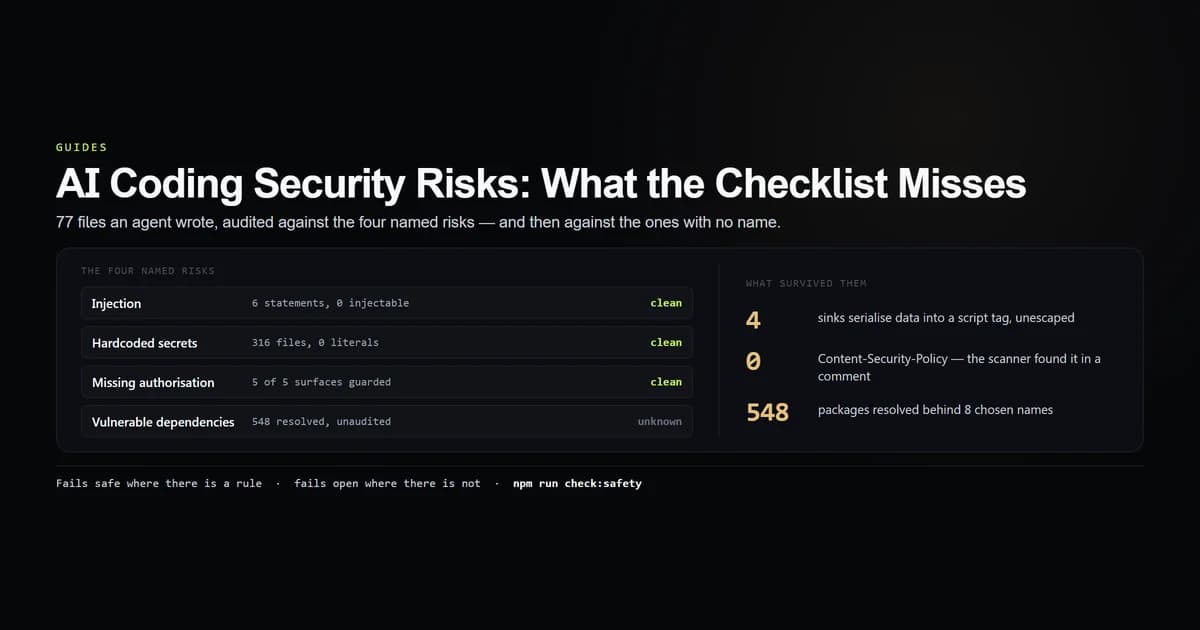
The published lists of ai coding security risks, such as the OWASP Top 10 security risks, name the same four things — injection, hardcoded secrets, missing authentication, vulnerable dependencies. Those are the four an agent has read about more than any reviewer has, and testing for them measures how well a model absorbed a checklist. We audited a codebase written almost entirely by an agent, scored it on all four, and then went looking for what survived. The named risks came back clean. The residual did not.
The subject is this site itself — 77 source files an agent wrote, from the Next.js build documented here. We ran the audit with an internal check script:
npm run check:safety
# → 6 SQL statements, 0 carrying a value into the statement text
# → 10 server surfaces, 5 requiring a guard, 5 carrying one in their own file
# → 316 tracked files scanned, 0 credential-shaped literals
# → 5 markup sinks, 4 serialising data with no escaping step
# → 8 direct dependencies, 548 resolved in the lockfile
# → 5 of 6 response headers set. Missing: Content-Security-Policy
Key takeaways
- Every named risk came back clean. No injectable SQL, no committed credential, no unguarded server surface, in code no human wrote.
- Four sinks serialise data into a
<script>tag with no escaping. A title containing a closing script tag would break out of all four. Latent today because every input is authored in this repository. - The checklist scanner confirmed a control that does not exist. Searching for
Content-Security-Policymatched the comment explaining why there is no CSP. - 548 packages resolve behind 8 chosen names — 30 times the number anyone typed, and the largest body of unread code in the project.
- A file-level guard check cannot see inside a file.
actions.tsexports three Server Actions and calls a session guard once; only reading it tells you that is correct.
The short answer
Agent-written code fails safe on the risks that have names and fails open on the ones that do not.
That is a statement about training data, not about intelligence. SQL injection has thirty years of documentation, every framework ships a parameterised API, and a model has seen the correct pattern tens of thousands of times. Escaping a < before serialising JSON into a script element has almost none of that, so the agent emits the idiomatic React line that every tutorial shows — which is the unescaped one.
If you are reviewing ai generated code security, the checklist is the least productive place to spend the hour. Spend it on sinks, headers and the lockfile.
What we audited
Six passes over app/, lib/, components/ and db/, plus every tracked file for the secret scan.
- SQL — every statement literal, with each
${}substitution resolved against the module that declares it. - Authorisation — every route handler, Server Action and admin page, checked for a guard named in its own file.
- Sinks — every place a string becomes markup or code, classified by where the payload comes from.
- Secrets — 316 tracked files against five credential shapes, plus confirmation that the environment files are still ignored.
- Supply — direct dependencies against the resolved lockfile.
- Headers — which of six standard response headers the application actually sets.
It is a census of shapes in one tree, not a vulnerability scanner. There is no CVE feed here and no reachability analysis, so a shape being present is not an exploit.
The four named ai coding security risks, scored
| Named risk | Result | Evidence |
|---|---|---|
| Injection | clean | 6 statements, 0 carrying a value into statement text |
| Hardcoded secrets | clean | 316 files scanned, 0 credential-shaped literals |
| Missing authorisation | clean | 5 of 5 surfaces requiring a guard carry one |
| Vulnerable dependencies | unknown | 548 resolved, and this audit does not resolve advisories |
The authorisation result is the one worth reading closely, because the agent got a subtle thing right. Route handlers do not run layouts in the App Router, so a guard placed only in layout.tsx protects three pages and leaves the CSV export of every newsletter subscriber wide open. The guard is in each file instead — including the export route.
The SQL result required a second pass to state honestly. Two statements do interpolate:
const where = search ? "WHERE email LIKE ? ESCAPE '!'" : "";

const { results } = await d1Query<SubscriberRow>(
  `SELECT id, email, status, source, created_at
   FROM newsletter_subscribers
   ${where}
   ORDER BY created_at DESC, id DESC
   LIMIT ? OFFSET ?`,
  [...filterParams, perPage, offset],
);
That is clause interpolation, not value interpolation. where resolves to one of exactly two string literals declared three lines above; the search term itself arrives as a bound parameter. A scanner that flags any ${} inside a SQL literal reports this as an injection, which is why the check resolves the identifier before it decides.
The structural reason it stays clean is that every statement in the project goes through one function that binds its parameters. One choke point is one place to audit, and it is the single highest-value instruction to put in a context file before an agent writes a data layer.
Where ai generated code security actually failed
Five places in the codebase turn a string into markup. One carries a module constant and is inert. The other four look like this:
<script
  type="application/ld+json"
  dangerouslySetInnerHTML={{ __html: JSON.stringify(jsonLd) }}
/>
jsonLd is built from article frontmatter — title, deck, FAQ questions and answers. JSON.stringify escapes quotes and backslashes. It does not escape <, and per React's innerHTML reference, React performs no escaping inside dangerouslySetInnerHTML. An article title containing a closing </script> sequence would terminate the element early and put everything after it into the document as markup.
This is latent rather than exploitable here, and the distinction matters: every input is authored in this repository by one person, so there is no untrusted path into it today. It stops being latent the moment any of those fields comes from a form, a CMS, a webhook or a pull request from outside the team.
The absent MDN Content-Security-Policy reference header belongs in the same paragraph, with one difference: it was a decision rather than an oversight. The config records the reasoning — Google Fonts, R2 images and inline JSON-LD together need nonce plumbing that is a project of its own. That is a defensible call, made explicitly, in writing. It is also the header that would have contained the sink above.
The dependency tree is the real surface
package.json names 8 runtime dependencies and 10 development ones. The lockfile resolves 548 packages, 206 of them outside dev-only.
npm run check:safety
# → direct dependencies                   8
# → direct devDependencies               10
# → resolved packages in the lock       548
# → of those, not dev-only              206
Thirty times the number anybody typed. The agent wrote roughly 260 kB of application source across app/, components/ and lib/. It installed a tree two orders of magnitude larger with four keystrokes, and no human in this project has read any of it.
That ratio is not caused by the agent — a human running npm install next gets the same 548. What the agent changes is the friction. Adding a dependency is now a sentence in a prompt, which removes the pause where somebody used to ask whether the thing was worth pulling in. Review the lockfile diff, not the manifest diff; the manifest shows the one name and the lockfile shows what arrived with it.
Is ai code safe to ship unreviewed
No — and the audit above is the argument, not a counterexample to it.
A codebase that scores clean on every named risk is exactly the codebase that gets shipped unreviewed, because every automated gate goes green. The four latent sinks were introduced by an agent, survived a build, survived a typecheck, survived a lint pass, and would survive any scanner looking for the four named categories. They were found by an instrument written specifically to look somewhere else.
The practical answer to "is ai code safe" is that it is safe in the ways that are cheap to check and unknown in the ways that are not, which makes review a targeting problem. Point the review at:
- Every sink, and where each payload comes from.
- Response headers, verified against a live response rather than a config file.
- The lockfile delta, every time.
- Any guard that a layout provides, since route handlers do not run layouts.
- Anything the code itself calls best-effort. This project's in-process rate limiter says so in its own comment, and a control document claiming brute-force protection on the strength of it would be false.
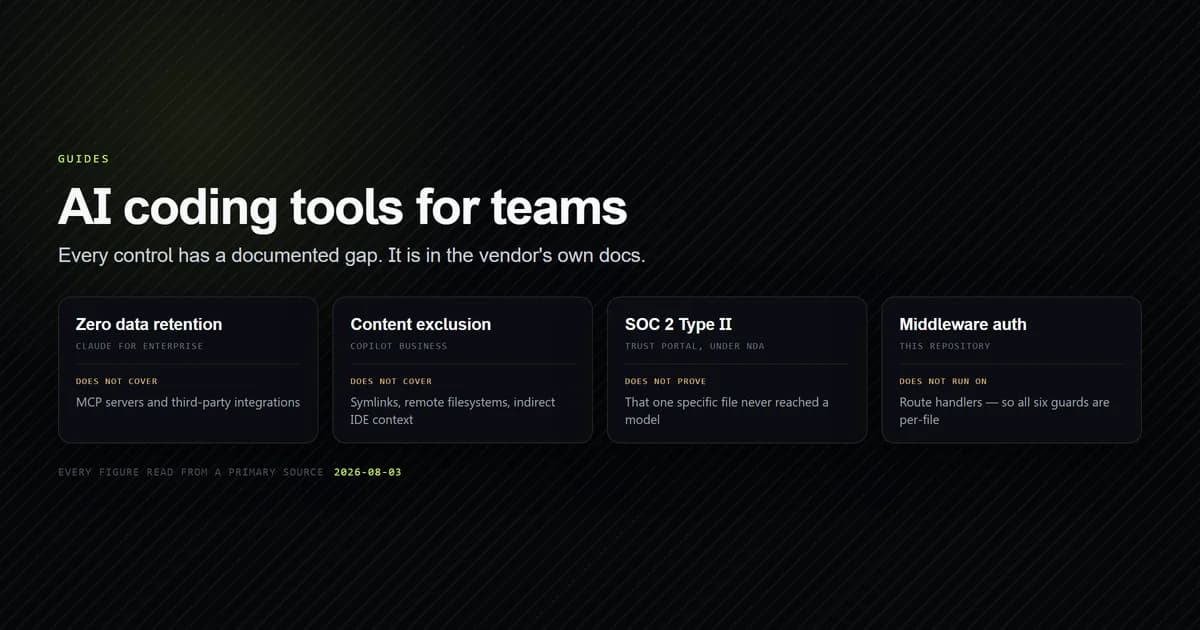
For the vendor-side half of this — retention, content exclusion, compliance evidence — our guide to AI coding tools for teams covers what each vendor's controls do and where their own docs say they stop.
What did not work
The audit's first run produced four findings. Three were defects in the audit.
It reported a Content-Security-Policy that does not exist. The header check tested text.includes("Content-Security-Policy") against the config file, and matched a comment beginning "Deliberately no Content-Security-Policy". A control was confirmed from the prose explaining its absence. Stripping comments before the test moved the result from 6 of 6 to 5 of 6, and the missing header is the one that matters most on this list.
It reported three SQL injections that were English. The statement detector matched any literal opening with a SQL verb, so "Delete failed. The database could not be reached." and the Tailwind class select-none were both classified as database statements. Requiring a structural keyword alongside the verb removed all three.
It demanded a guard on a layout that must not have one. app/admin/layout.tsx wraps the login route as well as the panel, so a session guard there would lock the door from the outside. Layouts are now recorded as context rather than as a boundary.
The one finding that survived — the four unescaped sinks — is reported and does not fail the run, because a guard that goes red on every invocation is a guard nobody keeps.
How to audit AI-written code yourself
- Step 1 — enumerate surfaces, do not grep for patterns. List every route handler, action and page, then ask each file the question. A grep tells you a guard exists somewhere.
- Step 2 — resolve before you accuse. A
${}inside SQL is a question, not an answer. Follow the identifier to its declaration. - Step 3 — classify sinks by payload origin. A module constant is inert; anything serialised from data is not. The line looks identical.
- Step 4 — strip comments before checking for a control. Otherwise the documentation of an absence reads as its presence.
- Step 5 — test headers against a response. A config file is an intention.
- Step 6 — count the lockfile, not the manifest. 8 names, 548 packages.
- Step 7 — read what the code says about itself. Agent-written code is unusually well commented, and this repository's comments named two weaknesses before any scanner did.
Automating the pass is worth it once the list is stable, though what an automated reviewer can see is bounded by what a diff contains — an absent header is invisible to every tool that reads changed lines. Claude Code's own /security-review command has the same boundary and a second one on top of it: it reads only the commits on your branch, and its prompt excludes committed secrets and outdated dependencies by name.
Common mistakes reviewing AI-written code
- Reviewing for the four named risks. They are the four the model is best at. A clean result tells you almost nothing.
- Trusting a green scanner. Ours was green on CSP, which was the one thing genuinely absent.
- Assuming a layout guard covers everything under it. Route handlers do not run layouts.
- Counting a file-level guard as an answer.
actions.tsexports three Server Actions and calls a guard once; that is correct, and only reading it tells you so. - Reviewing the manifest diff. One added name can resolve to dozens of packages.
What we are not claiming
This is one small codebase, audited lexically. A guard named in a file it does not actually call would count as present, and a payload laundered through a variable is classified by the variable rather than by the value. Both errors produce a cleaner report than the tree deserves, and both are stated in the script's own header.
We are not claiming agent-written code is safer than human-written code. There is no control arm here, and the plausible reading of the clean sheet is that this repository's CLAUDE.md states the parameterisation and guard rules explicitly, so the agent was told. That is a result about instructions, not about models.
Nor is the dependency count a finding against the agent. The tree is what npm install next produces for anyone. The change is that the pause before typing it has gone.
Conclusion
The newsletter export now has its own executable contract in the guide to preventing CSV formula injection in Next.js, including hostile-cell guards, data minimization, and private response headers.
Stop auditing agent-written code for injection and start auditing it for the defects with no checklist entry: unescaped sinks, absent headers, and a lockfile nobody read. Run your own version of this audit, then make the scanner prove it can fail — ours confirmed a Content-Security-Policy that was never there, and a check that cannot be wrong in your favour is worth more than a green result. Next, read how to address PHP security issues and site hardening or what each vendor's team controls actually cover, which is the half of this question a code audit cannot answer.
Frequently asked questions
What are the real AI coding security risks?
Does AI-generated code contain SQL injection?
Is AI code safe to ship without review?
How do you audit AI-generated code security?
Are AI coding assistants a supply chain risk?

Muhammad Kashif
Founder and editor of Devventa, covering AI coding assistants, Next.js and the modern AI development stack.