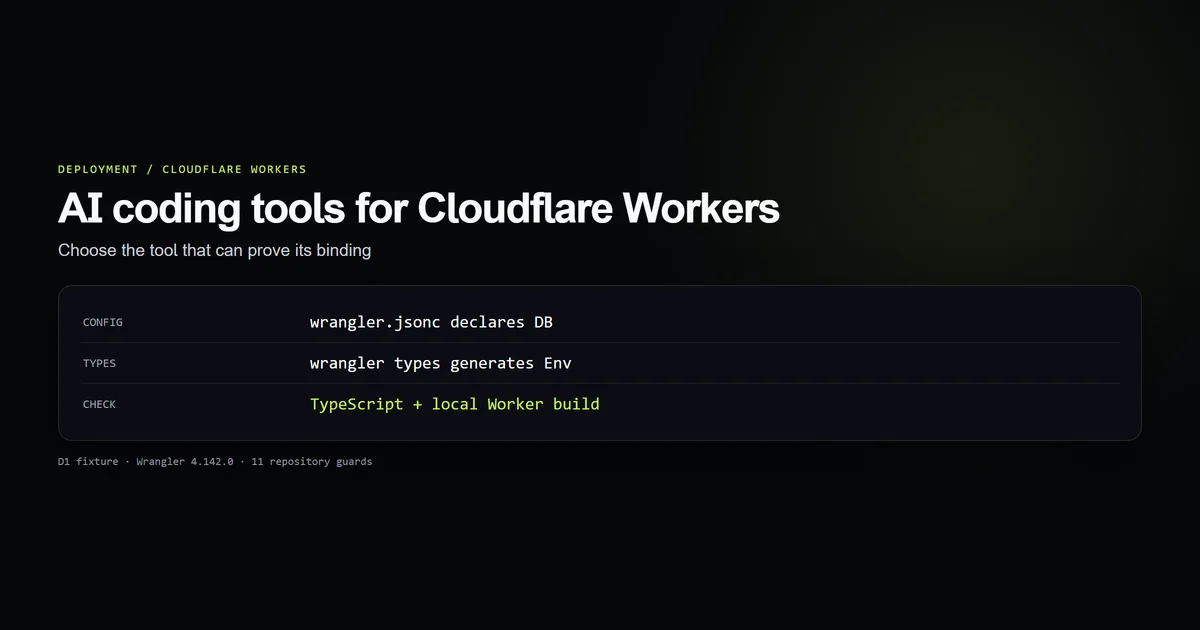
The best AI coding tools for Cloudflare Workers are the ones that can use your project's verifier: Wrangler. Ask the tool to work from wrangler.jsonc, generate Env types, run the TypeScript check, and show the changed files. Our Claude Code Workers walkthrough demonstrates one agent doing that on a D1 fixture; this guide describes the capability test that applies to any editor or terminal agent. We rechecked the fixture and Cloudflare's documentation on October 9, 2026.
Key takeaways
- A plausible
env.DBexpression is insufficient; theDBbinding must exist in Wrangler configuration and generated types. - Cloudflare recommends
wrangler typesbecause runtime types depend on compatibility date, flags, module rules, and bindings. - An AI agent with shell access can run the checks; inline completion still needs a human or automation to run them.
- A local build proves code and configuration agree at that point. It does not prove a remote database ID, production secret, or deployment permission is valid.
The selection test
Pick a tool that can read the repository, change the right files, run local commands, and return a reviewable diff. The model's brand is secondary to whether the workflow reaches the actual Worker runtime checks. A chat answer or editor completion may draft a correct handler, but it has no evidence that your project's bindings and compatibility date match its guess.
For a team already using Claude Code, start with the tested Cloudflare Workers workflow. If you use another terminal agent, give it the same acceptance test: regenerate types from the real config, compile, build locally, and explain any mismatch. Do not infer that a tool is better from a code sample it has not executed.
A binding fixture that exposes guessing
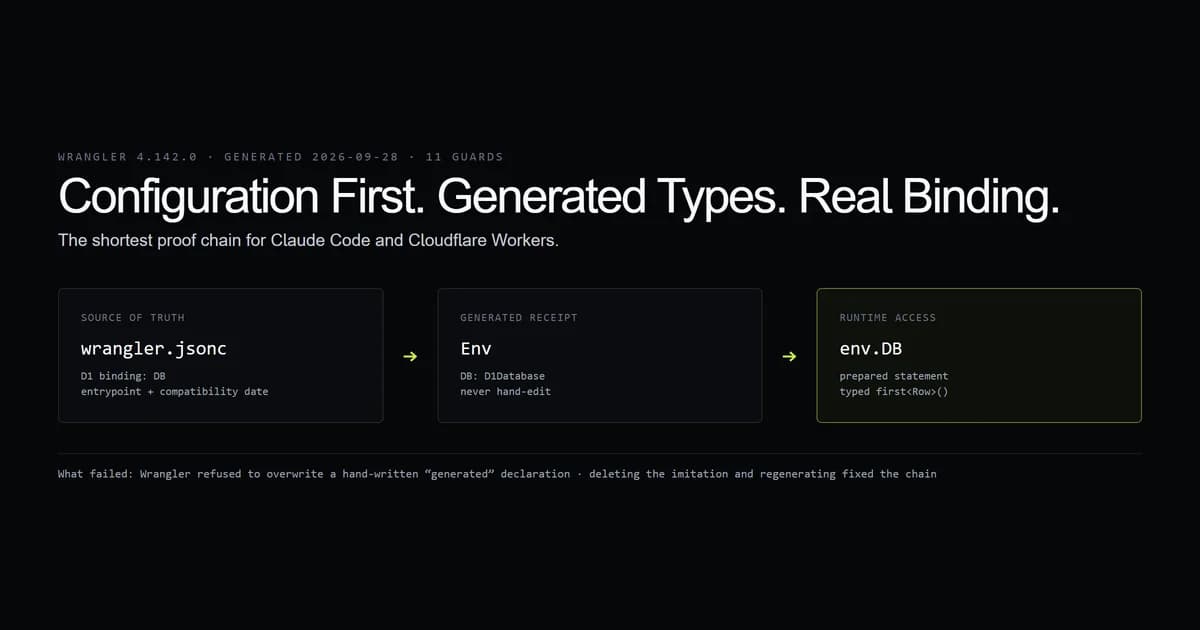
This repository includes a small Worker fixture built around Wrangler 4.142.0. Its wrangler.jsonc declares a D1 binding named DB; its handler calls env.DB.prepare("SELECT 1 AS ok"). The fixture's database ID is a zeroed placeholder, so the test proves the configuration-to-code contract, not a production D1 connection.
{
  "$schema": "./node_modules/wrangler/config-schema.json",
  "name": "claude-workers-fixture",
  "main": "src/index.ts",
  "compatibility_date": "2026-09-28",
  "d1_databases": [{
    "binding": "DB",
    "database_name": "fixture-db",
    "database_id": "00000000-0000-0000-0000-000000000000"
  }]
}
The repository's Workers check runs eleven guards, including an isolated TypeScript build. During its setup, Wrangler refused to overwrite a hand-written declaration that imitated generated types. Removing the imitation and regenerating the declaration fixed the check. That failure is useful: a copied Env interface can make source code look correct while hiding drift from the real config.
What the tool must verify
Cloudflare's TypeScript guidance recommends generating types with wrangler types; the output reflects the compatibility date, flags, bindings, and module rules. The Wrangler command reference documents wrangler types --check for detecting stale generated types. For D1, the Worker binding API is the contract behind env.DB.prepare.
The agent should change configuration before relying on a new binding in code. Then it should regenerate types, run the TypeScript check, run the project's Worker build or local test, and show the diff. The reviewer should inspect both the binding name and the environment in which it is declared. A type check can pass with the wrong production database identifier, so remote resources need a deployment-stage check as well.
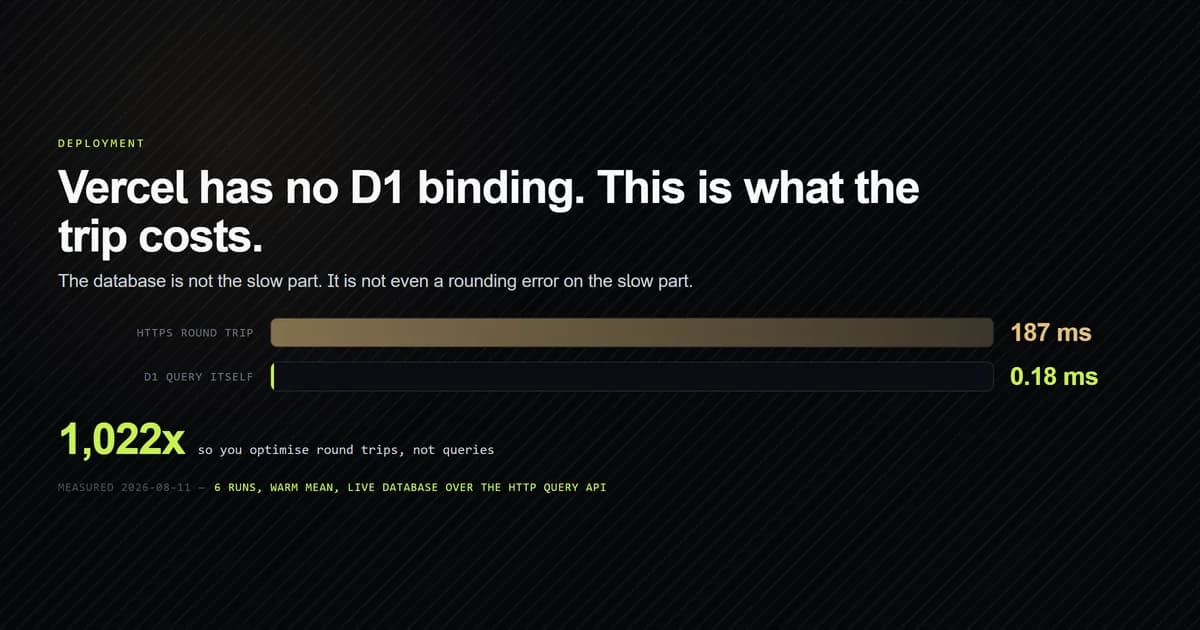
The distinction matters for hybrid stacks. This site's Cloudflare D1 and Next.js deployment guide uses a different access route on Vercel because a Vercel process does not receive a Workers env.DB binding. An agent that copies Worker binding code into a Vercel route has confused two runtimes.
Where the tools differ
| Tool surface | Useful for | Verification still needed |
|---|---|---|
| Inline completion | Small handler edits | Human or CI runs Wrangler and tests |
| Chat with pasted files | Explaining a config or error | Human checks files were complete and current |
| Repository agent with shell | Editing config, generating types, running checks | Human reviews diff and remote resource assumptions |
This is a workflow comparison, not a ranking of model accuracy. We have one tested agent route and one local fixture; there is no controlled multi-tool Workers benchmark in this repository. Claims that one vendor produces better Workers code would need identical tasks and repeated runs.
Best practices
- Make Wrangler configuration authoritative. Generated
Envfollows it, so code and deployment use one binding name. - Regenerate types after config changes. Stale declarations conceal drift.
- Run local checks before review. A diff plus passing checks is more useful than a confident explanation.
- Verify remote IDs and secrets separately. A local build cannot prove production resources exist.
Common mistakes
- Inventing an
Envproperty. It is tempting because TypeScript accepts a manual interface; the symptom is a runtimeundefinedbinding. Generate types from Wrangler. - Using Node assumptions in a Worker. A package may type-check in the editor yet depend on an unavailable runtime API. Check compatibility flags and build under Workers.
- Treating a placeholder D1 ID as deployable. Our fixture deliberately uses one. Substitute a real resource only in the target environment and validate it there.
Conclusion
Choose an AI coding tool for Workers by the checks it can drive in your repository. A shell-capable agent can close the loop from Wrangler config to generated types and a local build; an inline assistant can still help when your own checks close that loop. Start with the tested Claude Code fixture, then require the same evidence from whichever tool your team uses.
Frequently asked questions
Which AI coding tool is best for Cloudflare Workers?
Should an AI tool write the Worker Env interface by hand?
How do I check an AI-generated Cloudflare Worker before deploying?

Muhammad Kashif
Founder and editor of Devventa, covering AI coding assistants, Next.js and the modern AI development stack.