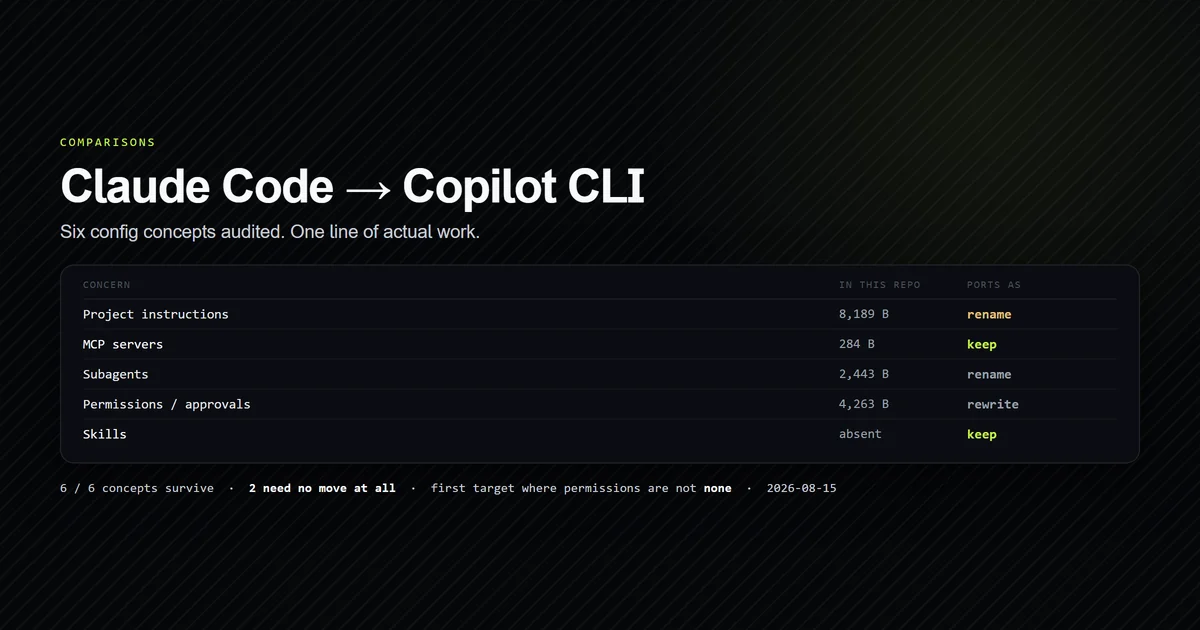
Copilot CLI is the first terminal agent we have audited that reads this repository's configuration without being asked to. Six configuration concepts, measured against a real Claude Code setup on 2026-08-15: all six survive the move, two of them need no work at all, and the permissions row — which returned nothing for five previous targets — finally has an answer. This article gives you the audit, the script that produces it, and the one rename that is genuinely the whole migration.
Key takeaways
- Copilot CLI scores 6 of 6 concepts surviving, against 5 of 6 for Antigravity CLI and 4 of 6 for Codex CLI, Cline and Roo Code.
- Two rows need no rename, no rewrite and no move: Copilot reads a project-scoped
.mcp.jsonunder the samemcpServerskey, and lists.claude/skillsamong its own skill directories. - Permissions survive for the first time in this audit.
shell(git:*)andwrite(<path>)are the same shape as a Claude Code allowlist (see Claude Code permissions) — but they persist to your home directory, so git carries none of it. - The entire migration for this repository is one rename:
CLAUDE.mdtoAGENTS.md, which both agents then read. - A
copilotonPATHis not an install. On a second machine it resolved to a 120-byte shim in front of a bootstrapper that could not find the CLI — while the engine itself had been launched 22 times in eight days, every one of them in JSON-RPC server mode for the editor. - This is a comparison of inputs, not of output quality. The configuration audit was written on a machine without Copilot CLI installed, and the article says so rather than implying a benchmark.
The short answer
Use Claude Code if your configuration is a team asset. It is the only one of the two whose permission allowlist is a project file that git carries to a teammate, and it loads project instructions with no documented byte cap. Use Copilot CLI if your organisation already pays for Copilot, because the CLI inherits that subscription and its governance, and because — uniquely among the six agents audited here — adopting it costs you almost nothing in configuration work.
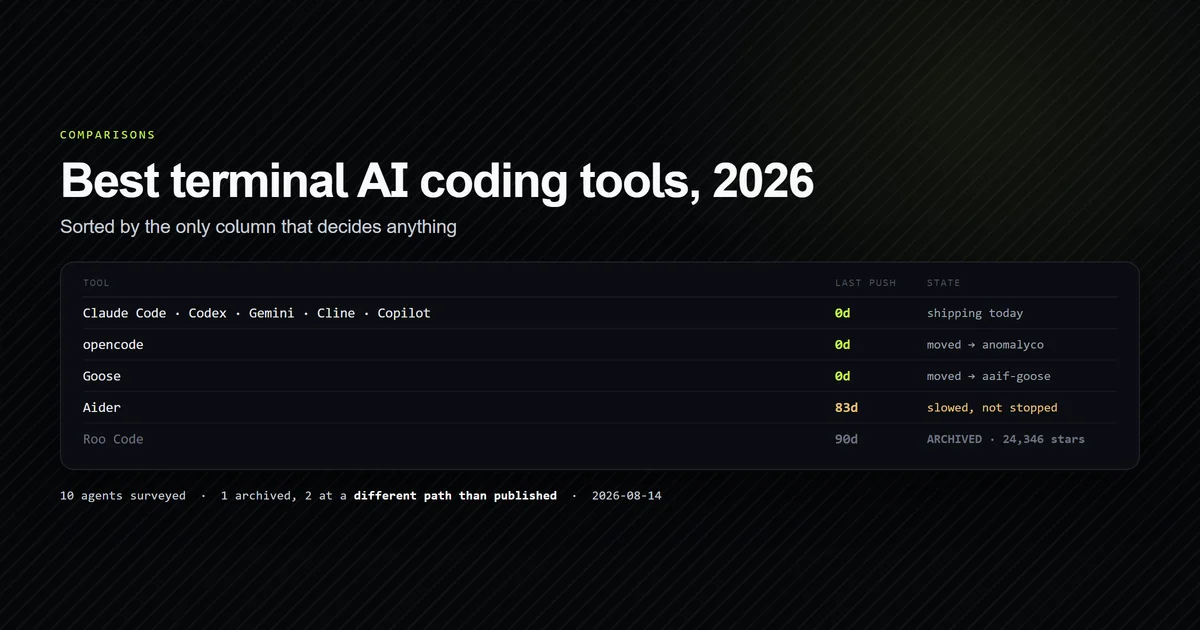
That is a recommendation on configuration, licensing and governance, which is what is measurable from outside. For the whole-category decision including editors, the best AI coding assistants comparison is the pillar this sits under, and the terminal-agent field survey covers where both sit against the rest of the shelf.
What this compares, and what it deliberately does not
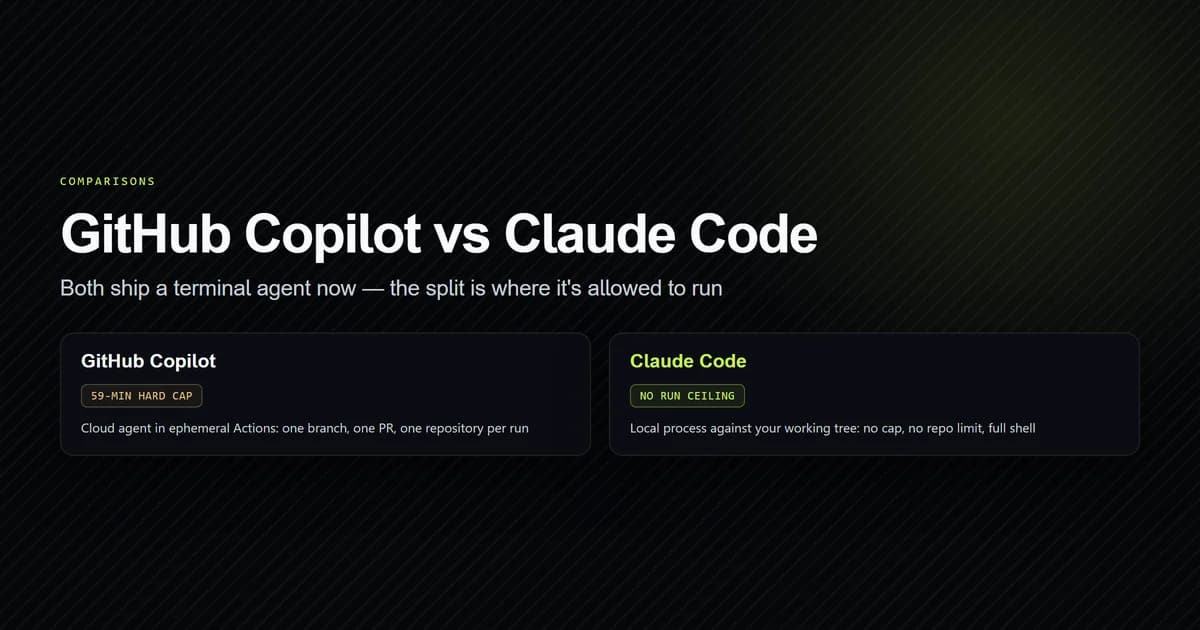
This site already has a GitHub Copilot vs Claude Code comparison, and it answers a different question. That article is about the products — the metering model, the workflow difference, what each subscription buys. This one is about the two terminal agents specifically, on one axis: what happens to a configured repository when you switch.
The split matters because the two articles disagree about nothing and overlap on almost everything a keyword tool would show you. If you are choosing a subscription, read that one. If you have already chosen and want to know what a migration costs, this one has the numbers.
Claude Code vs Copilot CLI: the configuration audit
The audit comes from an internal check script rather than a hand-maintained table.
npm run check:portability -- --agent=copilot
Agent configuration portability — devventa

  CONCERN                   CLAUDE CODE                 PRESENT     IN GIT   PORTS AS  COPILOT CLI
  Project instructions      CLAUDE.md                   8,189 B     yes      rename    AGENTS.md  (or .github/copilot-instructions.md)
  Path-scoped instructions  .claude/rules/              absent               rewrite   .github/instructions/*.instructions.md
  MCP servers               .mcp.json                   284 B       yes      keep      .mcp.json  (this exact file)
  Subagents                 .claude/agents/             2,443 B     yes      rename    .github/agents/<name>.md
  Permissions / approvals   .claude/settings.local.json 4,263 B     no       rewrite   ~/.copilot/permissions-config.json  (home)
  Skills                    .claude/skills/             absent               keep      .claude/skills  (read by name)

  4 of 6 surfaces present. 10,916 B committed, 1 present but not in git — machine-local under either agent.
  Formats in play: markdown, JSON. Copilot wants: markdown, JSON.
Set against every other target this repository has been audited for, the shape of that column is the story:
npm run check:portability -- --matrix --every
  CONCERN                   PRESENT     CODEX CLI         ANTIGRAVITY CLI   AIDER             CLINE             ROO CODE          COPILOT CLI
  Project instructions      8,189 B     rename            rename            declare           rename            rename            rename
  Path-scoped instructions  absent      none              rewrite           none              rewrite           rewrite           rewrite
  MCP servers               284 B       rewrite           copy              none              copy              copy              keep
  Subagents                 2,443 B     rewrite           rename            none              none              rewrite           rename
  Permissions / approvals   4,263 B     none              none              none              none              none              rewrite
  Skills                    absent      rewrite           rename            none              rewrite           none              keep

  Concept survives                      4 / 6             5 / 6             1 / 6             4 / 6             4 / 6             6 / 6
  Ports without editing the file        0 / 6             1 / 6             1 / 6             1 / 6             1 / 6             2 / 6
  Ports without moving the file         0 / 6             0 / 6             0 / 6             0 / 6             0 / 6             2 / 6
  Config lives in the repo              no                yes               yes               no                yes               yes
  Instruction file auto-discovered      AGENTS.md         AGENTS.md         none              AGENTS.md         AGENTS.md         AGENTS.md
  Documented instruction byte cap       32,768 B          not documented    not documented    not documented    not documented    not documented

  Surfaces that survive all 6 targets: 1 of 6 — project instructions.
That last row is new, and it exists because the existing vocabulary could not describe what Copilot does. The audit had five verdicts — rename, rewrite, copy, declare, none — and copy was the best available: same format, same schema, different path. Copilot needed a sixth, keep, because there is no different path. The file stays exactly where it is.
The two rows that need no work at all
MCP servers. Copilot CLI's documented default is ~/.copilot/mcp-config.json, and if you stop reading there you conclude what we did about Cline: the config lands outside the repository and reaches one machine. It does not. Copilot also walks from your working directory up to the repository root reading .mcp.json and .github/mcp.json, and project-level definitions take precedence over the home file. The top-level key is mcpServers; stdio servers carry command, args and env.
That is this repository's file, unchanged:
{
  "mcpServers": {
    "roadmap": {
      "command": "node",
      "args": ["scripts/mcp/roadmap-server.mjs"],
      "env": {}
    },
    "content": {
      "command": "node",
      "args": ["--conditions=react-server", "scripts/mcp/content-server.mjs"],
      "env": {}
    }
  }
}
The relative args matter more than they look. Under Claude Code they resolve against the project root. Under Cline's home-directory config there is no project root to resolve against, which is why that row is a copy that quietly breaks. Copilot reads the file from inside the repository, so the anchor survives with it.
Skills. Copilot CLI's documented project skill directories are .github/skills, .claude/skills and .agents/skills. It reads a competitor's directory by name. This repository has no skills yet, so the row is honest about costing nothing rather than saving anything — but the direction of travel is worth noticing, and it is the same direction AGENTS.md went.
Permissions survive a move for the first time
For five consecutive audits this row returned none, and not through oversight. Codex isolates at the OS level. Aider and Cline expose a single auto-approve switch. Roo Code's alwaysAllow is per-MCP-server. These are genuinely different theories of trust with no translation between them, and this repository's 4,263 bytes of accumulated allowlist transferred to precisely nothing.
Copilot CLI breaks the run. --allow-tool and --deny-tool take patterns in a Kind(argument) form that a Claude Code user will recognise immediately:
copilot --allow-tool='shell(git:*)' --deny-tool='write'
# shell(git:*) matches "git push" and "git pull" — the :* suffix requires the
# trailing space, so it does not match "gitea"
Three details decide whether this is as good as it sounds.
- Deny beats allow, always — including when
--allow-allis set and including over a saved approval. That is the same precedence Claude Code uses and the correct one. - Approvals persist, but to
~/.copilot/permissions-config.json, scoped to the Git repository root. The rules are durable per machine and invisible to git. - Command-line flags are session-only and are never written to that file, so a CI invocation and an interactive one can carry different permissions without either surprising the other.
So the concept survives and the sharing does not. On this repository that is 4,263 bytes of allowlist each teammate re-teaches by hand — better than the total loss every other target imposes, and still the reason the recommendation above lands where it does.
Whether you can run it at all
The audit above assumes both commands exist. On a second machine — Windows, VS Code and Claude Code both present — that assumption did not survive contact, and the gap is worth recording because it changes what "adopting Copilot CLI" costs in practice.
copilot on PATH resolved inside the VS Code Copilot Chat extension's global storage rather than to anything a package manager installed. Three files, and none of them is the CLI:
| File | Bytes | What it does |
|---|---|---|
copilot | 120 | sh one-liner, execs the .bat |
copilot.bat | 154 | runs powershell -ExecutionPolicy Bypass |
copilot.ps1 | 8,830 | Microsoft bootstrapper that locates the real CLI |
copilot --version
# → Cannot find GitHub Copilot CLI
The bootstrapper is doing its job: it drops its own directory out of PATH, searches again, finds no @github/copilot in the npm global root, and offers to install one. The shim is a launcher, not the product.
And yet ~/.copilot/ existed, with 22 process logs spanning eight days. All 22 are the same handful of lines, and every launch is server mode (stdio) — the engine being started as a JSON-RPC server by the editor, never run as a command by a person. Twenty-one graceful shutdowns each reported Destroying 0 active sessions. The session store told the same story: a 4 KB database beside a 1.1 MB write-ahead log that had never been checkpointed.
One thing in that directory bears on the configuration audit rather than on installation. Three agent definitions ship on disk as markdown with YAML frontmatter — the same shape as a Claude Code subagent under .claude/agents/, which is why the subagent row above scores as a rename rather than a rewrite. The one that is not user-invocable carries a key the others do not:
model: ['Claude Haiku 4.5 (copilot)', 'Gemini 3 Flash (Preview) (copilot)', 'Auto (copilot)']
user-invocable: false
GitHub's built-in exploration subagent lists an Anthropic model first, and because it cannot be invoked directly, that first entry is what runs when the main agent delegates to it. Whether that is a fixed default or a preference order is not something the file says, and we do not claim to know — but the ordering is the shipped one, read off disk.
None of this changes a row in the configuration table, which is about what a repository carries rather than what is installed. It changes the step before it: check copilot --version before you plan a migration around the CLI, because a path on PATH is not an answer.
Where each one wins
- Claude Code — the permission allowlist is a committed project file, project instructions load with no documented cap, and subagents live in
.claude/agents/. The costs are a single model provider and a proprietary licence. Our complete guide covers the setup this site runs. - Copilot CLI — the cheapest migration target of the six by a clear margin, and the obvious pick where the Copilot subscription and its governance already exist. It also carries the broadest set of concepts: it is the only target here with an answer for all six rows.
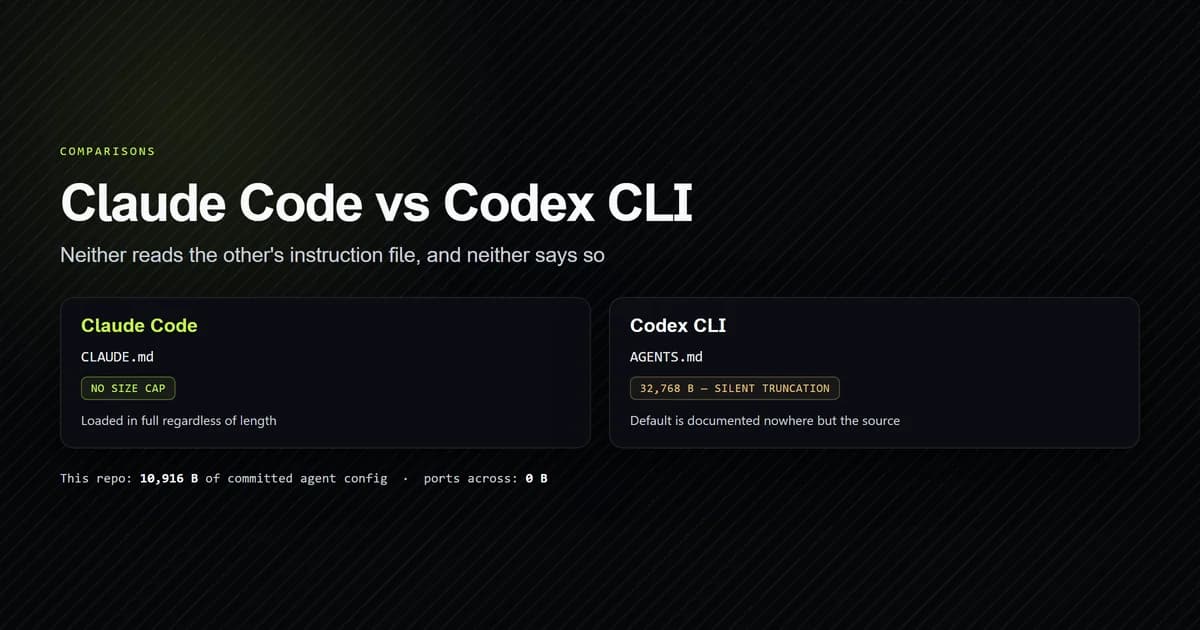
- Claude Code, on instruction size — Copilot documents no byte cap, which is not the same as not having one. Codex CLI's silent 32,768-byte truncation, covered in what actually ports between Claude Code and Codex CLI, is the reason we now record an undocumented cap as unknown rather than as none.
- Copilot CLI, on path-scoped rules —
.github/instructions/*.instructions.mdis a real path-scoped instruction mechanism. This repository has none to move, so the row costs nothing today and would cost a rewrite later.
What we are not claiming
No output-quality comparison appears in this article, and the omission is deliberate.
Copilot CLI is not installed on the machine this was written on. Every figure above is a documented path, a documented key name, or a byte count measured in this repository — things that are true whether or not either agent is running. A quality claim would need both tools installed, a controlled task set, and a grader independent of both vendors, and anything short of that is a preference with a table around it.
What we can add is maintenance state, which is also measurable from outside. On the last field survey, github/copilot-cli had been pushed to within 24 hours, carrying 11,090 stars and a NOASSERTION licence — the smallest repository in that survey, and an actively moving one.
The runtime section above is a second machine, and a single one. It describes an arrangement — one Windows install with VS Code and Claude Code both present — not a benchmark, and a different install may well resolve copilot to a real binary. It measures installation and invocation rather than configuration, which is why it changes nothing in the audit table.
For where both sit against Cursor, Aider, opencode and the rest, the field survey covers the shelf, and what AI coding assistants actually cost covers why the sticker price rarely decides it.
Common mistakes moving between the two
- Reading only the documented MCP default.
~/.copilot/mcp-config.jsonis the headline; the project-scoped.mcp.jsonthat overrides it is the useful part, and it is one heading further down. - Assuming the permission rules travel with the repo. They persist per machine. The rules are portable between people only as text you paste into a README.
- Renaming
CLAUDE.mdand stopping there. Leave a one-line@AGENTS.mdimport behind so Claude Code still reads it; otherwise you have migrated rather than added a second agent. - Treating Copilot CLI as the autocomplete. Different product, different comparison — the product-level one is here.
- Trusting an undocumented default. The
typefield on MCP servers, and any instruction byte cap, are both unverified here. Undocumented is not the same as absent.
Conclusion
Pick Claude Code if a committed permission allowlist matters and you want the configuration to be a team asset; pick Copilot CLI if the subscription and the governance already exist, because the switching cost is close to nothing. Then do the thing that outlasts this comparison: rename CLAUDE.md to AGENTS.md, leave a one-line import behind, and run a portability check against your own repository before you plan a migration. On this project our internal check printed a single line of work — and five agents in, that is the first time.
Frequently asked questions
Can Copilot CLI read my Claude Code configuration?
Where does Copilot CLI store MCP server configuration?
Does Copilot CLI have a permission allowlist like Claude Code?
Is Copilot CLI the same thing as GitHub Copilot?
Why does the copilot command say it cannot find GitHub Copilot CLI?
Which model does GitHub Copilot Explore agent use?
Which should I use if my configuration is a team asset?

Muhammad Kashif
Founder and editor of Devventa, covering AI coding assistants, Next.js and the modern AI development stack.