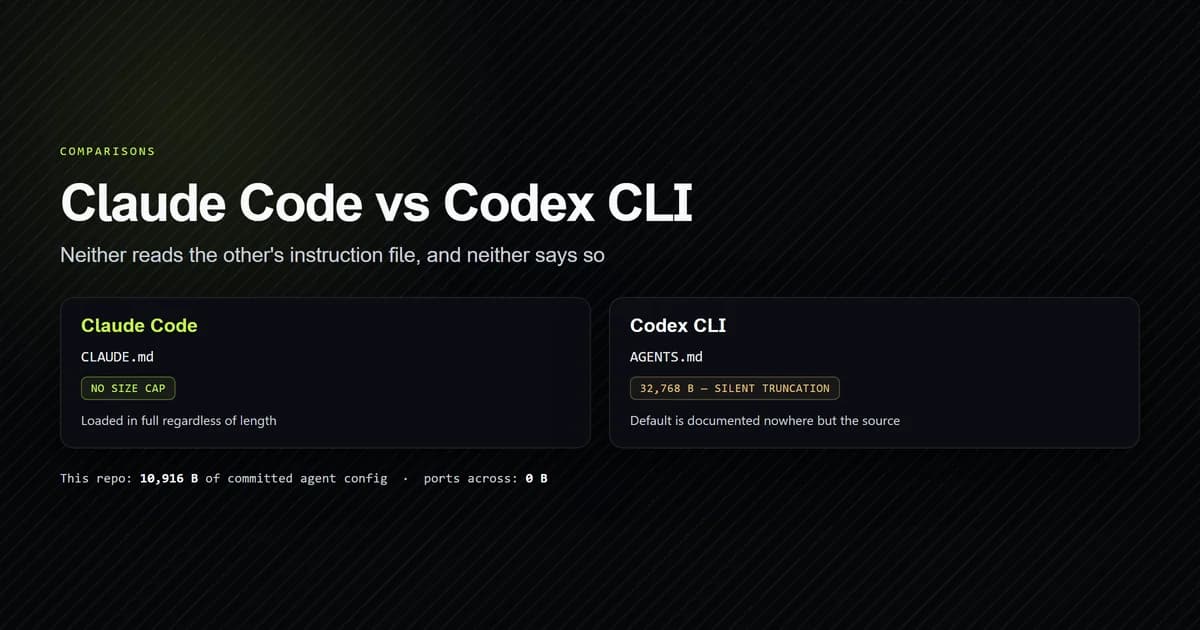
Claude Code vs Codex is not a capability contest any more, and treating it as one is why most comparisons of the two are useless. Both are terminal agents that read a repository, edit files across it, run commands, speak MCP, and dispatch subagents. What actually separates them is what your repository carries across when you switch — and on this site's own repo, measured on 2026-08-11 with Claude Code v2.1.227 and Codex CLI 0.147.0, the answer is 10,916 bytes of committed agent configuration of which Codex CLI reads exactly none.
Key takeaways
- Codex CLI reads
AGENTS.md; Claude Code readsCLAUDE.md. Neither reads the other's file by default, and neither reports that it found nothing. - The interop is one-directional as shipped: Anthropic documents three ways to pull an
AGENTS.mdinto Claude Code, while Codex needs an explicitproject_doc_fallback_filenamesentry to read anything else. - Codex silently truncates project instructions at 32,768 bytes. The published configuration reference names the setting but not its default — the number is only in the Rust source.
- Claude Code applies no equivalent cap: its docs state CLAUDE.md files "are loaded in full regardless of length."
- MCP servers work under both, but the config moves from a committed project-root JSON file to a TOML table that lives in your home directory unless the project is trusted.
Claude Code vs Codex at a glance
| Dimension | Claude Code | Codex CLI |
|---|---|---|
| Version tested | 2.1.227 | 0.147.0 (npm) |
| Instruction file | CLAUDE.md | AGENTS.md |
| Instruction size cap | None — loaded in full | 32,768 bytes, silently truncated |
| Config format | JSON across several files | One TOML file |
| Config default home | Project root, committed | ~/.codex/config.toml, per-user |
| Isolation model | Per-tool permission allowlist | OS sandbox plus approval policy |
| Licence | Proprietary | Apache-2.0 |
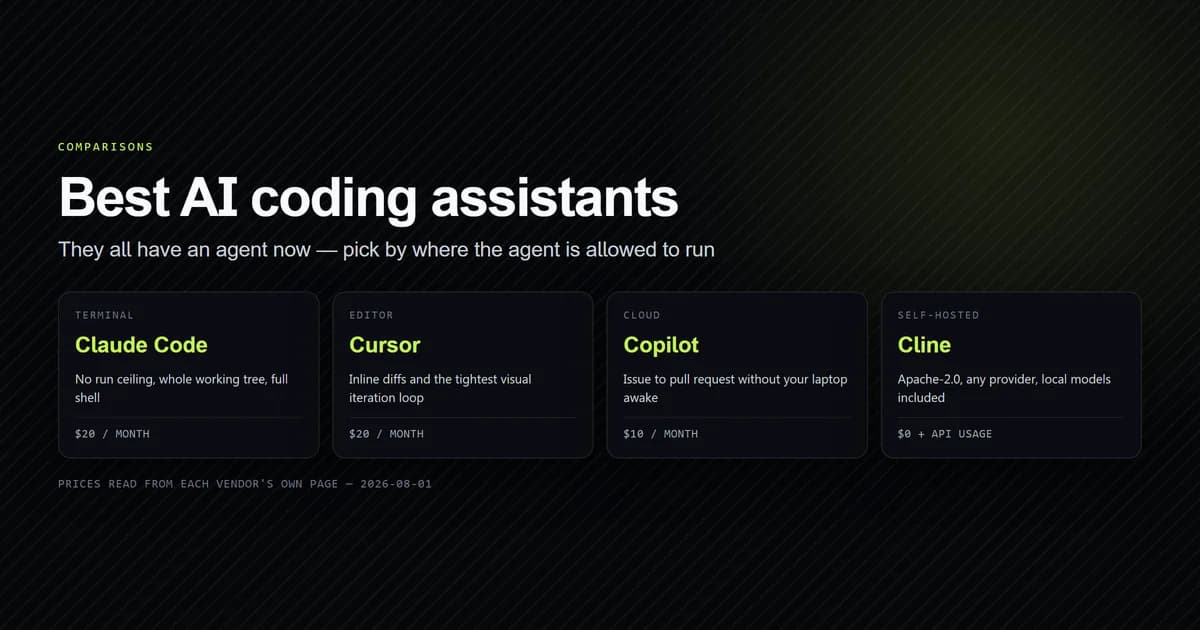
Those last two rows are the ones worth arguing about, and they are the subject of the sandboxing section below. Everything above them is logistics — but logistics is what a migration actually is. If you are earlier than this and still choosing a category rather than a tool, our comparison of the best AI coding assistants sets both of these against Cursor, Copilot, and the open-source agents on the same where-do-you-work test.
What the two agents already share
Listing what has converged is faster than listing what has not, and it is the part most comparisons pad out. As of August 2026 both tools run as a local process against your working tree, edit multiple files per turn, execute shell commands, connect to MCP servers, dispatch concurrent subagents, and read a markdown instruction file at session start.
Codex CLI is Apache-2.0 and developed in the open at openai/codex — 105,274 stars, 15,946 forks and 12,224 open issues when we read the API on 2026-08-11, with a commit pushed the same day. That openness is a real difference from Claude Code, and it is the reason this article can quote Codex's defaults from source rather than from marketing. It is also the only structural advantage we found that does not have a Claude Code equivalent.
So the feature table is a tie, and a tie is not a recommendation. The useful question is what switching costs.
What this article does not do, stated plainly: Codex CLI is not installed on the machine this was written on, so nothing here is a claim about output quality, speed, or how either agent handles a given task. Every Claude Code figure is measured first-hand with the internal check script below. Every Codex figure comes from its published documentation or its source, and each is cited so you can check it. A comparison that ranked the two on results would need both installed and a controlled task set; this one deliberately compares the thing you can verify without either — what the repository on disk carries across.
What ports between the two agents
We wrote the measurement rather than estimating it. An internal check script walks this repository, finds every Claude Code configuration surface, reports whether git carries it, and names the Codex CLI equivalent.
npm run check:portability
  CONCERN                   CLAUDE CODE                 PRESENT     IN GIT   PORTS AS  CODEX CLI
  Project instructions      CLAUDE.md                   8,189 B     yes      rename    AGENTS.md
  Path-scoped instructions  .claude/rules/              absent               none      —
  MCP servers               .mcp.json                   284 B       yes      rewrite   config.toml  [mcp_servers.*]
  Subagents                 .claude/agents/             2,443 B     yes      rewrite   config.toml  [agents.*]
  Permissions / approvals   .claude/settings.local.json 3,411 B     no       none      config.toml  approval_policy
  Skills                    .claude/skills/             absent               rewrite   config.toml  [skills]

  4 of 6 surfaces present. 10,916 B committed, 1 present but not in git — machine-local under either agent.
  Formats in play: markdown, JSON. Codex wants: markdown, TOML.

  What Codex CLI would read from this repo today: nothing.
Four surfaces, two formats, and not one of them transfers unchanged. The script exits non-zero on that last line, which makes it a build guard rather than a report: a repository that claims to support both agents can fail CI when it does not.
The IN GIT column produced the finding we did not expect. .claude/settings.local.json holds
this project's permission allowlist and is ignored — not by the repo's own .gitignore, but by a
global one in the developer's home directory. It configures one machine and reaches no teammate,
under either agent. It also does not appear in git status, so nothing surfaces it.
The instruction file is the entire migration
Both agents load a markdown file at session start, and this looks like the one thing that should port cleanly. It is the thing that fails most quietly.
Claude Code walks up the directory tree from your working directory, concatenating every
CLAUDE.md and CLAUDE.local.md it finds, root-first, so instructions nearest your launch point
are read last. Codex builds a comparable chain: first AGENTS.override.md then AGENTS.md in
your Codex home, then the same pair walking down from the project root, taking at most one file
per directory.
Two chains, same shape, no shared filename. And the recovery is asymmetric — though the importer itself moves far less than that bridge suggests, as one item out of nine measured against a real ~/.codex:
- Claude Code → AGENTS.md is documented and easy. Anthropic's memory
documentation states outright that "Claude Code reads
CLAUDE.md, notAGENTS.md," then gives three bridges — a one-line@AGENTS.mdimport, a symlink, or/import, added in v2.1.213, which also carries over MCP servers, commands, subagents and skills. - Codex → CLAUDE.md needs a setting you have to know exists.
project_doc_fallback_filenamesaccepts additional filenames to try whenAGENTS.mdis missing. It ships empty.
So a repository standardised on AGENTS.md feeds both agents, and a repository standardised on
CLAUDE.md — like this one — feeds exactly one. That asymmetry, not any feature, is the argument
for making AGENTS.md the real file (as detailed in our complete AGENTS.md guide):
project_doc_fallback_filenames = ["CLAUDE.md"]
@AGENTS.md

## Claude Code

Use plan mode for changes under lib/.
On Windows the symlink route needs Administrator rights or Developer Mode, so the import line is
the portable choice. We use CLAUDE.md here because this repo predates the question, and the
configuration guide we wrote for it applies unchanged to
an AGENTS.md — the format is identical, only the filename is contested.
The 32 KiB cap Codex does not document
Codex caps project instructions and truncates past the cap without telling you. Claude Code does not cap them at all. This is the sharpest behavioural difference we found, and only one half of it is documented.
Codex's published configuration
reference describes
project_doc_max_bytes as the "maximum bytes read from AGENTS.md when building project
instructions" and states no default. The default is in the source, along with the word that
matters:
/// Maximum number of bytes of the documentation that will be embedded. Larger
/// files are *silently truncated* to this size so we do not take up too much of
/// the context window.
pub(crate) const AGENTS_MD_MAX_BYTES: usize = DEFAULT_PROJECT_DOC_MAX_BYTES; // 32 KiB
DEFAULT_PROJECT_DOC_MAX_BYTES is 32 * 1024 in codex-rs/config/src/config_toml.rs — 32,768
bytes. The limit applies to the concatenated chain, not per file, so Codex stops adding files
once the total reaches it. A monorepo with instructions at three levels can lose the deepest and
most specific one, which is the one you wrote last.
Claude Code's documentation takes the opposite position in as many words: CLAUDE.md files "are
loaded in full regardless of length," with 200 lines given as advice about adherence rather than
a ceiling. The 200-line / 25KB limit in those same docs governs auto memory's MEMORY.md, not
CLAUDE.md — an easy misread, and one worth checking before you cite it.
This repo's CLAUDE.md is 8,189 bytes, or 25.0% of the Codex cap, so nothing would truncate
today. That is a fact about this repo and not a reassurance: the file has grown from 6,735 bytes
when we measured the context floor on 2026-08-05 to
8,189 bytes on 2026-08-11. At that rate the cap is a real ceiling within the year, and the
failure mode is silence.
MCP servers do not carry across
The servers themselves are protocol-compatible and both agents run them. The configuration is where the work is, and it moves in two dimensions at once — format and location.
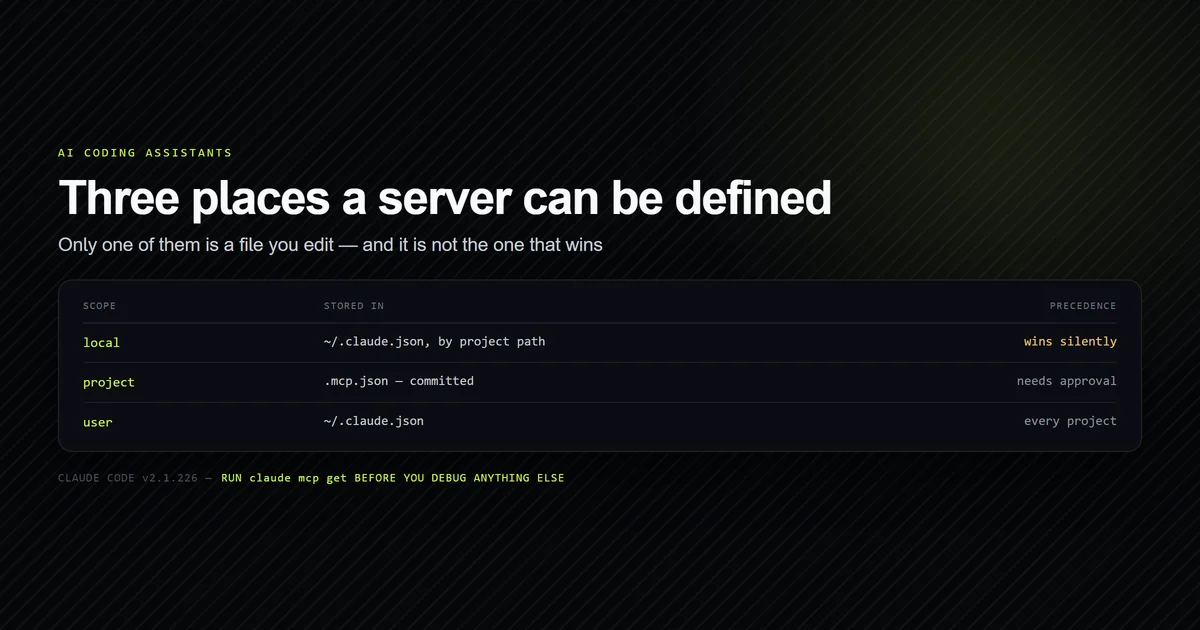
Claude Code reads a committed .mcp.json at the project root. Codex reads mcp_servers tables
inside config.toml, which defaults to ~/.codex/config.toml in your home directory; a
project-scoped .codex/config.toml is read only for projects you have marked trusted. So the
config stops being a thing you commit and starts being a thing each developer sets up.
{
  "mcpServers": {
    "roadmap": {
      "command": "node",
      "args": ["scripts/mcp/roadmap-server.mjs"]
    }
  }
}
[mcp_servers.roadmap]
command = "node"
args = ["scripts/mcp/roadmap-server.mjs"]
The key renames from mcpServers to mcp_servers, and the relative path is the trap. We
established by measurement that Claude Code
resolves relative MCP paths against the project root. A user-level config.toml has no project
root, so the same string resolves somewhere else entirely. Our check script's --toml mode
prints the translated tables for whatever is in a project's .mcp.json, which removes the transcription
step but not the path decision.
Sandboxing versus permission prompts
This is the one place the two tools genuinely disagree about how an agent should be trusted, and it is worth choosing deliberately rather than inheriting.
Codex isolates at the operating-system level. sandbox_mode takes read-only,
workspace-write, or danger-full-access, and approval_policy takes untrusted,
on-request, never, or a granular table; on-failure is deprecated in favour of
on-request or never. The unit of trust is the process, and the enforcement is the OS.
Claude Code allowlists individual tool invocations. This repo's permissions.allow names
specific commands and specific WebFetch domains, and the list grows as you approve things —
we found it at 93 entries in a previous
audit. The unit of trust is the call, and the
enforcement is the client.
Neither is strictly safer, and they fail differently. An OS sandbox holds even when the agent is wrong about what a command does, which a per-call allowlist cannot promise. A per-call allowlist gives you a readable, reviewable record of exactly what was permitted, which a sandbox mode does not. If you run agents unattended, the sandbox model is the one that degrades gracefully; if you review every action anyway, the allowlist tells you more.
Choosing between terminal AI agents
Both are credible, so the decision rule is about your repository rather than the tools:
- Choose Codex CLI if you want OS-level isolation or an Apache-2.0 licence. Being able to read the defaults from source settled three questions in this article that documentation could not.
- Choose Claude Code if your configuration is already committed and shared. Project-root
.mcp.json, project subagents, and an uncapped instruction file all assume a team reads them from the repo. - Check what else writes to
~/.codexbefore you rely on the CLI. The ChatGPT desktop app shares that directory, and on 2026-09-21 the model it wrote there stopped the CLI starting until an explicit--modelwas passed. - Run both if you are evaluating. They read disjoint paths, so there is no conflict to
manage — make
AGENTS.mdthe real file, reduceCLAUDE.mdto an import line, and the instruction drift problem never starts. - Decide by trust model, not by benchmark. The two isolation designs are the only place these tools still meaningfully disagree.
There is now a third serious option on this surface. Google replaced Gemini CLI with Antigravity CLI for consumer accounts in June 2026, and running the same portability audit against it shows a repository built for Claude Code fares better there than here — five of six configuration concepts survive against four, which we take apart in Antigravity CLI vs Claude Code. For all three set against each other on the same measurements, see the terminal agent three-way.
On price, both are bundled into their vendors' subscription plans rather than sold standalone, and the figures move too often to restate here — what AI coding assistants actually cost covers the tiers and the usage-based overage that decides the real bill. For the terminal-versus-editor question underneath all of this, the Claude Code and Cursor comparison is the better starting point than either of these two.
The importer, measured: one item out of nine
Claude Code ships claude import codex, which prices the move rather than describing it. Run against a Codex fixture with --dry-run, it counted one importable item out of nine present on disk.
That single row is the useful finding, and it is consistent with the instruction-file result above: the thing that ports is the thing both tools already agreed on, and everything else needs a rewrite rather than a copy. The importer does not pick up AGENTS.md, and a model setting does not transfer at all, because the two tools do not name models the same way.
The dry run wrote nothing — the fixture tree was byte-identical afterwards — so it is safe to run before you decide anything. Read the count first: it is lower than the number of files you are probably looking at.
Common mistakes when switching agents
- Assuming the instruction file carried over. It did not, and the agent will not say so. It
behaves like a well-configured tool that happens to disagree with all your conventions. Run
/contextunder Claude Code, or ask Codex which instruction files are active, before concluding the model got worse. - Copying
.mcp.jsonintoconfig.tomlverbatim. The object key ismcpServersand the TOML table ismcp_servers. Relative paths resolve against the project root under Claude Code and against nothing useful in a home-directory config. - Treating a 200-line CLAUDE.md guideline as Codex's limit. They are unrelated numbers from different tools — Claude Code's is advice about adherence with no enforcement, Codex's is 32,768 bytes with silent truncation.
- Committing
.codex/config.tomland expecting it to load. Project-scoped Codex config is read only for trusted projects. A teammate who has not marked the project trusted gets your user-level config instead, silently. - Reading a comparison older than a quarter. Both vendors moved their documentation hosts this
year —
developers.openai.com/codex/config-referencereturned308tolearn.chatgpt.comwhen we checked on 2026-08-11, anddocs.claude.comnow301s tocode.claude.com. Any comparison linking the old hosts has not been re-verified since.
Conclusion
If your agent configuration is committed and read by a team, stay on Claude Code — the uncapped
instruction file and the project-root .mcp.json are built for that, and Codex moves both toward
the individual machine. If you want OS-level isolation or need to read the source to trust the
defaults, Codex CLI earns the switch. If you are running both, rename your instruction file to
AGENTS.md today and leave a one-line @AGENTS.md import behind: it costs one commit and
removes the only failure in this article that is completely silent. Re-verify anything here
against both vendors' current docs before you build a workflow on it — this comparison has a
half-life of about a quarter.
Frequently asked questions
Is Codex CLI better than Claude Code?
Can Codex CLI read my CLAUDE.md file?
Can Claude Code read AGENTS.md?
Do MCP servers transfer between Claude Code and Codex CLI?
Can I run both terminal AI agents on the same repository?
Can Claude Code import my Codex CLI configuration?
Is claude import codex safe to run?

Muhammad Kashif
Founder and editor of Devventa, covering AI coding assistants, Next.js and the modern AI development stack.