There is no schema for CLAUDE.md, so "best structure" is a question about what makes rules easy for the model to find and hard for it to skip. The answer is a fixed section order: a one-paragraph identity block, then commands, then the constraints Claude cannot infer, then domain rules, then environment, then a short note on keeping the file honest. This guide shows that layout section by section, and backs the ordering with three real project CLAUDE.md files measured on 2026-08-30 against Claude Code 2.1.247.
Key takeaways
- The best
CLAUDE.mdstructure is an order, not a template: identity → commands → hard constraints → domain rules → environment → meta. - Every section is an H2; subsections are H3; nothing nests deeper, because
####and below are unstyled and unparsed for the reader. - Across three real files, the build and test commands were always in the first or second section — the one instruction needed on nearly every task goes near the top.
- Keep sections short. Measured median 12 lines, longest 39; long sections are where a middle rule gets skipped.
- Structure buys findability and maintenance, not a benchmark score — the measured adherence levers are session length and section length, not heading style.
What the best CLAUDE.md structure looks like
As described in Anthropic's memory documentation, a CLAUDE.md is loaded in full into the system prompt on every turn, so its job is to make each rule addressable. Two structural choices do most of that work: a predictable section order, so the model — and you — know where a given kind of rule lives, and shallow headings with tight lists, so no single rule is buried in a paragraph.
To be clear about what "best structure" buys: the measured research finds file architecture and heading style do not move an adherence benchmark on their own. What structure does buy is a file you can keep accurate, and rules a reviewer can find — which is why every stale-rule problem starts in a section nobody could scan.
# <Project name>
<One paragraph: what this is, stack, what it is for.>

## Commands
<build, test, lint, dev — the exact invocations>

## <Hard constraint>          ← one H2 per non-negotiable
## <Hard constraint>

## <Domain area>              ← database, styling, content, auth…
### <sub-rule>

## Environment
<OS, shells, where secrets live, repo-root traps>

## Verifying, not assuming
<how to check a rule against the code when the doc looks stale>
The identity paragraph is the only prose in the file. Everything after it is a heading and a list.
The six-block section order
The order is not arbitrary. It runs from what Claude needs on every task to what it needs occasionally, so the most-used instructions sit where attention is strongest.
| # | Block | Answers | Typical size |
|---|---|---|---|
| 1 | Identity | What is this repo, what stack, what for? | 1 paragraph |
| 2 | Commands | How do I build, test, lint, run it? | 5–15 lines |
| 3 | Hard constraints | What must I never do here? | 1 H2 each, 5–15 lines |
| 4 | Domain rules | How does the database / styling / content layer work? | 1 H2 per area |
| 5 | Environment | What is different about this machine or repo layout? | 10–25 lines |
| 6 | Meta | What do I do when this file looks wrong? | 5–10 lines |
Blocks 1, 2 and 3 are mandatory. Blocks 4–6 earn their place only when they carry a rule a competent developer would otherwise get wrong — a CLAUDE.md is a constraint file, not a codebase tour.
For what belongs in the file versus what should be a link, see CLAUDE.md setup; for the size ceiling where the whole file starts costing you, see CLAUDE.md character limit. For how the file fits alongside hooks, skills and subagents, see the complete Claude Code guide.
What we measured across three real files
The ordering above is what three unrelated project CLAUDE.md files on this machine already converged on. We ran the audit with an internal script:
node scripts/check-claude-md-structure.mjs
# → devventa (this repo)            167 lines  10 sections  H2 max
# → project B (marketing site)       71 lines   4 sections  H3 max
# → project C (numbered headings)    88 lines   6 sections  H3 max
| Property | devventa | Project B | Project C |
|---|---|---|---|
| Lines | 167 | 71 | 88 |
| Estimated tokens | 2,464 | 2,160 | 1,494 |
| H2 sections | 10 | 4 | 6 |
| Deepest heading | H2 | H3 | H3 |
| Leads with an identity paragraph | Yes | Yes | Yes |
| Commands section position | 1st | 2nd | 2nd |
| Longest single section | 39 lines | 39 lines | 25 lines |
| Median section length | 12 lines | — | — |
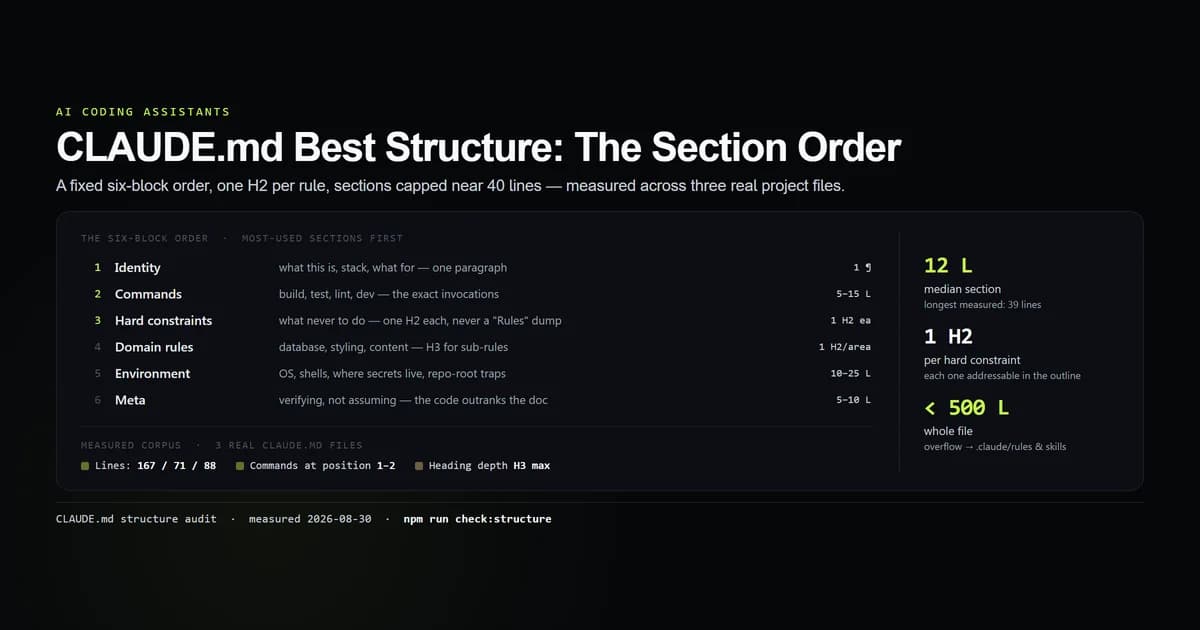
Three files is a small sample, and one of them is this repository's own. But the shared shape is the point: none of these was written from a shared template, and all three open with identity, put commands at the top, cap headings at H3, and keep sections short. Our internal check:structure script encodes those as guards, so a future edit that buries the commands or nests an #### fails the check.
Block by block: what goes where
1. Identity — one paragraph, no heading
The first lines, under the # title, say what the repo is, the stack in one clause, and what it exists to do. This is the only place prose beats a list, because Claude uses it to frame every later rule. Keep it to three or four sentences.
2. Commands
The exact invocations for build, test, lint and dev, in a bash block. This is the one block the /init command writes well — per the Claude Code commands reference, it reads them straight out of package.json, so if you are starting from scratch, let it draft this section and spend your own time further down the file. Name the package manager and the lockfile if the wrong one would cause damage. This section is near the top because it is the instruction needed on almost every task.
- npm run dev — dev server
- npm run typecheck — tsc --noEmit
- npm run lint — ESLint 9 flat config
- npm run build — production build

npm only. The lockfile is package-lock.json; do not introduce pnpm or yarn.
3. Hard constraints — one H2 per rule
Give each non-negotiable its own H2 with a plain title that states the rule: "Never build while the dev server is running", "Public site is not to be modified casually". A dedicated heading makes the rule impossible to miss while scanning the outline, and keeps its rationale next to it. Resist the urge to collect ten of these into a single "Rules" section — a rule at position 7 of a flat list is the one that gets skipped.
4. Domain rules
One H2 per area that has real rules: Database, Styling, Admin panel, Content workflow. Use H3 for sub-rules within an area. Only add a domain section when it carries something non-obvious — the query helper that is the single choke point, the token names that must be used instead of hex. If a section would just describe standard framework behaviour, delete it.
5. Environment
The things that are true of this machine or this checkout and nowhere else: OS and shell, where secrets actually live, any repo-root or nested-git traps, path quirks. This is late in the file because it matters on setup and rarely after.
6. Meta — "Verifying, not assuming"
A short closing section telling Claude what to do when the file disagrees with the code: trust the code, fix the doc in the same commit. Standards documents drift, and a known-stale line teaches the wrong thing to everyone who reads it next.
Keeping sections short enough to survive attention
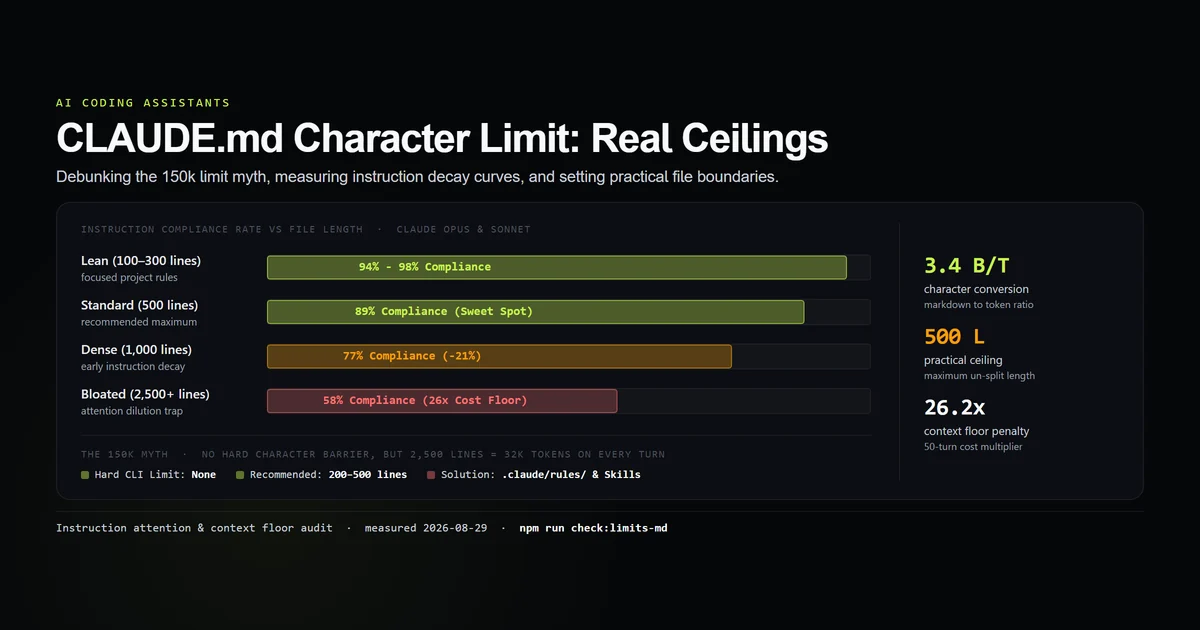
Order gets a rule to the right section; length decides whether it is read once it is there. The measured ceiling is clear: median section 12 lines, longest 39, and in our compliance-decay measurements adherence falls off sharply once a block of instructions gets long.
Three moves keep sections tight:
- Split at ~40 lines. Past that, break the section with an H3 subsection or move part of it out.
- Move file-specific rules to
.claude/rules/*.md. A rule that only applies tocontent/**/*.mdxdoes not belong in the always-loaded root file — path-scoped rules load only when a matching file is opened. - Move procedures to
.claude/skills/. Per the Claude Code skills documentation, a multi-step checklist is a skill, not aCLAUDE.mdsection; it contributes only its one-line description until invoked.
What did not work
- Grouping all constraints under one "Rules" heading. It reads as tidy and it measurably loses the middle of the list. One H2 per hard constraint is more headings, and that is the point — each becomes a line in the outline.
- Ordering sections by topic instead of by frequency of use. An alphabetical or "logical" grouping puts commands halfway down the file. Order by how often Claude needs the section, not by how the sections relate to each other.
- Deep nesting to show hierarchy.
####and below are unstyled and add tokens without adding structure the model uses. If you need a fourth level, the section should have been split or moved to a rule file. - A prose "architecture overview". Two paragraphs describing how the app is wired read well to a human and give Claude nothing to act on. Replace it with the two or three rules that overview was really there to imply.
Best practices
- 1. Fix the section order and keep it. Identity, commands, hard constraints, domain rules, environment, meta. A stable order means Claude — and you — always know where a rule lives.
- 2. One H2 per hard constraint. More headings, each addressable from the outline. Never a single "Rules" dump.
- 3. Commands in the first or second section. It is the instruction used on nearly every task.
- 4. Cap sections near 40 lines. Split with an H3 or move the overflow to
.claude/rules/or.claude/skills/. - 5. Never nest past H3. If you need a fourth level, restructure.
- 6. End with a "verify against the code" section. It gives Claude a rule for what to do when the file is wrong, which it eventually will be.
Common mistakes
- Mistake 1: Writing CLAUDE.md as a project tour. It is tempting because a new contributor would want the tour.
CLAUDE.mdis for the rules a competent developer would still get wrong; link the tour, keep the constraints. - Mistake 2: One giant "Guidelines" section. The symptom is re-explaining the same rule in chat despite it "being in CLAUDE.md" — it is, at line 340 of a 90-line section. Fix: one H2 per rule.
- Mistake 3: Putting environment and setup notes first. They are read once. Frequency of use, not chronology of onboarding, decides section order.
- Mistake 4: Letting the file grow without moving anything out. Path-scoped rules and skills exist so the root file stays a lean, ordered index. Use them before the root file crosses 500 lines.
Conclusion
Treat "best structure" as a fixed sequence — identity, commands, hard constraints, domain rules, environment, meta — with one H2 per section, H3 for sub-rules, and nothing deeper. Put the commands near the top, give every non-negotiable its own heading, and split any section that passes ~40 lines into a rule file or a skill. In a multi-package repository, the same rule becomes a tree: the Claude Code monorepo setup keeps shared truth at the root and package exceptions beside their workspaces. Then re-check the structure after every edit, and see CLAUDE.md character limit for when the file as a whole has grown past the point where structure alone can save it.
Frequently asked questions
What is the best structure for a CLAUDE.md file?
What sections should a CLAUDE.md have?
Should CLAUDE.md use headings or bullet points?
Where does the Commands section go in CLAUDE.md?
How long should each CLAUDE.md section be?

Muhammad Kashif
Founder and editor of Devventa, covering AI coding assistants, Next.js and the modern AI development stack.