The fastest way to get claude code mcp setup wrong is to run claude mcp add the way the examples show it. The default scope is local, so the server is written into ~/.claude.json keyed by your absolute working directory, no .mcp.json appears, and nobody who clones the repository gets the server. This guide shows which scope writes where, what the command actually puts in the file, and a measured run from config to a returned tool result in 5,997 ms. Measured 2026-09-12 on Claude Code 2.1.269, Windows 11, Node 26.7.0.
Key takeaways
claude mcp adddefaults to--scope local, which creates no.mcp.jsonand is invisible to the repository.- Only
--scope projectproduces a committed file;localanduserare two depths of the same home-directory JSON. addwrites an explicit"type": "stdio", though this site's own two servers omit it entirely and connect.- A second
addmerges; a duplicate name is refused, not overwritten. - A project server reported pending approval by
mcp getandmcp liststill answered a tool call in print mode.
The one command, and the flag it needs
Setup is one command with a name, the command that launches the server, and — this is the part worth typing every time — a scope:
claude mcp add --scope project probe -- node probe-server.mjs
# → Added stdio MCP server probe with command: node probe-server.mjs to project config
# → File modified: …\.mcp.json
The double dash separates Claude's flags from the server's own. Everything after it is handed to the subprocess, which is how a server that takes --port or --read-only gets them without Claude intercepting the flag. Environment variables go in with -e KEY=value, and remote servers take --transport http plus --header instead of a command. The complete MCP server guide covers the remote lifecycle in full.
The confirmation line is the thing to read. It names the scope and the file it touched, and those two facts are the entire subject of the next section.
Where each scope writes
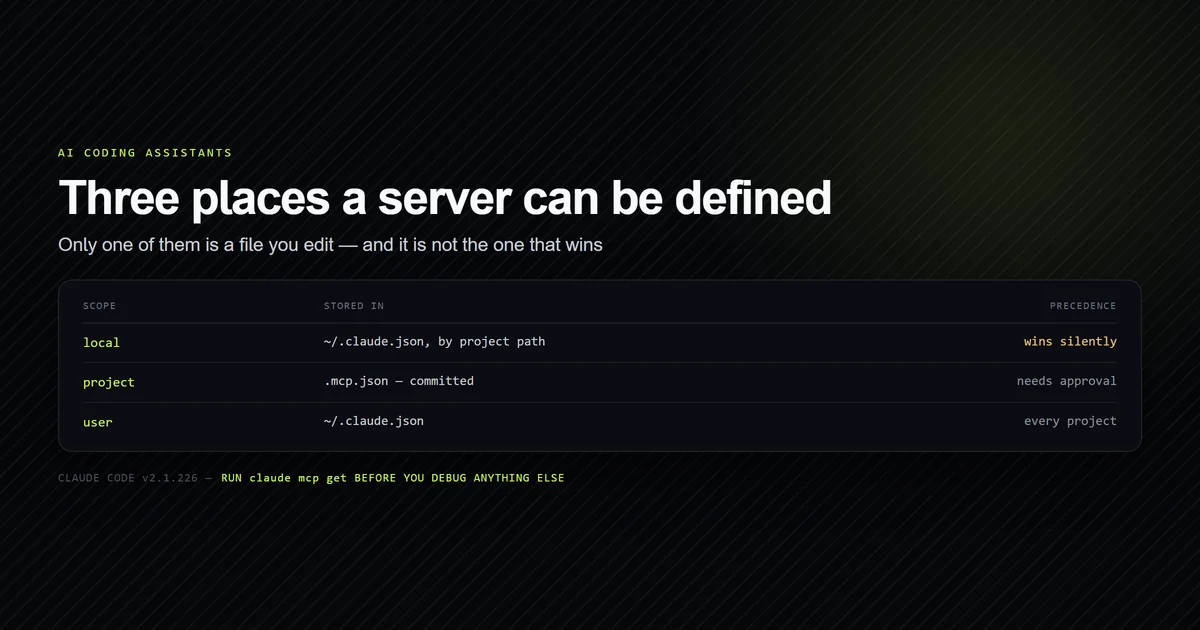
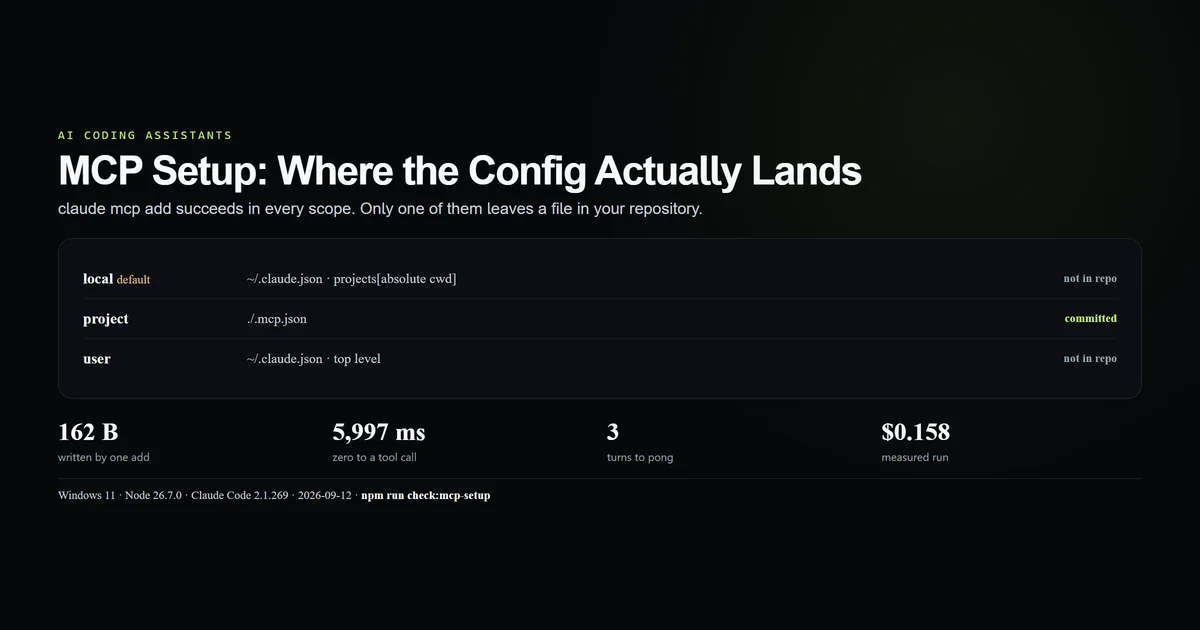
Three scopes, two files, one of them committed:
| Scope | Writes to | In the repo |
|---|---|---|
local (default) | ~/.claude.json under projects[<absolute cwd>] | No |
project | ./.mcp.json | Yes |
user | ~/.claude.json at the top level | No |
We ran claude mcp add probe -- node probe-server.mjs with no scope in an empty directory. It reported to local config, listed no new file in the directory, and the entry appeared in ~/.claude.json under the absolute path of that directory. Move or rename the folder and the server is gone, because the key is the path.
That is a reasonable default for a personal experiment and the wrong one for a team. When the server belongs to the project — a database reader, a docs indexer, the two servers this site runs against its own roadmap and content — --scope project is what puts it under version control. Which file wins when the same name appears in two scopes is covered in mcp.json configuration.
What add writes into the file
The generated entry is 162 bytes for one server and more explicit than the hand-written equivalent:
{
  "mcpServers": {
    "probe": {
      "type": "stdio",
      "command": "node",
      "args": [
        "probe-server.mjs"
      ],
      "env": {}
    }
  }
}
Compare this site's own .mcp.json, which declares roadmap and content with command, args and env and no type at all. Both report ✔ Connected in claude mcp list. The field is the stdio default made visible, not a requirement; it earns its place when the transport is http or sse, where it is the thing that distinguishes them.
Relative commands resolve against the project root, which is why node scripts/mcp/roadmap-server.mjs works from any subdirectory of the repository. Keep them relative in project scope and absolute in user scope, where the working directory changes with every project.
Adding a second server
Running add again with a different name merges into the existing file rather than replacing it:
claude mcp add --scope project second -- node probe-server.mjs --two
# → Added stdio MCP server second with command: node probe-server.mjs --two to project config
Both entries were then present. Running add a third time with a name already in the file is refused outright:
claude mcp add --scope project probe -- node probe-server.mjs --dup
# → MCP server probe already exists in .mcp.json
The existing entry was unchanged — we diffed it. So there is no in-place edit path through the CLI: to change a server's command you remove it and add it again, or edit the JSON. That is safer than a silent overwrite, and it is worth knowing before you script a setup step that assumes it is idempotent. The cost of running several at once is measured in multiple MCP servers.
Pending approval is not a blocker everywhere
A project-scoped server is untrusted until somebody approves it interactively. Both read commands say so:
claude mcp get probe
# → probe:
# →   Scope: Project config (shared via .mcp.json)
# →   Status: ⏸ Pending approval (run `claude` to approve)
That reads like a blocked setup. It is not, in print mode. We ran a -p session against the same pending server and it called the tool successfully. To be certain the model had not simply guessed the answer, we changed the server to return the string rk7q-2f91 and ran it again — the session returned rk7q-2f91 in three turns and 4,132 ms.
This matches the CLI's own note that the workspace trust dialog is skipped in non-interactive mode. It is convenient in CI and it is a real security property: a .mcp.json arriving in a pull request runs without a prompt the moment something invokes Claude non-interactively. Review the file the way you review a build script, and see Claude Code permissions for what approval actually grants.
Zero to a working tool call
The end-to-end measurement, with the config pinned explicitly so nothing else in the environment contributes:
claude -p --strict-mcp-config --mcp-config .mcp.json --allowedTools mcp__probe__ping --output-format json "Call the probe ping tool once and reply with only its output."
# → "result": "pong"
# → "num_turns": 3
# → "duration_ms": 3811
# → "total_cost_usd": 0.1580675
5,997 ms of wall clock, 3,811 ms of it inside the session, three turns, $0.158. The gap between the two timings is process startup and MCP handshake, paid once per session rather than per call.
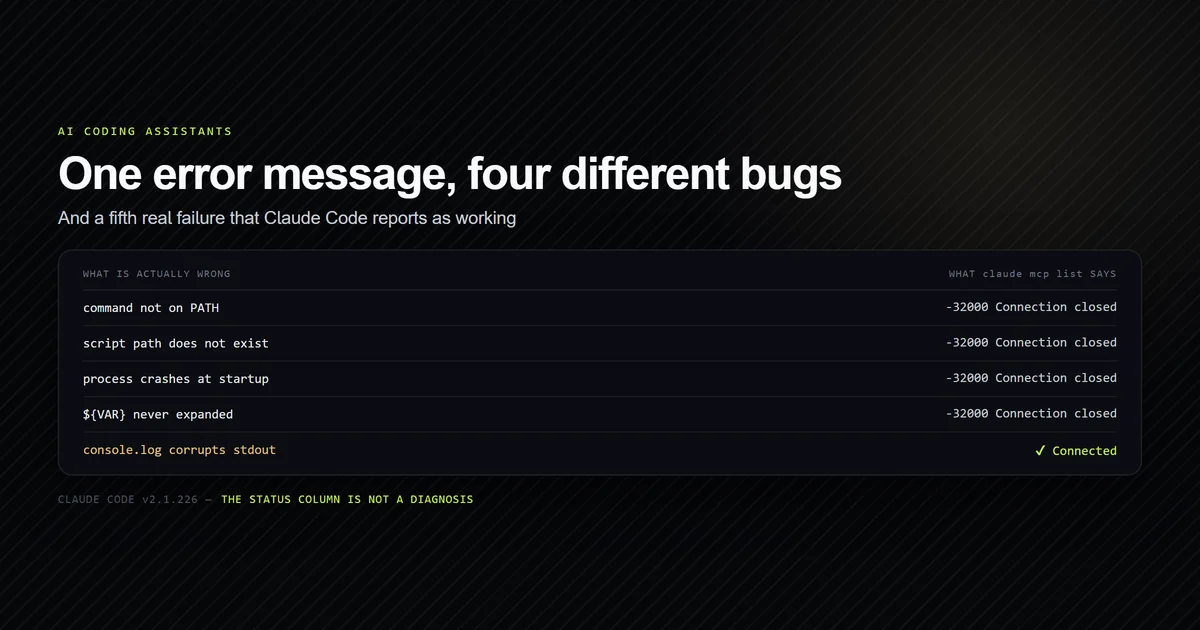
--strict-mcp-config is the flag to reach for while debugging. It ignores every other MCP configuration on the machine, so a server that works under it and fails without it is a scope or precedence problem rather than a broken server — the distinction MCP server not working is built around.
Tool names arrive as mcp__<server>__<tool>, which is what an --allowedTools entry or a permission rule has to match.
What did not work
The first add produced no file. We ran claude mcp add probe -- node probe-server.mjs, saw a success message, and found nothing in the directory. The server was in ~/.claude.json under the absolute path, which is the documented default and still the single most confusing minute of this setup.
add would not update an existing entry. The plan was to show a config being edited by re-running the command with new flags. It exits with already exists and changes nothing, so the article documents remove-then-add instead of the workflow we intended to demonstrate.
The approval gate was nearly reported as a failure. Two commands said pending approval, so the first draft said print mode was blocked. Re-running with an unguessable return value disproved it before publication rather than after.
Best practices
- Always pass
--scopeexplicitly. The default is right roughly never in a shared repository. - Commit
.mcp.jsonand review it in pull requests. It is executable configuration, and in non-interactive mode it runs unprompted. - Keep project commands relative so they resolve for everyone, and user commands absolute.
- Verify with
claude mcp get <name>, which prints scope, status and the resolved command in one block. - Debug with
--strict-mcp-configto separate a broken server from a losing scope. - Put secrets in
-ereferences to environment variables, never literal values in a committed file. - Remove before re-adding when a command changes; the CLI will not edit in place.
Common mistakes
Assuming add wrote to the repository. Check git status immediately after. A local-scope server works perfectly for you and does not exist for anyone else.
Hand-writing .mcp.json after a local-scope add. You now have the same server in two scopes with different definitions, and precedence decides which one runs.
Reading pending approval as a failed setup. It gates interactive sessions. A scripted run will call the tool.
Copying examples that omit the double dash. Flags meant for the server get parsed by Claude, and the error names a Claude flag you never typed.
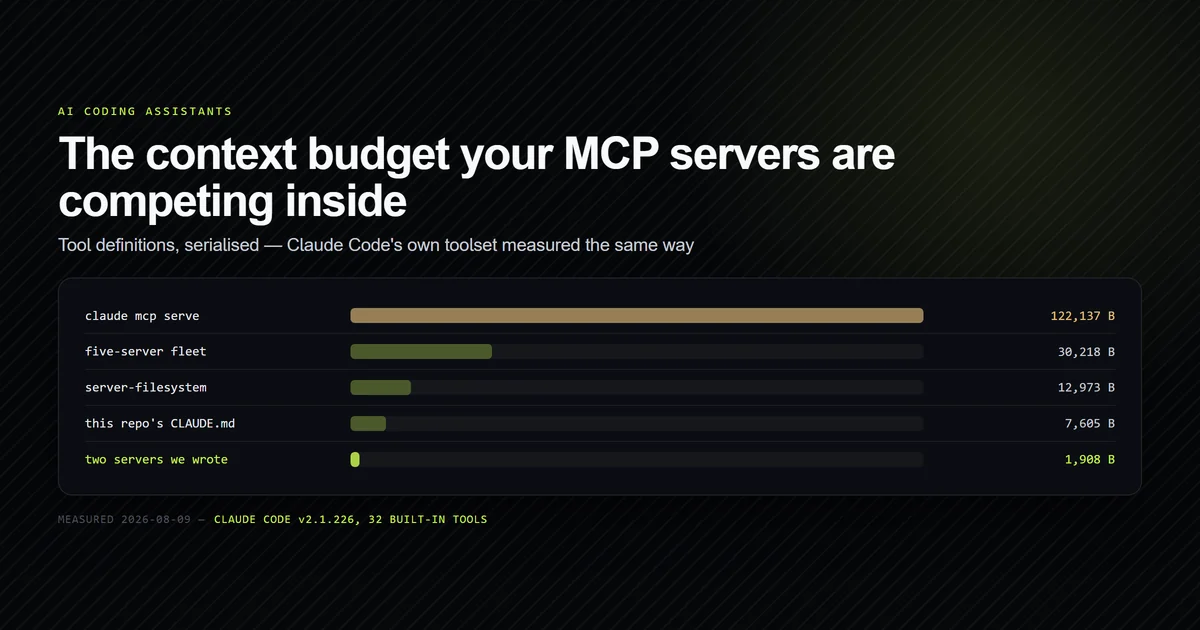
Testing a new server inside a session that already has five. Every server's tool definitions are in context on every request. Add one at a time and watch what it costs.
Conclusion
Run claude mcp add --scope project, read the confirmation line, and check the file into git — that is the whole of claude code mcp setup for a server the team shares. The default scope is the trap: it succeeds, says so, and leaves nothing behind for anyone else. Once the file exists, one -p run with --strict-mcp-config tells you within six seconds whether the server answers, and claude mcp get tells you which scope you are actually running.
Frequently asked questions
How do I add an MCP server to Claude Code?
Why did claude mcp add not create a .mcp.json file?
Does an MCP server need a type field in mcp.json?
What does pending approval mean for an MCP server?
How long does MCP setup take end to end?
Muhammad Kashif
Founder and editor of Devventa, covering AI coding assistants, Next.js and the modern AI development stack.