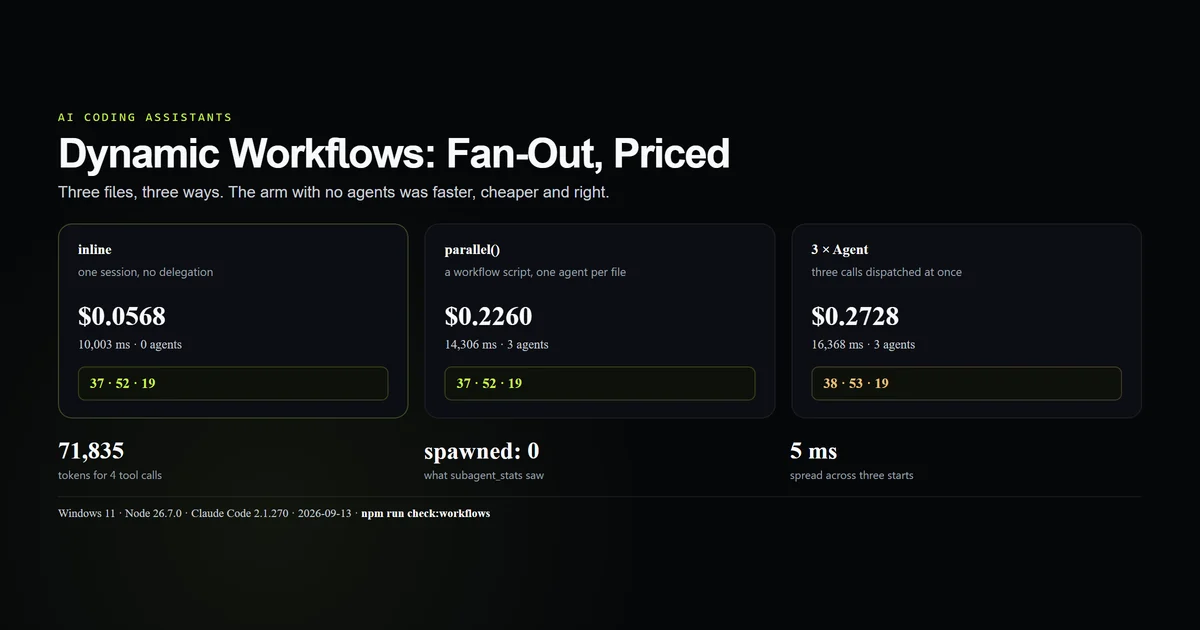
Claude Code dynamic workflows let a script fan one job across parallel subagents, and on the job we tested they were the wrong tool. Counting the lines in three text files cost $0.0568 inline, $0.2260 as a parallel workflow, and $0.2728 as three separate Agent calls — and the arm that fanned out without a script returned two wrong numbers. This guide shows the script, the run record it leaves behind, the reason the wrong answers were invisible to the parent, and the one shape where fan-out is still worth reaching for. Measured 2026-09-13 on Claude Code 2.1.270, Windows 11, Node 26.7.0.
Key takeaways
- The workflow arm was slower and about four times dearer than the same session doing the work itself.
- Three workflow agents spent 71,835 tokens to make four tool calls.
- Fanning out with plain Agent calls returned 38 and 53 where the answer was 37 and 52, and the parent could not tell.
subagent_statsreportedspawned: 0for a workflow that ran three agents.- A committed script under
.claude/workflows/shows up in the skill listing and can run without anyone asking for a workflow.
What Claude Code dynamic workflows are
A workflow is a JavaScript file that orchestrates subagents deterministically. It lives at .claude/workflows/<name>.js, exports a literal meta block, and then calls agent(), parallel(), pipeline() and phase() to describe the shape of the work. The session runs it through the Workflow tool, which returns a task id immediately and hands back a notification when the script finishes.
The distinction worth holding on to is that the script is deterministic and the agents are not. parallel() will always dispatch three agents; what those three agents do with their prompts is the same lottery as any other delegation, and this article's central finding is about that half.
| Surface | What it schedules | Who decides the order |
|---|---|---|
| A single Agent call | One subagent | The model, per turn |
| Several Agent calls in one message | Several subagents at once | The model, per turn |
Workflow | A whole script of agents | The script, every run |
The three-file test
Three text files, 37, 52 and 19 lines. The task is to report the three counts. It is deliberately small, because a small task is where the overhead of fanning out is legible — and because the right answer is checkable.
We ran it three ways in three clean directories: one session told to do the work itself, one workflow using parallel(), and one session told to dispatch three agents at once.
| Arm | Wall clock | Turns | Cost | Agents | Answers |
|---|---|---|---|---|---|
| Inline | 10,003 ms | 2 | $0.0568 | 0 | 37 · 52 · 19 |
Workflow parallel() | 14,306 ms | 1 | $0.2260 | 3 | 37 · 52 · 19 |
| Three Agent calls | 16,368 ms | 4 | $0.2728 | 3 | 38 · 53 · 19 |
The cheapest arm was also the fastest and one of the two correct ones. That result is specific to a task this small, and the last section says where the line is — but it is the result, and the alternative headline would have been noise.
The workflow script
The script is short enough to read whole, which is the point of the format:
export const meta = {
  name: 'count-lines',
  description: 'Count the lines in three text files, one agent per file, in parallel',
  phases: [{ title: 'Count', detail: 'One agent per file' }],
}

const FILES = ['alpha.txt', 'beta.txt', 'gamma.txt']

const counts = await parallel(
  FILES.map((file) => () =>
    agent(`Count the lines in ${file} in the working directory. Reply with only the number.`, {
      label: `count:${file}`,
      phase: 'Count',
    })
  )
)

return { counts }
parallel() takes an array of thunks — functions returning promises, not promises — so nothing starts until the scheduler says so. meta must be a pure literal; it is read before the script runs, and the permission dialog quotes its description.
Launching it does not block:
Workflow launched in background. Task ID: wwysbdikg
Transcript dir: …\subagents\workflows\wf_6fe4ba14-ce6
The session then said "the workflow is running in the background" and waited. Unlike the Bash tool's run_in_background, which we measured being killed with its session, the print-mode session here stayed alive for the notification and answered from it.
What the run record shows
Every run writes a JSON record next to the transcripts, and it is the most detailed accounting of a fan-out that Claude Code produces:
{
  "status": "completed",
  "agentCount": 3,
  "durationMs": 6379,
  "totalTokens": 71835,
  "totalToolCalls": 4,
  "defaultModel": "claude-sonnet-5",
  "result": { "counts": ["37", "52", "19"] }
}
Per agent, it records the label, the queue time, the start time, the duration, the token count and the last command run. Those numbers settle two questions.
The parallelism is real. The three agents started at 918411, 918413 and 918416 on the run clock — inside 5 ms of each other. Their durations were 4,843, 3,521 and 5,354 ms, adding to 13,718 ms of agent time inside a 6,379 ms workflow.
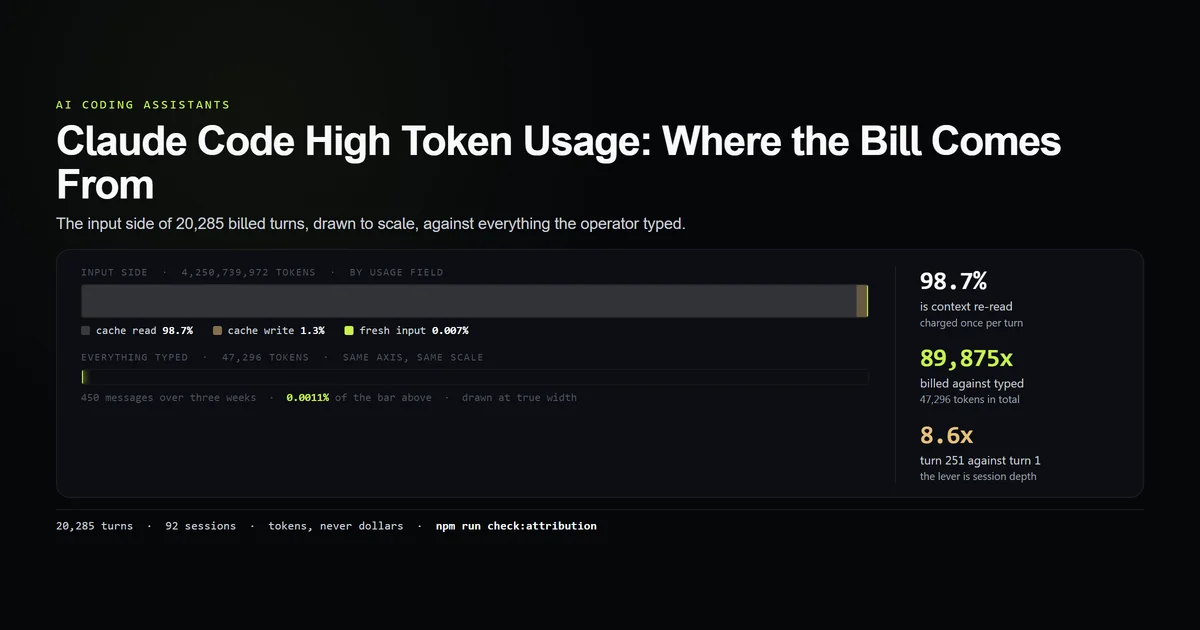
And it is expensive. 71,835 tokens across three agents is roughly 23,900 tokens each, for one wc -l apiece. That is the same fixed cost per agent that high token usage traces through a session, paid three times over, for four shell commands.
Parallel subagents got it wrong
The third arm is the one worth dwelling on. Asked to fan out Claude Code across the three files with three Agent calls, the session reported 38, 53 and 19. Two of the three are wrong.
The cause is in the agent transcripts, and it is not the model being careless:
- The agent that answered 19 ran
wc -l < gamma.txt. - The two that answered 38 and 53 used the
Readtool, which renders a file as numbered lines — and numbers the empty line after the final newline.
Both agents counted exactly what they were shown. The parent had no way to know: an agent returns a number, not the method that produced it. Three answers came back, all confidently formatted, and the session reported them.
The workflow arm got the same three numbers right, and we are not claiming that as a win for workflows. Its agents happened to reach for wc -l and awk. The difference between the arms is one prompt and one tool choice, which is precisely how fragile an unverified fan-out is.
The accounting gap
The most consequential finding is one you only see by running both arms. Here are the counters from the workflow run that started three agents:
{ "spawned": 0, "max_depth": 0, "completed": 0, "by_type": {} }
And from the three-Agent-call arm, doing the same work:
{ "spawned": 3, "max_depth": 1, "completed": 3, "by_type": { "general-purpose": 3 } }
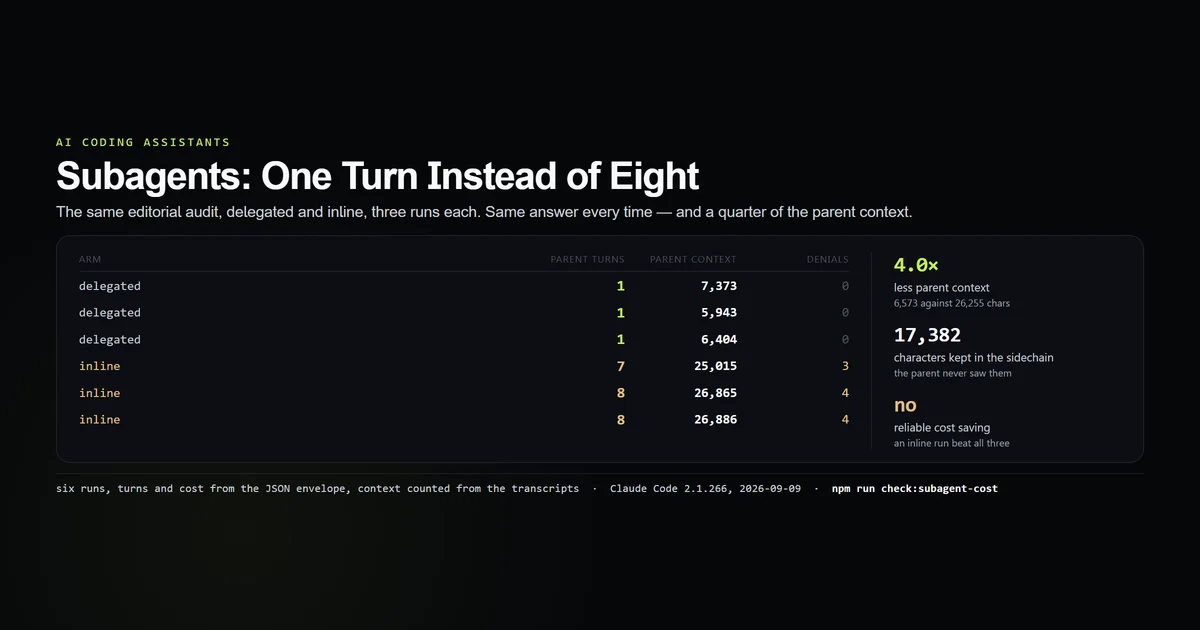
Three agents and 71,835 tokens appear in the first run's record and nowhere in its counters. Any check built on subagent_stats — a CI gate on delegation, a budget alarm, the kind of measurement our subagents guide leans on — will read a workflow as a session that delegated nothing. If you audit agent usage, you need to read the workflows/ records too, and they live under the session directory rather than anywhere central.
A workflow script is also a skill
We discarded our first three-agent control because of this, and it is the finding with the widest blast radius.
That arm ran in the directory that contained count-lines.js. The prompt asked for three agents and never used the word workflow. The session called Skill with skill: "count-lines", was handed back an instruction reading Invoke: Workflow({ name: "count-lines" }), and ran the committed script.
USE  Skill     {"skill":"count-lines"}
RESULT         Run the "count-lines" workflow. … Invoke: Workflow({ name: "count-lines" })
USE  Workflow  {"name":"count-lines"}
A workflow file is documented as something you opt into. In practice a committed script is a suggestion sitting in the skill listing, and a request that merely rhymes with it can select it — the same selection pressure skills operate under. If you commit a workflow to a shared repository, everyone's sessions can reach for it.
When fanning out pays
The decision rule is a ratio, not a preference: fan out when one branch costs more than one agent's overhead.
Our overhead figure is roughly 24,000 tokens and a few seconds per agent. Against a wc -l, that is absurd. Against a branch that reads twenty files, runs a test suite, or reviews a whole subsystem, it disappears.
- Fan out when branches are independent, each is substantial, and their results can be checked — a per-package audit, a per-dimension review, a per-service smoke test.
- Do not fan out when the branches are small, when they need each other's output, or when nobody will verify the answers.
- Use a script rather than several Agent calls once the shape repeats. The script is the part you can review, version and re-run; a model choosing how many agents to dispatch this time is not.
- Ask whether the session can just do it. On this task it could, in less time, for a quarter of the money.
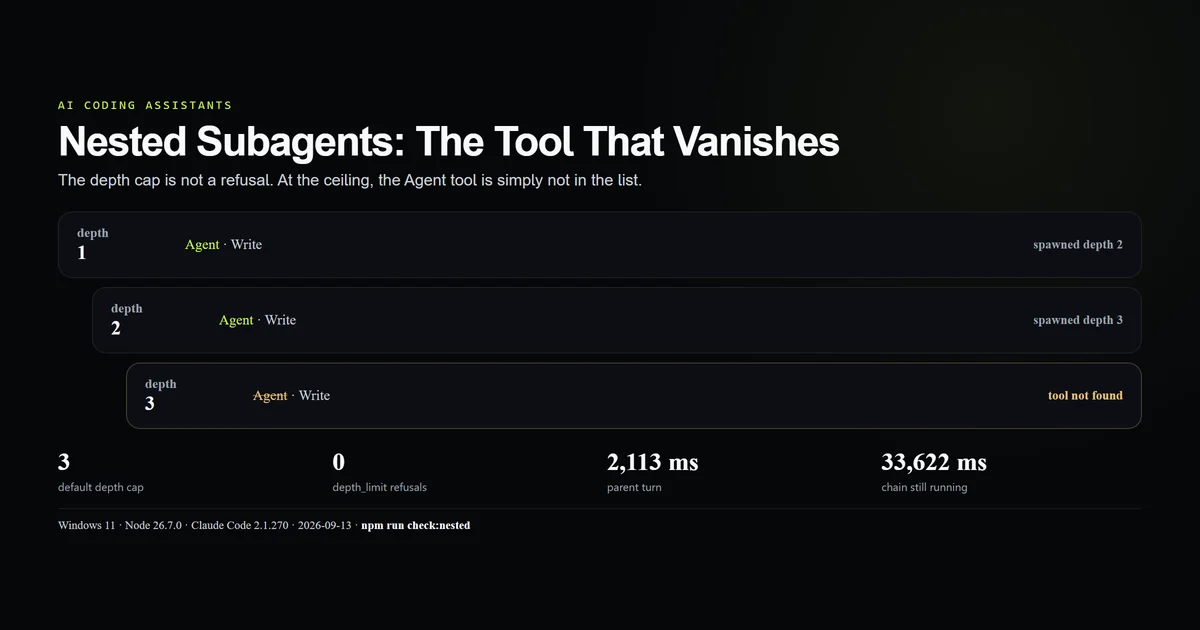
Width also has a ceiling: agents run under a concurrency cap, and a fan-out wider than that queues rather than parallelising. Depth has a lower one — three levels, enforced the surprising way nested subagents document.
What did not work
The first three-agent control was contaminated and thrown away. It ran beside the workflow script and quietly ran the workflow instead. The replacement arm runs in a directory with no .claude at all, and the contaminated run became the skill-listing section above.
The three-agent arm's prompt is a confound. The parent rewrote the task as "read the file and count the lines", which points straight at the tool that miscounts. The tool choice is the mechanism; the prompt is a plausible cause of the tool choice, and a clean test of that needs a prompt that names neither the tool nor the verb.
No speed claim survived. The experiment was designed to price a parallel speed-up and there was not one to price at this size. Three agents took longer to start than three wc -l calls took to run, and the article's table is the result of that rather than a framing choice.
Best practices
- Price one branch before writing the script. If a branch is smaller than an agent's fixed cost, the fan-out is a tax.
- Give every agent a label and a phase. They are what the run record is readable by afterwards.
- Tell each agent the method, not just the goal. "Run
wc -l" would have made all three arms agree. - Verify branch results in a later phase rather than trusting them. A
pipeline()whose second stage checks the first is the shape that survives a wrong branch. - Read the run record, not the counters.
subagent_statsdoes not see workflow agents. - Treat
.claude/workflows/as shared surface. Committing a script makes it selectable by every session in the repository.
Common mistakes
Assuming parallel means faster overall. The agents genuinely overlap; the run still has to start them. Below a few seconds of work per branch, starting costs more than the overlap saves.
Passing promises to parallel(). It takes functions returning promises. An array of already-started promises has already started, and the scheduler cannot stage anything.
Auditing delegation with subagent_stats alone. Workflows are invisible to it. A repository that fans out through scripts will look like one that never delegates.
Believing three confident numbers. Ours were 38, 53 and 19, formatted identically, and two were wrong. Nothing in the fan-out flagged it.
Committing a workflow you only meant to try. It joins the skill listing, and a session can pick it up from a request that never mentions workflows.
Conclusion
Reach for a dynamic workflow when you have several substantial, independent branches and a plan for checking what they return; for anything smaller, let the session do the work and keep the four-fifths of the bill that fanning out costs. The numbers worth carrying away are the fixed ones: about 24,000 tokens per agent before any work happens, and spawned: 0 in the counters while three of them run. If you already have workflows in a repository, open one session's workflows/ directory and add up totalTokens — that figure has not been appearing in your delegation stats.
Frequently asked questions
What are Claude Code dynamic workflows?
Are parallel subagents actually faster?
How much does it cost to fan out Claude Code?
Do workflow agents show up in subagent_stats?
Can Claude run a workflow without being asked?
Muhammad Kashif
Founder and editor of Devventa, covering AI coding assistants, Next.js and the modern AI development stack.