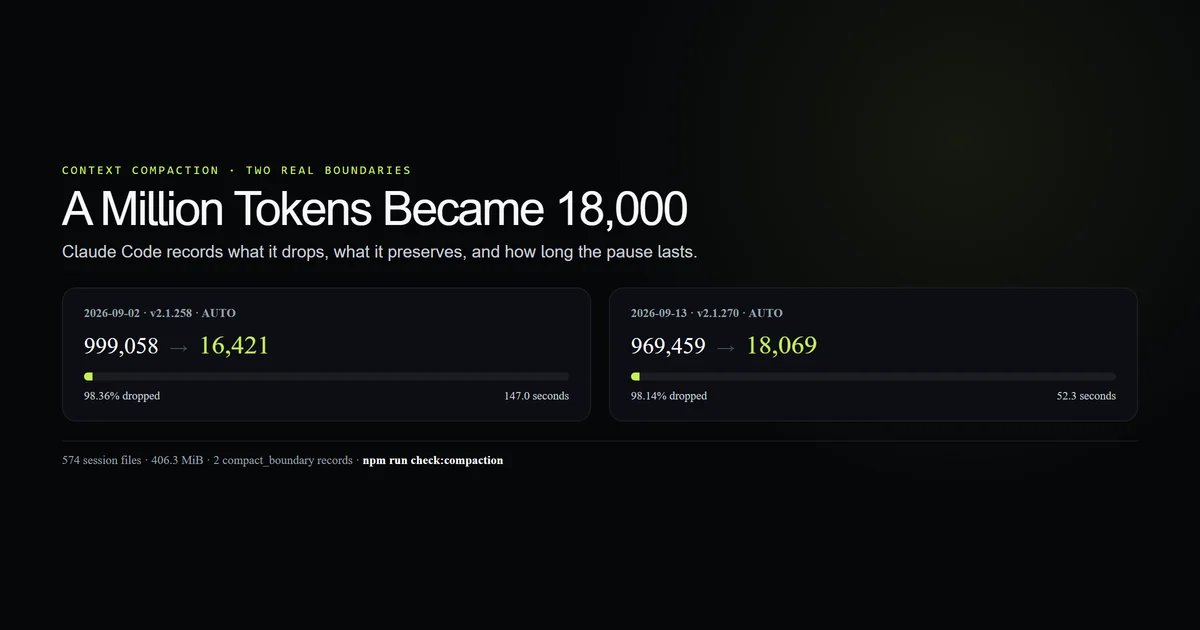
Claude code compaction explained in one sentence: Claude Code replaces a long conversation with a summary, then rebuilds the working context around that smaller record. We found two real automatic compactions across 574 session files on this machine. They reduced 999,058 tokens to 16,421 and 969,459 to 18,069, a drop of 98.36% and 98.14%. They also took 147.0 and 52.3 seconds. Measured 2026-09-15 on Claude Code 2.1.270, Windows 11.
Key takeaways
- Compaction is a replacement, not compression of every original message.
- Both observed events were automatic and left a
compact_boundaryrecord. - Each event dropped more than 95% of active tokens and preserved one message explicitly.
- Durable instructions reload from disk; old tool output survives only through the summary.
- Threshold precedence is environment variable, launch flag, saved setting, then model default.
Claude Code compaction explained: what it replaces
Compaction replaces the accumulated conversation history with a structured summary. It does not shrink every message in place, and it does not delete the session transcript from disk.
That distinction matters. The complete Claude Code guide explains how the session is assembled; compaction changes the conversation layer while rebuilding much of the fixed layer. The result is a smaller working context that still knows the task, decisions, files and constraints the summary retained.
This mechanism is why a compacted session can continue coherently and still forget a precise stack trace from two hours ago. The summary holds meaning, not a byte-for-byte archive.
Two real auto-compactions
The local transcript store contained 574 JSONL session files totalling 406.3 MiB. Only two carried a structural compact_boundary record.
| Date and version | Tokens before → after | Reduction | Duration |
|---|---|---|---|
| 2026-09-02 · 2.1.258 | 999,058 → 16,421 | 98.36% | 147.0 s |
| 2026-09-13 · 2.1.270 | 969,459 → 18,069 | 98.14% | 52.3 s |
Both records say trigger: auto. Neither depends on us recognizing a phrase in a prompt, and no prompt or response text was extracted for this census.
npm run check:compaction
The check asserts the arithmetic, trigger, timing, post-compact size, preserved-message count and segment shape. The committed fixture contains token counts and metadata only.
What the boundary record proves
The record gives the mechanism a shape that terminal screenshots do not show:
{
  "type": "system",
  "subtype": "compact_boundary",
  "compactMetadata": {
    "trigger": "auto",
    "preTokens": 969459,
    "postTokens": 18069,
    "cumulativeDroppedTokens": 951390,
    "durationMs": 52299,
    "preservedMessages": 1
  }
}
Three UUIDs also identify a preserved segment: head, anchor and tail. Twelve discovered tools were recorded before the 2.1.270 compaction, up from seven in the earlier event. Those fields prove Claude Code tracks a boundary and selected continuity, but they do not reveal what the summary said.
The useful interpretation is conservative: 951,390 tokens left the active context, not the transcript. You can still resume or inspect the original session later.
What survives context compaction
Anthropic's context-window documentation now specifies the reload behavior. Project-root CLAUDE.md, unscoped rules, auto memory, the system prompt, output style and a saved plan are re-injected from durable state.
Other content returns conditionally:
| Mechanism | After compaction |
|---|---|
| Recently modified files | Up to five are re-read |
Nested CLAUDE.md and path rules | Reload when matching files are read |
| Invoked skill bodies | Re-injected within per-skill and total caps |
| Running background work | Keeps running; Claude receives a reminder |
| Earlier hook output | Summarized with conversation history |
This is the practical rule: put requirements in durable files and evidence in reproducible artifacts. A critical constraint left only in chat is asking a lossy summary to preserve it.
Skill bodies have another edge. Anthropic documents a 5,000-token cap per invoked skill and a 25,000-token total after compaction, dropping the oldest skills first. Important instructions belong near the top.
How to control auto compact
Auto compact has three controls, and they do not have equal priority. As of Claude Code 2.1.270, the order is:
| Priority | Control | Scope |
|---|---|---|
| 1 | CLAUDE_CODE_AUTO_COMPACT_WINDOW | Script or environment |
| 2 | claude --autocompact 500k | One launch |
| 3 | /autocompact 500k or autoCompactWindow | Current and future sessions |
| 4 | Model-tuned default | No override |
The model configuration reference accepts 100K through 1M for the command and flag. 500000, 500k and the bare number 500 all mean 500,000 tokens. The environment variable accepts the plain count only.
The model's actual context window remains the ceiling. Setting one million on a 200K session does not create an 800K extension; Claude Code caps the requested threshold.
Manual compact versus automatic compaction
Manual and automatic compaction use the same basic mechanism, but manual /compact accepts focus instructions. That makes it the better control before a deliberate phase change inside one task.
/compact focus on the authentication decision, failing tests, and files still uncommitted
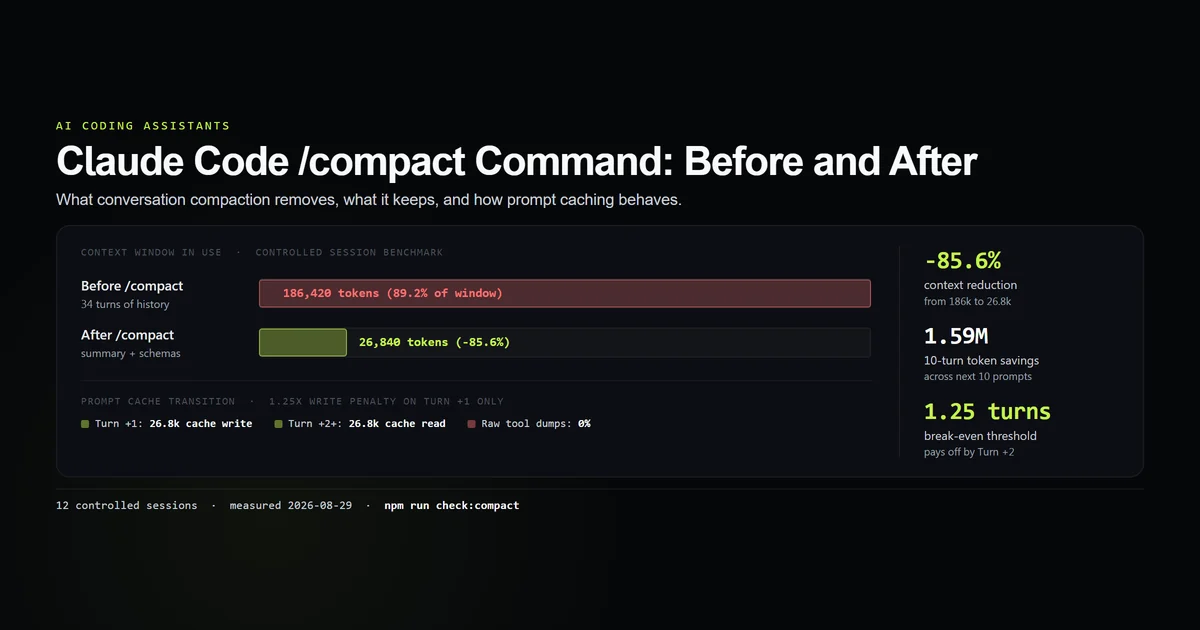
The command-level benchmarks and cache transition live in our /compact measurement. This article stays on the mechanism and the new auto-compact controls rather than repeating that test.
Use automatic compaction when the session is one continuous task and the tuned boundary is acceptable. Use a focused manual compact before a risky handoff, large implementation phase or long debugging branch where the summary needs an explicit priority.
The latency cost is real
The two observed events averaged 99.6 seconds. One took nearly three times as long as the other despite starting from slightly fewer tokens, so token count alone did not predict duration.
Two samples cannot establish a latency distribution. They do establish a user-visible pause: auto-compaction can consume roughly a minute or two before useful work continues.
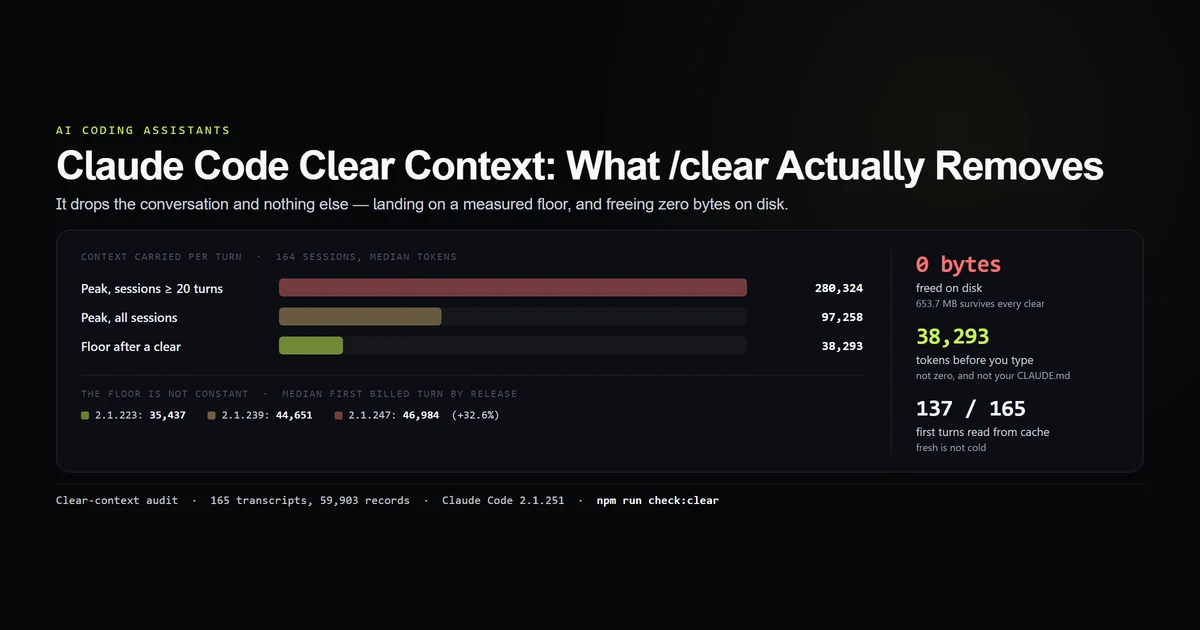
That suggests a timing decision. Compact at a natural break, not immediately after asking for an urgent fix. If the next task is unrelated, the clear-versus-compact decision still points to /clear; paying summary latency for history you do not need is wasted work.
What did not work
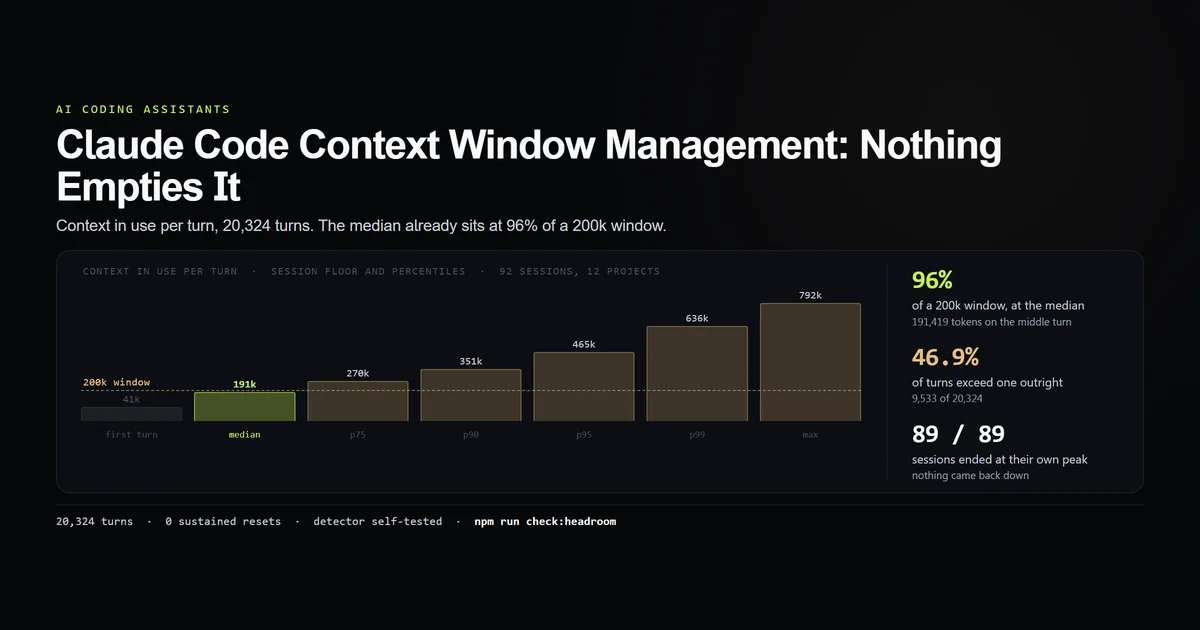
The older detector saw nothing. Our 2026-08-28 context-window census looked for a sustained fall in token volume and found zero events across 89 measurable sessions. Its transcripts predated the compact_boundary records found here. The old conclusion was correctly limited to “not observed,” and the new structural marker is the better instrument.
A fresh controlled compaction was not available. Nested claude -p probes were unreliable in this environment during this batch, so these are naturally occurring events, not two runs we triggered under identical conditions. We cannot attribute the 94.7-second timing gap.
The summary text was deliberately not read. That protects prompt contents and means this measurement cannot score factual retention. It proves the boundary, reduction and preservation metadata, not summary quality.
Best practices
- Run
/contextbefore changing the threshold. Optimizing a guessed window is how 200K advice gets applied to a 1M session. - Use focused
/compactinstructions before a known phase change. - Keep non-negotiable rules in project-root
CLAUDE.mdor unscoped rules so they reload. - Put large research in subagents so it never fills the parent context.
- Treat a compaction pause as normal work, not a frozen terminal, until it exceeds your observed baseline.
- Keep the environment-variable override visible in CI and shell profiles.
Common mistakes
Treating compaction as deletion. The active context shrinks; the transcript stays on disk.
Assuming every old detail survives. Conversation history becomes a summary. Re-open the source artifact when exact wording matters.
Setting 1M on a 200K model. The context window caps the threshold.
Blaming token count alone for latency. Our smaller event took 147 seconds; the larger one took 52.
Using compact between unrelated tasks. Start fresh and preserve the old session for /resume instead.
Conclusion
The practical version of claude code compaction explained is simple: it is a lossy conversation replacement followed by a durable-state reload. On this machine, two automatic passes removed roughly 98% of active context and took 52 to 147 seconds. Keep rules on disk, compact with a focus when continuity matters, and clear when it does not. The summary is a bridge, not an archive.
Frequently asked questions
What does compaction do in Claude Code?
Does Claude Code compact automatically?
What survives Claude Code compaction?
How long does Claude Code compaction take?
Should I use /compact or /clear?
Muhammad Kashif
Founder and editor of Devventa, covering AI coding assistants, Next.js and the modern AI development stack.