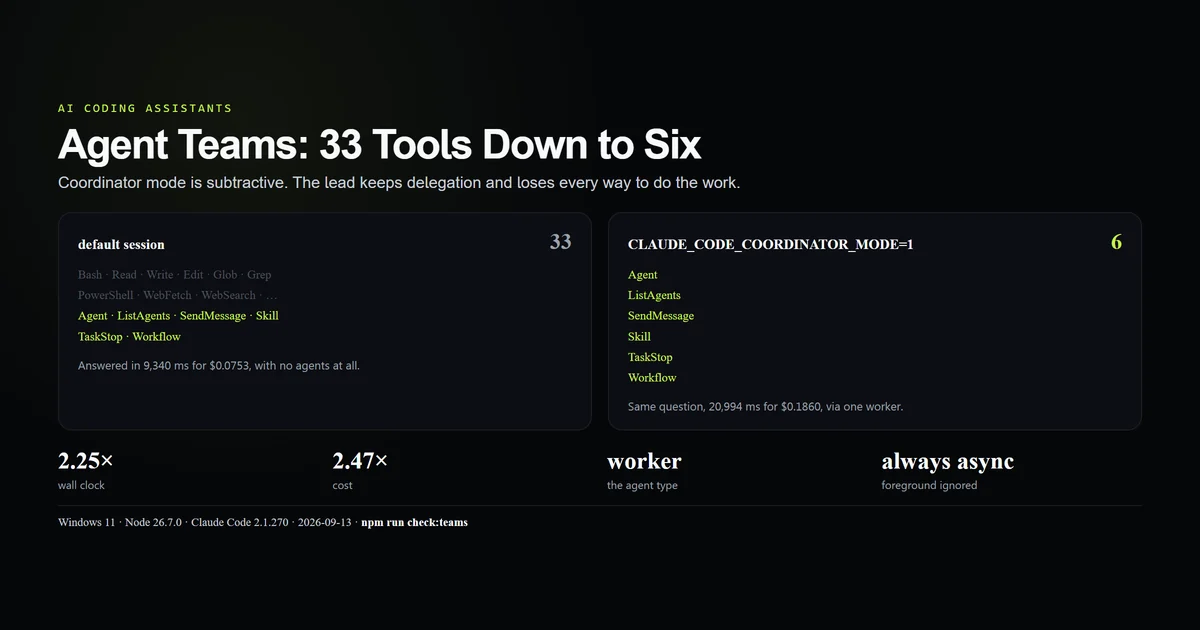
Claude Code agent teams are a coordinator and its workers, and the coordinating half is switched on with one environment variable that takes a great deal away. CLAUDE_CODE_COORDINATOR_MODE=1 cuts the session's tool list from 33 tools to 6 — no Bash, no Read, no Write — leaving a lead that can only delegate and send messages. Asked the same one-line question, that lead took 2.25× the wall clock and 2.47× the money of an ordinary session. This guide shows both tool lists, both bills, and the shape of work where the trade is worth making. Measured 2026-09-13 on Claude Code 2.1.270, Windows 11, Node 26.7.0.
Key takeaways
- Coordinator mode is an environment variable, not a CLI command or a settings key.
- It leaves exactly six tools: Agent, ListAgents, SendMessage, Skill, TaskStop, Workflow.
- Nothing that touches the filesystem survives. The lead learns the repository only through workers.
- Delegated agents are typed
worker, andrun_in_background: falseis ignored — every worker is asynchronous. CLAUDE_CODE_COORDINATOR_EXTRA_TOOLS=Bash,Readadds them back, taking the list to eight.
What Claude Code agent teams are
A team is one session that coordinates and several that work. The vocabulary is in the binary — coordinator, worker, teammate, team lead — and the part you can run today is the coordinator: a session whose job is dispatching and synthesising rather than editing.
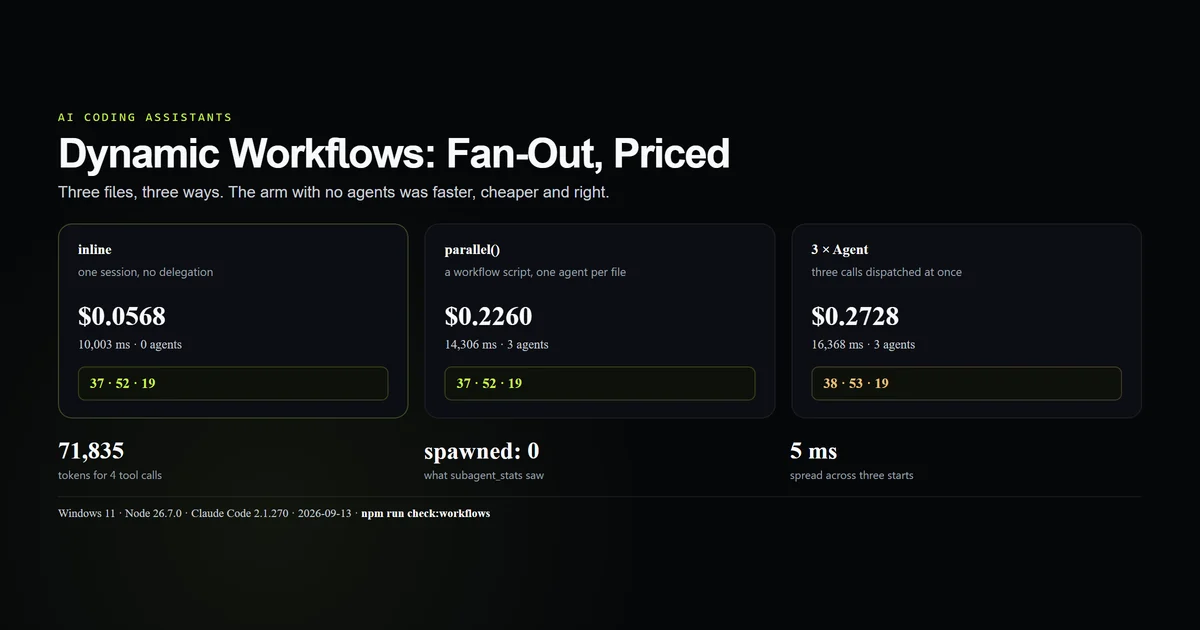
It is worth separating from the two neighbouring surfaces. A plain subagent is one delegation inside an ordinary session that still has all its tools. A dynamic workflow is a script that dispatches agents deterministically. Agent teams change the session: the lead is stripped of the ability to do the work, which is a far stronger commitment than either.
| Surface | Who delegates | Can the caller do the work itself |
|---|---|---|
| Subagent | An ordinary session | Yes |
| Workflow | A script | Yes |
| Coordinator mode | A stripped session | No |
Turning coordinator mode on
There is no claude teams command. claude --help on 2.1.270 lists agents, attach, mcp, plugin and a dozen others, and nothing for teams. The switch is an environment variable read at startup:
CLAUDE_CODE_COORDINATOR_MODE=1 claude -p --output-format json --model sonnet \
  "How many lines are in alpha.txt in the working directory? Answer with the number."
Several siblings sit beside it in the binary, which is a fair map of the feature's edges:
CLAUDE_CODE_COORDINATOR_MODE
CLAUDE_CODE_COORDINATOR_EXTRA_TOOLS
CLAUDE_CODE_COORDINATOR_FORCE_WORKER_INHERIT_MODEL
CLAUDE_CODE_COORDINATOR_PROPAGATE_NESTED_MEMORY
CLAUDE_CODE_COORDINATOR_WORKER_CHECKIN_SECONDS
CLAUDE_CODE_TEAM_TEARDOWN_PARK_TIMEOUT_MS
CLAUDE_CODE_TEAMMATE_COMMAND
Because it is an environment variable rather than a setting, it is per-invocation and invisible afterwards. Nothing in the session's own configuration records that it ran as a coordinator, which matters when you are trying to work out why a transcript contains no file reads.
The six tools that survive
We asked a session in each mode to name its own available functions. A default print session listed 33:
Agent, Bash, Edit, Glob, Grep, ListAgents, PowerShell, Read, ReportFindings,
ScheduleWakeup, Skill, ToolSearch, Workflow, Write, CronCreate, CronDelete,
CronList, DesignSync, EnterWorktree, ExitWorktree, Monitor, NotebookEdit,
PushNotification, RemoteTrigger, SendMessage, TaskCreate, TaskGet, TaskList,
TaskOutput, TaskStop, TaskUpdate, WebFetch, WebSearch
The same session under coordinator mode listed six:
Agent, ListAgents, SendMessage, Skill, TaskStop, Workflow
It is a strict subset, and the pattern in what is missing is exact: every tool that does work is gone. Bash, PowerShell, Read, Write, Edit, Glob, Grep, WebFetch, WebSearch, NotebookEdit. What remains is delegation (Agent, Workflow), addressing (ListAgents, SendMessage), control (TaskStop) and instructions (Skill).
That is the whole mechanism of multi agent Claude Code as it ships today. Agent orchestration here is not a scheduler; it is a session that cannot cheat.
The same answer, priced twice
The test is deliberately trivial, because a trivial task isolates the overhead. One file, 37 lines, one question, asked in both modes:
| Mode | Wall clock | Turns | Cost | Agents | Answer |
|---|---|---|---|---|---|
| Default | 9,340 ms | 2 | $0.0753 | 0 | 37 |
| Coordinator | 20,994 ms | 1 | $0.1860 | 1 (worker) | 37 |
Both got it right. The coordinator took 2.25× the wall clock and 2.47× the money, and the whole difference is that it could not run wc -l. It had to write a prompt, dispatch a worker, wait for a notification and paraphrase the answer.
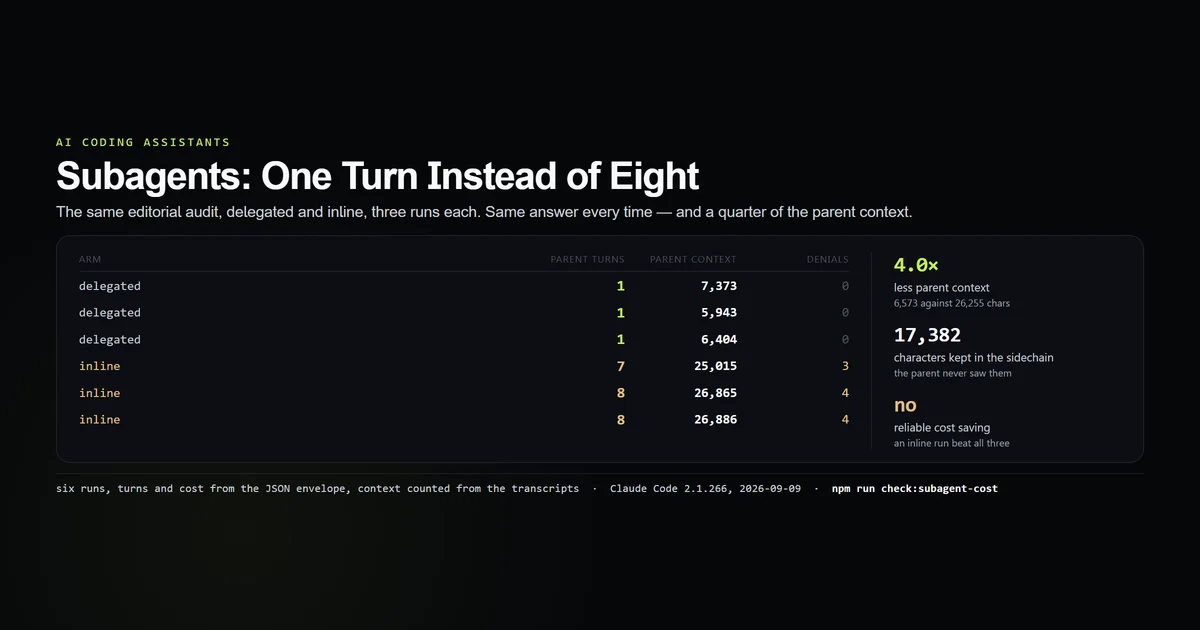
The parent's own turn was 2,692 ms of the 20,994 — the rest is a worker starting, reading and replying. That ratio is the number to carry into any estimate: a coordinator spends most of a task waiting, and pays a fresh context window for each thing it waits on, the same fixed cost the subagents guide priced at one level of delegation.
Workers are always asynchronous
The coordinator's Agent call is worth reading line by line, because it asked for something it did not get:
{
  "subagent_type": "worker",
  "description": "Count lines in alpha.txt",
  "run_in_background": false
}
The agent type is worker rather than general-purpose — coordinator mode changes the default type, and subagent_stats came back with by_type: { "worker": 1 }. And run_in_background: false was ignored:
Async agent launched successfully. … The agent is working in the background.
You will be notified automatically when it completes.
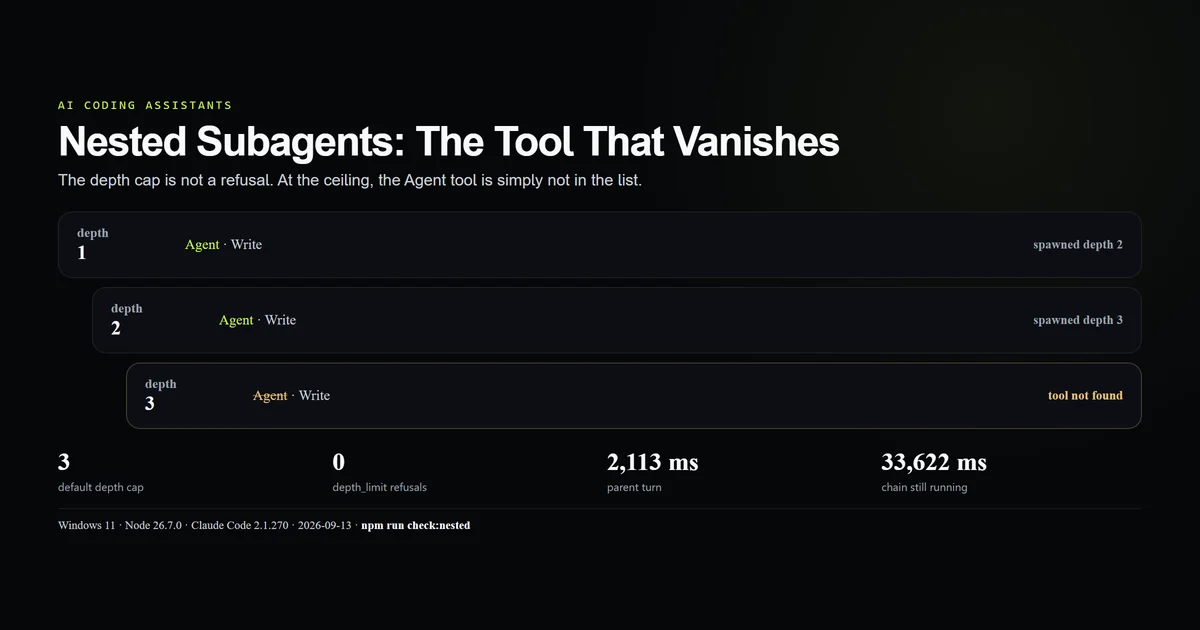
requested.foreground was 1 and started_in_background was 1 in the same run. A team lead cannot block on a teammate. This is the same forced-async behaviour that nested subagents exhibit one level down, and it has the same consequence: the lead ends its turn, says something non-committal, and the real answer arrives later as a notification.
Giving the lead its tools back
CLAUDE_CODE_COORDINATOR_EXTRA_TOOLS takes a comma-separated list and restores exactly what it names:
CLAUDE_CODE_COORDINATOR_MODE=1 CLAUDE_CODE_COORDINATOR_EXTRA_TOOLS=Bash,Read claude -p "…"
# → Agent, Bash, ListAgents, Read, SendMessage, Skill, TaskStop, Workflow
Eight tools instead of six, and the two added are the two we asked for. It is the right escape hatch for a lead that needs to read a manifest before it can split the work sensibly.
It is also the fastest way to lose the mode's only benefit. A coordinator holding Bash will use Bash, because doing the job is always the cheaper next step for the model — which is the result our subagents versus skills test found in a different costume. If you add tools back, add the narrowest ones and expect delegation to drop.
The part that is still gated
Coordinator mode is not the whole feature. SendMessage carries a structured team protocol — frames named task_assignment, task_completed, idle_notification, teammate_terminated and shutdown_rejected — and sending one returns:
Structured team-protocol messages are only available with agent teams enabled.
Plain text between sessions works; the lifecycle frames do not, and there is a second restriction alongside them: structured messages cannot cross a session boundary at all. The binary also expects a ~/.claude/teams directory, which does not exist on this machine — it has never been created here, after two hundred-odd sessions.
So the honest description of the state on 2.1.270 is: the coordinating session is real and measurable today, and the team lifecycle behind it is gated behind something this account does not have. Anthropic's CLI reference documents neither, which is why everything above is a measurement rather than a citation.
When to run a team
The trade is straightforward once you state it: you are paying a delegation tax to guarantee that the lead never does the work itself. Buy that when the guarantee is what you want.
- Worth it when a job is genuinely several independent jobs and you want a synthesised answer — a review across subsystems, an audit across packages, a migration split by service.
- Worth it when the lead must stay clean. A coordinator's context fills with summaries rather than file contents, which is a real answer to the pressure described in context window management.
- Not worth it for anything one session can finish in a few turns. Our test paid 2.47× for a number that
wc -lproduces. - Not worth it when you need a synchronous answer, because you cannot have one.
- Reach for a script instead when the split is fixed. A dynamic workflow gives the same fan-out with a reviewable plan; coordinator mode leaves the plan to the model every run.
What did not work
The multi-worker arm was never run. We intended a coordinator arm that split three files across three workers, which is the only arm that would say anything about parallel teammates. This machine's auto-mode classifier refused the command, and rather than route around a permission decision we are publishing the gap. Every number here comes from a team of one.
The structured protocol was never exercised. We could send plain text and not a single lifecycle frame, so the message shapes above are read out of the binary and named as such rather than demonstrated.
The tool lists are self-reports. Each came from asking a session to name its own available functions — twice per mode, with a consistent answer — rather than from dumping a schema. Treat the counts as what the model was offered, which is the thing that governs its behaviour, but not as a guarantee that nothing else exists behind them.
Best practices
- Set the variable per invocation, in the command that needs it. Exporting it globally turns every later session into a lead that cannot read a file.
- Give workers the method, not just the goal. The lead cannot check their work, so ambiguity resolves in the worker and is never seen again.
- Expect the first reply to be a status update, and design any script around the notification rather than the first answer.
- Add tools back one at a time.
CLAUDE_CODE_COORDINATOR_EXTRA_TOOLSis precise; use it that way. - Keep worker prompts self-contained. A worker starts with no memory of the conversation that produced its task.
- Record that a transcript was a coordinator run. Nothing in the session file says so, and a lead with no file reads is otherwise a mystery later.
Common mistakes
Looking for a claude teams command. There is not one on 2.1.270. The surface is an environment variable, and searching the CLI help for it finds nothing.
Expecting the lead to verify anything. It has no tools to verify with. Whatever a worker says becomes the answer.
Passing run_in_background: false and planning around it. It is ignored. Every worker is asynchronous.
Turning coordinator mode on for a small task. You will pay roughly two and a half times for the same output, which our one-line test measured exactly.
Adding Bash back and still expecting delegation. A lead that can run commands will run them. The mode's value is the constraint; restoring the tools removes it.
Conclusion
Run coordinator mode when you want a session that structurally cannot do the work — a review or an audit that must arrive as synthesis rather than as one agent's sprawl — and leave it off for everything a single session finishes in a few turns. The figure to carry away is the tool count: 33 becomes 6, nothing that touches a file survives, and every fact the lead reports came from a worker it could not check. If you are considering a team, run your smallest real task in both modes first. Ours cost 2.47× more to produce the same correct number.
Frequently asked questions
What are Claude Code agent teams?
What can a coordinator session actually do?
Is multi agent Claude Code worth the cost?
Can a coordinator wait for a worker?
How do I give a coordinator session more tools?
Muhammad Kashif
Founder and editor of Devventa, covering AI coding assistants, Next.js and the modern AI development stack.