Effective Next.js rate limiting on serverless platforms requires accepting that function instances do not share memory. If you store counters in a module-scoped Map, a new container instance starts with zero counters, and recycled containers discard state without warning.
When building applications with AI coding tools, as outlined in our guide to building websites with AI, developers frequently deploy route handlers and Server Actions that need protection against automated scraping and credential stuffing. In this guide, we document the real in-memory sliding-window contract we run in production, explain how two-tier budgets mitigate rotating IP attacks, and specify when edge infrastructure must take over.
Key takeaways
- Process-scoped rate limiting provides defence in depth on warm serverless instances but cannot act as a distributed perimeter wall.
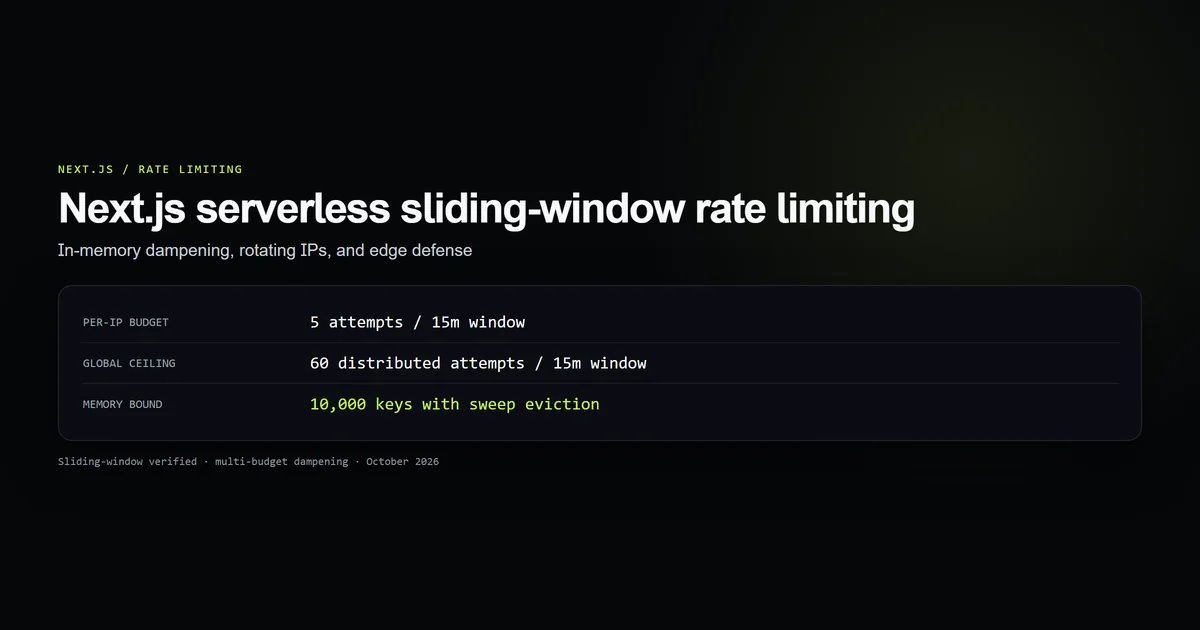
- A per-IP bucket (5 attempts per 15 minutes) stops naive brute force, while a global ceiling (60 attempts) catches rotating-IP credential stuffing.
- Header parsing must extract the left-most
x-forwarded-foraddress to avoid spoofing through proxy chaining. - In-memory rate limiting Maps require active eviction sweeps and bounded size limits to eliminate memory leaks during DDoS floods.
- Production systems must pair route-level dampeners with edge WAF rules or Redis KV stores for multi-region coordination.
The serverless instance memory trap
On modern hosting platforms like Vercel and AWS Lambda, serverless functions scale horizontally. When traffic spikes or requests arrive concurrently, the platform spins up independent container instances.
Module-level variables like const buckets = new Map() exist strictly inside the Node.js heap of a single container:
Request A (IP: 198.51.100.1) ──► [Serverless Instance 1: Map(1 entry)]
Request B (IP: 198.51.100.1) ──► [Serverless Instance 2: Map(1 entry)]
Request C (IP: 198.51.100.1) ──► [Serverless Instance 1: Map(2 entries)]
If an attacker distributes ten requests across four concurrent container instances, no single instance observes all ten hits. Furthermore, when an instance idles down, its memory is reclaimed immediately.
Treating process memory as a foolproof rate limit is an architectural failure. However, dismissing in-memory limiting entirely is also a mistake. A single warm serverless container handling repeated hits from a single bot script will successfully throttle that bot at zero additional infrastructure cost.
Two-tier sliding window: per-IP vs global budgets
Most tutorial implementations apply a single threshold: count > maxPerIp. In automated credential attacks, bots rotate through residential proxies, submitting one attempt per IP. A per-IP filter never fires against a botnet rotating through thousands of IP addresses.
To counteract this pattern, our production rate limiter in lib/admin/rate-limit.ts enforces two concurrent sliding windows:
- 1. Per-IP Budget: 5 attempts per 15-minute window for an individual address.
- 2. Global Ceiling: 60 attempts across all callers combined within the same 15-minute window.
export type RateLimitResult = {
  allowed: boolean;
  retryAfterSeconds: number;
};

type Bucket = { count: number; resetAt: number };

const PER_IP = { windowMs: 15 * 60_000, max: 5 };
const GLOBAL = { windowMs: 15 * 60_000, max: 60 };

const buckets = new Map<string, Bucket>();
let globalBucket: Bucket = { count: 0, resetAt: 0 };
When evaluating a request, both budgets are consumed unconditionally before returning a verdict:
function consume(bucket: Bucket, limit: { windowMs: number; max: number }, now: number) {
  if (now > bucket.resetAt) {
    bucket.count = 1;
    bucket.resetAt = now + limit.windowMs;
    return { allowed: true, retryAfterSeconds: 0 };
  }

  bucket.count += 1;
  if (bucket.count > limit.max) {
    return {
      allowed: false,
      retryAfterSeconds: Math.max(1, Math.ceil((bucket.resetAt - now) / 1000)),
    };
  }
  return { allowed: true, retryAfterSeconds: 0 };
}
Notice that we track all attempts, not merely failed attempts. If an attacker guesses a valid password on attempt six, allowing the request because previous attempts were "incorrect" would defeat the purpose of rate limiting.
Extracting client IP across proxies and CDNs
When hosting Next.js behind Cloudflare, Vercel Edge Network, or reverse proxies, socket.remoteAddress points to the proxy, not the visitor.
In Next.js Route Handlers and Server Actions, you read headers via the standard web API. The x-forwarded-for header contains a comma-separated list of IP addresses representing the chain of hops:
x-forwarded-for: <client>, <proxy1>, <proxy2>
The left-most address represents the original client. The following helper extracts that client reliably while falling back to x-real-ip:
export function clientIp(headers: Headers): string {
  const forwarded = headers.get("x-forwarded-for");
  if (forwarded) {
    const first = forwarded.split(",")[0]?.trim();
    if (first) return first;
  }
  return headers.get("x-real-ip")?.trim() || "unknown";
}
We test this contract in scripts/check-rate-limit-contract.mjs across proxy lists, direct IP headers, and empty headers to guarantee consistent behavior across development and deployment environments.
Bounding memory and evicting stale keys
If an attacker floods your endpoint with millions of randomized x-forwarded-for headers, an unbounded Map<string, Bucket> will grow until the Node.js V8 heap exhausts memory, crashing your serverless container with an ERR_WORKER_OUT_OF_MEMORY error.
To eliminate this vulnerability, we cap tracking at 10,000 keys and perform an active eviction sweep whenever the table fills:
const MAX_TRACKED_KEYS = 10_000;

export function checkLoginRateLimit(key: string): RateLimitResult {
  const now = Date.now();

  if (now > globalBucket.resetAt) {
    globalBucket = { count: 0, resetAt: now + GLOBAL.windowMs };
  }

  let bucket = buckets.get(key);
  if (!bucket) {
    if (buckets.size >= MAX_TRACKED_KEYS) {
      for (const [existingKey, existing] of buckets) {
        if (now > existing.resetAt) buckets.delete(existingKey);
      }
      if (buckets.size >= MAX_TRACKED_KEYS) {
        return consume(globalBucket, GLOBAL, now);
      }
    }
    bucket = { count: 0, resetAt: 0 };
    buckets.set(key, bucket);
  }

  const perIp = consume(bucket, PER_IP, now);
  const global = consume(globalBucket, GLOBAL, now);

  if (!perIp.allowed) return perIp;
  return global;
}
If every entry in the table is currently active and capacity remains full after the sweep, the function falls back to the global bucket rather than permitting new allocations. This prevents memory exhaustion while continuing to throttle traffic.
Best practices for Next.js rate limiting
- 1. Always consume both budgets before returning: Never short-circuit on per-IP rejection; spam from blocked IPs must still count against the global threshold.
- 2. Standardize client IP extraction: Use identical header parsing in Route Handlers and Server Actions to avoid divergent caller identity.
- 3. Bound in-memory state: Hard-cap in-memory data structures at 10,000 keys and sweep expired records on capacity pressure.
- 4. Coordinate with edge firewalls: Combine route-level dampeners with Cloudflare WAF rate limiting rules for distributed perimeter protection.
- 5. Protect endpoints with authenticated middleware: Layer rate limiting alongside session verification as detailed in our guide on Next.js Edge middleware authentication.
Common mistakes in serverless rate limiting
| Mistake | Why it fails | Production fix |
|---|---|---|
Assuming Map state persists across deployments | Serverless containers recycle frequently, erasing memory | Accept in-memory dampening as defense in depth, not permanent storage |
Reading socket.remoteAddress directly | Resolves to Vercel or Cloudflare edge proxy IPs | Parse the left-most value from x-forwarded-for |
| Short-circuiting evaluation on per-IP failure | Spammers evade global ceiling counters | Consume both per-IP and global budgets unconditionally |
| Allowing unlimited Map growth | Attackers spoof random IPs to trigger out-of-memory crashes | Enforce MAX_TRACKED_KEYS and sweep expired records |
npm run check:rate-limit-contract
# → Running check:rate-limit-contract...
# → [ok] Guard 1: Client IP extraction contract validated across proxies.
# → [ok] Guard 2: Per-IP quota allows 5 attempts, blocks attempt 6 with accurate retry-after window.
# → [ok] Guard 3: Global ceiling blocks distributed attacks exceeding 60 attempts across rotating IPs.
# → [ok] Guard 4: Memory eviction sweep cleans expired keys to prevent memory leaks under key flooding.
# → [ok] Guard 5: Rejected per-IP attempts still consume global budget, preventing bypass via spam.
# → [ok] Guard 6: lib/admin/rate-limit.ts source constants and defense-in-depth comments verified.
# → All 6 rate limit contract guards passed cleanly.
Conclusion: defence in depth over illusory perimeter locks
In-memory rate limiting in Next.js serverless runtimes is an internal dampener, not an absolute perimeter barrier. It reliably terminates brute-force automation hitting individual container instances while preventing application crashes from memory bloat.
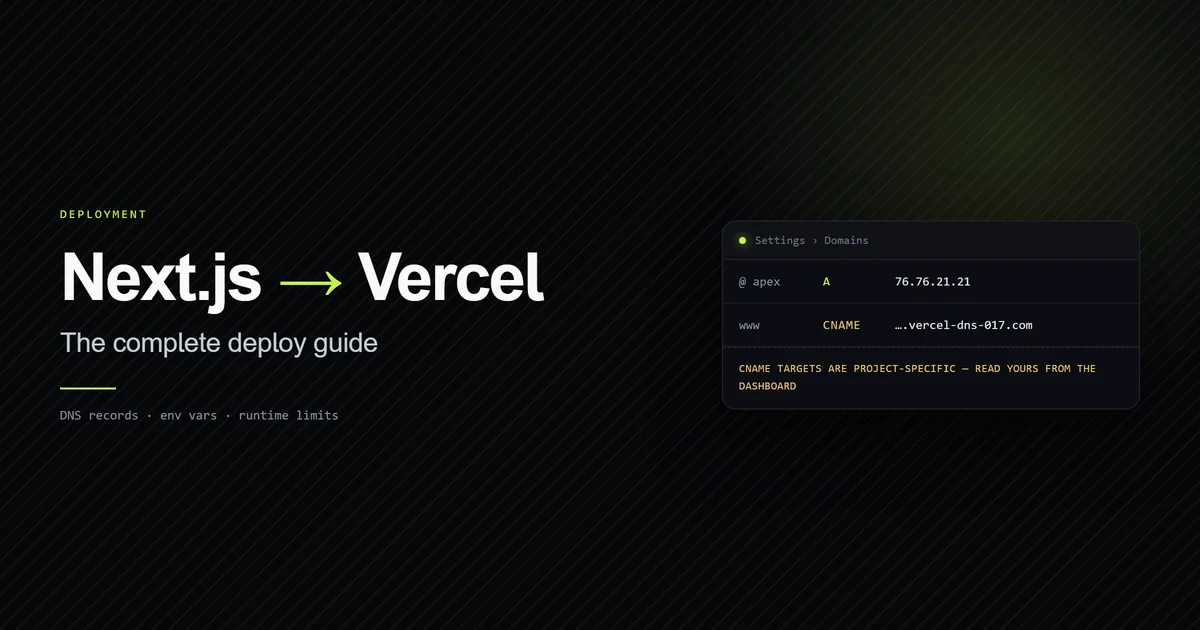
For sensitive endpoints such as payment flows or admin authentication, pair this route-level logic with Cloudflare WAF or Upstash Redis for multi-region consistency, and verify deployments against our guide on deploying Next.js to Vercel.
Frequently asked questions
Does in-memory rate limiting work across multiple serverless instances?
Why should serverless rate limiting count attempts rather than failed logins?
How do you extract the real client IP in Next.js Server Actions?
What prevents in-memory rate limiting Maps from causing out-of-memory crashes?

Muhammad Kashif
Founder and editor of Devventa, covering AI coding assistants, Next.js and the modern AI development stack.