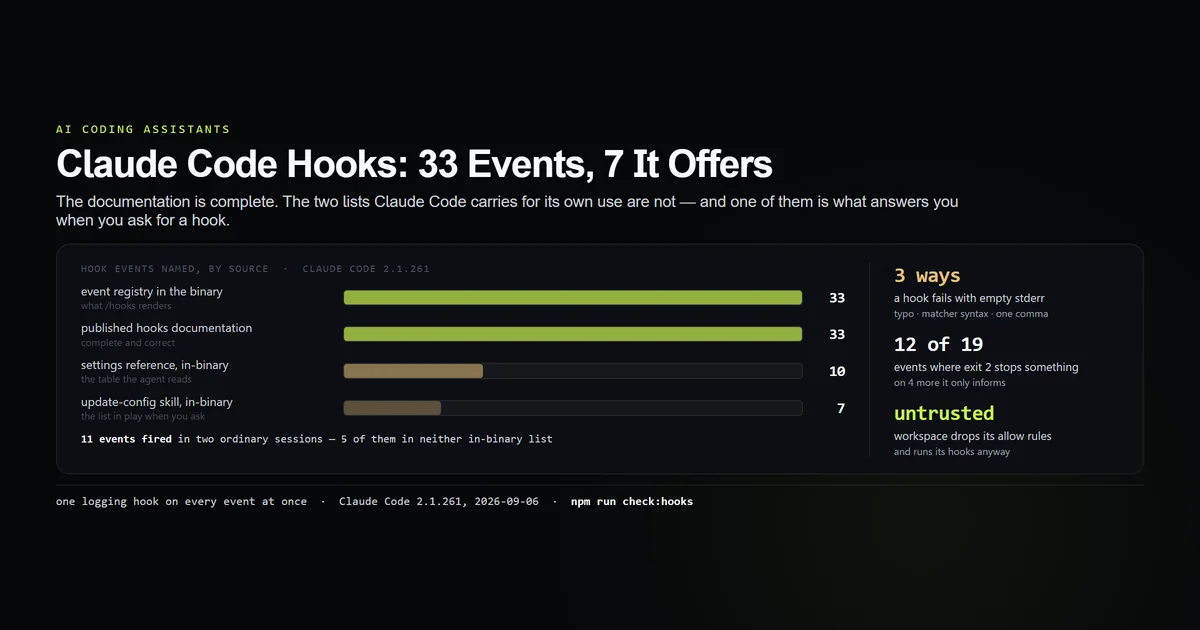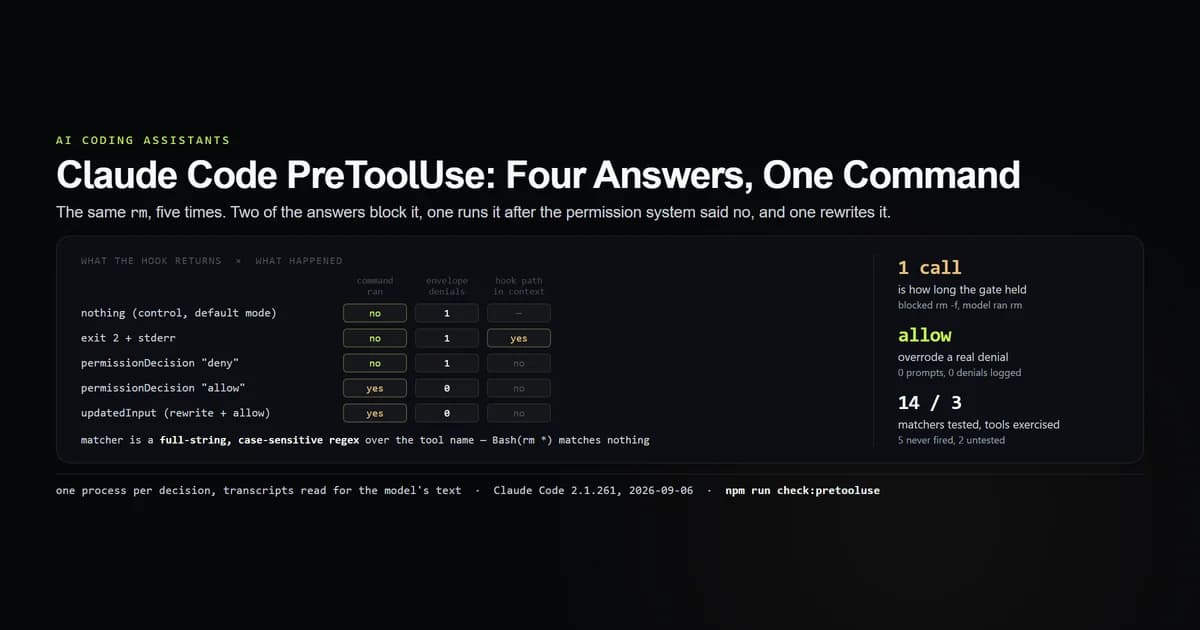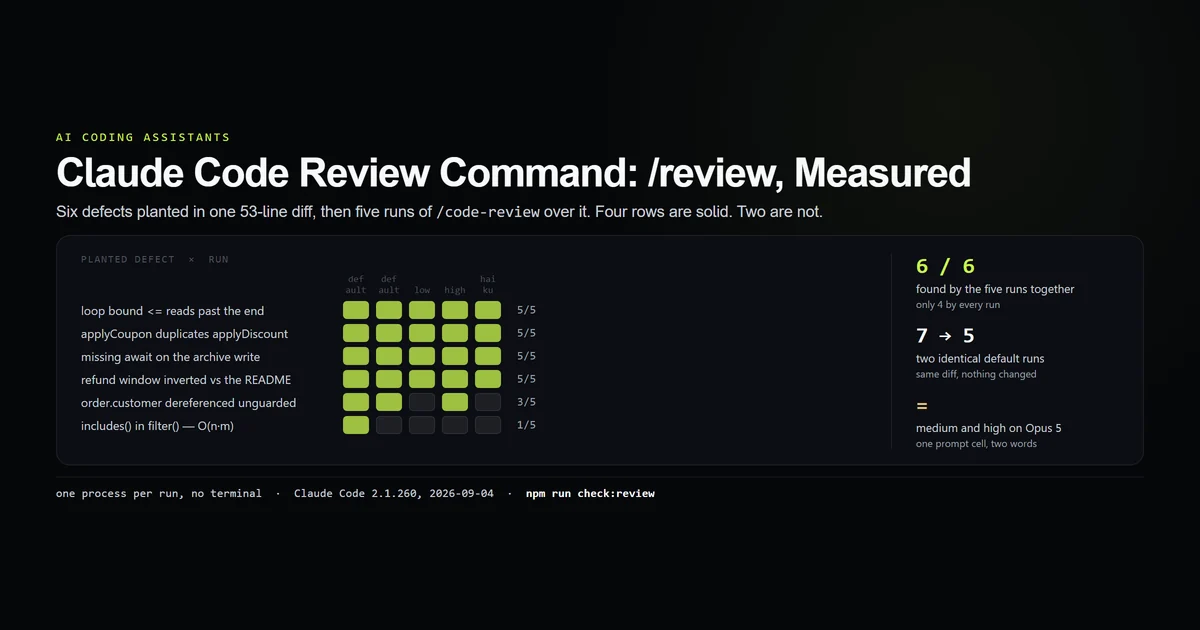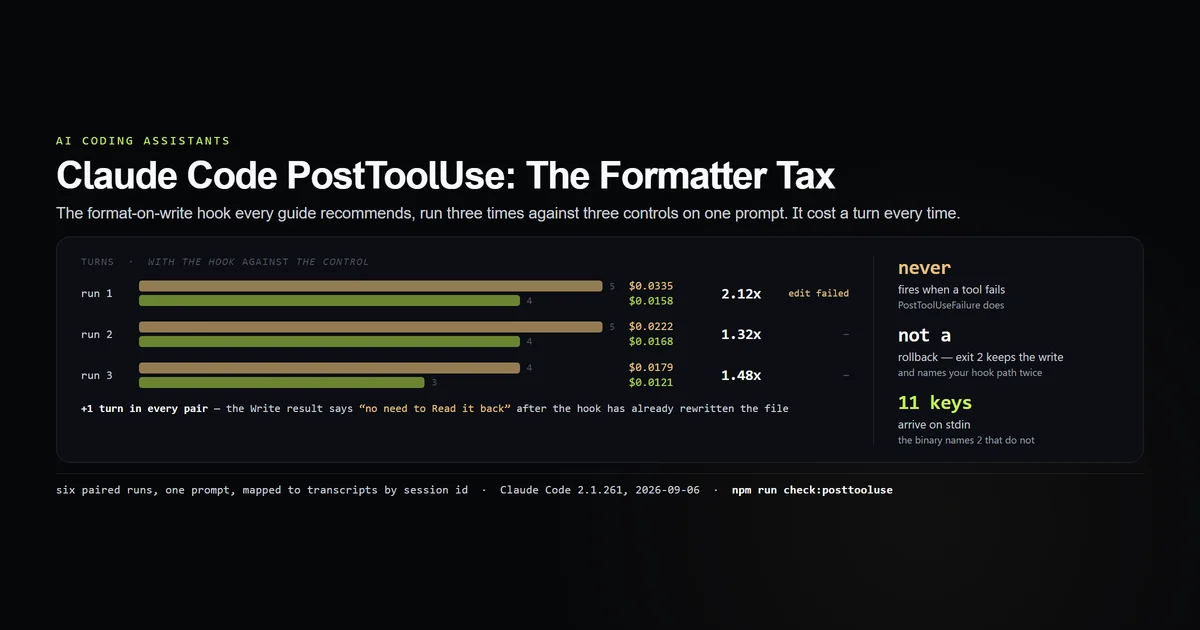
A claude code posttooluse hook runs after a tool call succeeds, receives the tool's input and its response, and cannot undo either. The canonical use is format-on-write, so we wrote that hook, ran it three times against three no-hook controls on the same prompt, and counted. It works. It also cost one extra turn in every pair, between 1.3x and 2.1x the money, and in one run it broke the model's very next edit. Measured 2026-09-06 on Claude Code 2.1.261.
Key takeaways
PostToolUsedoes not fire when a tool fails.PostToolUseFailuredoes. A tool log built onPostToolUsealone silently omits every failure.- The formatter hook cost +1 turn in all three paired runs and 1.32x–2.12x the control's cost, on a two-file toy task.
- The
Writeresult tells the model "file state is current in your context — no need to Read it back" — which your hook has just made false. One run in three believed it and its nextEditfailed. - Exit 2 is not a rollback. The write stands, the tool result still says success, and your hook's absolute path lands in the model's context twice.
- The binary's own description of this event names two payload fields that do not exist —
inputsandresponse, against the realtool_inputandtool_response.
The short answer
Use PostToolUse for things that are true after the fact and harmless if the model does not hear about them — a formatter, a lint pass, a log. Use additionalContext when it must hear about them. Do not use it to prevent anything: it fires after the tool, and PreToolUse is the only hook that can stop a call. If you have not registered a hook before, the hooks tutorial has the file shape, and the complete Claude Code guide covers the surrounding configuration. Anthropic's hooks reference documents the fields; what follows is what they cost.
npm run check:posttooluse
# → All 12 PostToolUse guards passed.
The format-on-write hook
The shape is the one every guide shows. Read the path out of the payload, run the formatter, exit 0:
import { readFileSync, writeFileSync, existsSync } from "node:fs";

const p = JSON.parse(readFileSync(0, "utf8"));
const file = p?.tool_input?.file_path ?? p?.tool_response?.filePath;
if (!file || !existsSync(file)) process.exit(0);

// stand-in for prettier: normalise `const a=1` to `const a = 1;`
const before = readFileSync(file, "utf8");
writeFileSync(file, before.replace(/const\s+(\w+)\s*=\s*(\w+);?/g, "const $1 = $2;"));
process.exit(0);
{
  "hooks": {
    "PostToolUse": [
      {
        "matcher": "Write|Edit",
        "hooks": [{ "type": "command", "command": "node scripts/format-hook.mjs", "timeout": 20 }]
      }
    ]
  }
}
We used a two-line stand-in rather than Prettier's CLI on purpose: its output is exactly predictable, so the model's reaction to it is the only variable in the experiment. A real prettier --write in this slot changes far more of the file, which the section below is about. Pipe-test it the same way you would any hook:
printf 'const a=1' > app.js
echo '{"tool_name":"Write","tool_input":{"file_path":"'$PWD'/app.js"}}' | node scripts/format-hook.mjs
cat app.js
# → const a = 1;
The paired runs below were made with this script carrying an extra logging branch, so the fixture records which invocation rewrote what; the formatting is the code above, unchanged.
Note the fallback on the path. tool_input.file_path is present for Write and Edit; tool_response.filePath is also there for Write, because tool_response is the tool's own result object rather than a wrapper. Reading either works; reading both survives a tool that only populates one.
What it cost, three times over
The prompt: create app.js containing const a=1, then use Edit to change const a=1 to const a=2. Run three times with the hook, three times without, same model, same directory.
| Run | Hook | Turns | Cost | Tool calls | Edit failed |
|---|---|---|---|---|---|
| 1 | yes | 5 | $0.0335 | Write,Edit,Read,Edit | yes |
| 1 | no | 4 | $0.0158 | Write,Read,Edit | — |
| 2 | yes | 5 | $0.0222 | Write,Read,Edit,Read | — |
| 2 | no | 4 | $0.0168 | Write,Read,Edit | — |
| 3 | yes | 4 | $0.0179 | Write,Read,Edit | — |
| 3 | no | 3 | $0.0121 | Write,Edit | — |
One extra turn in every pair. 1.32x to 2.12x the cost. The mechanism is visible in run 1's transcript:
tool_use    Write  {"file_path":"…/app.js","content":"const a=1"}
  result    File created successfully at …/app.js
            (file state is current in your context — no need to Read it back)
tool_use    Edit   {"old_string":"const a=1","new_string":"const a=2"}
  result    <tool_use_error>String to replace not found in file.
            String: const a=1</tool_use_error>
tool_use    Read   {"file_path":"…/app.js"}
  result    1  const a = 1;
tool_use    Edit   {"old_string":"const a = 1;","new_string":"const a = 2;"}
  result    updated successfully
The Write result promises the model that its copy is current. By the time the model reads that sentence the hook has already rewritten the file, so the promise is false — and the model is being told, in the same breath, not to check. In two of three runs it happened to re-read anyway and absorbed the change. In one it took the tool at its word and the next edit failed.
We are not claiming a two-thirds success rate — three runs on a toy file support a direction, not a rate. What they do support is the direction: the failure mode is real, it is caused by the hook, and it does not announce itself as a hook problem. The error the model sees says the string was not found, which reads like a model mistake.
It does not fire when a tool fails
This one costs people an audit log without them noticing. We registered PreToolUse, PostToolUse, PostToolUseFailure and PostToolBatch, then asked for one shell command that fails:
ls /definitely/not/a/real/path
# → ls: cannot access '/definitely/not/a/real/path': No such file or directory
Three hooks fired: PreToolUse, PostToolUseFailure, PostToolBatch. PostToolUse did not. So the "log every tool call" hook that every tutorial writes on PostToolUse records the successes and drops the failures — the half you built the log for.
The failure payload carries error and is_interrupt in place of tool_response. Two fields the registry's own description promises — error_type and is_timeout — were absent from the payload on this failure, which may be conditional on the kind of failure; we saw one kind and are not generalising from it.
The payload, and the two documents that disagree
Here is what actually arrives, captured rather than transcribed:
{
  "session_id": "378a92a9-…",
  "transcript_path": "/home/you/.claude/projects/<slug>/<session>.jsonl",
  "cwd": "/home/you/project",
  "prompt_id": "48624ffc-…",
  "permission_mode": "acceptEdits",
  "hook_event_name": "PostToolUse",
  "tool_name": "Write",
  "tool_input": { "file_path": "/home/you/project/app.js", "content": "const a=1" },
  "tool_response": {
    "type": "create",
    "filePath": "/home/you/project/app.js",
    "content": "const a=1",
    "structuredPatch": [],
    "originalFile": null,
    "userModified": false
  },
  "tool_use_id": "toolu_015dHFXF5pxodbWZjCkTZaQd",
  "duration_ms": 17
}
Eleven keys. Two documents inside the same binary describe them and they do not agree with each other:
- The event registry — the text shown next to the event name in the
/hookspicker — says the input has "fieldsinputs(tool call arguments) andresponse(tool call response)." Neither name appears in any payload we captured. - The settings reference example shows
session_id,tool_name,tool_inputandtool_response. Those four are right, and seven more arrive that it does not mention.
Three of the seven are worth your attention. duration_ms gives you the tool's own execution time for free — a lint hook can report the slow ones without instrumenting anything. permission_mode lets one hook behave differently under plan and bypassPermissions. transcript_path points at the session's own JSONL, so the hook can read what happened before this call — Claude Code's history layout covers what is in it.
Exit 2 is not a rollback
The registry says exit 2 on PostToolUse will "show stderr to model immediately," which is accurate and easy to over-read as stop. We ran a hook that writes to stderr and exits 2 after a Write.
The file exists. The tool result is the ordinary success message with is_error unset. And the complaint arrives as a separate attachment, typed hook_blocking_error, rendered to the model like this:
<system-reminder>
PostToolUse:Write hook blocking error from command: "node /home/you/project/scripts/post.mjs":
[node /home/you/project/scripts/post.mjs]: post-hook: tests failed for this file.
</system-reminder>
Read that twice: the hook's absolute command line appears in it twice. Whatever your home directory is called and wherever your scripts live goes into the model's context on every failed check. The same leak exists on the PreToolUse exit-2 path, where it is at least buying you an actual block. Here it buys a note.
What exit 2 is good for: telling the model that something it just did is broken, so it fixes it in the same turn rather than at the end. That is a real use. Just do not model it as a veto — the write happened, and if the file is now in a bad state, the hook that could have stopped it fires before the tool, not after.
additionalContext is the clean channel
The same information, without the path leak, in the documented output field:
process.stdout.write(JSON.stringify({
  hookSpecificOutput: {
    hookEventName: "PostToolUse",
    additionalContext: "typecheck: 2 errors in app.ts (lines 14, 31)",
  },
}));
process.exit(0);
We tested it with a sentinel and asked the model to repeat anything it had received. It came back verbatim:
<system-reminder>
PostToolUse:Write hook additional context: MAGIC_TOKEN_FROM_POSTTOOLUSE_HOOK=42
</system-reminder>
One line, the event and matcher for context, your text, and no filesystem path anywhere. This is the channel to use for anything a hook wants to say.
Use PostToolBatch for anything that counts
PostToolBatch is not in the ten-row table the tool shows its own agent, and it is the right event for three of the jobs people put on PostToolUse.
It fires once after every call in a parallel batch resolves, and hands you all of them in one array:
{
  "hook_event_name": "PostToolBatch",
  "tool_calls": [
    {
      "tool_name": "Bash",
      "tool_input": { "command": "ls /definitely/not/a/real/path" },
      "tool_use_id": "toolu_01QKYrBiQ415awcJrEHENbt6",
      "tool_response": "Exit code 2\nls: cannot access '/definitely/not/a/real/path': No such file or directory"
    }
  ]
}
The failed call is in it, with its error text. So the audit log that PostToolUse cannot build correctly, PostToolBatch can build in one hook. It is also the event to use for an expensive check — run the test suite once per batch instead of once per edited file — and its additionalContext is injected once for the whole batch rather than once per call. Its exit 2 stops the agentic loop rather than adding a note to it, which makes it the closest thing to a post-hoc veto that exists.
What did not work
Our first attempt at the formatter experiment measured nothing, because we ran it once. A single 5-turn run against no control says a formatter costs five turns, which is not a finding. The pairs are what made it one, and they are also what stopped us over-claiming: run 3 with the hook took four turns and had no failed edit at all, so "the formatter breaks the next edit" would have been wrong as a general statement.
We mapped runs to transcripts by modification time and it was luck that it was right. Six sessions in one directory, ordered by ls -t, matched to six result files by assumption. We redid it by session_id, which is in every result envelope and is the transcript's filename — the ordering happened to agree, and would not have if any run had been retried.
One measurement is a floor and is published as one. The error_type and is_timeout fields are documented for PostToolUseFailure and were absent from ours. We measured one failure — a non-existent path — and cannot say whether a timeout populates them. The fixture records "absent on this failure" rather than "does not exist."
⚠️ Three pairs is three pairs. The turn delta was +1 every time and the cost ratio ranged 1.32x–2.12x, but this is one prompt, one file, one model, on a task small enough that a single extra Read moves the ratio. The direction is solid; the multiplier is not a benchmark.
⚠️ Everything is claude -p on Haiku, Claude Code 2.1.261, Linux under WSL2. A more capable model may re-read more reliably and pay the formatter tax differently.
Best practices
- Format on
Stop, not onPostToolUse, when you can. Formatting once at the end of a turn changes nothing the model is still holding, and costs no extra turns. - If you must format per-write, make the change as small as possible. Formatter scope is the variable that decides how much of the model's copy you invalidate.
- Use
additionalContext, not exit 2, for anything informational. It reaches the model just as reliably and does not publish your directory layout. - Build tool logs on
PostToolBatch. It is the only post-tool event that sees failures and successes together. - Add
PostToolUseFailurealongsidePostToolUseif you need per-call granularity — two hooks, because one event does not cover both outcomes. - Read the path from
tool_input.file_pathwithtool_response.filePathas a fallback, and exit 0 when neither is present rather than erroring. - Use
duration_ms. It is free, undocumented in the reference, and the cheapest way to find the tool calls that are slowing a session down. - Pay the tax only where determinism is what you are buying. A
PostToolUsehook that stays out of the file the model is holding costs nothing measurable — the same policy as a hook and as a skill came out within a cent across five runs each, and the hook ran 5 of 5 times against the skill's 0.
Common mistakes
Expecting exit 2 to undo the write. It does not. Symptom: the file is on disk in the state you rejected, and the model has a system-reminder about it. Fix: move the check to PreToolUse, which fires before the tool and can deny it.
Logging every tool call from PostToolUse. Failures are missing. Symptom: a log where nothing ever goes wrong. Fix: PostToolBatch, or add PostToolUseFailure.
Reading inputs and response from the payload. Those are the names in the binary's own event description and they do not exist. Symptom: undefined everywhere, and a hook that exits 0 having done nothing. Fix: tool_input and tool_response.
Running the whole test suite on every Write. With a Write|Edit matcher on a multi-file change, that is one suite run per file, serially, inside the turn. Fix: PostToolBatch, once per batch.
Assuming the hook only runs for your session. It fires for subagent tool calls too, at their concurrency — check agent_type and decide, as the hooks tutorial covers.
Conclusion
Write a claude code posttooluse hook when you want something true after the fact and can afford the model finding out about it late — a formatter, a lint report, a metric. Prefer Stop for formatting, PostToolBatch for anything that has to count failures, and additionalContext for anything the model needs to hear. And price it: on our runs the format-on-write hook every guide recommends added a turn to every single pair, because it quietly falsified the one sentence the Write tool tells the model about its own file.
Frequently asked questions
How do I run Prettier after Claude Code edits a file?
Can a PostToolUse hook undo a write?
Does PostToolUse fire when a tool fails?
What does a PostToolUse hook receive on stdin?
How do I send information back to the model from a PostToolUse hook?

Muhammad Kashif
Founder and editor of Devventa, covering AI coding assistants, Next.js and the modern AI development stack.