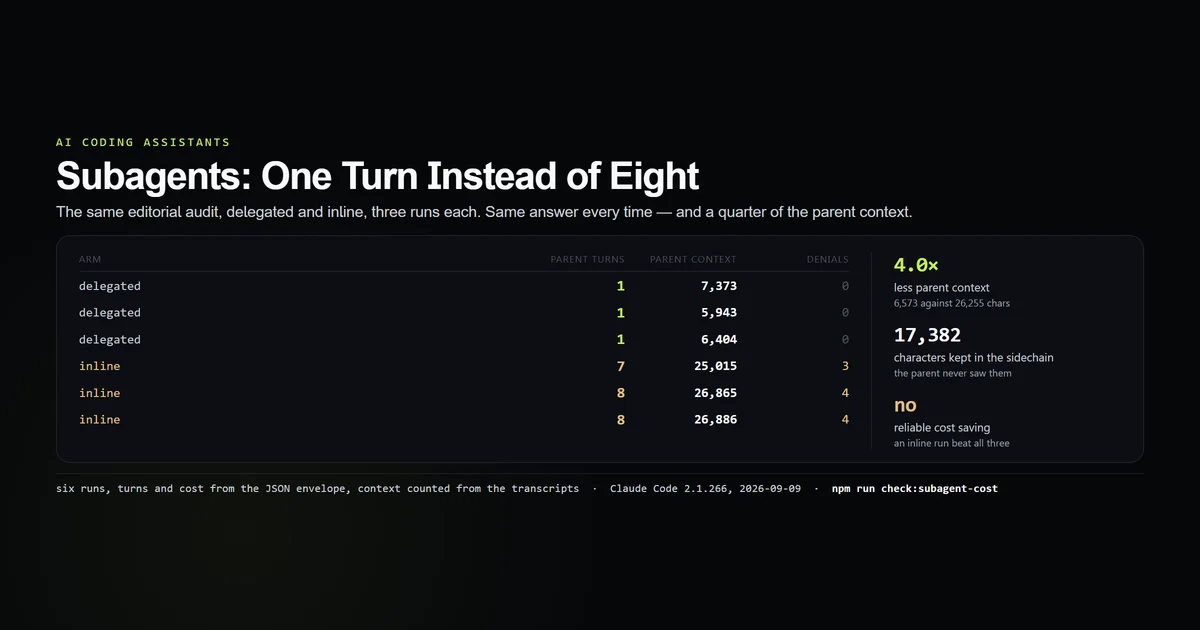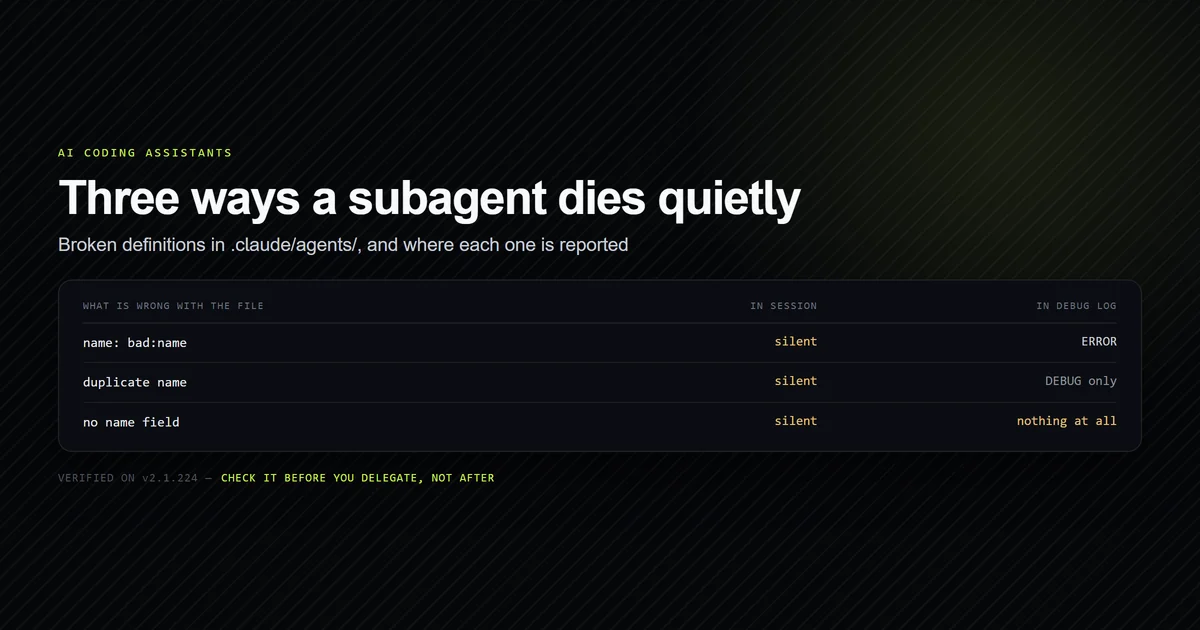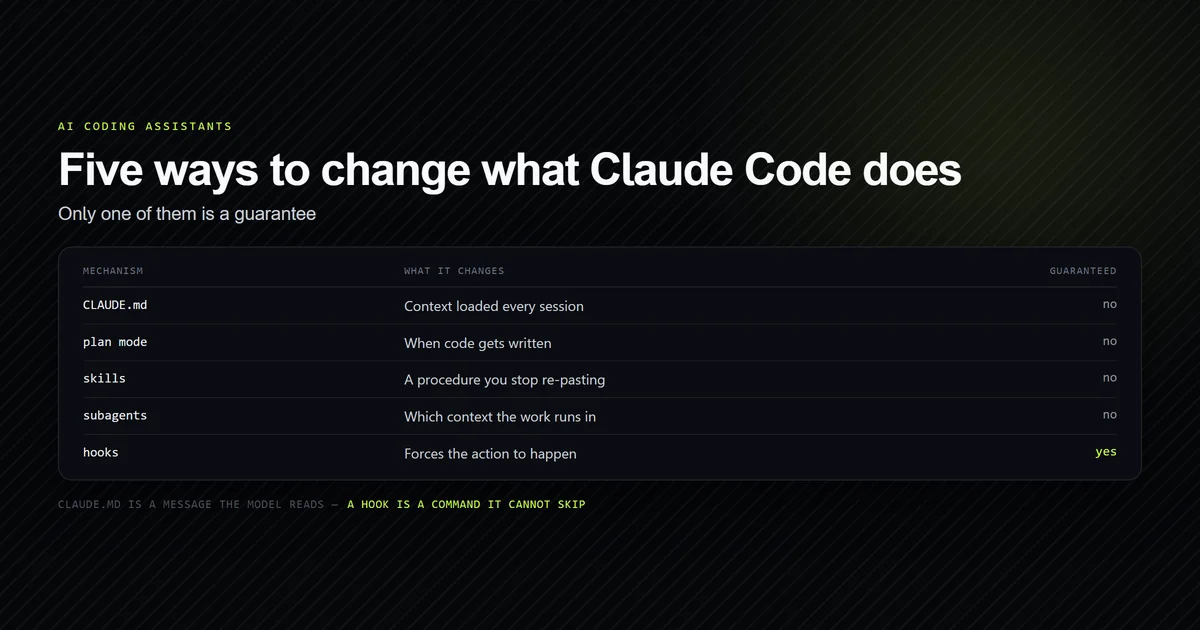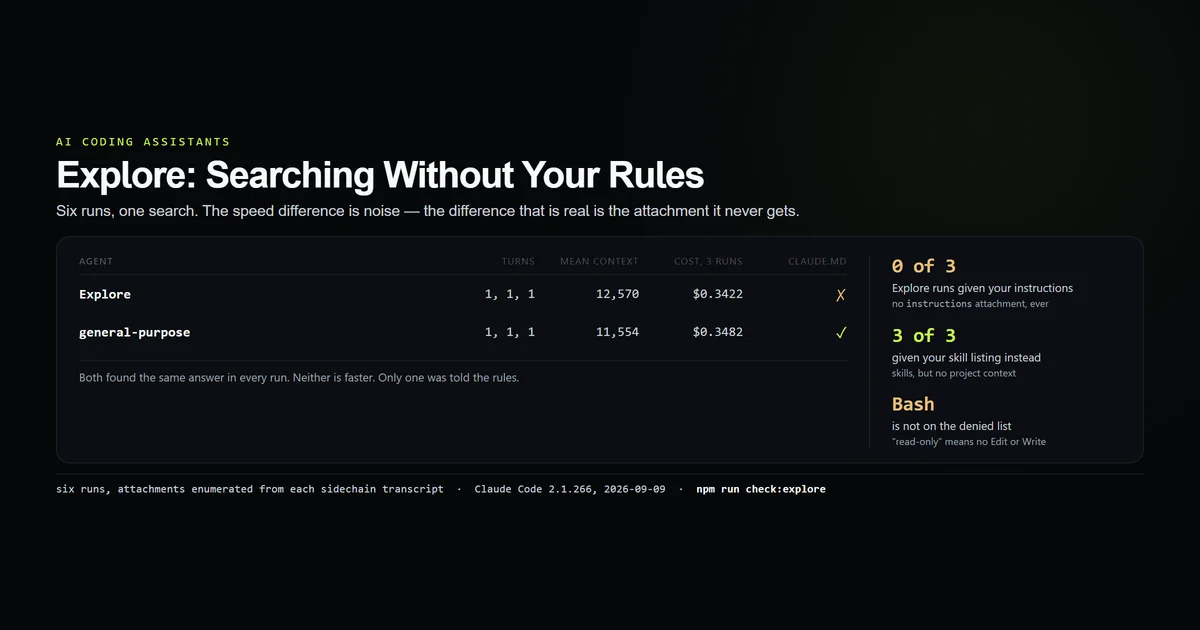
The claude code explore subagent is sold on speed, and speed is the one thing we could not measure. Six runs of one codebase search — three delegated to Explore, three to general-purpose — came back at one parent turn each, within six-tenths of a cent of one another, with the same correct answer. What separates them is not performance. Explore never receives your CLAUDE.md, and it does receive your skill listing. Measured 2026-09-09 on Claude Code 2.1.266.
Key takeaways
- On the same search,
Exploreandgeneral-purposewere indistinguishable: 1 turn each, $0.3422 against $0.3482 across three runs apiece. Exploregets no project instructions at all. Its sidechain transcript carries noinstructionsattachment in any of three runs;general-purposecarries one in all three.- It does get the
skill_listingattachment — so it can invoke your skills while knowing nothing about your project. - It is not read-only.
Edit,Write,NotebookEditandAgentare denied;Bashis not, and it used it. - Its model is inherit, capped at Opus, liftable with
CLAUDE_CODE_DISABLE_EXPLORE_INHERIT_CAP.
What Explore is for
Fan-out search. The pitch is that a broad sweep — many files, many naming conventions, one conclusion — should not happen in your context window, because the intermediate reading is enormous and the answer is three lines. That is a real problem and delegation is a real answer to it; we measured the general shape of that saving separately, and the complete guide places it among the other surfaces.
Explore is the built-in specialised for that job. The question this article asks is narrower: is it better at it than the general-purpose agent that ships beside it?
The experiment
One search, chosen because it has a definite answer that is spread across several files and is not guessable from a filename:
Find every place in this repository that decides the R2 bucket hostname or
builds an R2 image URL. Report the file and what it does, and nothing else.
Three runs delegated to Explore, three to general-purpose, all on Haiku, all in this repository. Turns and cost from the JSON envelope; the sidechain transcripts read off disk for tool calls, context and — the point of the exercise — which attachments each agent was handed at startup.
claude -p "Use the Explore subagent to do this: $SEARCH" \
  --output-format json --model haiku

claude -p "Use the general-purpose subagent to do this: $SEARCH" \
  --output-format json --model haiku
Both agents found the same answer every time: lib/r2-hostname.mjs as the single source of truth, lib/images.ts as the URL builder.
The result
| Agent | Turns | Parent context | Sidechain context | Tool calls | Cost, 3 runs |
|---|---|---|---|---|---|
Explore | 1, 1, 1 | 17,167 · 9,719 · 10,823 | 115,654 · 51,049 · 72,872 | 32, 14, 19 | $0.3422 |
general-purpose | 1, 1, 1 | 13,093 · 11,843 · 9,725 | 66,564 · 112,389 · 46,110 | 20, 26, 14 | $0.3482 |
There is no result in that table. Same turns, overlapping ranges on every column, six-tenths of a cent between the two totals across three runs each. On a plain codebase search with a definite answer, the specialised agent did not beat the general one.
So the interesting difference is elsewhere, and it is not about performance at all.
It never receives your project instructions
Every subagent is handed a set of attachments at startup. Listing them side by side is the whole finding:
general-purpose  environment  model  instructions  session_context  date  …
Explore          environment  model                session_context  date  …  skill_listing
general-purpose gets an instructions attachment. Explore does not — not in one run, in all three. That attachment is your CLAUDE.md.
It is deliberate. The binary's definition of the agent carries omitClaudeMd: true, and Plan carries it too. Nothing else built in does, and there is no frontmatter field that changes it.
The consequence is worth being blunt about. Every convention you wrote down — the directory that is generated and must not be edited, the fact that roadmap.md is 6,000 lines and must be grepped rather than read, the naming scheme that makes a search obvious — none of it reaches the agent you delegated your searching to. It is working from your one-sentence prompt and the filesystem.
That explains a failure mode people report as flakiness: Explore returns something confidently wrong about a repository whose conventions would have made the right answer obvious, and it never had them.
It does receive your skill listing
The inversion is the part we did not expect. Explore's attachments include skill_listing; general-purpose's, in the same three runs, do not.
So the agent with no knowledge of your project is offered the menu of your project's skills. That is not a bug — a search agent may reasonably want a documentation-lookup skill — but it is an odd asymmetry to design around, and it means a skill invoked from inside Explore runs with no CLAUDE.md behind it. If your skill's body assumes the reader has your project instructions, that assumption does not hold there.
Read-only has an asterisk
Explore is described everywhere, including by us, as read-only. The exclusion list in the binary is precise, and it is not the same claim:
Denied to Explore | Not denied |
|---|---|
Agent, Edit, Write, NotebookEdit, ExitPlanMode, the four Artifact tools | Bash, Read, Grep, Glob, and the rest |
Bash is not on the exclusion list, and Explore used it — one of our three runs opens with a Bash call before settling into Grep and Read.
The accurate statement is that Explore cannot use the editing tools. It is not sandboxed, and a shell is a shell. If you are relying on "read-only" as a safety property — running Explore under a broad permission mode on a repository you care about — that reliance is on the tool list of the editing tools only, and your permission rules are doing the actual work. Our own earlier article said "Explore and Plan are read-only: Write and Edit are denied", which is true in its second half and misleading in its first; it now carries a dated correction.
Agent being on the denied list is the other half of a number we published elsewhere: Explore cannot spawn subagents, which is why the nesting-depth cap is almost never the thing that refuses a spawn. It turns out the cap never refuses anything at all — running a purpose-built nesting agent for nested subagents showed the cap is enforced the same way Explore is, by leaving Agent out of the list rather than by turning a call down.
The model cap
Explore's model is inherit — with a ceiling. The binary carries an inheritCap of opus against a ["haiku", "sonnet", "opus"] ladder, and an environment variable to remove it:
CLAUDE_CODE_DISABLE_EXPLORE_INHERIT_CAP=1 claude
Two practical readings. If your session runs at or below Opus, Explore matches it and the cap never fires. If you run a session above that rung, your search agent is quietly running on Opus rather than on your session's model — which is a cost decision made for you, in the direction of cheaper, and worth knowing before you attribute a bill to something else.
If you want Explore on Haiku under a Sonnet session, the override is the one from the older guide and still works: define a project subagent named Explore with model: haiku, and your definition wins over the built-in.
Two descriptions that disagree
The binary carries two descriptions for this agent — a full whenToUse and a shorter whenToUseLean — and they do not offer the same options.
The full text names three search-breadth values to pass when calling it: quick, medium and very thorough. The lean text names two: medium and very thorough. quick is gone.
Which one reaches the model depends on which variant the session is assembled with, and nothing in the interface tells you. So "specify search breadth: quick" is advice that is sometimes describing a value the model has never been offered. Both texts also agree on a limitation worth quoting, because it is the sentence most likely to save you a wrong answer: it "reads excerpts rather than whole files", and it "locates code; it doesn't review or audit it."
When to reach for it
Given the measurements, the honest rule is narrower than the marketing:
- Use
Explorewhen the job really is find where — and when nothing in your project instructions changes what a correct answer looks like. - Use
general-purposewhen the answer depends on your conventions, or when the task might turn into an edit. It costs the same and it knows where it is. - Use neither when the search is small. Both agents put ~12,000 characters into the parent anyway, and three greps inline would have cost less than either.
What did not work
The experiment was designed to find a speed difference and there is not one to report. The original framing was "Explore versus general-purpose, which is faster on search", and after six runs the answer is that the columns overlap. Publishing the null result is the point — the article's finding moved to the attachments only because the performance comparison came back empty, and a version of this page that reported a winner would have been reporting noise.
Absence had to be proved rather than observed. The first check was a grep for a distinctive CLAUDE.md line in the Explore transcripts. It came back empty, which proves nothing on its own: Explore has Read and simply may not have opened the file. The claim only became safe when the attachment types were enumerated on both agents and instructions was present on one and absent on the other in every run.
⚠️ The tool exclusion list is read out of the binary as minified identifiers, and mapped to tool names by matching the shape against the agent's live tool set. The Bash conclusion does not rest on that mapping — Explore was observed calling Bash — but the full denied list does.
⚠️ Which description variant a given session receives was not determined. Both strings exist in the binary; we did not establish the condition that selects between them, and no claim is made about which one is the default.
Best practices
- Do not delegate a conventions-dependent search to
Explore. It does not have your conventions. Put what matters into the prompt, or usegeneral-purpose. - Put the constraint in the prompt, every time. "Do not read
roadmap.mdwhole, grep it" is in ourCLAUDE.mdand reaches this agent only if you type it. - Stop treating read-only as a boundary.
Bashis available. Your permission rules are the boundary. - Pin the model if the cap matters to you. A project
Exploredefinition withmodel:overrides the built-in and its cap. - Prefer it for breadth, not for depth. It reads excerpts, by its own description. A question that needs a whole file read is the wrong job.
- Check which agent actually ran.
subagent_stats.by_typenames it in the JSON envelope.
Common mistakes
Assuming Explore knows the project. Symptom: a confident answer that ignores a rule written at the top of your CLAUDE.md. It never saw it. Fix: say it in the prompt, or delegate to general-purpose.
Reaching for Explore to make a search cheap. Symptom: no change in the bill. Against general-purpose on our search it was a wash, and against three inline greps it is more expensive. Fix: delegate for context, not for cost.
Treating it as a sandbox. Symptom: a shell command you did not expect from the "read-only" agent. Fix: permission rules, and a PreToolUse hook if it must be a veto.
Passing quick as a search breadth and assuming it landed. One of the two descriptions in the binary does not offer that value. Fix: describe the breadth you want in words rather than relying on a keyword.
Expecting it to review what it finds. Its own description says it locates code and does not audit it. Fix: a second pass with an agent that has your instructions.
Conclusion
The claude code explore subagent is not the fast one; on our search it was the same one, to within a rounding error. It is the agent that works without your project instructions, with your skill listing, with a shell, and on a model that may not be your session's. Use it when the question is genuinely where is this and your conventions do not change the answer — and when they do, spend the identical money on general-purpose and get an agent that has read your rules.
Frequently asked questions
What is the Claude Code Explore subagent?
Does the Explore subagent read my CLAUDE.md?
Is the Explore subagent read-only?
Which model does the Explore subagent use?
Should I use Explore or the general-purpose agent?
Muhammad Kashif
Founder and editor of Devventa, covering AI coding assistants, Next.js and the modern AI development stack.