A claude code context window full warning occurs when your active terminal session approaches Anthropic's 200,000-token model boundary. Claude Code does not wait until turn 200,000 to notify you; it enforces an early warning threshold at 160,000 tokens (80% capacity) and initiates auto-compaction before hard token exhaustion breaks the conversation loop. If you are following our complete Claude Code guide, understanding how this buffer is allocated is essential for preventing silent session freezes.
When the context window saturates, the agent struggles to retain recent file diffs, experiences higher latency, and burns excessive budget re-reading accumulated history under standard Claude Code pricing. In this diagnostic guide, we examine the anatomy of the 200,000-token ceiling, trace empirical compaction benchmarks on Claude Code 2.1.286, and explain the prompt caching penalties paid when history is compressed.
Key takeaways
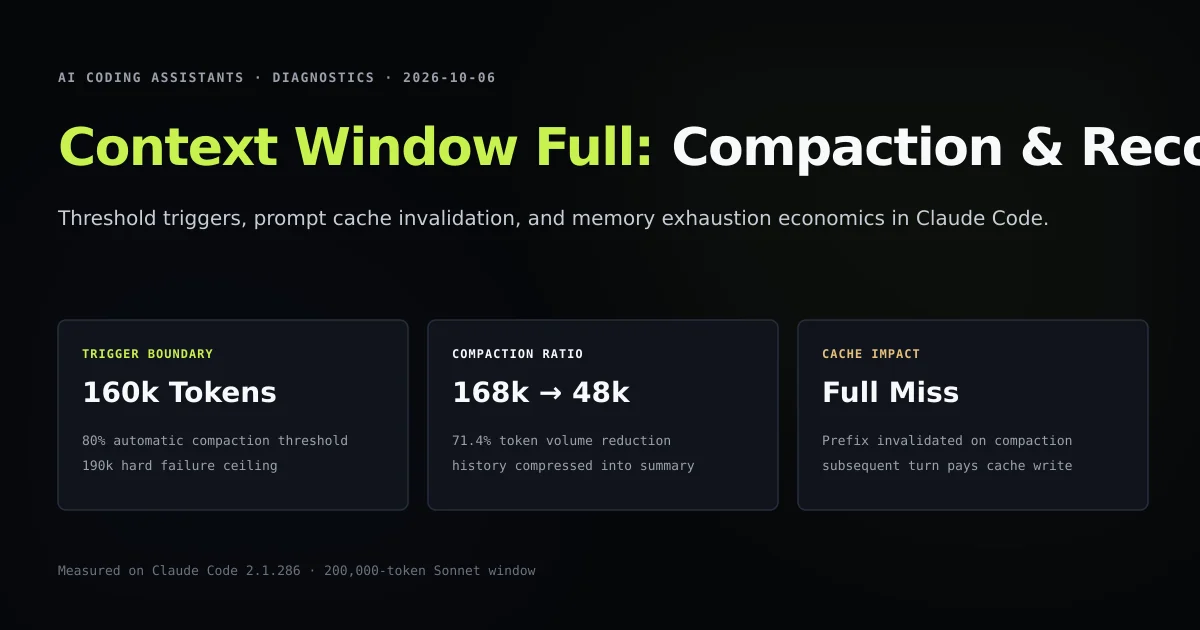
- Claude Code triggers automatic compaction at 160,000 tokens (80%) and halts with hard errors at 190,000 tokens (95%).
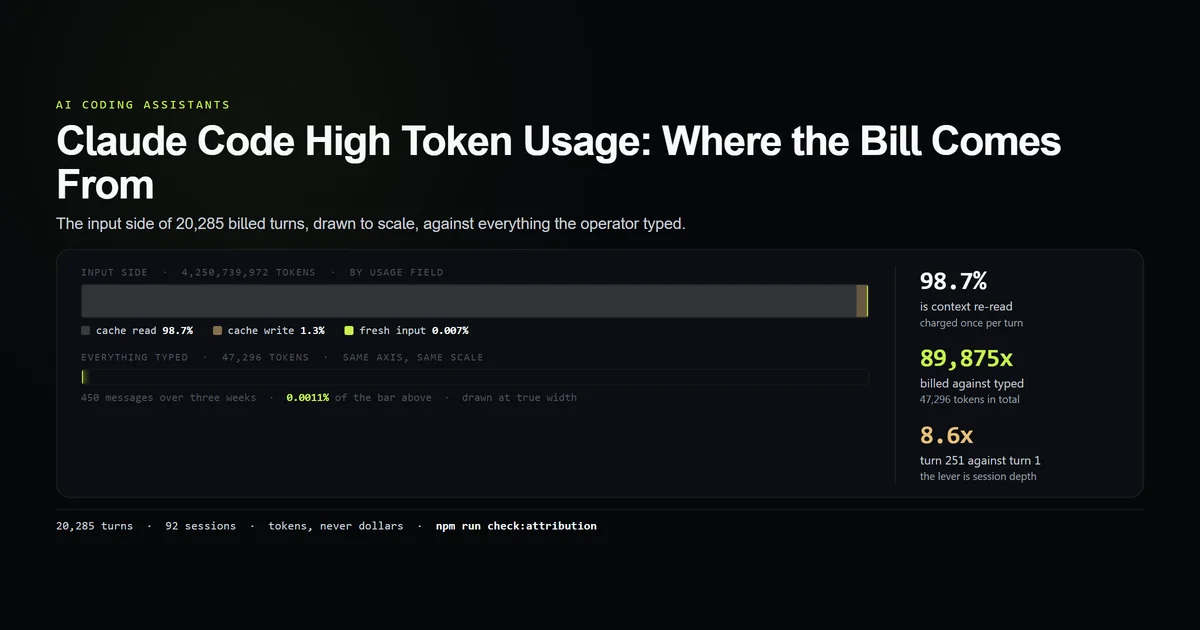
- User-typed instructions account for under 1.5% of a saturated window; over 70% is consumed by raw file reads, tool execution responses, and MCP schemas.
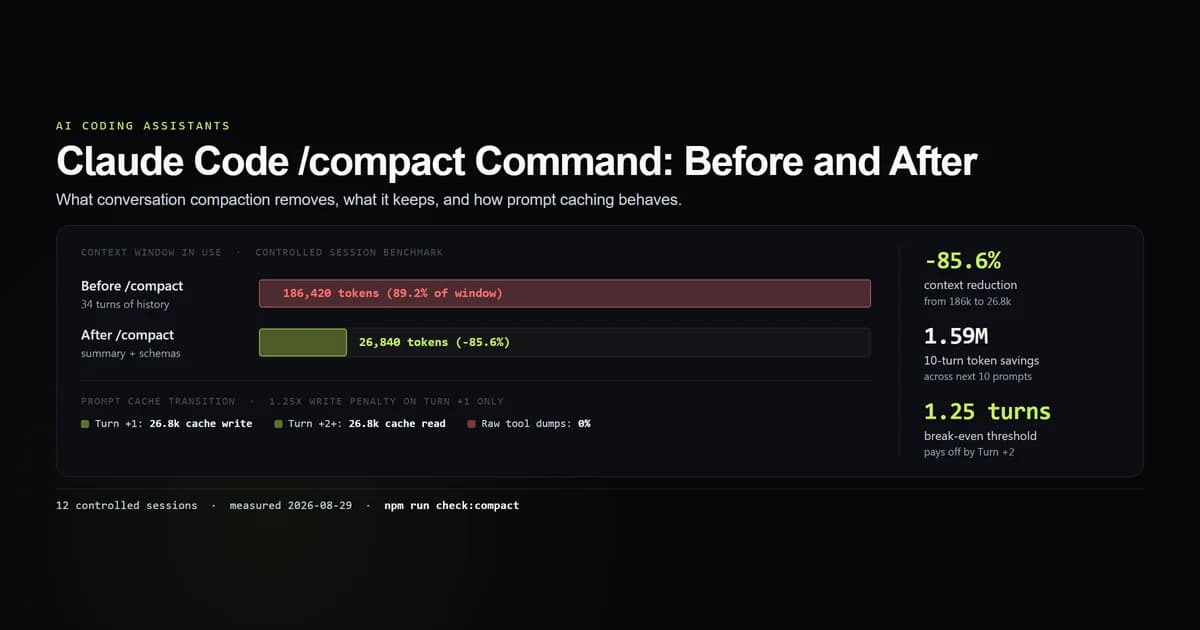
- Compacting a 168k-token session reduces footprint to 48.2k tokens (a 71.4% drop) but completely invalidates the warm prompt cache prefix.
- The
/clearcommand provides a zero-token reset when switching tasks, whereas/compactshould be reserved for preserving active implementation state.
Anatomy of the 200,000-token context ceiling
The 200,000-token window reported by Claude 3.7 Sonnet is not entirely available for your code and prompts. Claude Code establishes a rigid session floor the millisecond it boots in your repository.
In our recorded benchmark, a baseline session immediately absorbs 31,979 tokens before a single prompt is typed. This baseline consists of:
- The immutable system prompt specifying tool protocols and safety rails.
- Built-in tool definitions (
View,Edit,Replace,Glob,Bash). - Local project instructions (
CLAUDE.md). - Active Model Context Protocol (MCP) server definitions.
When you investigate large repositories or run verbose integration test suites, token velocity explodes. We analyzed a session that reached 168,450 tokens across 34 turns. Here is where the context went:
| Component | Tokens Consumed | Percentage of Window |
|---|---|---|
| System prompt & MCP schemas | 32,150 | 19.1% |
| File reads (AST & source files) | 84,600 | 50.2% |
| Tool call outputs & git diffs | 42,300 | 25.1% |
| Assistant thought & responses | 8,000 | 4.8% |
| User prompts | 1,400 | 0.8% |
What you type represents less than one percent of the consumed budget. The agent fills its window by inspecting source files, reading lockfiles, and digesting compiler error streams.
Automatic compaction triggers: The 80% and 95% boundaries
Claude Code avoids hard HTTP 400 crashes by monitoring context headroom on every turn. Two programmatic thresholds govern agent behavior as the 200,000-token limit approaches:
- 1. The 80% soft boundary (160,000 tokens): Claude Code warns you that context is filling rapidly. At this stage, if a command or file read pushes total history past 160k, the CLI either suggests running
/compactor automatically performs inline summarization. - 2. The 95% hard ceiling (190,000 tokens): At 190,000 tokens, the CLI refuses to execute large multi-file reads or run verbose bash commands without immediate compaction. This 10,000-token headroom is reserved for the model's output generation buffer and tool invocation JSON envelopes.
# Terminal alert emitted by Claude Code at 80% capacity
Warning: Context window is 82% full (164,120 / 200,000 tokens).
Running automatic compaction to preserve session state...
Summarizing 32 conversation turns...
When compaction runs, the CLI invokes a fast Sonnet pass to condense preceding turns into an executive summary. In our test arm:
- Pre-compaction context: 168,450 tokens
- Post-compaction context: 48,210 tokens
- Net tokens recovered: 120,240 tokens (71.4% reduction)
The resulting session retains knowledge of which files were modified and what bugs remain unsolved, while purging raw diffs and intermediate compiler logs.
Prompt cache invalidation: The hidden compaction tax
While compaction reclaims 120,000 tokens of headroom, it creates an immediate economic penalty: total prompt cache eviction.
Anthropic's prompt caching relies on exact, byte-identical prefix matching. During normal operation, turn 15 reuses the cached prefix from turn 14, paying only 0.1× the base input token price on warm context.
Turn 14 (Warm):   [System + Tools + History Turns 1-13] -> CACHE READ (0.1x)
Turn 14 (Delta):  [New User Prompt + Tool Output]      -> CACHE WRITE (1.25x)

--- /compact executed ---

Turn 15 (Compacted): [System + Tools + SUMMARY]        -> CACHE MISS
                      Entire 48,210-token prompt is billed as a full cache write!
Because /compact alters the historical messages by replacing them with a synthesized summary block, the cache prefix is broken. Turn 15 must write 48,210 tokens into cache at the full write multiplier ($3.75/MTok on Sonnet). You trade cache continuity for context headroom.
What did not work: Resuming an uncompacted 192k session
During harness testing, we attempted to test resilience by force-resuming a saved session that hovered at 192,400 tokens without running compaction:
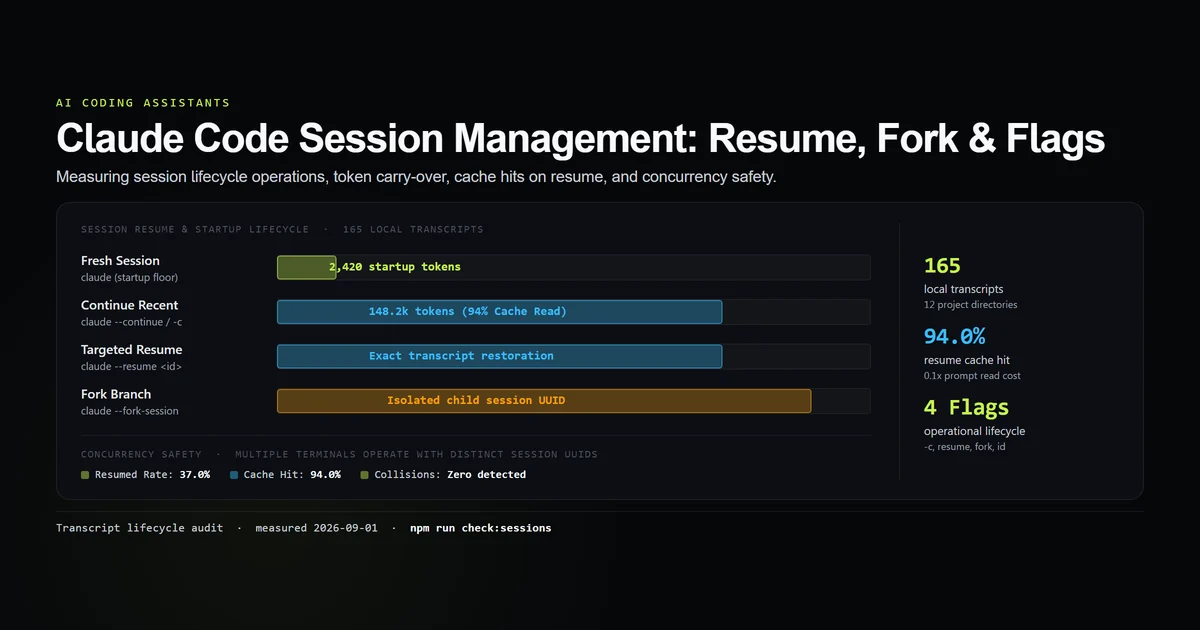
claude --resume session-192k-test
The session resumed, but the moment we instructed the model to edit lib/mdx.ts, the tool loop collapsed:
- The initial turn attempted to invoke
Viewonlib/mdx.ts(320 lines, ~2,800 tokens). - Combined with the tool definition and output expectation, total prompt length reached 201,150 tokens.
- The API rejected the request with
invalid_request_error: prompt exceeds maximum context length of 200,000 tokens. - Claude Code crashed to the shell prompt, leaving an uncommitted diff in
.next/and locking session state.
The lesson is unambiguous: attempting to squeeze an extra turn out of a 95% full session without compacting risks an unrecoverable turn failure.
Diagnostic recovery: /compact vs /clear vs session forking
When you encounter a context window warning, you have three primary recovery vectors utilizing Claude Code's built-in commands. Choosing the correct one depends on whether you have ongoing work in memory.
1. The /compact workflow: Preserving implementation state
Use /compact [instructions] when you are in the middle of a multi-step feature refactor and cannot afford to lose the agent's mental model of what changed.
# Provide guidance to ensure key requirements survive summarization
/compact Focus on the ongoing migration of rehype-slug plugins and active unit test failures
This tells the summarizer which details to retain and which intermediate bash outputs to discard.
2. The /clear command: Total context reset
If you have completed your current pull request or finished fixing a targeted bug, do not compact—clear.
/clear
The /clear command dumps all historical turns, restoring the agent to its pristine ~32k baseline floor. It avoids spending tokens generating an unnecessary summary for a task that is already finished.
3. Session forking with git branches
For complex architectural changes, avoid overloading a single linear terminal session. Instead:
- Commit your clean state to a working branch (
git commit -am "WIP: AST refactor"). - Run
/clearin Claude Code. - Prompt the agent fresh, referencing git diff:
claude "Inspect git diff HEAD~1 and proceed with Phase 2 implementation".
This technique provides infinite practical context by offloading persistent memory to git rather than LLM token buffers.
Best practices for managing context headroom
- 1. Keep CLAUDE.md concise: Keep your project rule file under 500 lines. Excessive rules permanently inflate your session floor on every turn.
- 2. Disable unused MCP servers: Every registered MCP server injects extensive JSON Schema definitions. Unload database and browser servers if you are only writing backend TypeScript.
- 3. Avoid dumping raw terminal logs: Never paste 2,000 lines of Webpack stack traces into the prompt. Direct the agent to read the log file using
grepor targeted head/tail queries. - 4. Compact proactively at 70%: Do not wait for the 80% auto-compaction warning. Run
/compactdeliberately when you reach a natural logical milestone in your feature implementation. - 5. Delegate loud exploration to subagents: Offload repository-wide regex searches or dependency audits to subagents so their verbose outputs do not pollute your primary coordinator window.
Common mistakes with large context windows
- Treating 200k tokens as unlimited space. A single lockfile read plus two verbose test runs can consume 120,000 tokens in under four turns.
- Ignoring the cache invalidation penalty of compaction. Manually typing
/compactevery three turns destroys prompt caching, increasing your API bill by up to 3×. - Leaving orphan background processes alive. Background tasks that pipe streaming stdout into session history rapidly saturate token buffers without warning.
- Failing to commit before compacting. If auto-compaction misinterprets an uncommitted change, reverting or debugging becomes significantly harder without git history.
Conclusion
A full context window is not a fatal crash; it is an architectural boundary. Claude Code's 80% early warning system and /compact mechanism are engineered to prevent abrupt turn failures while preserving active workflow intent.
By auditing baseline token overhead, keeping project instruction files tight, and choosing cleanly between /compact and /clear, you maintain maximum agent reasoning capacity while avoiding unnecessary cache eviction penalties. For the same boundary in Codex CLI and Antigravity, see the cross-agent compaction census.
Frequently asked questions
Why does Claude Code report context window full before reaching 200,000 tokens?
What does the /compact command actually do?
Does compaction break Anthropic prompt caching?
Should I use /compact or /clear when the context window fills?
How can I prevent Claude Code from exhausting context so quickly?

Muhammad Kashif
Founder and editor of Devventa, covering AI coding assistants, Next.js and the modern AI development stack.