Ai coding tools for enterprise are sold on administrative control, and the questions in every procurement checklist are about the vendor: retention, residency, SSO, audit logs. Those are real and they are answered in a contract. The files that decide what an agent actually does on a given repository are not in that contract, most of them are not in the repository either, and an administrator's ability to govern them is exactly their visibility. We enumerated all of them on one working machine on 2026-08-25.
Our internal check script classifies each surface by reach — who can see it:
npm run check:control
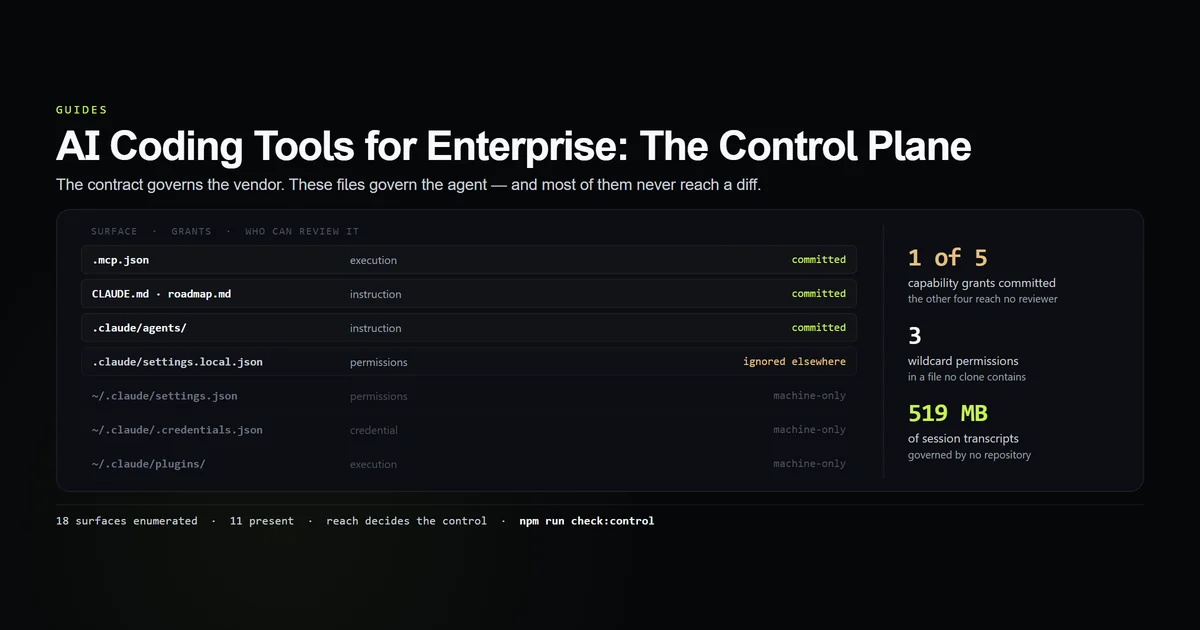
# → 11 of 18 surfaces exist on this machine
# → 5 grant a capability; 1 is committed where a reviewer could read it
# → reach: 5 committed · 5 machine-only · 1 ignored-elsewhere · 7 absent
# → 21 permission grants and 2 enabled MCP servers in a file no clone contains
# → 3 wildcard grants that no reviewer can read
Key takeaways
- Capability grants are mostly invisible. Of five surfaces that grant permissions, execution or a credential, one is committed. The rest live in ignored files or in the user's home directory.
- One file held 21 grants and the enabled MCP server list — and was excluded by a rule stored outside the repository, so the exclusion is as invisible as the file.
- Three grants are wildcards.
PowerShell(claude *)and two more, in a file that reaches no reviewer. - Eight tracked files were under change control by accident. An ignore rule matched them, git spared them for being added first, and the next file added beside them would have vanished silently. Since fixed.
- 519 MB of session transcripts and 102 kB of prompt history sit in a home directory that no repository describes and no retention policy covers.
The short answer
An enterprise tier buys you control over the vendor. It does not automatically buy you control over the agent, and the second one is a filesystem problem you solve yourself.
The distinction is worth being precise about, because the two are bought in different places and only one appears in a security questionnaire. What the vendor does with a prompt after it arrives is contractual. What gets sent, which local processes start, and which commands run without asking are decided by files on a laptop — and the audit below found that on one ordinary machine, four of the five capability-granting surfaces cannot be read by anyone but the person sitting at it.
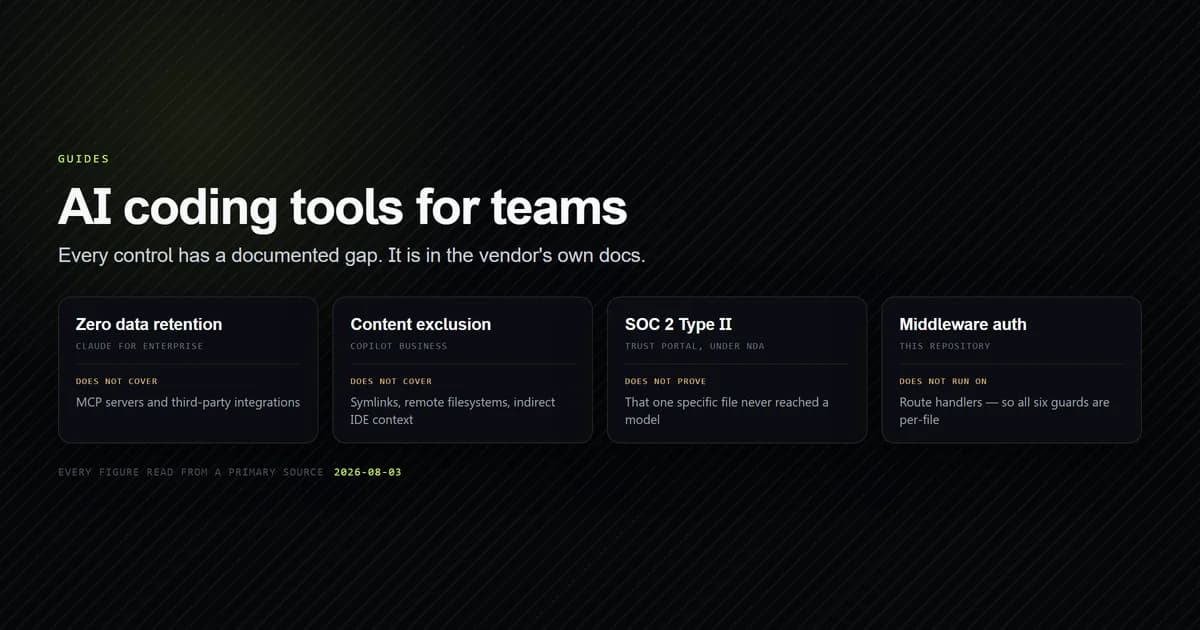
For the vendor half — zero data retention, content exclusion, compliance evidence and rollout sequencing — our guide to AI coding tools for teams covers what each vendor's controls cover and where their own documentation says they stop. This article does not repeat any of it. It measures the other half.
What an enterprise tier governs
Enterprise plans across the major vendors converge on the same list: single sign-on, SCIM provisioning, an audit log of user actions (such as in GitHub Copilot enterprise organization management), centralised billing, and a negotiated data agreement. Every one of those is real, and every one operates on the account.
None of them describe the repository. An audit log records that a developer used the assistant; it does not record that the assistant was granted a wildcard shell permission on that developer's machine three weeks earlier, or that a local MCP server has been spawning a Node process with filesystem access since. Those facts live in files, and whether an administrator can see them is a property of your repository layout rather than your plan tier.
Which makes the buying question sharper than the checklist suggests. Ask what the plan can enforce on those files, not what it can log about the session.
The 18 surfaces that decide what an agent does
The check enumerates every file on this machine that changes agent behaviour, splits them by scope, and records what each one grants: permissions, execution, a credential, an instruction, or a record.
| Surface | Grants | Reach |
|---|---|---|
CLAUDE.md, content-rules.md, roadmap.md | instruction | committed |
.mcp.json | execution | committed |
.claude/agents | instruction | committed |
.claude/settings.local.json | permissions | ignored-elsewhere |
~/.claude/settings.json | permissions | machine-only |
~/.claude/.credentials.json | credential | machine-only |
~/.claude/plugins | execution | machine-only |
Seven of the eighteen are absent on this machine — no AGENTS.md, no .cursorrules, no .github/copilot-instructions.md, no project-level .claude/settings.json. Absence is not a defect and the check never fails on it. What matters is the distribution of the eleven that exist.
Five grant a capability. One of the five is committed. The committed one is .mcp.json, which declares two MCP servers (conforming to the Model Context Protocol specification), each of which starts a local Node process:
{
  "mcpServers": {
    "roadmap": { "command": "node", "args": ["scripts/mcp/roadmap-server.mjs"] },
    "content": { "command": "node", "args": ["--conditions=react-server", "scripts/mcp/content-server.mjs"] }
  }
}
That file is reviewable, which is the correct arrangement. But which of those servers is switched on is recorded elsewhere — in enabledMcpjsonServers inside the local settings file, which no clone contains. So the reviewable half of the configuration declares what could run, and the invisible half decides what does.
Reach is the control
The five reach classes are the whole argument, so they are worth stating plainly.
- committed — in the repository, in every clone, shows up in a diff. Governable.
- ignored-in-repo — on disk, excluded by a rule the repository states. At least the exclusion is visible.
- ignored-elsewhere — on disk, excluded by a rule that lives outside the repository. The file is invisible and so is the reason.
- machine-only — outside the repository entirely. No clone has any idea it exists.
- absent — not installed.
The ignored-elsewhere case is the one that surprised us. .claude/settings.local.json holds 21 permission grants and the enabled-server list, and it is excluded by a single line in a global git ignore file in the user's home directory:
git check-ignore -v --no-index .claude/settings.local.json
# → "C:/Users/<user>/.config/git/ignore":1:**/.claude/settings.local.json
Nothing in the repository says that file is hidden. A reviewer cloning this project sees no rule, no file and no gap. Three of the grants inside it are wildcards — PowerShell(claude *) among them — which is a broad standing permission sitting in the one place nobody can audit.
The machine-only tier is larger than people expect. Alongside the credential and the machine-wide settings sit 5 MB of installed plugins, 102 kB of prompt history and 519 MB of session transcripts — a complete record of what was asked and what was done across every project on the laptop, governed by no repository and covered by no retention policy that a contract would describe.
Buyers reach for a self-hosted model at about this point in the argument, and it is worth knowing what that buys before it is priced. On the same machine, an audit of every outbound service found seven, of which running the model locally removes one — the transcripts above stay exactly where they are, because they were never the vendor's to begin with.
The ordering trap that hides a policy file
The audit found one defect that no status, diff or review would have surfaced, and it is a general one.
Eight tracked files were matched by an ignore rule at the same time as being in version control. Git applies ignore rules only to untracked paths, so a file added before a rule stays tracked forever while every file added after it is silently excluded. The rule here was *.md, added to keep ad-hoc documentation out of the repository. It also matches CLAUDE.md, content-rules.md, project roadmap files and both subagent definitions under .claude/agents/.
Those five files are the policy surface of this project. They were in version control by accident of ordering, and the next one added beside them would have disappeared with no error, no warning and nothing in git status. On a team, that is a new subagent definition that one developer has and nobody else can see.
*.md
# ...except the policy surface, which has to be reviewable in a diff.
!CLAUDE.md
!content-rules.md
!roadmap.md
!README.md
!*/README.md
!.claude/**/*.md
That fix shipped with this article, and the check now exits non-zero on any tracked-and-ignored path. It is the single cheapest thing on this page and it took one line per exception.
Team ai coding needs a shared allowlist
Everything above scales badly by exactly the number of laptops. One developer with an unreviewable permission file is a preference. Forty developers with forty unreviewable permission files is a capability set nobody can describe, which is the thing an auditor will ask you to describe.
The structural fix for team ai coding is to move capability grants from the personal tier into the committed one:
- Commit a project
.claude/settings.jsonwith the permissions the work actually needs (as detailed in the Claude Code settings reference). It is absent here, which is why 21 grants accumulated in the local file instead — the personal file is the path of least resistance when the shared one does not exist. - Commit
.mcp.json, and commit the enabled list with it. A declaration without an enablement record tells a reviewer nothing. - Keep the credential machine-only. It belongs there. Do not let a tidy-everything-up instinct pull it into a repository.
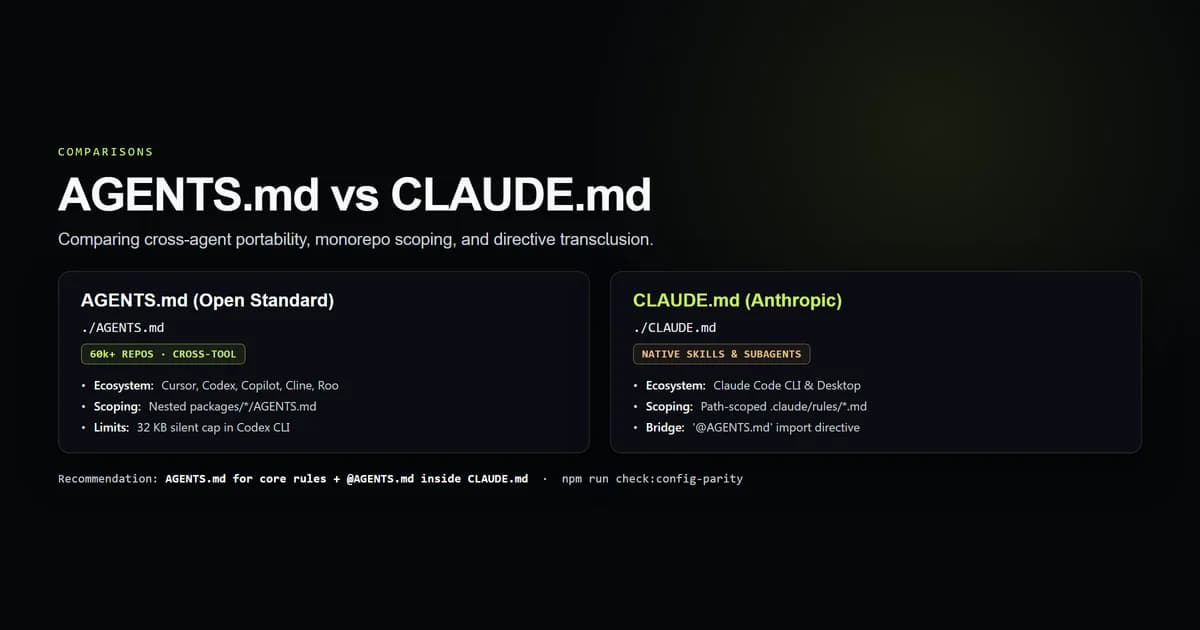
- Standardise the instruction file across harnesses. If your team runs more than one agent, the choice between an open-standard file and a vendor-specific one decides whether one review covers all of them.
- Run the audit in CI. A control plane check that only runs when someone remembers is the same shape as the problem it detects.
What to require from an enterprise coding assistant
A procurement list for the half a contract does not cover. For each item, ask for the mechanism, not the intent.
- Ask for server-enforced settings a local file cannot override. Which specific keys are enforceable, and what happens when a developer sets the opposite locally? "Recommended defaults" is not enforcement.
- Ask for a centrally owned allowlist for MCP servers and skills. These are executable third-party code with roughly the friction of an editor extension.
- Ask for a machine-readable export of effective permissions per user. If an enterprise coding assistant cannot tell you what a given developer's agent may do right now, its audit log is recording sessions rather than capabilities.
- Ask where local transcripts live and how long they stay. 519 MB of them accumulated on one machine here.
- Ask how the instruction file is distributed. Whatever governs behaviour has to arrive with the repository, not with the person.
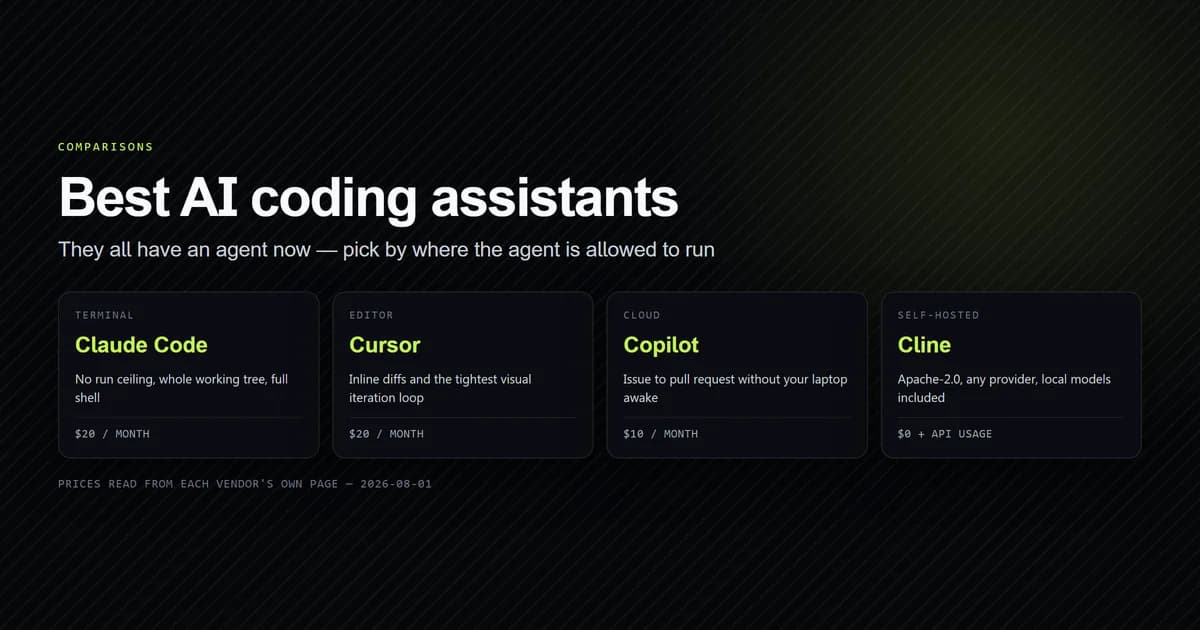
The tools that win on this axis are not necessarily the ones that win on model quality, which is why the assistant comparison is a different decision from the procurement one.
What did not work
The check produced three wrong answers before it produced a useful one, and each was a different way of being confidently incorrect about visibility.
It read a Windows path as a repository-relative one. git check-ignore -v returns <file>:<line>:<pattern>, and taking everything before the first colon yields "C for an absolute Windows path. The rule excluding the permission file was therefore classified as living inside the repository — the audit's central distinction, inverted, by a split(":").
It reported a deliberately committed file as trapped. -v prints the matching rule even when that rule is a negation, so .env.example, which is explicitly re-included by !.env.example, appeared in the ordering-trap list. Negated patterns are now filtered out.
Its first guard demanded that a credential be committed. The initial rule failed on any capability-granting surface whose reach was not committed, which put ~/.claude/.credentials.json on the problem list. Outside the repository is the correct place for a credential; a guard that insists otherwise is worse than no guard. Scope now decides, and machine-only surfaces are reported rather than failed on.
There is a fourth, which is a limitation rather than a bug: the surface list is enumerated, not discovered. A harness this list does not name is invisible to the check — the same failure it exists to measure.
Common mistakes buying for enterprise
- Treating the audit log as the control plane. It records sessions. Capabilities are decided by files it never sees.
- Assuming the repository describes the agent. On this machine, 4 of 5 capability grants are outside it.
- Letting personal settings become the default home for grants. They will be, if no committed project file exists.
- Reviewing
.mcp.jsonand stopping. The enablement record is in a different file with different visibility. - Adding a broad ignore rule and assuming existing files are protected by it. They are protected from it, which is worse — the protection ends at the next file.
What we are not claiming
This is one machine, one developer and one enumerated list. It reads no vendor documentation and no plan tier, so nothing here scores any product's enterprise offering — it describes the surface those offerings would have to govern.
We never read the contents of the credential file; presence and size only. The 519 MB transcript figure is a directory size, not a claim about what those transcripts contain.
And the local settings file being ignored is a reasonable default, not a vendor defect. The finding is narrower and more awkward: the same file format holds personal preferences and capability grants, so the default that is right for the first is wrong for the second, and no error is raised when it happens.
Conclusion
Buy the enterprise tier for what it enforces on the vendor, then spend the first week doing the part it does not cover: commit a project settings file, commit the MCP enablement record alongside the declaration, and add a check that fails when a capability-granting surface is not in the repository. On the machine audited here that is four files moving from invisible to reviewable, and it costs less than a day. Then read what the vendors' own controls do and do not cover, which is the other half of the same purchase.
Frequently asked questions
What makes an AI coding assistant enterprise-ready?
Where do AI coding agent permissions actually live?
Can an administrator see what an agent is allowed to do?
How is this different from vendor security controls like zero data retention?
What should a team standardise first for AI coding tools?

Muhammad Kashif
Founder and editor of Devventa, covering AI coding assistants, Next.js and the modern AI development stack.