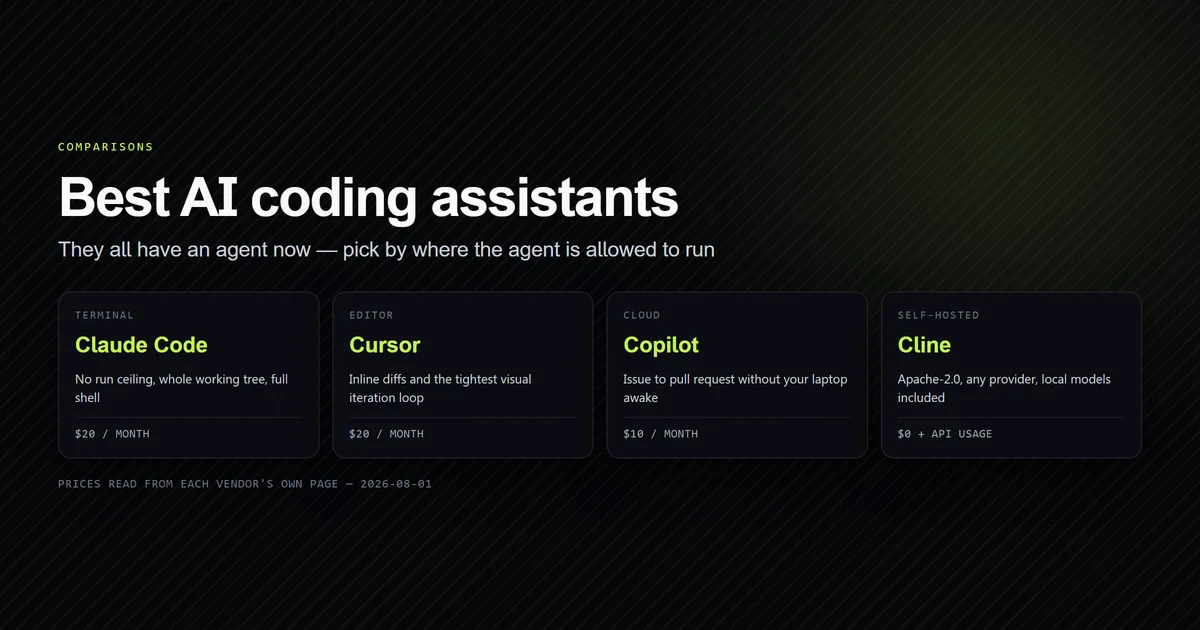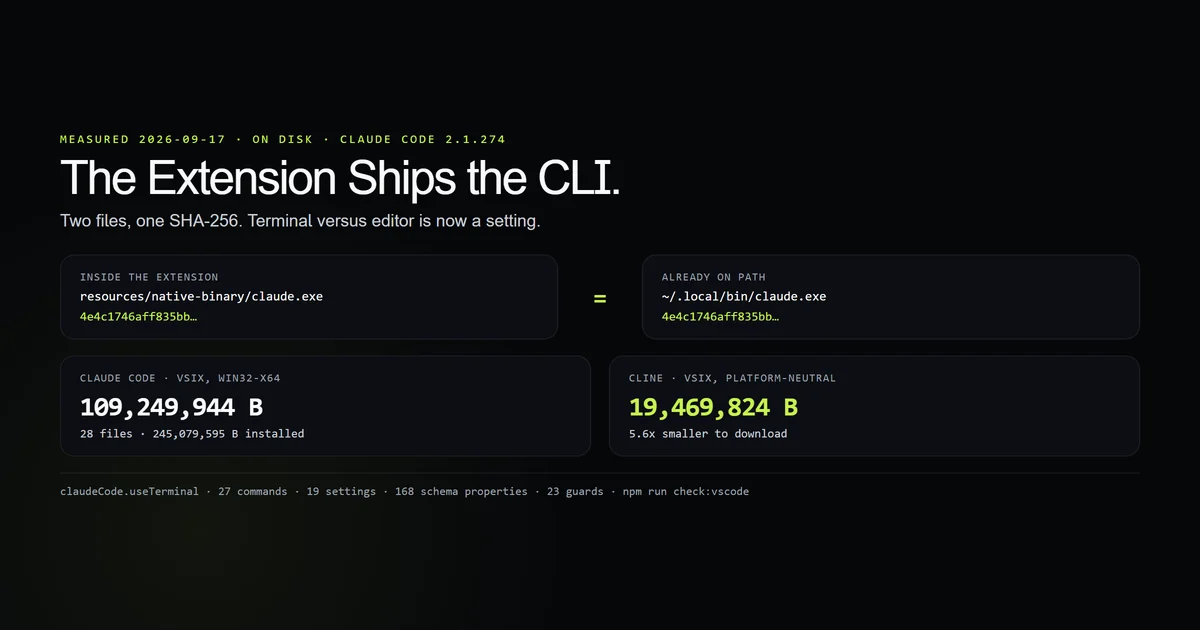
Claude code vs cline 2026 used to be a terminal-versus-editor question. It is not one any more, and the evidence is on disk: the Claude Code VS Code extension installed here ships its own claude.exe, and its SHA-256 is byte-for-byte identical to the CLI already on PATH — 4e4c1746aff835bb…, 233,691,808 bytes, twice. Both tools are VS Code agents in 2026. What separates them is what you install, what the editor adds, and which one your configuration survives. Our best AI coding assistant comparison covers the field; this is the VS Code half of one pairing.
Key takeaways
- Claude Code's VS Code extension bundles a second copy of the CLI binary with a matching SHA-256, not a thin client that shells out to yours.
- That binary is 233,691,808 of the extension's 245,079,595 installed bytes — over 95% of the install.
claudeCode.useTerminalis a workspace setting, so terminal versus panel is a checkbox rather than a product choice.- Cline's VSIX is 19,469,824 bytes against Claude Code's 109,249,944 for win32-x64 — about 5.6 times smaller to download.
- Both extensions were updated on 2026-09-17. Neither imports the other's configuration.
Claude code vs cline 2026: what actually changed
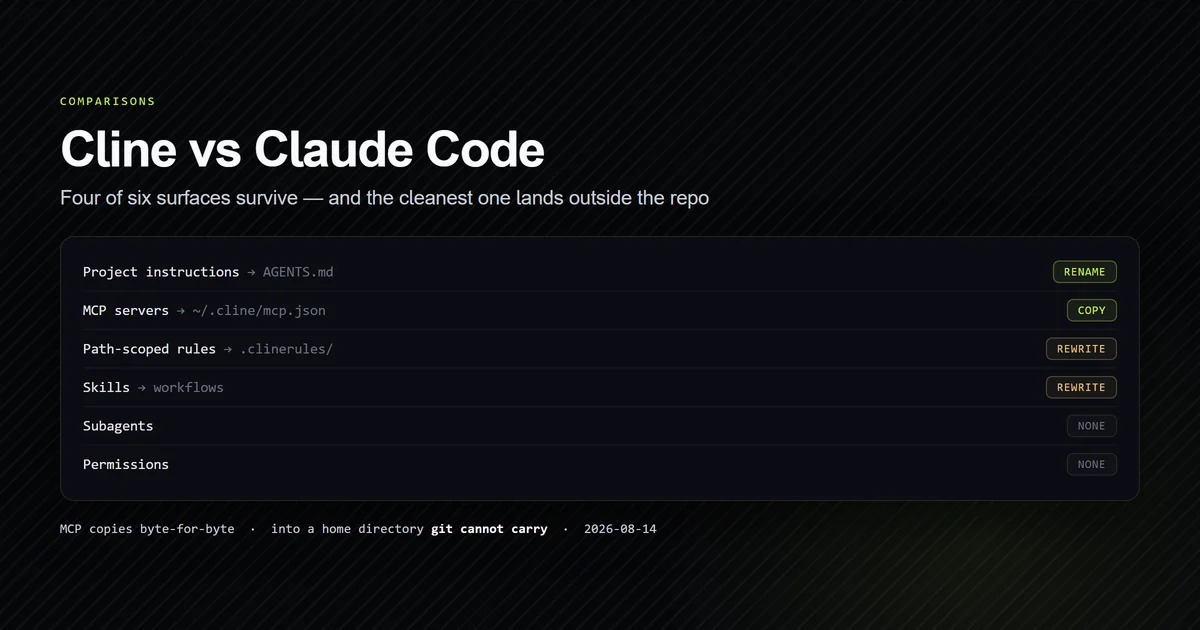
Our earlier audit, Cline vs Claude Code: Where the Config Actually Lands, scored the two on configuration portability and found four of six surfaces survive the move, with the one that ports perfectly landing in a home directory git cannot follow. That is still the right answer to the config question and this article does not re-run it.
What changed is the surface. In 2025 the honest framing was an editor extension against a terminal process, and half the decision was about where you wanted to sit. In 2026 Claude Code has a first-party VS Code extension with 25.7 million reported installs, and it does not wrap the terminal — it carries the agent.
The extension, censused on disk
Every number below comes from the installed directory on this machine, not from a listing page.
npm run check:vscode
# → Extension dir      anthropic.claude-code-2.1.274-win32-x64
# → Files / bytes      28 files · 245,079,595 B
# → Bundled binary     233,691,808 B · sha256 4e4c1746aff835bb…
# → CLI on PATH        233,691,808 B · sha256 4e4c1746aff835bb…
# → Identical          yes
Twenty-eight files and a quarter of a gigabyte. The shape is unusual for a VS Code extension and entirely explained by one entry: resources/native-binary/claude.exe. Running it directly reports 2.1.274 (Claude Code) — the same build as the extension and the same build as the CLI.
| Claude Code for VS Code | Cline | |
|---|---|---|
| Marketplace version | 2.1.274 | 4.1.19 |
| VSIX download | 109,249,944 B | 19,469,824 B |
| Platform-specific build | yes, win32-x64 | no |
| Reported installs | 25,733,305 | 5,354,255 |
Both rows were read from the same Marketplace query on 2026-09-17, and both extensions had been updated earlier that day. This is not a live product against a stalled one — it is two actively shipping products with very different packaging.
The terminal is a setting, not a product
The extension contributes 19 workspace settings. One of them is claudeCode.useTerminal, and it appears in the when clauses of four of the nine keybindings:
{
  "key": "cmd+escape",
  "command": "claude-vscode.terminal.open.keyboard",
  "when": "config.claudeCode.useTerminal"
}
Flip that setting and the same keystroke opens a terminal instead of the webview panel. The agent underneath does not change, because it is the same binary either way. Anyone still choosing between Claude Code and Cline on the grounds that one lives in a terminal and the other in an editor is choosing between two values of a boolean.
That is the same collapse we recorded when Cursor shipped a CLI and closed the axis our terminal-versus-editor comparison was built on. It has now happened from the other direction.
What the editor gets that the terminal does not
The extension is not only a window. It contributes:
- 27 commands, including
claude-vscode.createWorktree,claude-vscode.acceptProposedDiffandclaude-vscode.reopenClosedSession. - Three sidebar views —
claude-sidebar,claude-sidebar-secondaryandclaude-sessions-sidebar— so sessions are a browsable list rather than a--resumeflag. - A 245,931-byte JSON schema registered against
**/.claude/settings.json,**/.claude/settings.local.jsonand two managed-settings paths.
That schema is the underrated one. It declares 168 top-level properties, while the extension surfaces 19 settings in the VS Code UI. Editing .claude/settings.json inside VS Code gets you completion and validation across all 168; editing it in any other editor gets you a JSON file and a guess. Our permissions rules teardown is a direct beneficiary — the precedence stack it documents is far easier to get right against a schema than against prose.
One more detail from the manifest, quoted exactly as shipped:
"untrustedWorkspaces": {
  "supported": false,
  "description": "untusted workspaces are not supported"
}
The typo is Anthropic's and the guard in our check script asserts it verbatim, because a string that changes is a signal that the block was revisited. The substance matters more than the spelling: the extension refuses to activate in an untrusted workspace, which is the correct default for a tool that runs commands.
Cline vs Claude on install weight
19,469,824 bytes against 109,249,944 is not a rounding difference, and the cause is architectural rather than sloppy.
Cline is a TypeScript extension that is the agent — it runs inside the extension host and calls model APIs from there. One platform-neutral VSIX covers every machine. Claude Code is a native binary that the extension hosts, so Anthropic publishes a separate build per platform and each one carries its own 233 MB executable. You are downloading an agent, not a client for one.
Both trades are defensible. The native binary is why Claude Code runs identically from a terminal, a CI job and an editor panel, and why the VS Code extension needs no separate feature work to stay in step with the CLI. The TypeScript extension is why Cline installs in seconds and updates in the background. If you are weighing this on a metered connection or a locked-down laptop, the number is 5.6 times and it is real.
Neither one imports the other
claude import cline --dry-run
# → Usage: claude import [codex|gemini|cursor] [--dry-run] [--yes[=<digest>]]
# → exit 1
Exit 1 on 2.1.274, with cline absent from the supported-source list — the same refusal we measured against three other unsupported names. The bundled-binary arrangement turns out to be the unusual one, too: GitHub's extension ships a 120-byte shim in place of its CLI rather than the binary itself, which is the opposite trade from the 233 MB above. Cline reads AGENTS.md and Claude Code reads CLAUDE.md, and our four-arm AGENTS.md probe found that the cross-vendor file reaches Claude Code's model only through an explicit @AGENTS.md import. That one line is still the cheapest bridge between these two, and it remains the thing to set up before you switch rather than after.
Which vscode agent to run
- You want one agent in the terminal, the editor and CI. Claude Code. The same binary serves all three, which is exactly what the matching hash demonstrates.
- You want the smallest thing that works in VS Code. Cline. 19.5 MB, platform-neutral, installs in seconds.
- You want to point the agent at any model. Cline. Claude Code is an Anthropic product and does not pretend otherwise.
- You edit
.claude/settings.jsonby hand. Claude Code's extension, for the schema alone — 168 validated properties against a file you would otherwise edit blind. - You need config that arrives with a
git clone. Read the config-landing audit first. That question is decided by where each tool's MCP file lives, and the answer has not changed.
What we could not measure
Cline is not installed on this machine. Every Cline figure here is a Marketplace or registry value read on 2026-09-17, and the check script asserts installedHere: false so no later edit can quietly promote one into an observation. There is no claim in this article about how Cline behaves in a session.
No output-quality, latency or cost comparison was attempted. Two agents driving different models on different harnesses is not a fair benchmark without far more control than a config census provides, and a number produced carelessly here would be quoted carefully elsewhere.
Install counts are self-reported by the Marketplace. They are the best public figure available and they are not audited. We report them as what the registry returned, with the timestamp of the query.
The census is one platform. win32-x64 is what is installed here. The Linux and macOS builds will differ in size and possibly in packaging, and we did not download them to check.
Common mistakes
- Assuming the extension is a thin client. It ships the whole agent. If you have both the CLI and the extension, you have two copies of a 233 MB binary on disk.
- Comparing VSIX sizes without noting the platform split. Cline publishes one package for every machine; Claude Code publishes one per platform. The sizes are not like for like until you say so.
- Choosing on terminal-versus-editor. It is
claudeCode.useTerminal, a boolean, and it has been for this whole release line. - Expecting a migration path.
claude import clineexits 1. Standardise onAGENTS.mdfirst and the switch stops being a migration. - Reading install counts as active users. 25.7 million installs counts installs. It does not count people who opened the panel twice.
Conclusion
For claude code vs cline 2026, pick on packaging and licence rather than on surface, because the surface question is settled — both are VS Code agents and Claude Code's terminal is a setting. Run Claude Code if you want one binary across terminal, editor and CI plus a validated settings schema; run Cline if you want a 19.5 MB extension that drives any model. Either way, put your instructions in AGENTS.md before you choose, and read the config-landing audit next to see which surfaces survive the move.
Frequently asked questions
Is Claude Code a VS Code extension or a terminal tool?
How big is the Claude Code VS Code extension?
Which has more installs, Cline or Claude Code?
Can Claude Code import my Cline configuration?
Does the VS Code extension change what Claude Code can do?
Muhammad Kashif
Founder and editor of Devventa, covering AI coding assistants, Next.js and the modern AI development stack.