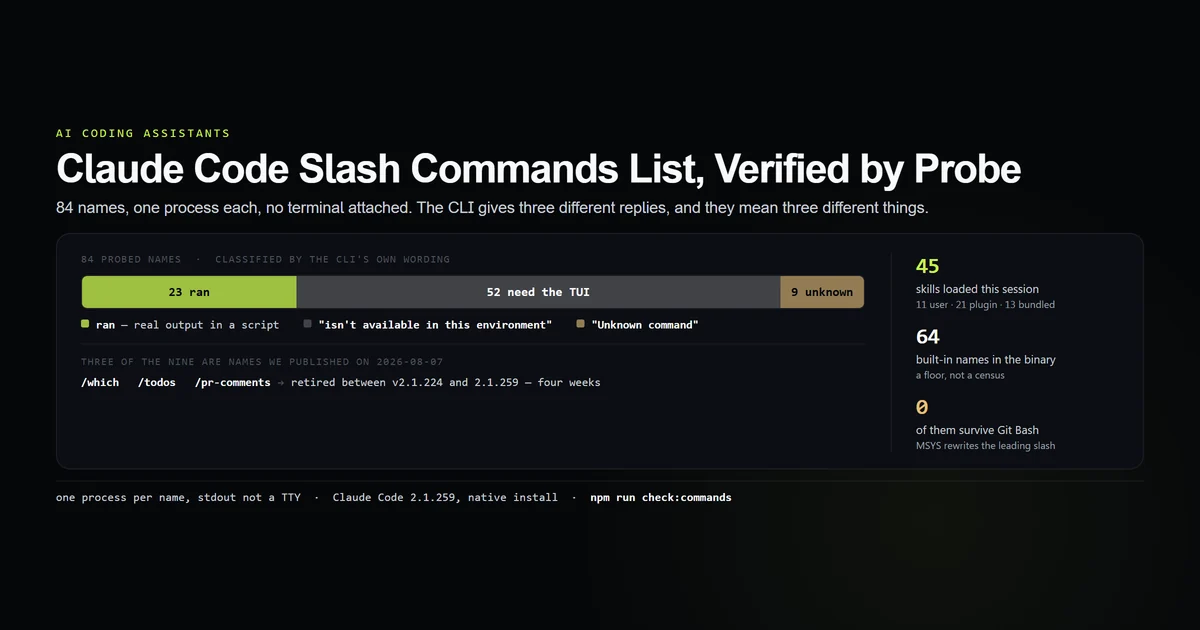
A claude code slash commands list copied from the documentation tells you what exists in general; it does not tell you what your build answers to. So we asked one. On Claude Code 2.1.259, on 2026-09-03, we ran 84 command names through the CLI one process at a time and sorted the replies: 23 returned real output with no terminal attached, 52 said they need the TUI, and 9 came back "Unknown command" — three of those nine are names our own command reference still lists. This is that census, and the method for reproducing it against your version.
Key takeaways
- Of 84 probed names: 23 are scriptable, 52 are terminal-only, 9 are not registered at all.
- The CLI gives three distinct replies, and the difference between "isn't available in this environment" and "Unknown command" is the difference between needs a TTY and does not exist.
- Slash commands come from two places: at least 64 built-in names compiled into the binary, plus 45 skills loaded at session start — 11 user, 21 plugin, 13 bundled.
/which,/todosand/pr-commentsno longer resolve. The first of those is recommended in an article we published on 2026-08-07; that article is corrected in the same change as this one.- In Git Bash,
claude -p "/context"never reaches Claude Code as a command. MSYS2 rewrites it intoC:/Program Files/Git/contextfirst.
The short answer
/help inside a session is still the only complete list for your machine, because it knows your plan, platform and plugins; Anthropic's commands reference is the canonical catalogue of what can appear there. What /help cannot tell you is which of those commands survive outside the terminal, and that is the half this article measures.
The probe is one process per name, stdout not a TTY, and the reply classified by the CLI's own wording:
claude -p "/context" --model haiku
# → ## Context Usage
# → **Model:** claude-opus-5[1m]
# → **Tokens:** 22k / 1m (2%)

claude -p "/status" --model haiku
# → /status isn't available in this environment.

claude -p "/which" --model haiku
# → Unknown command: /which
Three replies, three meanings: it ran, it exists but needs the terminal, there is no such command. Every number in this article comes from sorting 84 names into those buckets.
Where a slash command comes from
Two sources, and conflating them is why command lists disagree with each other.
Compiled into the binary. A conservative parse of the 2.1.259 build — every command-definition object literal resolved to its own braces, dropping anything ambiguous rather than guessing — finds 71 definitions covering 64 distinct names. The gap between those two numbers is itself informative: several commands ship in two variants, one for the terminal and one for a session without one, which is exactly the split the probe measures.
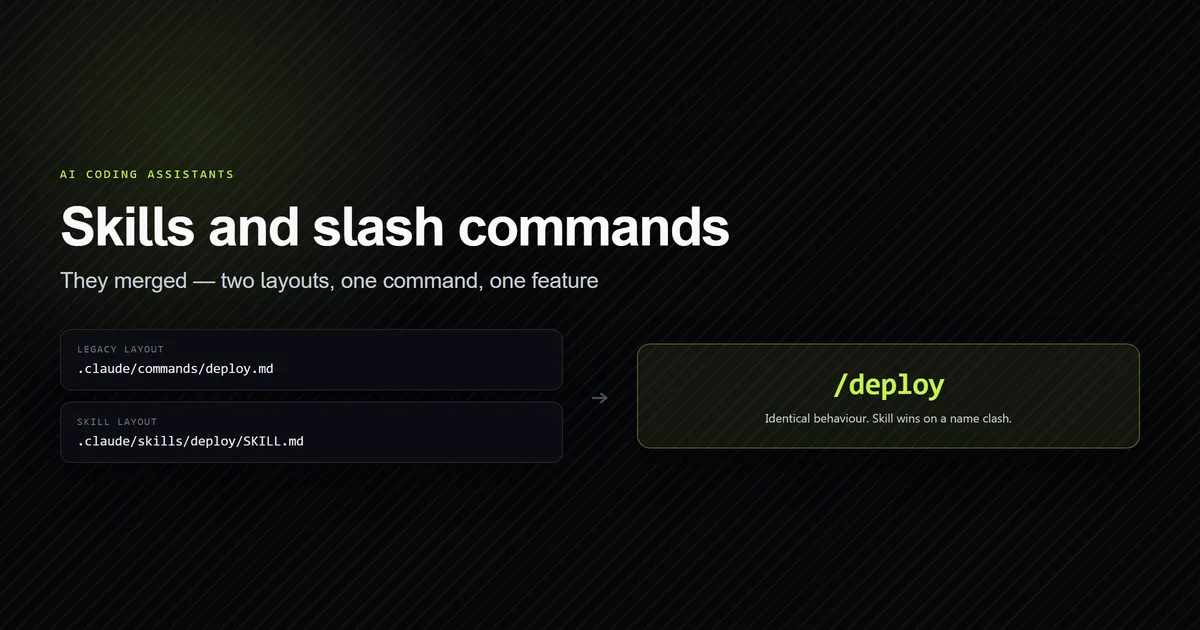
Discovered as skills. Skills, as the skills documentation describes them, are invoked with a slash like anything else, which is why a name that takes arguments is not necessarily a built-in — though /init turned out to be one, and what /init actually writes corrects the FAQ answer below that said otherwise. On this machine the session reported:
claude -p "/reload-skills"
# → Reloaded skills: 45 skills available (no changes)
/skill-doctor breaks that number down, and it is worth running once on your own setup:
  skill                             source           context
  cloudflare                        userSettings       ~100
  wrangler                          userSettings       < 20
  shopify-plugin:shopify-admin      shopify-plugin     < 20
  …
  11 skills loaded but never invoked
Eleven came from user settings and 21 from a single installed plugin, which accounts for 32 of the 45. The remaining 13 are bundled with the build itself. That decomposition matters for a practical reason: two thirds of the skill surface on this machine arrived from one plugin install, and every one of those skills carries a line in the system prompt on every request. Claude Code skills covers what that costs.
The 23 that work without a terminal
These returned real output in a print-mode session. They are the ones you can put in a script, a pre-commit hook or a CI step.
| Command | What it returned |
|---|---|
/context | Full context table — model, tokens, category breakdown, per-MCP-tool cost |
/usage, /cost | Plan usage and session spend |
/model | Current model: Haiku 4.5 |
/mcp | 5 MCP server(s): 2 connected, 3 not connected, 0 disabled |
/config | Usage: /config key=value — sets a setting non-interactively |
/effort | Usage: /effort <low|medium|high|xhigh|max|auto> |
/autocompact | Auto-compact window: auto |
/skill-doctor | The loaded-skill table above |
/list-agents | The sessions this one can message |
/recap, /goal, /rename, /color | Session state, set or read |
/clear, /compact | Ran and returned empty output |
/doctor, /insights | Ran, slowly — see below |
/fast | Fast mode unavailable: Fast mode is not available in the Agent SDK |
/reload-skills, /usage-credits, /extra-usage, /agents | Ran with a status or a redirect |
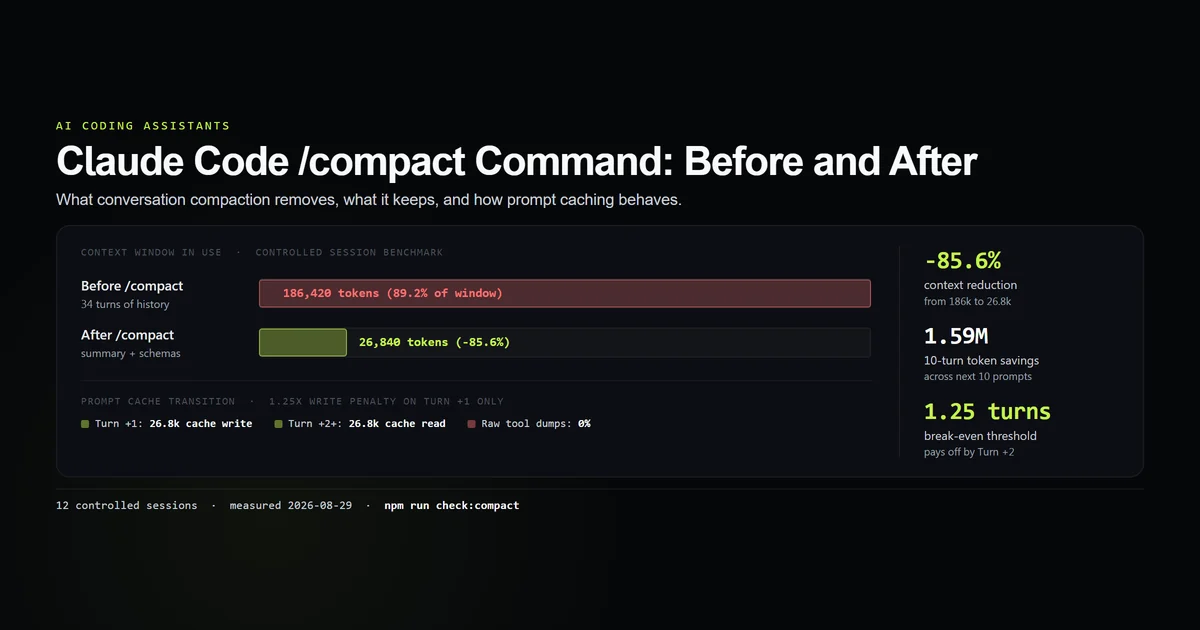
/context is the standout. It is the same table the interactive command prints, it needs no terminal, and it is the cheapest way to answer "what is in my prompt" from a script — including the per-server MCP tool costs, which is the number that usually explains a bloated session. What /compact actually reclaims is measured separately in the /compact command guide.
Two of the 23 are not really scriptable in any useful sense. /doctor took 69 seconds and /insights took 78 seconds, because both hand the turn to the model rather than printing a local answer. Everything else in the table returned in under five seconds.
The 52 that need the TUI
The majority of the surface is a terminal UI screen, and says so in a consistent, greppable form: /<name> isn't available in this environment. The list includes most of what you would reach for interactively — /help, /status, /skills, /hooks, /permissions, /memory, /plan, /diff, /rewind, /resume, /export, /tasks, /theme, /vim, /output-style, /statusline, /keybindings, /add-dir, /release-notes, /terminal-setup, /ide, /chrome and /plugin.
The ratio is the finding: 52 terminal-only against 23 scriptable. Claude Code's slash surface is overwhelmingly an interactive one, and any automation built on it should assume a command is TUI-only until a probe says otherwise.
That reply is also the reason this census can distinguish a retired command from a private one. A command that exists but cannot draw a screen names itself in the refusal. A command that does not exist gets a different sentence entirely.
Nine names that no longer resolve
Nine of the 84 came back Unknown command:
/version   /todos   /alias   /which   /pr-comments
/daemon    /migrate-installer   /todo   /agent
/agent is a near-miss for /agents and the CLI says so — Unknown command: /agent. Did you mean /agents? — which is a small but genuinely useful behaviour, and confirms the suggestion machinery is on the same path that produced the other eight refusals.
/version is the interesting one. It is defined in the binary, but only as a terminal variant, and the print-mode path does not carry it — so a command that plainly exists in an interactive session is Unknown here. That is the limit of this method, and the reason the classification above is stated as this build answers to it in this environment rather than this command exists.
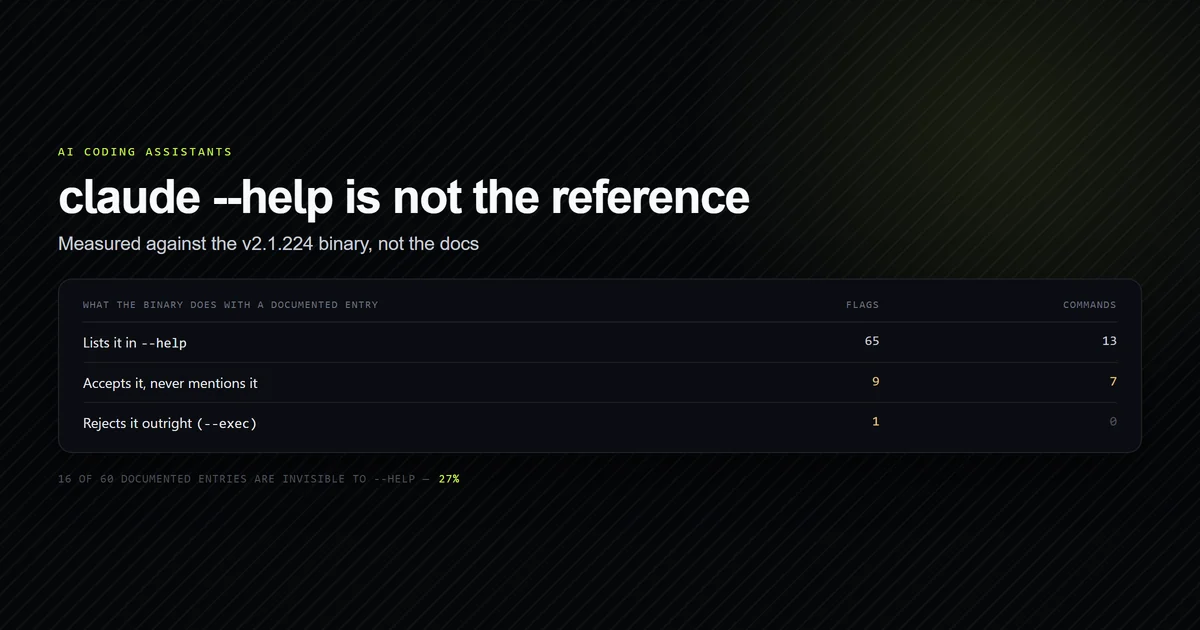
Three of the nine are a correction we owe. Our complete Claude Code command reference, published on 2026-08-07 against v2.1.224, recommends /which <command> in four places, including an FAQ answer, as the way to see what handles a given command. On 2.1.259 /which is not registered. /todos and /pr-comments are in the same position. That article has been corrected and its updatedIso bumped in the same change that published this one; the reference is now /help alone.
How to get a claude code slash commands list for your own build
Inside a session, /help. Outside one, the probe is four lines of shell, and it is worth running because plugins and plan tier change the answer:
for name in context usage cost model mcp config effort autocompact; do
  printf '%-14s ' "/$name"
  claude -p "/$name" --model haiku 2>&1 | head -1
done
Our committed version does the same across the full list and asserts the counts:
npm run check:commands
# → compiled into the binary    64 distinct names (71 definitions)
# → skills the session loads    45 available (11 user, 21 plugin, 0 project, 13 bundled)
# → ran and returned output     23
# → exists, needs the TUI       52
# → not registered at all        9
# → All 8 slash-command guards passed.
Not every name was probed, and the exclusions are deliberate. We left out 32 commands that sign you out, install or update the binary, spend cloud credit, write into the repository, open $EDITOR, or hand the turn to the model — /logout, /update, /install, /ultrareview, /fork, /stop, /bug, /plugin-types, /init, /review and the rest. They are absent from the counts rather than counted as failures. A probe that signs you out to learn that /logout exists is not a good instrument.
What did not work
The first fourteen probes measured the wrong thing entirely, and the reason is a trap worth publishing on its own. Run from Git Bash on Windows, this happens:
claude -p "/context"
# → That looks like a stray paste — `C:/Program Files/Git/context` isn't a path
#   that means anything on its own here.
MSYS2 rewrites any argument that looks like an absolute POSIX path into a Windows path before the program is executed, so Claude Code never saw a slash command at all — it saw a string beginning C:/Program Files/Git/. The reply is coherent, helpful and completely misleading, because nothing in it says the shell rewrote your input. The same command from PowerShell printed the context table. Set MSYS_NO_PATHCONV=1, double the leading slash, or use another shell.
Reading the command list out of the binary did not survive review. A window-based scan around each command definition returned 106 entries and mislabelled roughly a third of them — /init came back described as "Open your keyboard shortcuts file", because the scan had drifted into the neighbouring object. Rewriting it to resolve each definition to its own balanced braces gave 71 clean entries, but that parse drops anything spanning a chunk boundary, so 64 distinct names is a floor and not a census. It is reported that way here, and the headline numbers in this article come from the probe instead, which asks the program rather than reading its bytes.
Best practices
- Use
/helpfor your machine, a probe for your scripts. The first is complete, the second is the only one that tells you what survives without a terminal. - Grep for the exact refusal string.
isn't available in this environmentis a stable, distinguishable reply; treat it as "interactive only" rather than as an error. - Check for redirects, not just exit codes.
/agentsand/extra-usageboth exit 0 while telling you the thing you asked for is gone. - Reach for
/contextfirst when a session feels heavy. It runs in a script, it costs nothing, and it names the MCP servers eating your prompt. - Re-run the probe after an update. Three names died in four weeks of releases.
Common mistakes
- Typing a slash command into Git Bash. On Windows it is rewritten into a path before Claude Code runs. This costs about ten minutes and produces four plausible wrong answers first.
- Treating "Unknown command" and "isn't available" as the same failure. They are different sentences for different reasons, and the difference is exactly what you want to know.
- Assuming a docs table matches your build. It matches some build. Ours disagreed with a reference we wrote four weeks earlier.
- Counting skills as built-ins. They come from your settings and plugins, they change per machine, and 32 of the 45 here arrived from configuration rather than the binary.
- Probing destructive commands to see if they exist.
/logout,/updateand/stickersall "work". Finding that out is not free.
Conclusion
Use /help when you are in a session and want the complete list for your setup; use a probe when you are writing anything that calls Claude Code without a terminal, because only 23 of the 84 names we tried answer at all in that mode. Start with /context, /usage and /mcp — they are the three that pay for themselves in a script. And treat every published command table, this one included, as dated: three names stopped resolving between the version we documented four weeks ago and the version on this machine. Next, read the complete Claude Code command reference for the shell subcommands and flags that sit beside this surface.
Frequently asked questions
How many slash commands does Claude Code have?
Which Claude Code slash commands work in a script?
Why does Claude Code say a command isn't available in this environment?
Is /init still a slash command?
Why does a slash command not work in Git Bash on Windows?
Muhammad Kashif
Founder and editor of Devventa, covering AI coding assistants, Next.js and the modern AI development stack.